
ZWP B0FDQL23FP
ZWP 2 Button 5 Pin Replacement Remote Control User Manual
Model: B0FDQL23FP
1. Introduction
This user manual provides comprehensive instructions for the ZWP 2 Button 5 Pin Replacement Remote Control. Designed for compatibility with a wide range of lift chairs, including those from Okin, Ashley Furniture, Dewert, Flexteel, and Limoss, this remote ensures reliable operation and ease of use. Please read this manual carefully before installation and operation to ensure proper functionality and longevity of your device.
2. Product Overview
The ZWP Replacement Remote Control is a durable and user-friendly device featuring two control buttons and a convenient USB port. It is designed with a round 5-pin male plug for easy connection to compatible lift chairs.

Figure 2.1: The ZWP remote control, showcasing its two buttons, USB port, and the crucial 5-pin round male connector. The inset shows a detailed view of the 5-pin plug.
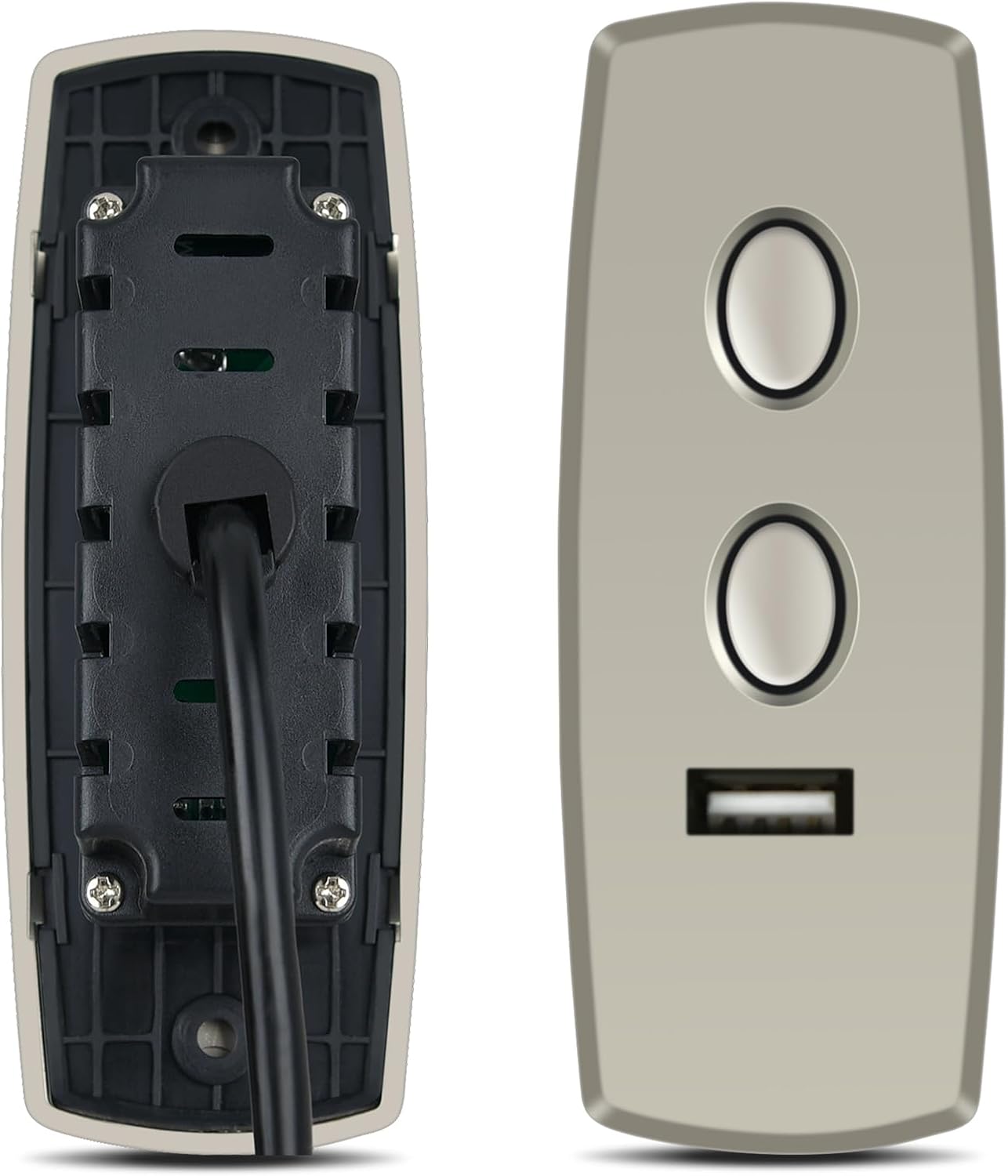
Figure 2.2: Front and rear views of the remote control, illustrating its ergonomic design and the robust construction of the casing.
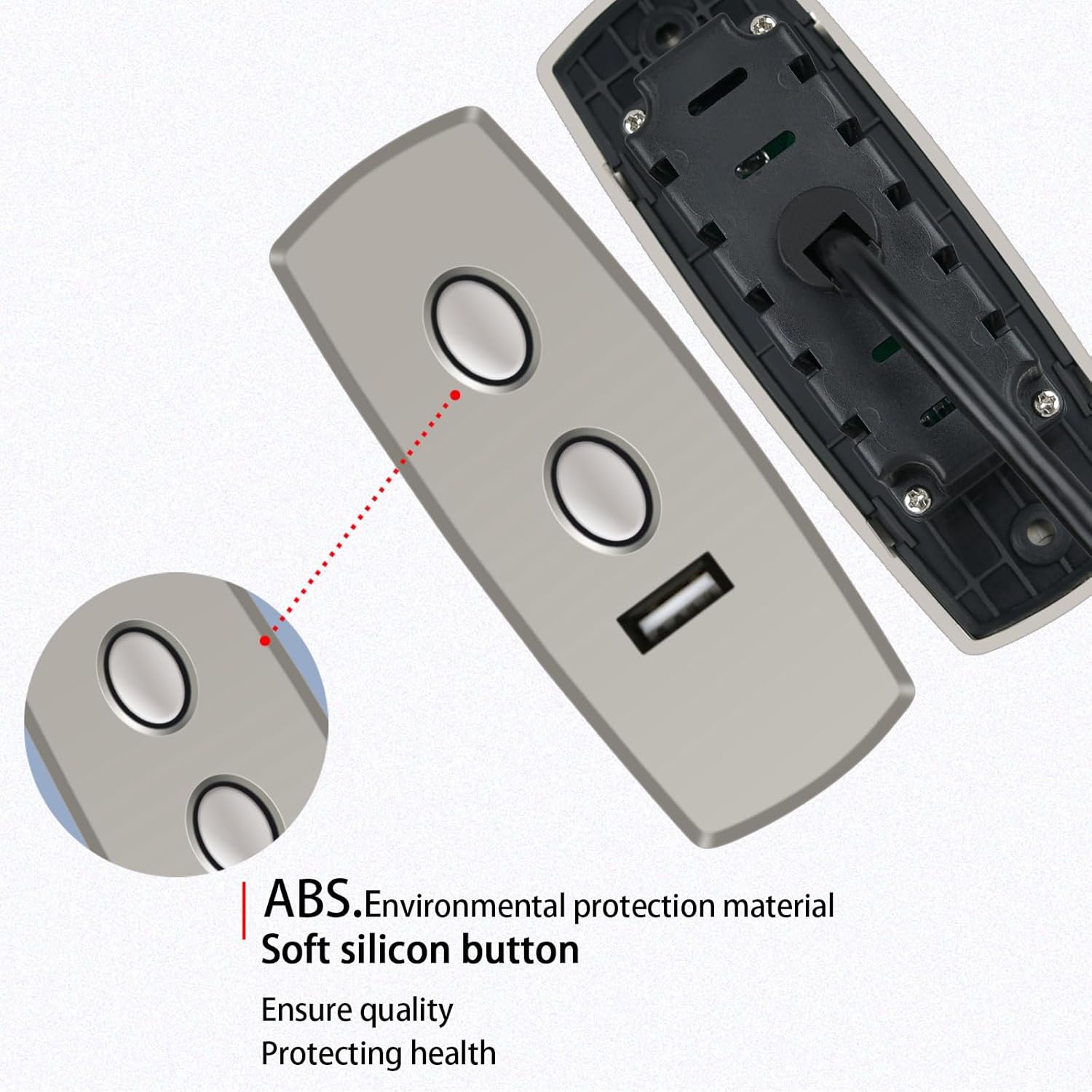
Figure 2.3: Detail showing the high-quality ABS environmental protection material and soft silicon buttons, designed for comfortable use and durability.
3. Setup and Installation
Installing your new ZWP remote control is a straightforward process. Follow these steps to ensure proper connection:
- Identify the Connector: Locate the existing remote control cable on your lift chair. Ensure it has a round 5-pin female receptacle. This remote control is designed specifically for this type of connection.
- Verify Compatibility: Before plugging in, visually confirm that the 5-pin male plug on the ZWP remote matches the configuration of your lift chair's receptacle. This remote will not fit if the plug ends are different.
- Plug In: Carefully align the 5-pin male plug of the ZWP remote control with the corresponding 5-pin female receptacle on your lift chair. Gently push the plug in until it is fully seated and secure.
- Test Functionality: Once connected, test the remote control by pressing the lift and recline buttons to ensure the chair responds correctly.
No additional tools or complex wiring are required for installation. The plug-and-play design makes it easy to replace your old remote.
4. Operating Instructions
The ZWP 2 Button 5 Pin Replacement Remote Control is designed for intuitive operation of your lift chair. It features two primary buttons for controlling the chair's movement and a USB port for added convenience.
- Lift Button: Press and hold the top button to activate the lift function, raising the chair to assist with standing. Release the button to stop the movement.
- Recline Button: Press and hold the bottom button to activate the recline function, lowering the chair into a reclined position. Release the button to stop the movement.
- USB Port: The integrated USB port can be used to charge compatible electronic devices. Simply plug your device's USB charging cable into the port.

Figure 4.1: The remote control in operation, demonstrating its effective operational distance of up to 8 meters for long-distance control of your lift chair.
5. Maintenance and Care
To ensure the longevity and optimal performance of your ZWP remote control, follow these simple maintenance guidelines:
- Cleaning: Wipe the surface of the remote control with a soft, dry cloth. For stubborn dirt, a slightly damp cloth can be used, but ensure no moisture enters the device. Avoid abrasive cleaners or solvents.
- Storage: When not in use, store the remote in a dry place away from direct sunlight and extreme temperatures.
- Handling: Avoid dropping the remote control or subjecting it to strong impacts, as this can damage internal components.
- Cable Care: Do not bend or crimp the cable excessively. Ensure the cable is not tangled or caught in the chair's mechanism.
The remote is constructed from high-quality ABS material, which is wear-resistant and durable, designed for long-term use.
6. Troubleshooting
If you encounter issues with your ZWP remote control, please refer to the following common problems and solutions:
| Problem | Possible Cause | Solution |
|---|---|---|
| Remote control is unresponsive. | Loose or incorrect connection. | Ensure the 5-pin plug is fully and securely inserted into the lift chair's receptacle. Verify the plug type matches your chair's requirements. |
| Chair moves intermittently or erratically. | Damaged cable or internal wiring. | Inspect the remote's cable for any visible damage (cuts, crimps). If damaged, replacement may be necessary. |
| USB port not charging devices. | Device incompatibility or power issue. | Ensure your device is compatible with USB charging. Check if the lift chair is powered on and functioning correctly. |
If the problem persists after attempting these solutions, please contact customer support for further assistance.
7. Specifications
| Feature | Detail |
|---|---|
| Brand | ZWP |
| Model Number (ASIN) | B0FDQL23FP |
| Compatible Devices | Lift Chair (Okin, Ashley Furniture, Dewert, Flexteel, Limoss, etc.) |
| Connector Type | 5 Pin Round Male Plug |
| Human Interface Input | Buttons |
| Special Features | Ergonomic design, Integrated USB port |
| Batteries Required | No |
| Colour | Black |
| Operational Distance | Up to 8 meters (approx. 26 feet) |
| Parcel Dimensions | 18.8 x 6.35 x 2.79 cm (7.4 x 2.5 x 1.1 inches) |
| Item Weight | 58.97 g (2.08 ounces) |
8. Customer Support
For any questions, concerns, or assistance regarding your ZWP 2 Button 5 Pin Replacement Remote Control, please do not hesitate to contact us. We are committed to helping you resolve any issues you may encounter.
Please refer to your purchase documentation or the seller's information on the platform where you purchased the product for specific contact details. Your satisfaction is our priority.
Ask a question about this manual
Ask about setup, troubleshooting, compatibility, parts, safety, or missing instructions. Manuals+ will review the question and use this page’s manual context to help answer it.