
1. Introduction
Thank you for choosing the LEFANT M3 Max Robot Vacuum and Mop. This device is designed to provide an efficient and automated cleaning experience for your home. Featuring an all-in-one self-cleaning station, powerful suction, advanced navigation, and smart control options, the M3 Max simplifies floor maintenance. Please read this manual thoroughly before use to ensure proper operation and maintenance.
2. Safety Instructions
- Read all instructions before operating the appliance.
- Do not allow children to play with the robot. Supervise children and pets when the robot is operating.
- Use only the manufacturer-specified power adapter and charging station.
- Ensure the robot is turned off and unplugged before cleaning or performing maintenance.
- Do not operate the robot in wet environments or near water.
- Remove any loose cables, small objects, or fragile items from the floor before cleaning to prevent entanglement or damage.
- Do not use the robot to pick up large debris, liquids, or burning objects.
- Keep the charging contacts and sensors clean to ensure proper functionality.
3. Package Contents
Verify that all items are present in the package:

Image: All components included in the LEFANT M3 Max package, laid out for clear identification.
- LEFANT M3 Max Robot Vacuum and Mop
- All-in-One Self-Cleaning Station
- Power Cable (x1)
- Dust Bags (x2)
- Side Brushes (x2)
- Mop Holders (x2)
- Washable Mop Pads (x4)
- HEPA Filters (x2)
- Cleaning Solution (x1)
- Cleaning Tool (x1)
- User Manual (x1)
4. Product Overview
4.1 Robot Vacuum and Mop

Image: Top-down view of the LEFANT M3 Max robot vacuum and mop, showing its sleek design and main sensor.
The LEFANT M3 Max combines powerful vacuuming with effective mopping. Key features include:
- 20,000Pa Suction: Provides strong suction for deep cleaning carpets and hard floors, effectively removing dust, debris, and pet hair.
- dToF Laser Navigation: 360° laser scanning for precise mapping and efficient path planning, even in low-light conditions.
- Dual Rotating Mops: Two mop pads rotate at 200 RPM to effectively scrub stubborn stains. Mops automatically lift by 9mm when a carpet is detected.
- 190° PSD Obstacle Avoidance: Precisely recognizes and avoids obstacles like furniture, cables, and shoes, minimizing collisions.

Image: Illustration of the robot's powerful 20,000Pa suction, showing dust and debris being lifted from the floor.

Image: The robot using its dToF laser navigation to map a room with furniture and a pet.
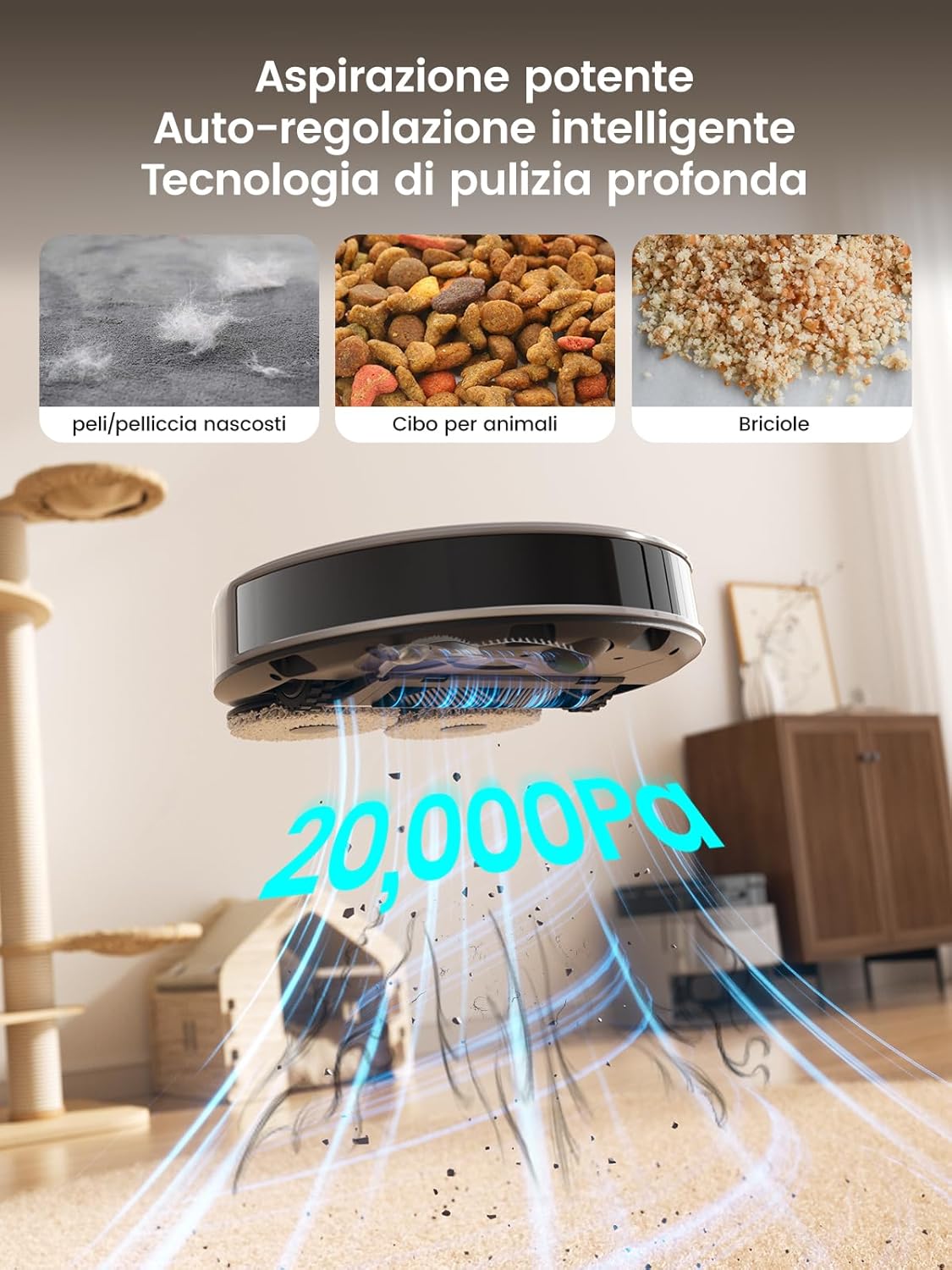
Image: Close-up of the robot's underside showing the two rotating mop pads in action on a hard floor with a spill.

Image: The robot detecting and avoiding various objects on the floor using its 190° PSD sensors.
4.2 All-in-One Self-Cleaning Station

Image: Detailed view of the self-cleaning station, highlighting its automatic detergent dispensing, 3.2L dust collection, 45°C hot water mop washing, and air-drying features.
The self-cleaning station automates daily maintenance:
- Automatic Dust Emptying: The 3.2L dust bag allows for weeks of hands-free operation.
- Hot Water Mop Washing: Mops are automatically washed with 45°C hot water to ensure hygiene.
- Air Drying: Mops are air-dried to prevent odors and mildew.
- Automatic Detergent Dispensing: Ensures optimal cleaning performance.
5. Setup
5.1 Station Placement
- Place the self-cleaning station against a wall in an open area, ensuring at least 0.5 meters of clear space on both sides and 1.5 meters in front.
- Connect the power cable to the station and plug it into a power outlet.
- Ensure the station is on a hard, level surface.
5.2 Initial Charging
Place the robot onto the charging station. The robot will automatically power on and begin charging. For first-time use, fully charge the robot before operation (approximately 3-4 hours).
5.3 App Connection
To unlock all smart features, connect your LEFANT M3 Max to the Lefant app:

Image: Step-by-step guide on connecting the LEFANT M3 Max robot to the Lefant mobile application.
- Download the 'Lefant' app from your smartphone's app store.
- Open the app and register or log in.
- Tap 'Add Device' and select 'M3 Max Robot'.
- Power on the robot by pressing and holding the power button for 3 seconds.
- Follow the in-app instructions to connect the robot to your 2.4GHz/5GHz Wi-Fi network.
- Once connected, you can control the robot via the app.
5.4 Voice Assistant Connection (Alexa/Google Assistant)
Integrate your robot with voice assistants for hands-free control:

Image: Step-by-step guide on linking the Lefant account with Amazon Alexa for voice control.
- Open the Lefant app, go to 'Mine' > 'Third-party voice services'.
- Follow the instructions to link your Lefant account.
- Open the Alexa or Google Home app.
- Search for the 'Smart Life' skill/service and enable it.
- Link your Smart Life account (using the same credentials as your Lefant account).
- Discover devices. You can now control your robot with voice commands like "Alexa, ask Lefant Robot to clean."
6. Operation
6.1 Starting/Pausing/Stopping Cleaning
- Start: Press the power button on the robot once, or use the 'Start' button in the Lefant app.
- Pause: Press the power button during cleaning, or use the 'Pause' button in the app.
- Stop: Press and hold the power button for 3 seconds, or use the 'Stop' button in the app. The robot will return to the charging station.
6.2 Cleaning Modes
The Lefant app allows you to select various cleaning modes:
- Auto Clean: The robot intelligently plans a cleaning path for your entire home.
- Spot Clean: Cleans a specific area more intensely.
- Zone Clean: Define specific zones on the map for the robot to clean.
- Custom Clean: Select specific rooms to clean.
- Mop Only: The robot will only mop, with vacuuming disabled.
- Vacuum Only: The robot will only vacuum, with mopping disabled.
6.3 Smart Features via App
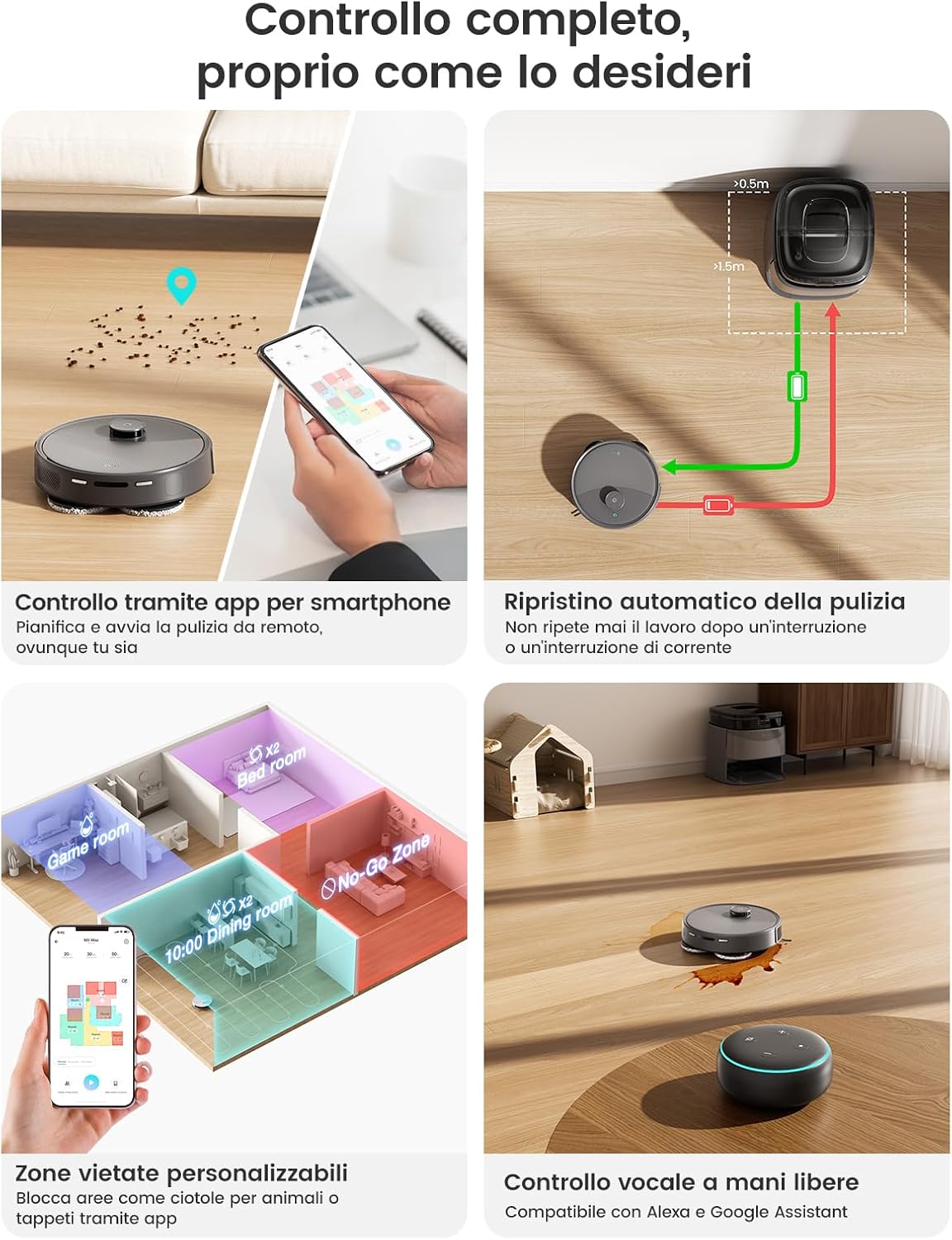
Image: A smartphone displaying the Lefant app interface, showing various control options for the robot vacuum, including scheduling, zone cleaning, and voice control compatibility.
- Scheduling: Set cleaning times for specific days.
- No-Go Zones/Virtual Walls: Define areas the robot should avoid (e.g., pet bowls, fragile items).
- Multi-Level Mapping: The robot can store maps for up to three different floors.
- Cleaning History: View past cleaning routes and durations.
- Suction/Water Level Adjustment: Customize cleaning intensity.
7. Maintenance
Regular maintenance ensures optimal performance and extends the lifespan of your robot.
7.1 Self-Cleaning Station Maintenance
Image: The self-cleaning station with its removable tray being cleaned under a faucet, demonstrating ease of maintenance.
- Dust Bag Replacement: The 3.2L dust bag typically needs replacement every 8 weeks, depending on usage. The app will notify you when it's full.
- Water Tanks: Regularly empty the dirty water tank and refill the clean water tank. Clean both tanks with fresh water.
- Mop Washing Tray: The removable mop washing tray should be cleaned periodically to prevent residue buildup.
7.2 Robot Components Maintenance
- Mop Pads: Remove and wash the mop pads after each mopping session. They are machine washable.
- Main Brush: Remove the main brush and clean any tangled hair or debris using the provided cleaning tool. Check weekly.
- Side Brushes: Check for tangled hair or debris. Replace if worn or damaged. Check monthly.
- HEPA Filter: Tap out dust from the HEPA filter. Do not wash. Replace every 3-6 months.
- Sensors and Charging Contacts: Wipe all sensors (LIDAR, anti-drop, obstacle avoidance) and charging contacts on both the robot and station with a clean, dry cloth. Clean weekly.
8. Troubleshooting
| Problem | Possible Cause | Solution |
|---|---|---|
| Robot does not start or respond. | Low battery; power switch off; robot stuck. | Charge the robot; ensure power switch is ON; clear any obstructions. |
| Poor cleaning performance. | Dustbin full; brushes tangled; filter clogged; mop pads dirty. | Empty dustbin; clean/replace brushes; clean/replace filter; wash mop pads. |
| Robot cannot return to charging station. | Station obstructed; station not powered; robot too far. | Clear area around station; ensure station is powered; manually place robot near station. |
| App connection issues. | Incorrect Wi-Fi password; router issues; robot offline. | Verify Wi-Fi password; restart router; reset robot Wi-Fi and reconnect. |
| Mops not cleaning effectively. | Mop pads dry; water tank empty; detergent low. | Ensure mop pads are wet; refill clean water tank; check detergent level. |
9. Specifications
| Feature | Specification |
|---|---|
| Model | M3 Max |
| Brand | LEFANT |
| Suction Power | 20,000 Pa |
| Battery Capacity | 5200 mAh |
| Max Runtime | Up to 210 minutes (3 hours 40 minutes) |
| Max Cleaning Area | Up to 220 m² |
| Navigation Type | dToF Laser Navigation (LIDAR) |
| Obstacle Avoidance | 190° PSD Sensors (Freemove Tech 3.0) |
| Mop Rotation Speed | 200 RPM |
| Mop Auto-Lift Height | 9 mm |
| Dust Bag Capacity | 3.2 L (Self-Emptying Station) |
| Hot Water Mop Wash | 45°C |
| Connectivity | Wi-Fi (App Control), Alexa, Google Assistant |
| Product Dimensions (Robot) | 32 x 32 x 9.7 cm (approx.) |
| Product Dimensions (Station) | 37 x 38.5 x 35.7 cm (approx.) |
| Weight | 11.85 kg (total package) |
10. Warranty and Support
LEFANT products are manufactured to high-quality standards and are covered by a limited warranty from the date of purchase. For specific warranty terms and conditions, please refer to the warranty card included in your package or visit the official LEFANT website.
If you encounter any issues or have questions regarding your LEFANT M3 Max, please contact LEFANT customer support through the app or the official website. Our support team is available to assist you with troubleshooting, parts replacement, and general inquiries.
Please have your model number (M3 Max) and purchase information ready when contacting support.


