
1. Introduction
Thank you for choosing the JolyWell 2K Video Baby Monitor, Model JW-BBM005. This manual provides essential information for the safe and efficient use of your baby monitor. Please read it thoroughly before installation and operation, and retain it for future reference.
2. Package Contents
Verify that all items listed below are included in your package. If any items are missing or damaged, please contact customer support.

Figure 2.1: Package Contents
- Baby Camera (1)
- Baby Monitor (Parent Unit) (1)
- Decorative Cover (Blue & Pink) (2)
- Power Cable (2)
- Power Adapter (2)
- Mounting Screw Set (1)
- User Manual (1)
3. Product Overview
The JolyWell 2K Video Baby Monitor offers comprehensive monitoring capabilities with both a dedicated 5-inch parent unit and smartphone app access.
Key Features:
- Dual Viewing Options: Monitor via the 5-inch handheld display or a smartphone app.
- 2K Full HD Camera: Provides clear 2MP 1080P video resolution.
- Pan & Tilt Control: Camera can pan 355° horizontally and tilt 60° vertically.
- Auto Tracking: Automatically follows your baby's movements.
- Night Vision: Infrared night vision for clear monitoring in low light.
- Motion & Sound Alerts: Real-time notifications for baby's movements or sounds.
- Two-Way Audio: Communicate with your baby remotely.
- VOX Mode: Voice-activated screen and sound activation.
- Lullabies: Built-in soothing melodies.
- Recording: Supports local TF card recording (not included) and optional cloud storage.
- Room Comfort Sensors: Built-in temperature and humidity sensors.
- Feeding Reminders: Customizable alerts for feeding schedules.

Figure 3.1: Dual Monitoring: App & Monitor

Figure 3.2: Intelligent Auto-Tracking

Figure 3.3: Advanced Night Vision

Figure 3.4: Instant Motion/Sound Alerts
4. Setup Guide
4.1 Powering On
- Connect the power adapter to the Baby Camera and plug it into a power outlet.
- Connect the second power adapter to the Baby Monitor (Parent Unit) and plug it into a power outlet. The parent unit has a rechargeable battery for portable use once charged.
- Press and hold the power button on the parent unit to turn it on.
4.2 Camera Placement
Place the Baby Camera in a location that provides a clear view of your baby. Ensure it is out of reach of children and pets. The camera can be placed on a flat surface or mounted to a wall or ceiling using the provided mounting screw set.
4.3 App Connection (Optional)
For smartphone monitoring, download the designated app (refer to the manual for app name, typically found via QR code or app store search). Follow the in-app instructions to pair your camera with your smartphone. This allows for remote viewing and control.

Figure 4.1: Dual Connection via Monitor & App
4.4 Private Connection (Monitor Only Mode)
The monitor and camera are pre-paired for direct use without Wi-Fi. This mode provides a secure, encrypted connection for local monitoring.

Figure 4.2: Private Connection, No WiFi Needed
5. Operating Instructions
5.1 Basic Monitoring
Once powered on, the parent unit will automatically display the live video feed from the camera. The 5-inch screen provides a clear view of your baby.
5.2 Pan, Tilt, and Zoom
Use the directional buttons on the parent unit to remotely adjust the camera's viewing angle. The camera supports 355° horizontal pan and 60° vertical tilt. Digital zoom functionality is also available.
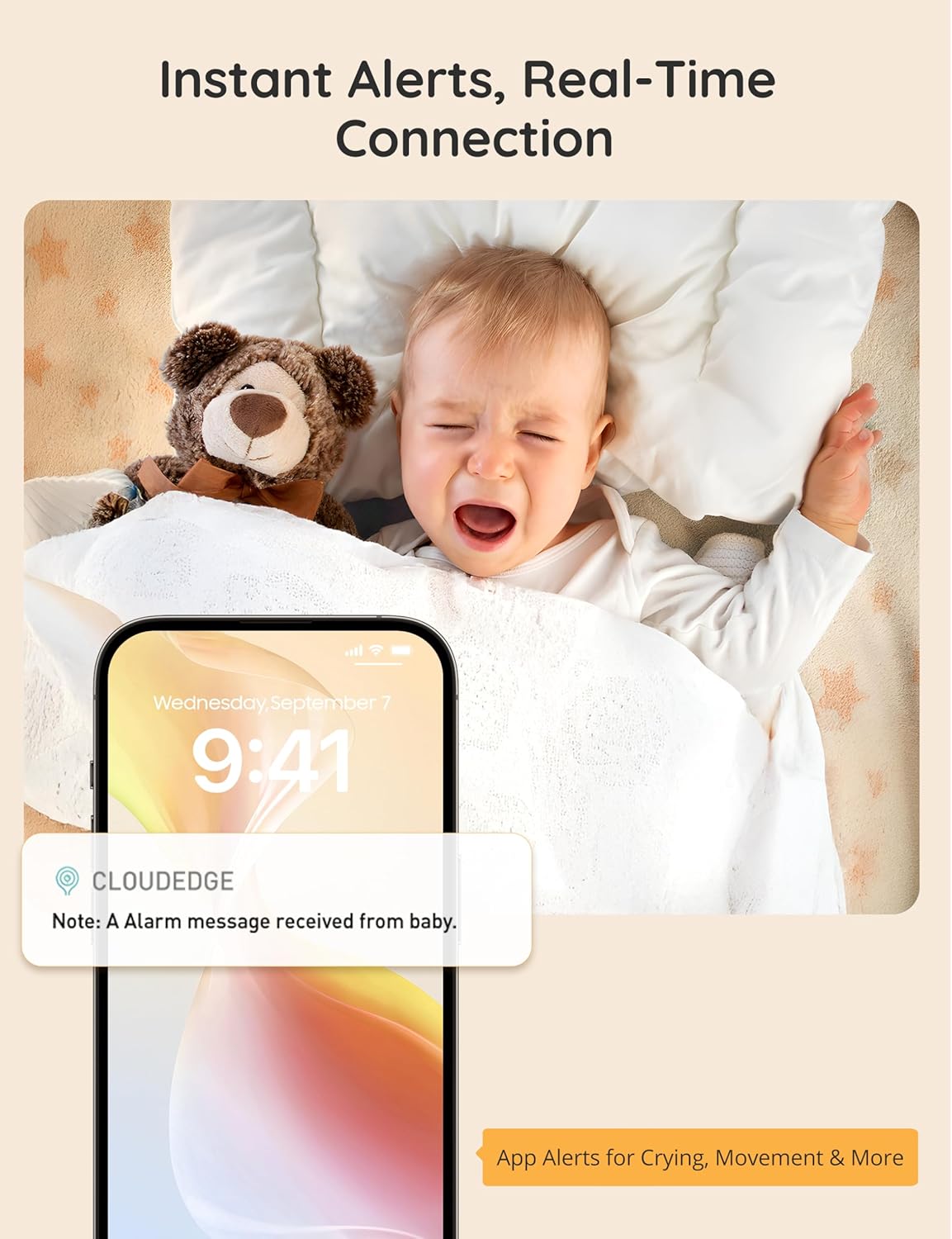
Figure 5.1: 3X Digital Zoom
5.3 Two-Way Audio
Press and hold the microphone button on the parent unit to speak to your baby through the camera's speaker. Release the button to listen.

Figure 5.2: Two-Way Talk Functionality
5.4 Lullabies
Access the menu on the parent unit to select and play built-in lullabies to soothe your baby. You can adjust the volume as needed.

Figure 5.3: Soothing Lullabies
5.5 VOX Mode
VOX (Voice Operated eXchange) mode automatically activates the screen and sound on the parent unit when noise is detected in the baby's room. Adjust the sensitivity level in the settings menu.

Figure 5.4: Enhanced VOX Mode
5.6 Alerts (Motion, Sound, Temperature)
- Motion/Sound Alerts: The monitor can send real-time alerts to the parent unit or your smartphone (if connected) when motion or sound is detected. Adjust sensitivity in settings.
- Smart Cry Detection: Configure high, medium, or low sensitivity for cry detection with repeat alerts every 60 seconds.
- Temperature Alerts: Set desired temperature thresholds. An audible alarm will sound every 5 minutes if the room temperature falls outside these thresholds.

Figure 5.5: Smart Cry Detection

Figure 5.6: Environment Temperature Alerts
5.7 Recording & Sharing
Insert a TF card (not included) into the camera for local video recording. Optional cloud storage subscriptions may also be available through the app. Recorded moments can be tagged, saved, and shared with family via the app's "Moments Wall" feature.

Figure 5.7: Recording & Sharing Options
5.8 Feeding Reminders
Set customizable feeding alerts on the parent unit to help maintain your baby's schedule. Options include custom times, 2, 3, or 4-hour intervals, or off. Alarms reset when the monitor is powered off.
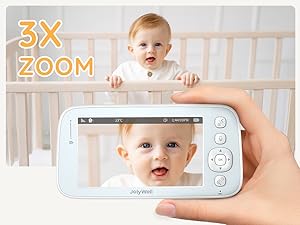
Figure 5.8: Customizable Feeding Alerts
5.9 Extended Battery Life
The parent unit features a 3000mAh battery, providing up to 12 hours of continuous monitoring on a single charge.
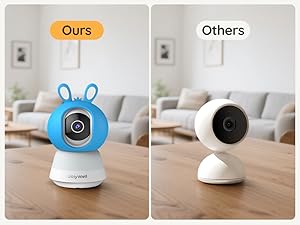
Figure 5.9: Extended Battery Life
5.10 Multi-Camera Support
The system supports up to 4 cameras for monitoring multiple rooms or angles simultaneously.

Figure 5.10: Multi-Camera Support
6. Maintenance
- Cleaning: Use a soft, dry cloth to clean the camera and monitor surfaces. Do not use liquid cleaners or aerosols.
- Storage: Store the device in a cool, dry place when not in use.
- Battery Care: For optimal battery life, avoid fully discharging the parent unit's battery frequently. Charge it regularly.
- Cable Management: Ensure power cables are securely connected and not damaged. Keep cables out of reach of children.
7. Troubleshooting
| Problem | Possible Cause | Solution |
|---|---|---|
| No image on parent unit | Camera or monitor not powered on; out of range; not paired. | Ensure both units are powered and charged. Move units closer. Re-pair if necessary (refer to app/manual for pairing instructions). |
| Poor image quality | Low light conditions (night vision active); camera lens dirty; poor signal. | Night vision is black and white. Clean camera lens. Move units closer to improve signal. |
| No sound or distorted sound | Volume too low; microphone/speaker obstructed; out of range. | Increase volume on parent unit. Ensure no obstructions. Move units closer. |
| App connection issues | Incorrect Wi-Fi password; poor Wi-Fi signal; app not updated. | Verify Wi-Fi credentials. Ensure strong Wi-Fi signal. Update app to the latest version. |
| Parent unit battery drains quickly | Continuous screen-on time; old battery. | Utilize VOX mode to conserve battery. Ensure full charge before use. Contact support if battery life significantly degrades. |
8. Specifications
| Feature | Specification |
|---|---|
| Model Number | JW-BBM005 |
| Video Capture Resolution | 1080p (2K) |
| Screen Size (Parent Unit) | 5 inches |
| Pan Angle | 355 Degrees |
| Tilt Angle | 60 Degrees |
| Viewing Angle | 110 Degrees |
| Night Vision Range | 30 Meters |
| Frame Rate | 30 Fps |
| Wireless Technology | Wi-Fi |
| Parent Unit Battery | 3000mAh (Up to 12 hours) |
| Power Source | AC (12 Volts, 5 Watts) |
| Material | Weatherproof Housing |
| Dimensions (L x W x H) | 8.4 x 1.9 x 16.5 Centimetres |
| Item Weight | 100 g |
| Special Features | AI Motion Detection, VOX Mode, Two-Way Audio, Lullabies, Temperature/Humidity Sensor |
9. Warranty and Support
The JolyWell 2K Video Baby Monitor comes with a 12-month warranty from the date of purchase. This warranty covers manufacturing defects and ensures the product functions as intended under normal use.
For technical support, warranty claims, or any questions regarding your product, please contact JolyWell customer service:
- Email: support@jolywell.com
- Online Support: Visit the JolyWell official website for FAQs and additional resources.
Please have your model number (JW-BBM005) and purchase information ready when contacting support.