
1. Introduction
Thank you for choosing the Edifier T5s Powered Active Subwoofer. This manual provides essential information for setting up, operating, and maintaining your subwoofer to ensure optimal performance and longevity. The T5s is designed to deliver deep, powerful bass, enhancing your home audio and home theater experience with its 8-inch long-throw woofer and 70W RMS output.

Figure 1.1: Edifier T5s Powered Active Subwoofer, showcasing its sleek black finish and front-firing port.
2. Safety Information
Please read and understand all safety instructions before using this product. Keep this manual for future reference.
- Power Source: Only use the power supply specified for this product. Ensure the voltage matches your local power supply.
- Ventilation: Do not block any ventilation openings. Maintain adequate space around the subwoofer for proper airflow.
- Water and Moisture: Do not expose the unit to rain, moisture, or dripping/splashing liquids. Do not place objects filled with liquids, such as vases, on the unit.
- Heat: Keep the unit away from heat sources such as radiators, heat registers, stoves, or other apparatus (including amplifiers) that produce heat.
- Cleaning: Unplug the unit from the power outlet before cleaning. Use only a dry cloth.
- Servicing: Do not attempt to service this product yourself. Refer all servicing to qualified service personnel.
3. Features
The Edifier T5s Subwoofer is engineered with advanced features to deliver superior bass performance:
- Deep & Powerful 8-Inch Bass: Experience 35Hz deep bass with the T5s powered subwoofer, which features an 8-inch long-throw woofer and a powerful 70W RMS output (driven by Class-D amplifier). Perfect for home audio and home theater.
- Built-in 70W Class-D Amplifier: High-efficiency power for punchy and consistent bass performance.
- Precision Control, Seamless Integration: Adjust the low-pass filter (30Hz–160Hz) and phase selector (0°/180°) to match any home stereo or active speaker setup.
- Slim Design, Low Distortion: This space-saving compact subwoofer fits into any spaces. The 18mm MDF cabinet with a front-firing driver and right-firing acoustic port minimizes resonance for clean, tight bass. Its wood grain finish and low-profile grille blend seamlessly with home decor.
- Smart & Energy-Efficient: Auto-standby saves power after 15 minutes of inactivity. The built-in amplifier ensures plug-and-play operation – no external receiver needed! Includes 3.5mm-to-RCA and RCA cables for instant setup.
- Versatile Connectivity: The dual RCA inputs/outputs (Signal In/Out) enable easy daisy-chaining with Edifier R-Series speakers (e.g., R1280Ts, R2000DB) and other home audio systems, including desktop speakers, bookshelf systems, or home theater receivers.

Figure 3.1: The T5s delivers deep, clean, room-filling low-end with its 8-inch long-throw woofer and advanced DSP.
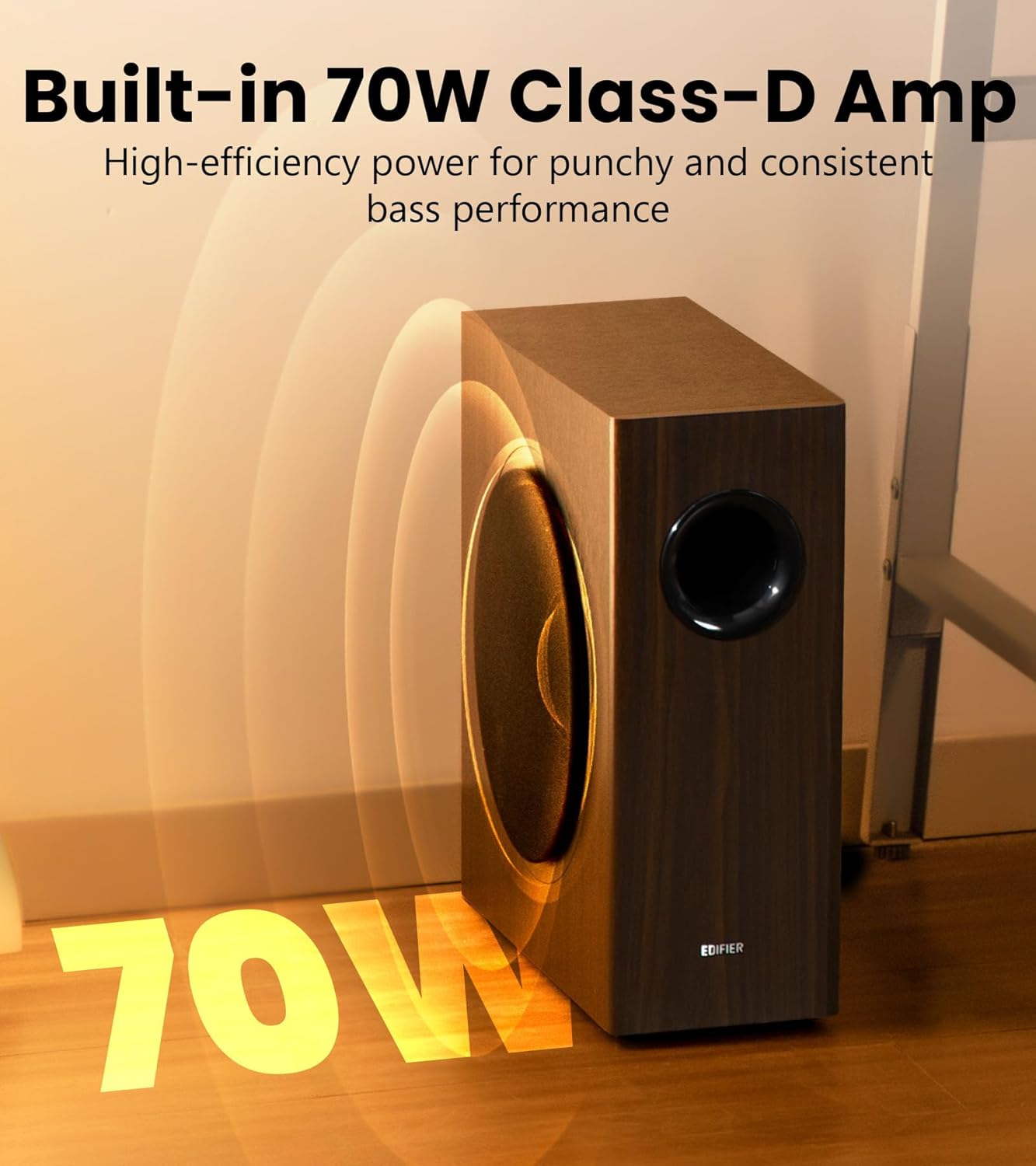
Figure 3.2: The integrated 70W Class-D amplifier ensures robust and efficient power delivery.

Figure 3.3: Fine-tune bass and phase for perfectly balanced sound performance using the precision DSP.

Figure 3.4: The 18mm MDF enclosure minimizes resonance for clean, accurate bass.

Figure 3.5: The T5s enters 0.5W sleep mode after 15 minutes of inactivity and instantly wakes on audio detection.

Figure 3.6: The compact dimensions (15.7 in D x 6.7 in W x 15.8 in H) allow for discreet placement.
4. What's in the Box
Upon opening your Edifier T5s package, you should find the following items:
- Edifier T5s Subwoofer
- Power Cable
- 3.5mm to RCA Audio Cable
- RCA to RCA Audio Cable
- Quick Start Guide
5. Setup
5.1 Physical Placement
For optimal bass performance, consider placing the subwoofer in a corner of the room or along a wall. Experiment with different positions to find the best sound balance for your listening environment. Ensure there is adequate space for ventilation.
5.2 Connections
The Edifier T5s offers versatile connectivity options to integrate with various audio systems.
Method 1: If Your Speaker System Has a Sub-Out Port
This method is ideal for speaker systems equipped with a dedicated subwoofer output.
- Connect the RCA cable from your speaker system's 'Sub-Out' or 'LFE Out' port to the 'Signal In' (RCA) ports on the Edifier T5s subwoofer.
- Ensure the power cable is securely connected to the subwoofer and a power outlet.

Figure 5.1: Connection diagram for speaker systems with a dedicated subwoofer output.
Method 2: If Your Speaker System Does Not Have a Sub-Out Port
This method allows you to integrate the T5s with speaker systems that lack a dedicated subwoofer output, such as many desktop or bookshelf speakers.
- Connect the audio source (e.g., TV, PC, CD player) to the 'Signal In' (RCA) ports on the Edifier T5s subwoofer using the provided RCA cables.
- Connect your main speaker system's input to the 'Signal Out' (RCA) ports on the Edifier T5s subwoofer. This allows the subwoofer to pass the full-range audio signal to your main speakers after processing the low frequencies.
- Ensure the power cable is securely connected to the subwoofer and a power outlet.

Figure 5.2: Connection diagram for speaker systems without a dedicated subwoofer output.
6. Operating
6.1 Controls
The Edifier T5s features controls on the rear panel for fine-tuning its performance to your listening preferences and room acoustics:
- Volume Control: Adjusts the overall output level of the subwoofer. Start with a low setting and gradually increase until the bass blends seamlessly with your main speakers.
- Low-Pass Filter (Crossover Frequency): This knob allows you to set the upper frequency limit for the subwoofer, typically ranging from 30Hz to 160Hz. Frequencies above this setting will be rolled off. Adjust this to match the low-frequency capabilities of your main speakers. A common starting point is around 80Hz-100Hz.
- Phase Selector (0°/180°): This switch helps to ensure that the subwoofer's sound waves are in sync with your main speakers. If the bass sounds weak or hollow, try flipping this switch to the opposite setting. Listen for the setting that provides the most impactful and cohesive bass.
6.2 Auto-Standby Function
The T5s is equipped with an energy-efficient auto-standby feature. If no audio signal is detected for approximately 15 minutes, the subwoofer will automatically enter a low-power sleep mode (0.5W). It will instantly wake up and resume operation as soon as an audio signal is detected.
7. Maintenance
Proper maintenance will help ensure the longevity and performance of your Edifier T5s Subwoofer.
- Cleaning: Use a soft, dry cloth to clean the surface of the subwoofer. Do not use liquid cleaners, aerosols, or abrasive chemicals, as they may damage the finish.
- Dust: Regularly dust the unit, especially around the port and connections, to prevent dust buildup.
- Environment: Avoid placing the subwoofer in direct sunlight, near heat sources, or in areas with high humidity or extreme temperatures.
- Handling: Handle the subwoofer with care. Avoid dropping or subjecting it to strong impacts.
8. Troubleshooting
If you encounter any issues with your Edifier T5s Subwoofer, please refer to the following common problems and solutions:
- No Sound:
- Ensure the power cable is securely connected and the power outlet is active.
- Check all audio cables are correctly connected to both the subwoofer and your audio source/main speakers.
- Verify the volume control on the subwoofer is not set to minimum.
- Check the volume level of your audio source.
- Weak or Distorted Bass:
- Adjust the volume control on the subwoofer.
- Experiment with the Phase Selector (0°/180°) to find the optimal setting for your room and main speakers.
- Adjust the Low-Pass Filter (Crossover Frequency) to ensure it blends well with your main speakers.
- Check for proper placement; sometimes moving the subwoofer a small distance can significantly improve bass response.
- Ensure the audio source is providing a clean signal.
- Subwoofer Not Entering/Exiting Standby:
- The auto-standby feature requires a certain level of audio signal to detect activity. Ensure your audio source is playing at a sufficient volume.
- If the subwoofer does not wake up, try turning it off and on again using the power switch.
- Humming or Buzzing Noise:
- Ensure all cables are securely connected.
- Try plugging the subwoofer into a different electrical outlet.
- Check if the noise persists when the audio cables are disconnected from the subwoofer. If it stops, the noise might be coming from the audio source or cables.
If the problem persists after trying these solutions, please contact Edifier customer support for assistance.
9. Specifications
| Speaker Type | Subwoofer |
| Model Name | T5S-BLACK |
| Total Output Power (RMS) | 70 Watts |
| Driver Units | 8-inch (220mm) Long-Throw Woofer |
| Frequency Response | 35Hz - 115Hz |
| Signal-to-Noise Ratio | ≥ 85dB (A) |
| Audio Inputs | RCA |
| Input Sensitivity | 150 ± 20mV |
| Product Dimensions (D x W x H) | 15.71"D x 6.69"W x 16.14"H (399mm x 170mm x 410mm) |
| Item Weight | 27.8 pounds (12.6 kg) |
| Power Source | Corded Electric |
| UPC | 875674008481 |
10. Warranty and Support
10.1 Warranty Information
The Edifier T5s Powered Active Subwoofer comes with a Limited Warranty. Please refer to the warranty card included in your product packaging for specific terms and conditions, or visit the official Edifier website for detailed warranty information applicable to your region.
10.2 Customer Support
For technical assistance, troubleshooting beyond this manual, or warranty inquiries, please contact Edifier customer support. You can find contact information on the official Edifier website or through the retailer where you purchased the product.