
1. Introduction
Thank you for choosing the BH i.Quantum II Elliptical Trainer. This manual provides essential information for the safe and effective use of your new fitness equipment. Please read it thoroughly before assembly and operation, and keep it for future reference.
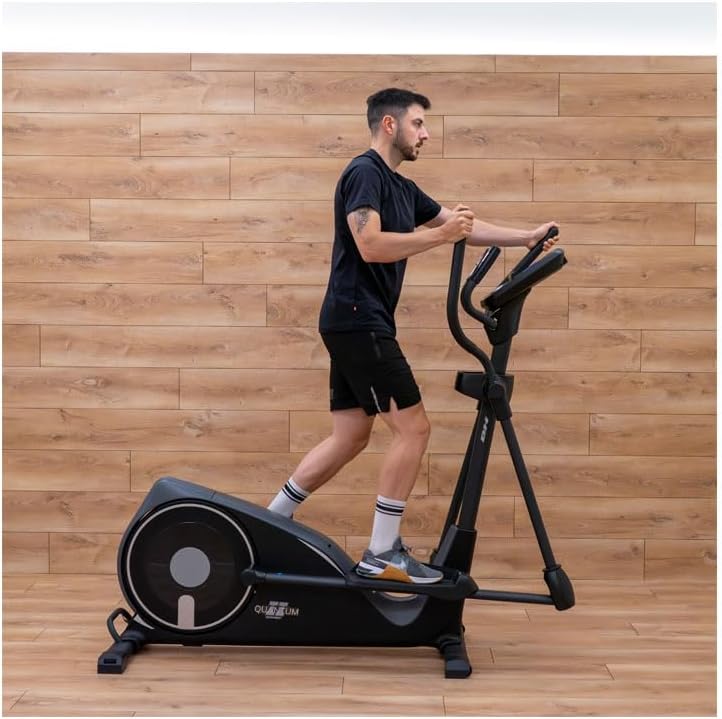
The BH i.Quantum II is designed for intensive home use, offering a full-body, low-impact workout. It features a magnetic resistance system, a 20 kg inertial system for smooth motion, and an interactive i.Concept console to enhance your training experience.
2. Safety Information
Warning: Before starting any exercise program, consult your physician. This is especially important for individuals over 35 or those with pre-existing health conditions.
- Always place the elliptical trainer on a flat, stable surface. Ensure adequate clear space around the machine (at least 0.6 meters).
- Keep children and pets away from the equipment during operation.
- Wear appropriate exercise clothing and athletic shoes. Avoid loose clothing that could get caught in moving parts.
- Do not exceed the maximum user weight of 150 kg.
- Inspect the elliptical trainer before each use for any loose parts, wear, or damage. Do not use if damaged.
- Stop exercising immediately if you feel faint, dizzy, or experience pain.
- Ensure all bolts and nuts are securely tightened before use.
- The equipment is for indoor use only. Keep it away from moisture and dust.
3. What's in the Box
Your BH i.Quantum II Elliptical Trainer package includes:
- 1 x Elliptical Trainer (main frame and components)
- Assembly Hardware Kit
- User Manual
Please check all components against the packing list provided in the box. If any parts are missing or damaged, contact customer support immediately.
4. Setup
4.1 Assembly
Detailed assembly instructions are provided in a separate assembly guide included with your product. Follow the step-by-step diagrams carefully. Ensure all connections are secure before proceeding.
4.2 Placement
Choose a suitable location for your elliptical trainer. It should be on a level, solid surface with sufficient space around it for safe operation and movement. The dimensions of the elliptical are 160 cm (Length) x 64 cm (Width) x 167 cm (Height).
4.3 Moving the Elliptical
The BH i.Quantum II is equipped with transport wheels for easy relocation. To move the elliptical:
- Stand at the rear of the elliptical.
- Grasp the rear stabilizer bar or designated handle firmly.
- Carefully tilt the elliptical forward until it rests on its transport wheels.
- Roll the elliptical to the desired location.
- Gently lower the elliptical back onto its stabilizers.
4.4 Power Connection
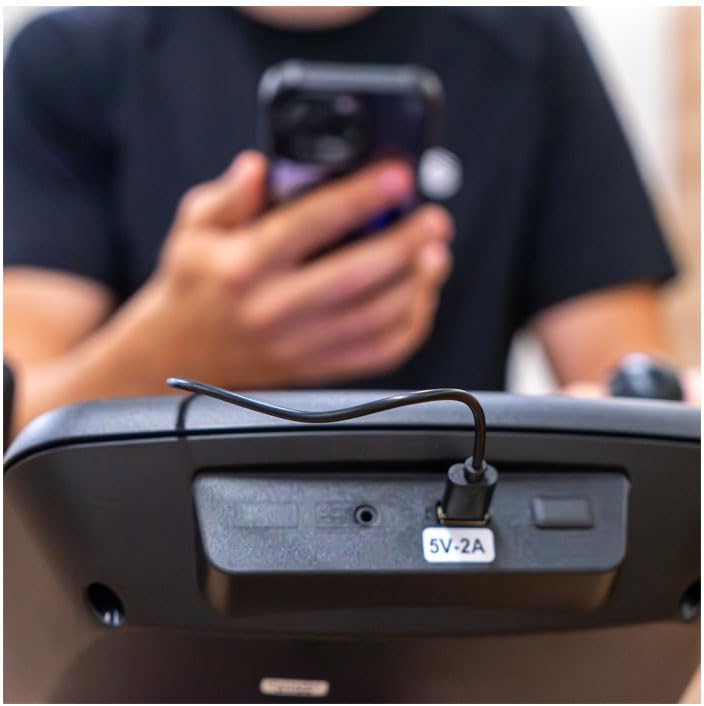
Connect the power adapter to the elliptical trainer and then plug it into a standard electrical outlet. The console will power on automatically.
5. Operating Instructions
5.1 Console Overview
The BH i.Quantum II features an easy-to-use LCD backlit monitor that displays key workout data.
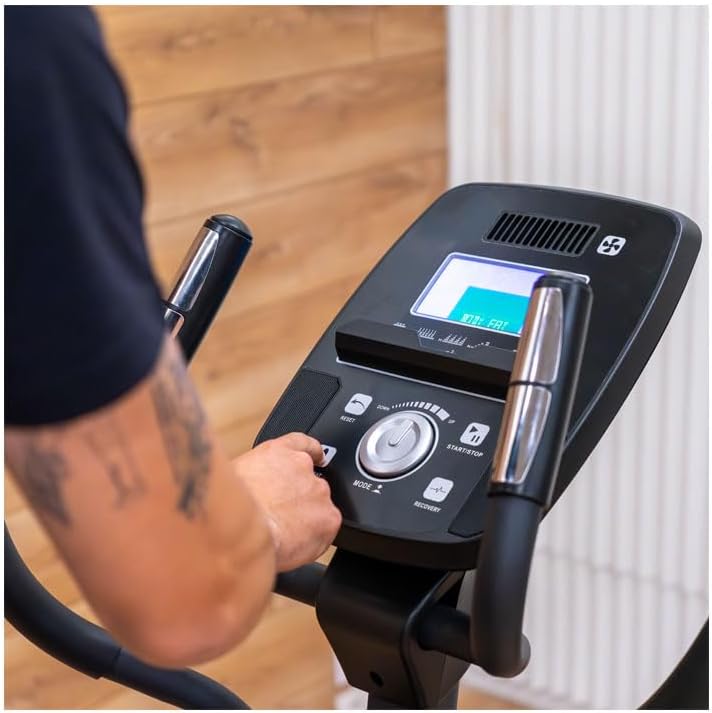

The monitor tracks speed, heart rate, RPM, calories burned, distance, intensity, and workout time. It offers 24 intensity levels and 12 preset programs.
5.2 Starting a Workout
- Step onto the pedals, ensuring your feet are centered.
- Grasp the stationary or moving handlebars.
- Press the 'START/STOP' button or begin pedaling to activate the console.
- Use the 'MODE' dial to select your desired program or manual mode.
- Adjust resistance using the 'UP' and 'DOWN' buttons or the dial.


5.3 Programs and Functions
- Manual Function: Set time, distance, calories, or age manually.
- Preset Programs (12): Choose from various pre-programmed workouts.
- Watt Program: Resistance adjusts automatically to maintain a target wattage based on your speed.
- Heart Rate Control Programs: Requires a heart rate monitor (contact sensors or chest strap). Resistance adjusts to keep your heart rate within a target zone.
- Recovery Function: Measures your heart rate recovery after exercise.
- Body Fat Function: Estimates body fat percentage.
5.4 Heart Rate Monitoring
The elliptical offers two methods for heart rate measurement:
- Contact Sensors: Grip the sensors on the stationary handlebars with both hands. Your heart rate will be displayed on the console.
- Wireless Chest Strap (not included): The console is compatible with 5 kHz radiofrequency chest straps and Bluetooth Smart chest straps for continuous, accurate heart rate monitoring.
5.5 i.Concept Connectivity
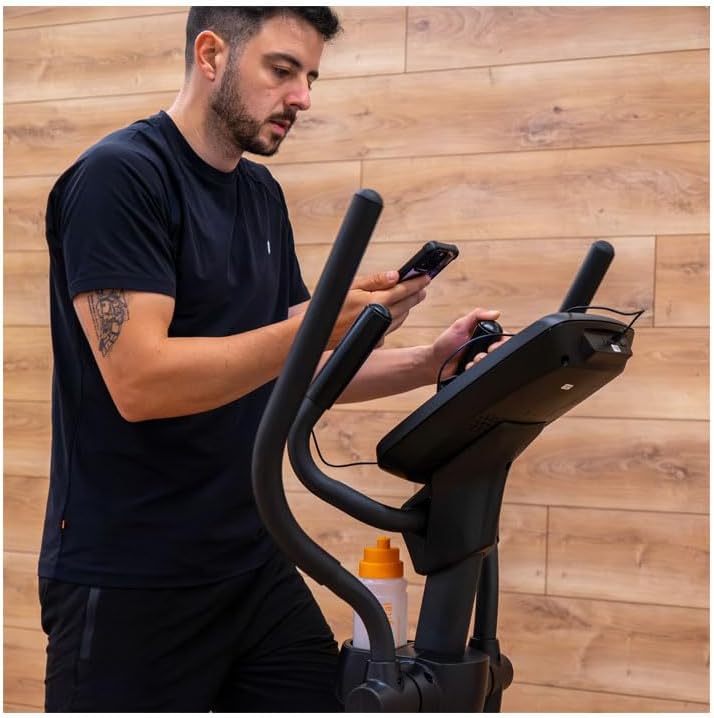
The BH i.Quantum II is equipped with i.Concept technology and Bluetooth Smart connectivity, allowing you to sync with fitness apps like Kinomap. This enables interactive workouts, virtual routes, and data tracking.
- Download a compatible fitness app (e.g., Kinomap) on your smartphone or tablet.
- Place your device on the integrated universal support.
- Enable Bluetooth on your device and pair it with the elliptical trainer.
- Follow the app's instructions to start an interactive workout.

6. Maintenance
Regular maintenance ensures the longevity and safe operation of your elliptical trainer.
- Cleaning: Wipe down the machine with a damp cloth after each use to remove sweat and dust. Do not use abrasive cleaners or solvents.
- Inspection: Periodically check all bolts, nuts, and moving parts for tightness and wear. Tighten any loose fasteners.
- Lubrication: The magnetic resistance system is generally maintenance-free. Refer to the assembly guide for any specific lubrication points.
- Storage: Store the elliptical in a dry, clean environment away from extreme temperatures.
7. Troubleshooting
| Problem | Possible Cause | Solution |
|---|---|---|
| Console does not power on. | Power adapter not connected or faulty. | Ensure power adapter is securely plugged into the elliptical and a working electrical outlet. Check the power cord for damage. |
| No heart rate reading. | Hands not firmly on sensors; chest strap not worn correctly or battery low. | Ensure both hands are firmly gripping the contact sensors. If using a chest strap, ensure it is positioned correctly and has a fresh battery. |
| Resistance not changing. | Console malfunction; loose cable connection. | Check all cable connections to the console. Restart the machine. If the issue persists, contact customer support. |
| Unusual noise during operation. | Loose components; lack of lubrication. | Inspect all bolts and nuts for tightness and secure them. Refer to the assembly guide for lubrication points if applicable. |
8. Specifications
- Model Name: i.Quantum II
- Brand: BH
- Color: Black
- Product Dimensions (L x W x H): 160 cm x 64 cm x 167 cm
- Material: Rubber, Steel Alloy, Plastic
- Resistance Mechanism: Magnetic
- Inertial System: 20 kg
- Maximum Stride Length: 45 cm
- Pedal Distance: 16 cm
- Number of Resistance Levels: 24
- Power Source: Wired Electric
- Item Weight: 57 kg
- Recommended Maximum User Weight: 150 kg
- Preset Programs (Prg): 12
- Bluetooth: Yes
- Transport Wheels: Yes
- Universal Smartphone/Tablet Holder: Yes
- LCD Monitor: Backlit, Bicolor
9. Warranty
The BH i.Quantum II Elliptical Trainer comes with a 2-year manufacturer's warranty. This warranty covers defects in materials and workmanship under normal use. Please retain your proof of purchase for warranty claims. The warranty does not cover damage resulting from misuse, neglect, accident, alteration, or unauthorized repair.
10. Support
For technical assistance, spare parts, or warranty claims, please contact your retailer or the BH customer service department. Have your model number (i.Quantum II) and serial number (if applicable) ready when contacting support.
You can often find additional support resources, FAQs, and contact information on the official BH Fitness website.