
Introduction
This manual provides detailed instructions for the setup, operation, maintenance, and troubleshooting of your Aiworth MA567 MP3 Player. Please read this manual thoroughly before using the device to ensure optimal performance and longevity.
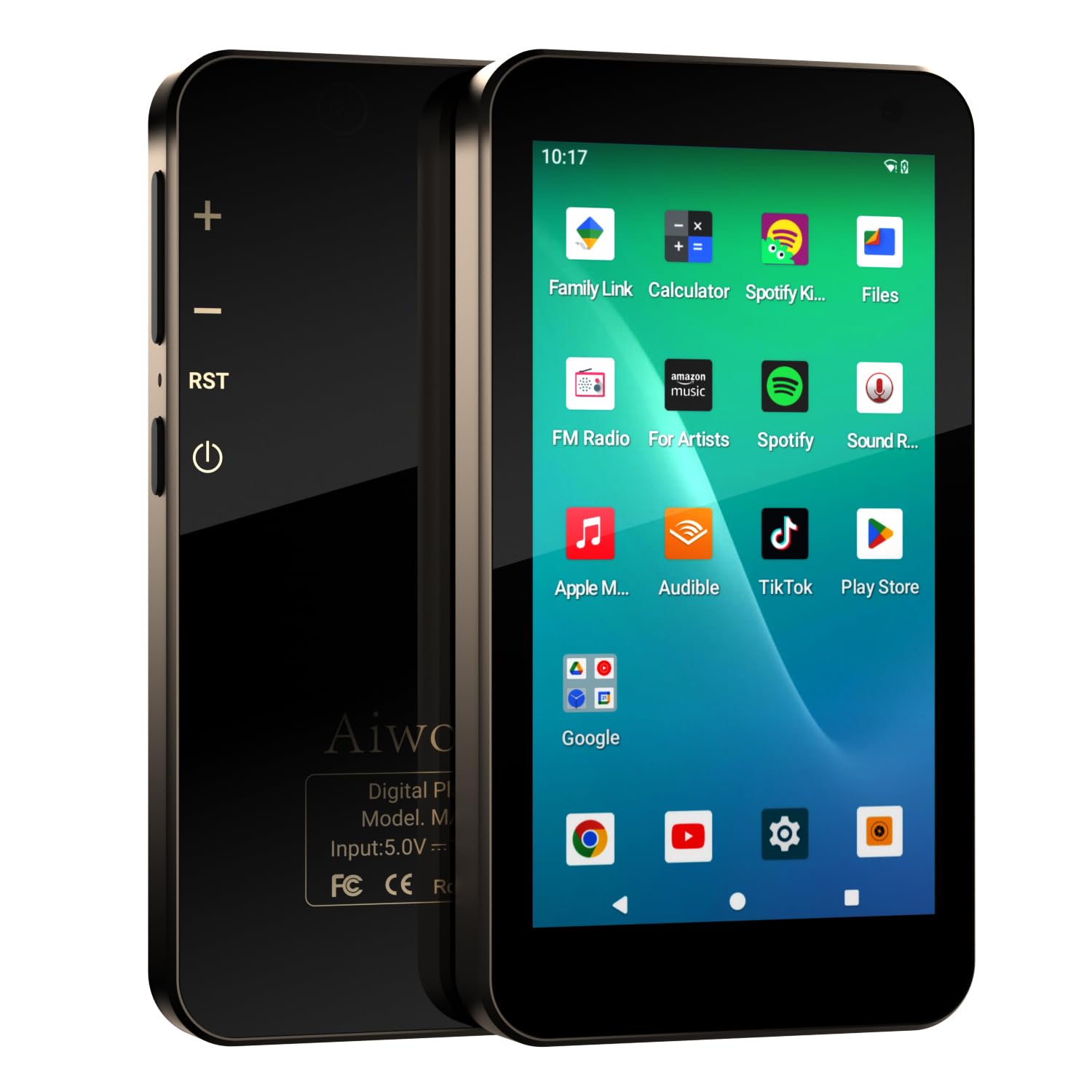
Image: Front view of the Aiworth MA567 MP3 Player, showcasing its 4-inch touchscreen display.
Package Contents
Verify that all items are present in the package:
- Aiworth MA567 MP3 Player
- Protective Case
- USB Cable
- 128GB TF Card (pre-installed or separate)
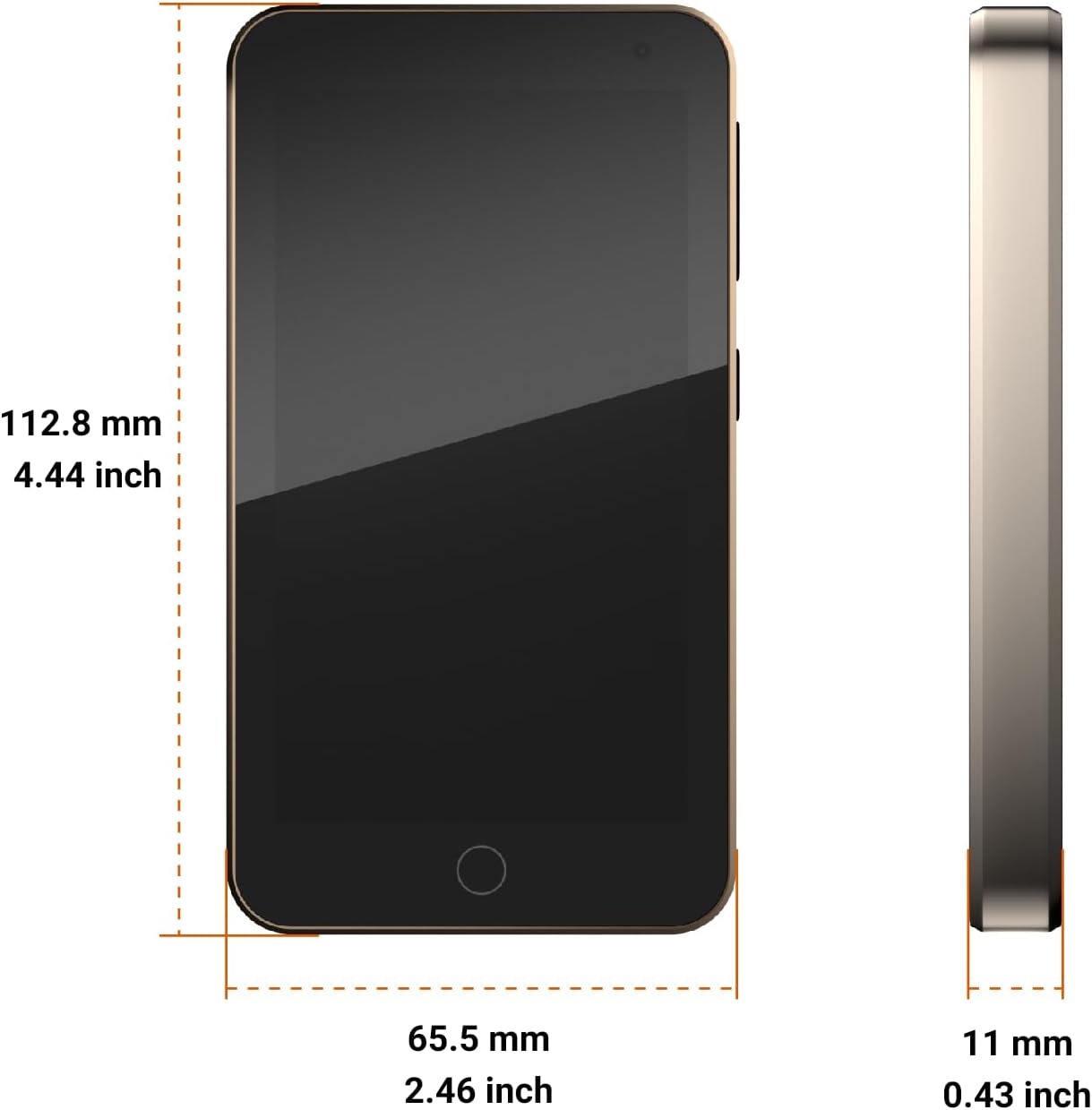
Image: The Aiworth MA567 MP3 Player, protective case, and USB cable, representing the package contents.
Setup
1. Initial Charging
Before first use, fully charge the device. Connect the provided USB cable to the player's USB-C port and to a compatible USB power adapter (not included) or a computer's USB port. The battery charges from 0% to 100% in approximately 3.5 hours.

Image: Visual representation of the 2000mAh battery, indicating approximately 9 hours of music playback, 5 hours of video playback, and 3 hours for a full charge.
2. Power On/Off
- To power on: Press and hold the power button until the screen illuminates.
- To power off: Press and hold the power button, then select "Power off" from the options.
3. Wi-Fi Connection
To access online features and download apps, connect to a Wi-Fi network:
- Go to Settings.
- Select Network & Internet, then Wi-Fi.
- Toggle Wi-Fi On.
- Select your desired network and enter the password if prompted.
4. Google Account Setup
As a Google Mobile Services (GMS) certified device, you can sign in with your Google account to access the Google Play Store and other Google services.
- Go to Settings.
- Select Accounts, then Add account.
- Choose Google and follow the on-screen instructions to sign in or create a new account.
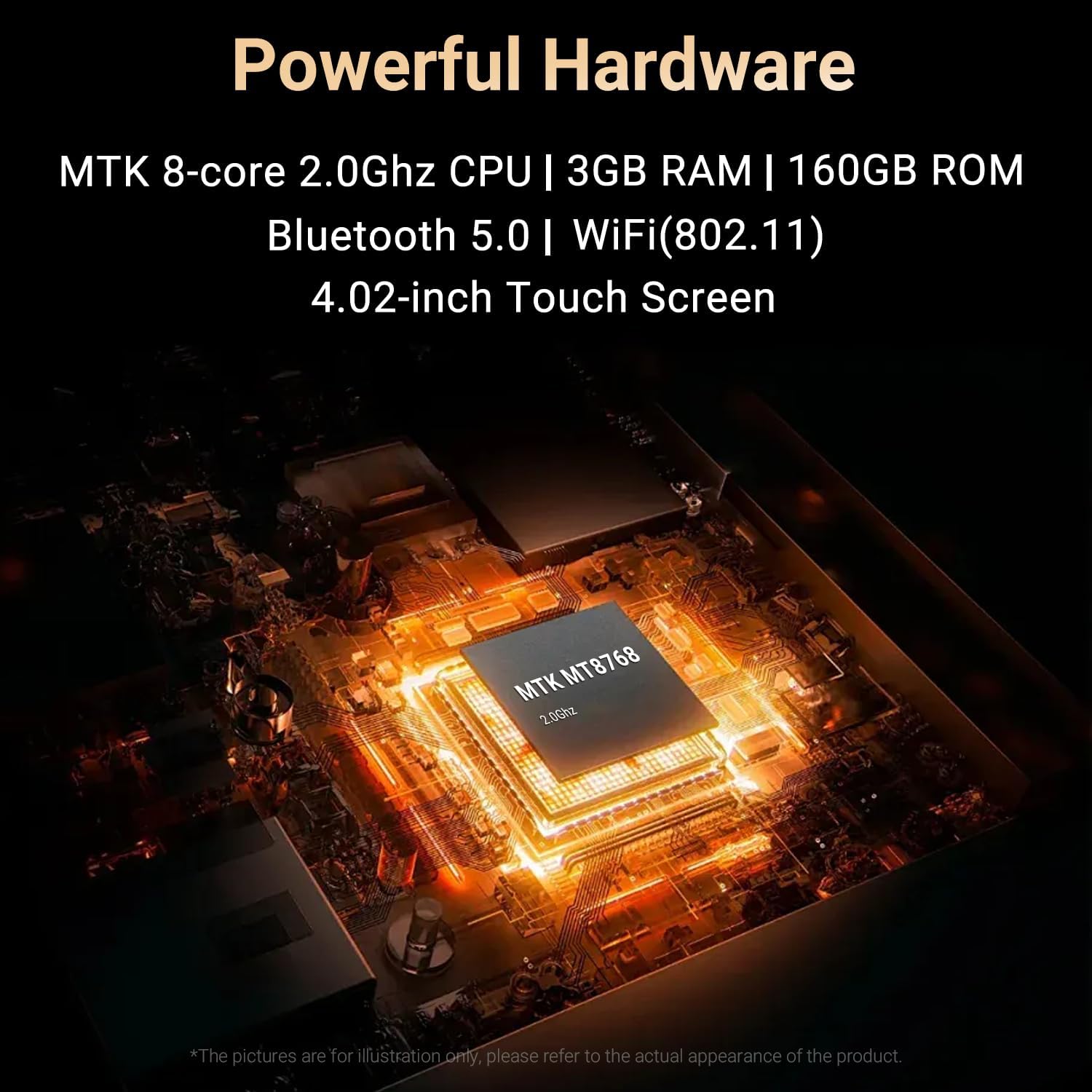
Image: The device display showing the Google sign-in page, highlighting its GMS certification and access to Google services.
Operating Instructions
1. Navigation
The device features a 4-inch IPS HD touchscreen for navigation. Swipe, tap, and pinch gestures are used to interact with the interface.
- Swipe down from the top for notifications and quick settings.
- Tap icons to open applications.
- Use the back arrow or gesture to return to the previous screen.
2. Music Playback
The device supports various audio formats including MP3, FLAC, AAC, WAV, WMA, and more. While some streaming apps are pre-installed, a dedicated offline music player app may need to be downloaded from the Google Play Store for comprehensive local file management.
- Streaming Services: Use pre-installed apps like Spotify or download others from the Play Store.
- Local Files: Transfer music files to the device's internal storage or the 128GB TF card. Access them via a file manager app or a dedicated music player app.

Image: The device screen displaying various pre-installed applications, including popular music and video streaming services.
3. Bluetooth Connectivity
Connect Bluetooth headphones or speakers for wireless audio playback.
- Go to Settings.
- Select Connected devices, then Bluetooth.
- Toggle Bluetooth On.
- Select Pair new device and choose your device from the list.
4. Camera Functionality
The device includes a 13MP rear camera and a 5MP front camera for capturing photos and videos.
- Open the Camera app.
- Switch between front and rear cameras as needed.
- Tap the shutter button to take a photo or start/stop video recording.

Image: Two device screens illustrating the 13MP rear camera capturing a squirrel and the 5MP front camera in a video call interface.
5. Parental Controls
Utilize Google Family Link for parental controls to manage your child's device usage and content access.
- Go to Settings.
- Navigate to Digital Wellbeing & parental controls.
- Follow the instructions to set up parental controls via a Google parent account.
- Note: If you do not have a Google account, a third-party parental control application may be required.
6. Screen Lock
The one-touch screen lock function prevents accidental touches. Press the power button briefly to lock/unlock the screen.
Maintenance
1. Cleaning
Wipe the device with a soft, dry, lint-free cloth. Avoid using harsh chemicals or abrasive materials. Do not expose the device to excessive moisture.
2. Battery Care
- Avoid extreme temperatures, which can degrade battery life.
- Charge the device regularly, but avoid leaving it fully discharged for extended periods.
- Use only the provided USB cable for charging.
3. Software Updates
Periodically check for system updates to ensure optimal performance and security. Go to Settings > System > System update.
Troubleshooting
- Device not turning on: Ensure the battery is charged. Connect to a power source and try again.
- Cannot connect to Wi-Fi/Bluetooth: Ensure Wi-Fi/Bluetooth is enabled in settings. Restart the device and try reconnecting.
- Apps not working or crashing: Ensure the app is updated. Clear the app's cache and data in Settings > Apps. Reinstall if necessary.
- Poor audio quality: Check headphone connection or Bluetooth pairing. Ensure audio files are not corrupted.
- Storage full: Delete unnecessary files or apps. Transfer media to a computer or cloud storage.
- Device unresponsive: Press and hold the power button for approximately 10-15 seconds to force a restart.
Specifications
| Feature | Specification |
|---|---|
| Model Number | MA567 |
| Operating System | Android 13.0 (GMS Certified) |
| Processor | MTK 8-core 2.0 GHz CPU |
| RAM | 3 GB |
| Internal Storage | 32 GB |
| Expandable Storage | 128 GB TF Card (included), supports Micro SD |
| Total Storage Capacity | 160 GB |
| Display | 4-inch IPS HD Touchscreen (1280 x 720 resolution) |
| Connectivity | Bluetooth 5.0, Wi-Fi (802.11), USB-C |
| Rear Camera | 13 MP |
| Front Camera | 5 MP |
| Battery | 2000 mAh (Non-standard battery) |
| Battery Life (Music) | Approx. 9 hours (wired), 6 hours (Bluetooth) |
| Battery Life (Video) | Approx. 4-8 hours |
| Charging Time | Approx. 3.5 hours (0% to 100%) |
| Supported Audio Formats | MP3, FLAC, AAC, WAV, WMA, APETS, OGG, etc. |
| Supported Video Formats | MP4, RM, AVI, RMVB, FLV, DAT, MKV, MPG, MOV, etc. |
| Special Features | Built-in Camera, Voice Recorder, Built-in Speaker, FM Radio, Touch Screen, G-sensor |
| Dimensions (approx.) | 112.8 mm (4.44 inch) x 65.5 mm (2.46 inch) x 11 mm (0.43 inch) |

Image: Diagram showing the approximate dimensions of the Aiworth MA567 MP3 Player: 112.8 mm (height), 65.5 mm (width), and 11 mm (thickness).
Warranty and Support
Warranty Information
The Aiworth MA567 MP3 Player comes with a 365-day warranty from the date of purchase. This warranty covers manufacturing defects and malfunctions under normal use.
Customer Support
For any questions, technical assistance, or warranty claims, please contact Aiworth customer support. We aim to respond to inquiries within 24 hours.
Contact information (e.g., email, website) would typically be provided here by the manufacturer.