
1. Introduction
Thank you for choosing the Masmssm Smart Scale FG2016LB-B. This advanced body composition analyzer is designed to provide comprehensive insights into your health and fitness. It measures 22 essential body metrics, including weight, BMI, body fat, muscle mass, and heart rate, and syncs seamlessly with popular fitness applications. Please read this manual carefully before use to ensure proper operation and to maximize the benefits of your new smart scale.
2. Product Features
- Clear VA Display with 9 Key Insights: View Weight, BMI, Body Fat, Muscle Mass, Heart Rate, Body Type, User ID, Trend Arrows, and Motivation Icons directly on the scale, even offline.
- 22 Body Metrics for Full Health View: Tracks essential stats for total body analysis, including Weight, Heart Rate, BMI, Body Fat, Bone Mass, Protein, Fat Mass, Body Age, Body Water, Skeletal Muscle, Subcutaneous Fat, Visceral Fat, Cardiac Index, Ideal Body Weight, Obesity Level, Fat-free Body Weight, BMR, and Muscle Rate.
- Accurate & High-Capacity Design: Equipped with 4 precision G-sensors, ensuring 0.05kg/0.1lb accuracy. Supports up to 400lb/180kg/28st. Easily switch between kg, lb, and st units.
- Smart Sync & Trend Tracking: Seamlessly syncs with Apple Health, Health Connect, Samsung Health, and Apple Watch. Monitor progress and share results effortlessly.
- Multi-User & Multi-Mode: Supports up to 24 users and includes specialized modes for Baby, Toddler, Child, Pregnant, Teen, Standard, and Athlete.
- Durable & Safe Construction: Built with 5mm tempered glass and a stable full-bottom base for long-lasting durability and reliable safety.
- FSA & HSA Eligible: Qualifies for Flexible Spending Accounts and Health Savings Accounts.
3. What's in the Box
- 1 x Masmssm Smart Weight Scale
- 1 x Instruction Manual (this document)
- 4 x AAA Batteries
4. Setup
4.1. Battery Installation
- Open the battery compartment on the back of the scale.
- Insert the 4 AAA batteries, ensuring correct polarity (+/-).
- Close the battery compartment securely.
4.2. Initial Placement and Calibration
For accurate readings, place the scale on a hard, flat surface. Avoid carpets or soft surfaces.
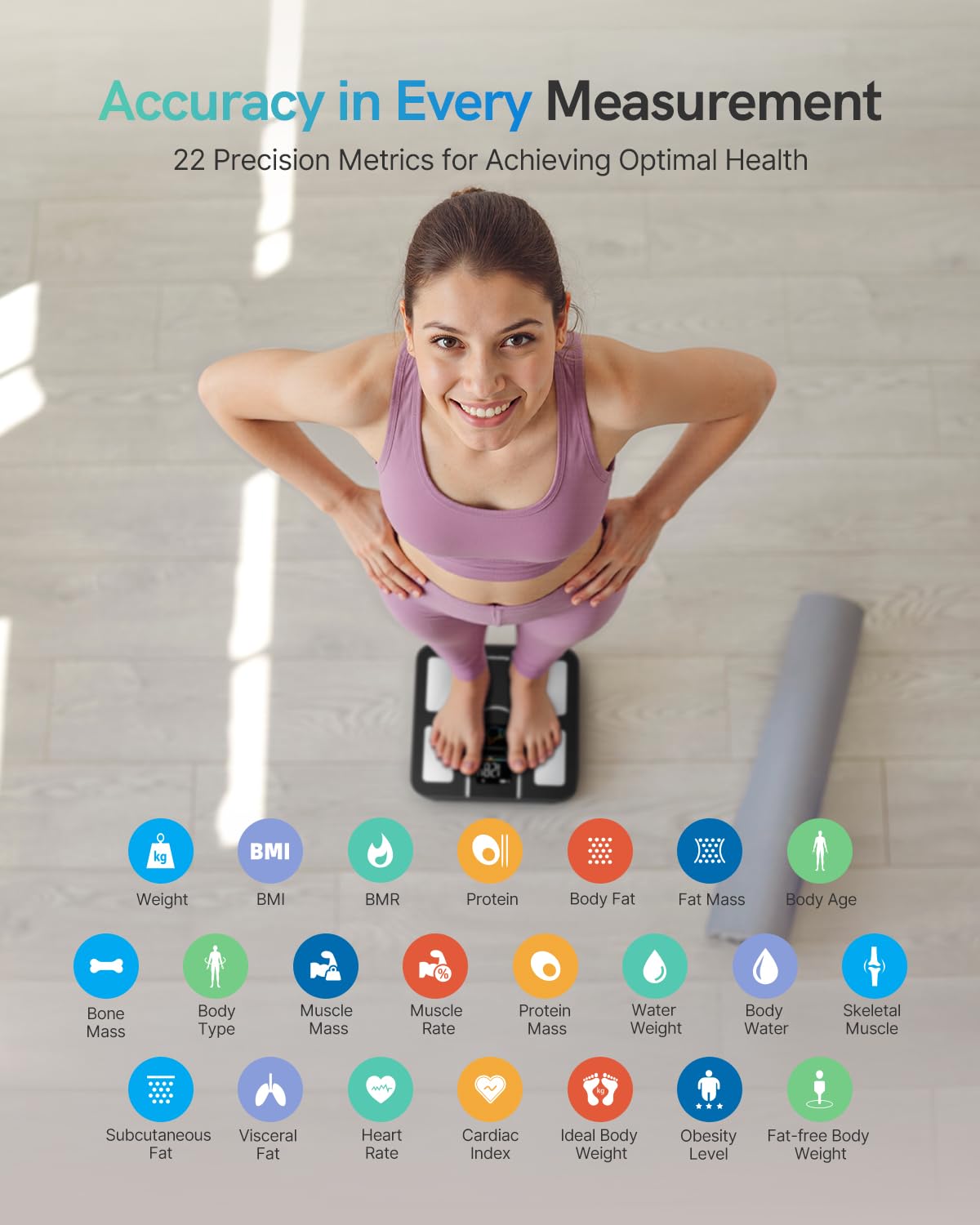
Image: Masmssm Smart Scale on a hard floor.
- Gently step on the scale to turn it on. The display will show '0.0' or 'CAL'.
- Step off the scale and wait for it to turn off automatically. This completes the initial calibration.
4.3. App Download and Pairing
Download the companion app from your device's app store. Search for "Masmssm" or scan the QR code provided in the packaging.

Image: Masmssm app syncing with fitness apps and Apple Watch.
- Enable Bluetooth on your smartphone.
- Open the Masmssm app and create your user profile.
- Follow the in-app instructions to pair your scale. Ensure you are standing on the scale during the pairing process if prompted.
5. Operating Instructions
5.1. Taking a Measurement
To obtain a full body composition analysis, step onto the scale barefoot with dry feet. Ensure your feet are positioned on the metal electrodes.
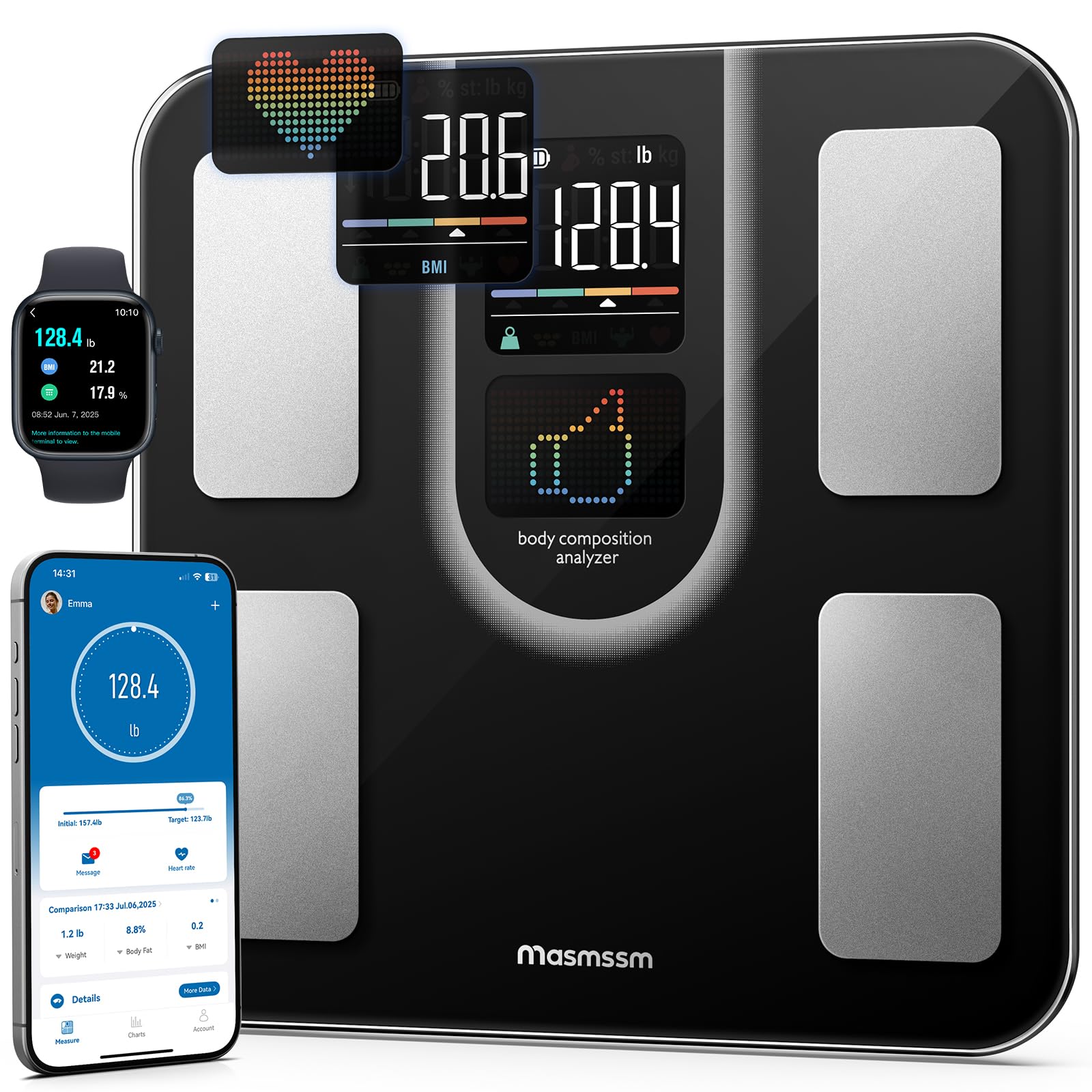
Image: A person standing barefoot on the Masmssm Smart Scale.
- Place the scale on a hard, flat surface.
- Step onto the scale barefoot. The display will show your weight first, then cycle through other metrics.
- Remain still until all measurements are complete and displayed on the scale and/or synced to the app.
5.2. Understanding the Display
The VA display shows 9 key insights directly on the scale. These include your weight, BMI, body fat percentage, muscle mass, heart rate, body type, user ID, trend arrows, and motivational icons. For a complete breakdown of all 22 metrics, refer to the Masmssm app.

Image: Close-up of the scale's interactive color display showing metrics like weight, body fat, and BMI.
5.3. Multi-User and Multi-Mode Functionality
The scale supports up to 24 users, making it suitable for families or teams. It also offers various measurement modes to cater to different needs:
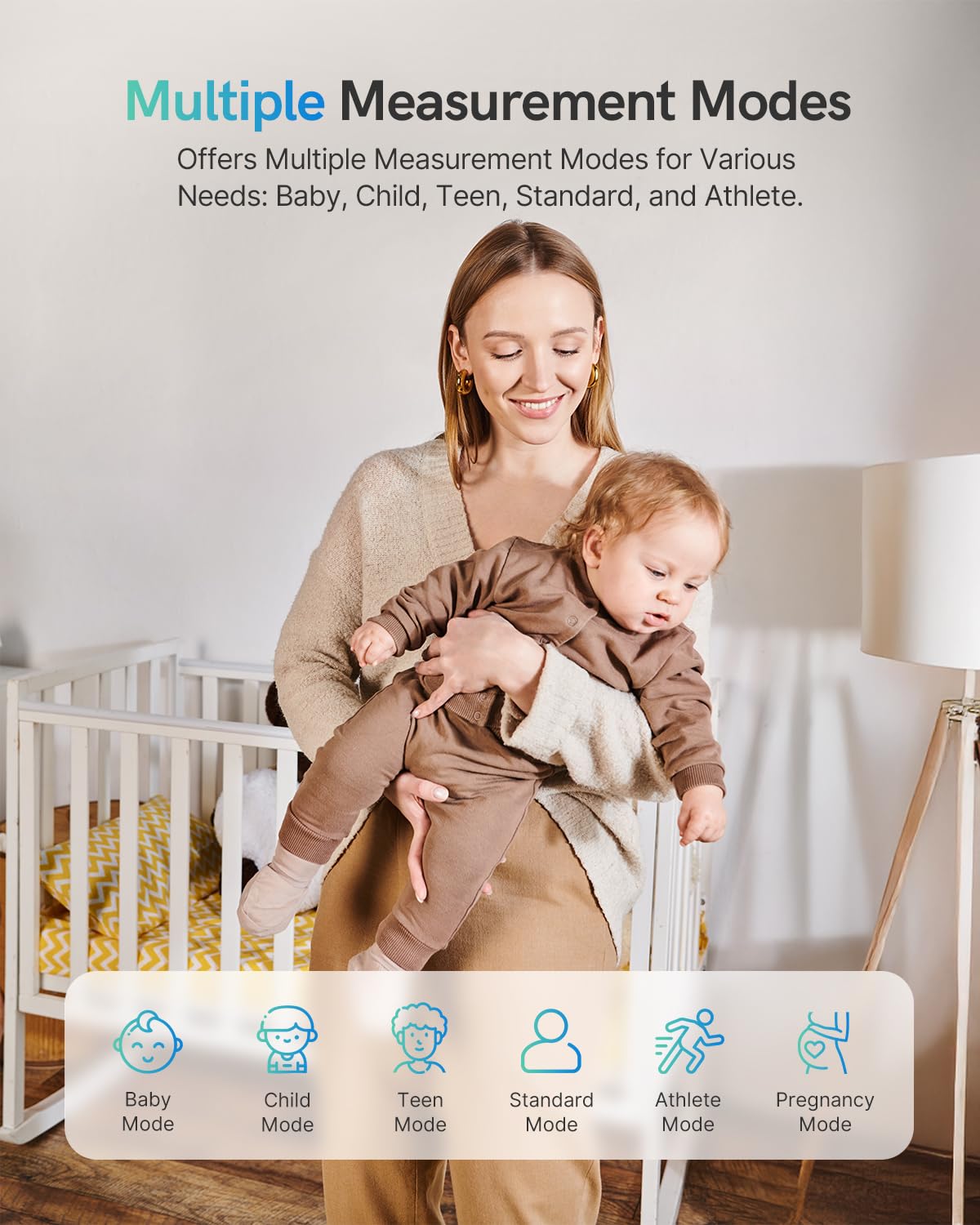
Image: Multiple measurement modes including Baby, Child, Teen, Standard, Athlete, and Pregnancy.
- Baby Mode: For weighing infants or small children while held by an adult.
- Child Mode: Optimized for growing children.
- Teen Mode: Tailored for adolescents.
- Standard Mode: General use for adults.
- Athlete Mode: For individuals with higher muscle mass and lower body fat.
- Pregnancy Mode: Provides appropriate tracking for pregnant users.
These modes can be selected and managed within the Masmssm app for personalized tracking.
6. Understanding Your Metrics
The Masmssm Smart Scale provides 22 body metrics to give you a comprehensive overview of your health. Here's a brief explanation of some key metrics:

Image: Visual representation of the 22 precision metrics.
- Weight: Your total body mass.
- BMI (Body Mass Index): A measure of body fat based on height and weight.
- Body Fat: The percentage of fat in your body.
- Muscle Mass: The total amount of muscle in your body.
- Heart Rate: Your heart beats per minute.
- Body Water: The percentage of water in your body.
- Bone Mass: The amount of bone mineral in your body.
- Visceral Fat: Fat stored around your organs.
- BMR (Basal Metabolic Rate): The number of calories your body needs to perform basic functions at rest.
- Body Age: An estimate of your body's biological age based on your metrics.
For detailed explanations and personalized insights, consult the Masmssm app.
7. App Integration and Data Tracking
The Masmssm app allows you to track your progress over time, set goals, and compare results. It integrates with various third-party fitness applications.

Image: App interface demonstrating progress tracking and goal setting.
7.1. Syncing with Fitness Apps
The Masmssm app can sync your data with:
- Apple Health
- Health Connect
- Samsung Health
- Apple Watch
Enable these integrations within the Masmssm app settings.
7.2. Multi-User Management
To add or manage users:

Image: App interface displaying multiple user profiles.
- Open the Masmssm app.
- Navigate to the 'Users' or 'Profile' section.
- Follow the prompts to add new users or switch between existing profiles.
8. Maintenance
8.1. Cleaning
Wipe the scale surface with a soft, damp cloth. Do not use abrasive cleaners or immerse the scale in water.
8.2. Storage
Store the scale in a cool, dry place. Avoid extreme temperatures and direct sunlight.
8.3. Battery Replacement
When the battery indicator appears on the display, replace all four AAA batteries simultaneously to ensure optimal performance.
9. Troubleshooting
- Inaccurate Readings: Ensure the scale is on a hard, flat surface. Recalibrate by stepping on and off. Check battery levels.
- No Display: Check if batteries are correctly installed or need replacement.
- App Connection Issues: Ensure Bluetooth is enabled on your device and the app is open. Try restarting the app and your device.
- Body Composition Data Not Showing: Ensure you are standing barefoot on the electrodes with dry feet.
If problems persist, contact customer support.
10. Specifications
| Specification | Detail |
|---|---|
| Brand | masmssm |
| Model Number | FG2016LB-B |
| Color | Black |
| Weight Limit | 400 lbs / 180 kg / 28 st |
| Readout Accuracy | 0.1 lbs / 0.05 kg |
| Display Type | LED |
| Material | Tempered Glass, Acrylonitrile Butadiene Styrene |
| Power Source | 4 x AAA Batteries |
| Dimensions | 11 x 11 x 0.98 inches (28 x 28 x 2.5 cm) |
| Number of Users Supported | Up to 24 |
11. Safety Information
- Caution: The scale surface can be slippery when wet. Always ensure the surface is dry before stepping on.
- Do Not Use on Carpet: For accurate measurements, place the scale on a hard, flat surface.
- This device is for general fitness and wellness purposes only. It is not intended for medical diagnosis or treatment. Consult a healthcare professional for medical advice.
- Do not use if you have a pacemaker or other internal medical device.
- Keep out of reach of children when not in use.
12. Warranty and Support
The Masmssm Smart Scale FG2016LB-B comes with a standard manufacturer's warranty. For specific warranty details, please refer to the product packaging or contact Masmssm customer support. If you encounter any issues or have questions regarding your scale, please reach out to our support team via the contact information provided on our official website or through your purchase platform.
