
1. Introduction
Thank you for choosing the Masmssm Smart Scale. This device is designed to provide comprehensive body composition analysis, helping you track your health and fitness journey. It measures various metrics including weight, BMI, body fat, and heart rate, and syncs with compatible mobile applications for detailed progress monitoring.
2. Safety Precautions
- Place the scale on a hard, flat surface during use. Avoid carpets or uneven surfaces to ensure accurate readings.
- Do not use the scale if you are pregnant or have a pacemaker or other internal medical device. Consult a healthcare professional before use.
- The scale surface is made of tempered glass. Exercise caution, as it can be slippery when wet.
- Do not jump on the scale. Handle with care to avoid damage.
- Keep the scale clean and dry. Avoid using abrasive cleaners or harsh chemicals.
3. What's in the Box
- 1 x Masmssm Smart Weight Scale
- 1 x Instruction Manual
- 4 x AAA Batteries
4. Setup Guide
4.1. Battery Installation
Open the battery compartment on the underside of the scale. Insert the 4 AAA batteries provided, ensuring correct polarity. Close the battery compartment securely.
Video: Demonstrates unboxing and battery installation for the Masmssm Smart Scale.
4.2. App Download and Pairing
- Download the 'Fitdays' app from the Apple App Store or Google Play Store.
- Enable Bluetooth on your smartphone.
- Open the 'Fitdays' app and register your personal ID.
- Step onto the scale to activate it. The app should automatically detect and pair with the scale. Confirm pairing within the app.

Image: The Masmssm Smart Scale is compatible with various fitness applications, including Apple Health, Samsung Health, Fitbit, Health Connect, and Apple Watch, allowing for seamless data synchronization.
5. Operating Instructions
5.1. Taking a Measurement
- Place the scale on a firm, flat surface.
- Ensure your feet are clean and dry.
- Step onto the scale barefoot, placing your feet on the four electrode pads. Stand still until the display shows your weight.
- If the 'Fitdays' app is open and connected via Bluetooth, your measurements will automatically sync to your profile.

Image: The large VA display on the Masmssm Smart Scale instantly shows 8 essential body metrics, including weight, body fat, body water, heart rate, BMI, muscle mass, bone mass, and body type, providing a clear overview of your health data.
5.2. Understanding Display Metrics
The scale's display provides instant readings for 8 key metrics. For a more detailed analysis of 22 health insights, refer to the 'Fitdays' app.
- 8 Key Metrics (on display): Weight, Body Fat, Body Water, BMI, Muscle Mass, Bone Mass, Body Age, Body Type.
- 22 Health Insights (via app): Includes all 8 key metrics plus Fat Mass, Fat-free Body Weight, BMR, Cardiac Index, Muscle Rate, Skeletal Muscle, Ideal Body Weight, Obesity Level, Subcutaneous Fat, Visceral Fat, Protein, Protein Mass, and Heart Rate.

Image: The Masmssm Smart Scale provides 22 precision metrics for comprehensive health tracking, offering detailed insights into various body composition aspects beyond just weight.
5.3. Using the 'Fitdays' App
The 'Fitdays' app allows you to view detailed data, track trends over time, set goals, and manage multiple user profiles.
- Track Progress: Monitor changes in weight, BMI, body fat, and other metrics over recent days, weeks, months, or years.
- Set Targets: Establish personal weight goals and track your progress towards them within the app.
- Multiple Users: The scale supports up to 24 users, making it suitable for families or teams. Each user can have their own profile to track individual progress.
- Measurement Modes: Select from various modes including Baby, Toddler, Child, Teen, Standard, and Athlete to ensure accurate measurements tailored to different body types and stages.

Image: The Fitdays app allows users to track their progress and set targets for various health metrics, displaying historical data in clear graphs for easy monitoring of changes over time.
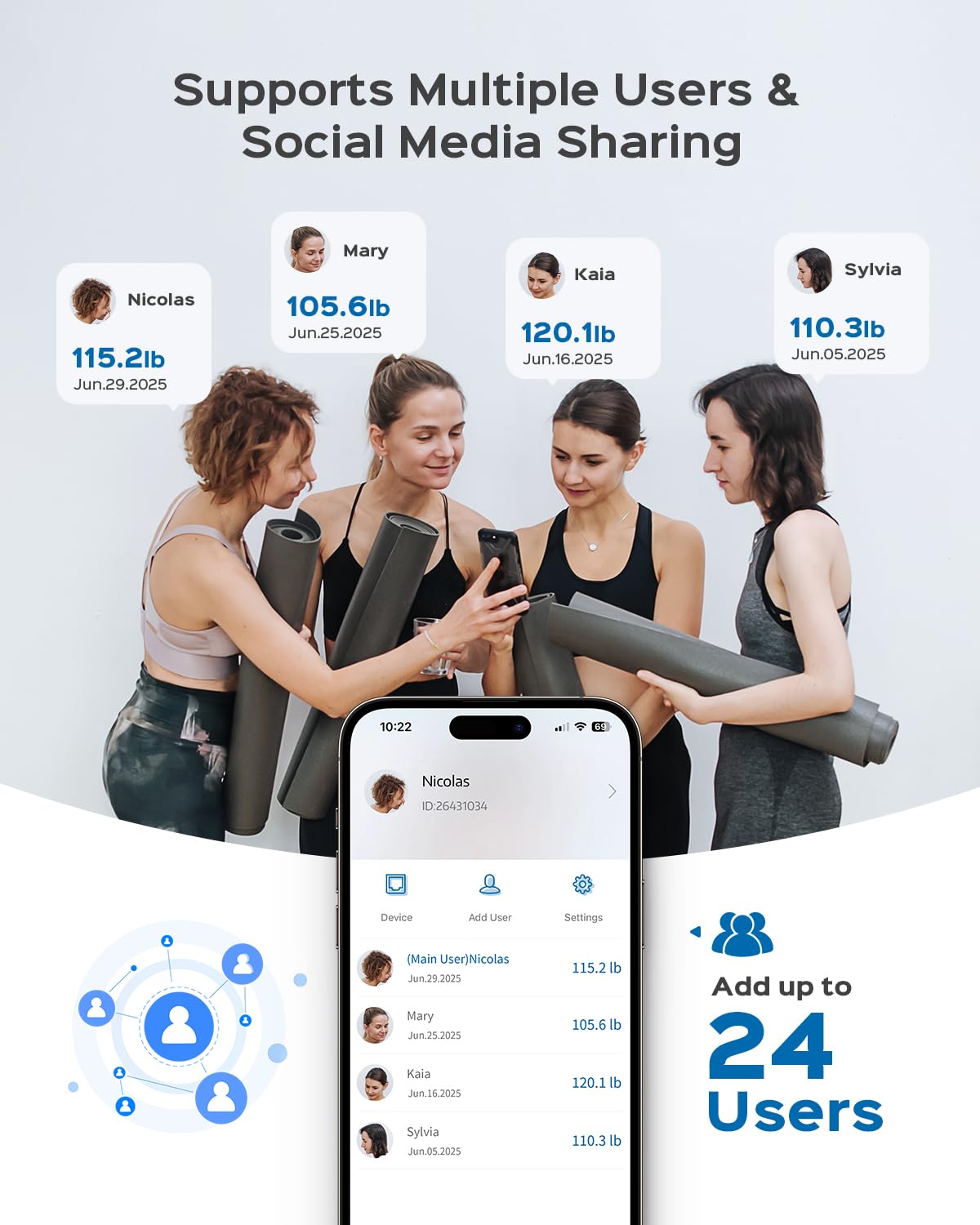
Image: The Masmssm Smart Scale supports up to 24 users, allowing families or groups to track individual health metrics and progress through the Fitdays app, with options for social media sharing.

Image: The Masmssm Smart Scale offers multiple measurement modes, including Baby, Toddler, Child, Teen, Standard, and Athlete, catering to diverse user needs and ensuring accurate readings for every stage of life.
6. Maintenance
- Cleaning: Wipe the scale surface with a damp cloth and mild detergent. Do not use abrasive cleaners or immerse the scale in water.
- Battery Replacement: When the low battery indicator appears on the display, replace all four AAA batteries with new ones.
- Storage: Store the scale in a cool, dry place away from direct sunlight and extreme temperatures.
7. Troubleshooting
| Problem | Possible Cause | Solution |
|---|---|---|
| "Lo" displayed | Low battery | Replace all 4 AAA batteries. |
| "Err" displayed | Overload (weight exceeds 400lb/180kg) | Reduce weight on the scale. |
| "C" displayed | Calibration needed | Step off the scale, wait for it to turn off, then step on again to re-calibrate. |
| Inaccurate readings | Scale on uneven surface or carpet | Place the scale on a hard, flat surface. |
| No app connection | Bluetooth off or app not open | Ensure Bluetooth is enabled and the 'Fitdays' app is open. |
8. Specifications
- Brand: masmssm
- Model: FG2319WB-D
- Weight Limit: 400 lbs / 180 kg
- Readout Accuracy: 0.1 lbs / 0.05 kg
- Display Type: LCD, Digital
- Material: Tempered Glass, Acrylonitrile Butadiene Styrene
- Special Features: Body Fat, Bone Mass, Heart Rate, Large Display, Precision Balanced
- Connectivity: Bluetooth (compatible with iOS & Android)
- Power Source: 4 AAA Batteries
- Dimensions: 11 x 11 x 0.98 inches (28 x 28 x 2.5 cm)
- Item Weight: 4.02 pounds

Image: The Masmssm Smart Scale is equipped with 4 high-precision sensors, ensuring accurate measurements up to 400 lbs (180 kg) with 0.1 lb (0.05 kg) accuracy.

Image: The design of the Masmssm Smart Scale prioritizes safety and durability, featuring 5mm tempered glass, anti-slip pads, and rounded corners for secure daily use.
9. Warranty and Support
For warranty information, technical support, or any inquiries regarding your Masmssm Smart Scale, please contact the manufacturer directly. Refer to the contact details provided in the product packaging or on the official Masmssm website.
