
Introduction
Thank you for choosing the noblechairs Legend Gaming Chair - Doom: The Dark Ages Edition. This manual provides essential information for the safe assembly, operation, and maintenance of your new gaming chair. Please read these instructions carefully before use and retain them for future reference.
Safety Information
Important Safety Instructions:
- Always follow the assembly instructions carefully. Ensure the chair is fully assembled before use.
- This chair has a maximum weight capacity of 320 lbs (145 kg). Exceeding this capacity may cause the chair to malfunction or break, leading to injury.
- Always use the chair on a stable, flat surface to prevent tipping or falling.
- Keep children and pets away from the chair during assembly. Small parts may be a choking hazard.
- Avoid standing on the chair or using it as a step stool.
- Do not expose the chair to direct sunlight or extreme temperatures, as this may damage the material.
- Regularly check all bolts and screws to ensure they are tight. Retighten as necessary.
Assembly Instructions
Your noblechairs Legend Gaming Chair includes detailed assembly instructions within the packaging. Please refer to these instructions for a step-by-step guide to assembling your chair. Ensure all components are present before beginning assembly.
General Assembly Tips:
- Lay out all parts on a soft, clean surface to prevent scratches.
- Do not fully tighten all screws until the entire chair is assembled, then go back and tighten them securely.
- If you encounter any difficulties, refer to the included manual or contact customer support.

Image: Exploded view of chair components, illustrating the parts required for assembly.
Key Features
- Official DOOM: The Dark Ages Design: Inspired by the Slayer’s Praetor Suit with "Reign in Hell" detail and official branding.
- Premium Materials: Constructed with a robust steel frame, high-quality PU leather, and cold foam upholstery for durability and comfort.
- Adjustable Ergonomics: Features integrated adjustable lumbar support, versatile 4D armrests, and a recline function for optimal posture and comfort.
- Immersive Comfort: Designed with a wide seat base and breathable materials to provide support during extended gaming sessions.
- Dimensions: 18.9"D x 20.8"W x 55.9"H. Max height: 6'6" (200 cm), Max weight: 150 kg (330 lbs).
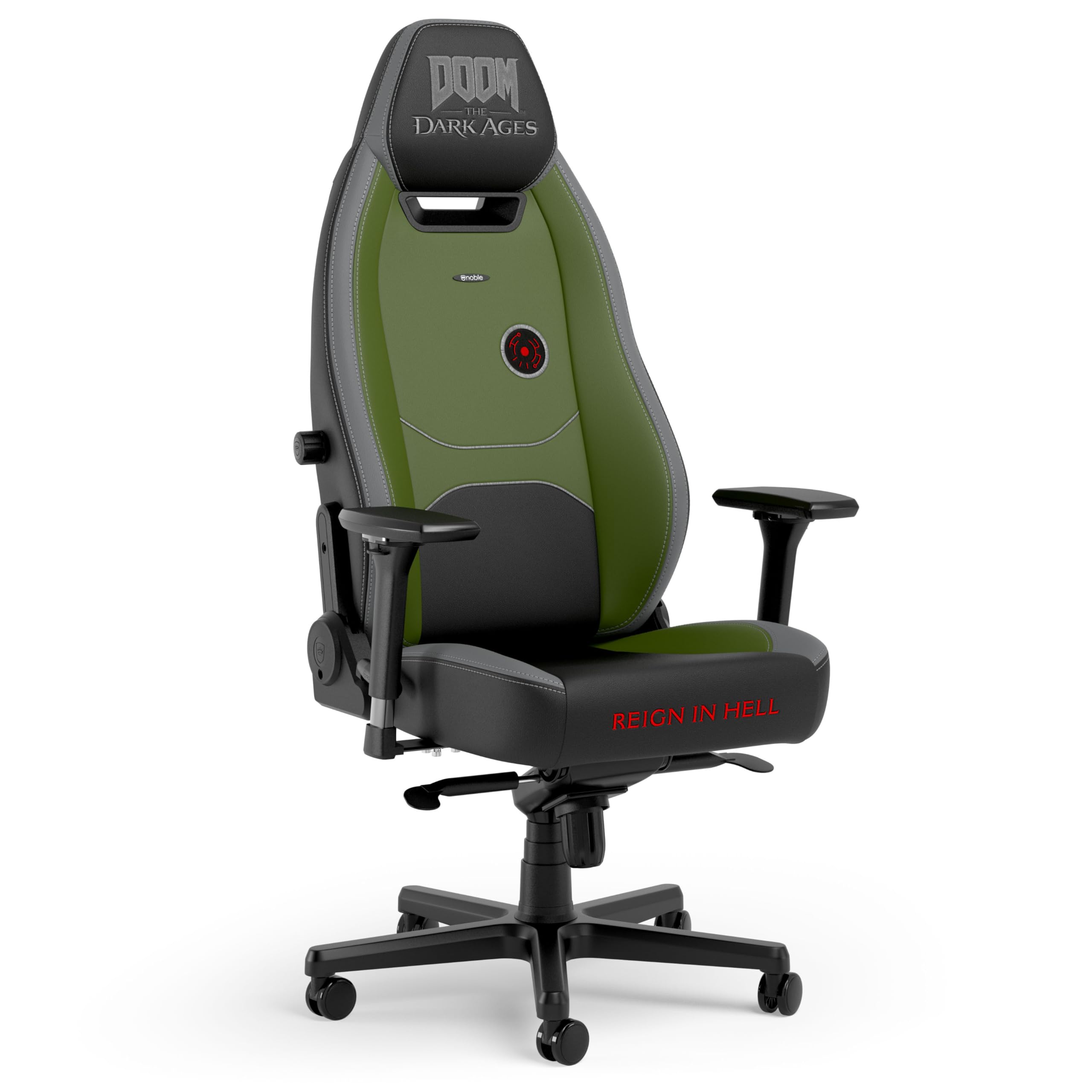
Image: The noblechairs Legend Gaming Chair - Doom: The Dark Ages Edition, showcasing its unique design and color scheme.

Image: Close-up of the chair's backrest, highlighting the ergonomically shaped design and the "Doom The Dark Ages" logo.

Image: Detail of the chair's high-quality PU leather and stitching, emphasizing the durable construction.
Adjustments and Ergonomics
The noblechairs Legend Gaming Chair offers multiple adjustment options to customize your seating experience for maximum comfort and ergonomic support.
- Seat Height Adjustment: Use the lever located on the right side beneath the seat to raise or lower the chair to your desired height.
- 4D Armrests: The armrests can be adjusted in four dimensions:
- Height: Press the button on the side of the armrest to adjust its vertical position.
- Depth: Slide the armrest pad forward or backward.
- Width: Slide the armrest pad left or right.
- Rotation: Rotate the armrest pad inwards or outwards.
- Backrest Recline: Pull the lever on the left side of the seat to recline the backrest. The backrest can be adjusted from 90° to 125°. Release the lever to lock it in place.
- Rocking Mechanism: The chair features a rocking function. Use the tension knob underneath the seat to adjust the resistance of the rocking motion. Pull the lever on the left side (opposite the recline lever) outwards to enable rocking, and push it inwards to lock the chair in an upright position.
- Integrated Lumbar Support: Adjust the lumbar support by rotating the knob on the right side of the backrest to find your ideal lower back support.

Image: Illustration of the adjustable backrest, demonstrating the recline range from 90 to 125 degrees.

Image: Overview of the chair's ergonomic design, emphasizing the cold-foam upholstery and robust steel frame.
Care and Maintenance
Proper care will extend the life and appearance of your noblechairs Legend Gaming Chair.
- Cleaning Faux Leather: Wipe surfaces regularly with a soft, damp cloth. For stubborn stains, use a mild soap solution and wipe dry immediately. Avoid harsh chemicals or abrasive cleaners.
- Frame and Base: Clean the metal frame and plastic base with a damp cloth.
- Casters: Periodically clean hair and debris from the casters to ensure smooth movement.
- Inspection: Regularly check all moving parts and fasteners for wear or looseness. Tighten any loose screws or bolts.
Product Specifications
| Feature | Detail |
|---|---|
| Brand | noblechairs |
| Model Name | noblechairs - LEGEND DOOM: The Dark Ages Edition |
| Model Number | NBL-LGD-PU-DDA |
| Color | Dark Ages Edition |
| Material | Faux Leather (PU FAUX LEATHER), Foam (Fill Material) |
| Frame Material | Stainless Steel |
| Product Dimensions (D x W x H) | 18.9"D x 20.8"W x 55.9"H |
| Max User Height | 6'6" (200 cm) |
| Max User Weight | 330 lbs (150 kg) |
| Seat Depth | 18.9 inches |
| Seat Back Interior Height | 35.4 Inches |
| Reclining Positions | 3 (90° to 125°) |
| Arm Style | 4D Track Armrests |
| Included Components | Casters, Assembly Instructions |
| Indoor/Outdoor Usage | Indoor |
Image: Detailed diagram showing the dimensions of the noblechairs Legend Gaming Chair.
Troubleshooting
If you encounter any issues with your noblechairs Legend Gaming Chair, please refer to the following common solutions:
- Wobbly Armrests: Check the screws securing the armrests to the chair. Tighten them if they are loose.
- Chair Squeaks: Ensure all assembly bolts are securely tightened. Applying a small amount of silicone lubricant to moving metal parts (e.g., gas lift, tilt mechanism) may help.
- Difficulty Adjusting Height/Recline: Verify that the levers are fully engaged or disengaged. Check for any obstructions in the mechanism.
- Casters Not Rolling Smoothly: Remove any hair or debris that may be caught in the caster wheels.
Warranty and Support
Your noblechairs Legend Gaming Chair comes with a Limited Warranty. Please refer to the warranty documentation included with your product for specific terms and conditions. For further assistance, technical support, or warranty claims, please contact noblechairs customer service through their official website or the retailer where the product was purchased.
Product Videos
Video: Official noblechairs Legend Gaming Chair - Doom: The Dark Ages Edition overview. This video showcases the design and features of the chair.

