1. Product Overview
The Yaber K300s Triple Laser Projector is an ultra-short throw smart projector designed to deliver a cinematic experience in your home. Featuring a triple RGB laser, built-in Google TV, and powerful JBL speakers, it offers vibrant colors, immersive sound, and smart functionality for a comprehensive entertainment solution.
Key Features:
- Ultra Short Throw (UST) Capability: Project a 100-inch screen from just 9.76 inches (24.8cm) away, ideal for space-saving home theater setups.
- Superior Audio by JBL: Equipped with dual 15W JBL speakers and a 624.7cc bass chamber, supporting Dolby decoding for rich, immersive 360° sound with deep 50Hz lows.
- Triple RGB Laser Technology: Achieves over 150% NTSC color gamut and 1,500:1 contrast ratio for stunning HDR visuals and true-to-life color fidelity.
- Smart Entertainment Hub: Integrated Android TV with access to over 7,000 apps including Netflix, Prime Video, and Disney+. Features WiFi 6 for seamless UHD streaming and Bluetooth 5.1 for wireless audio.
- AI-Powered Auto Setup: TOF laser sensors enable 3-second auto-focus and keystone correction, simplifying setup.
- Smart Eye Protection: Infrared eye-protection dims the projection instantly when objects or people approach, enhancing safety.
- MEMC Motion Smoothing: Reduces blur and jerky motion for a smoother viewing experience, especially for sports and gaming.
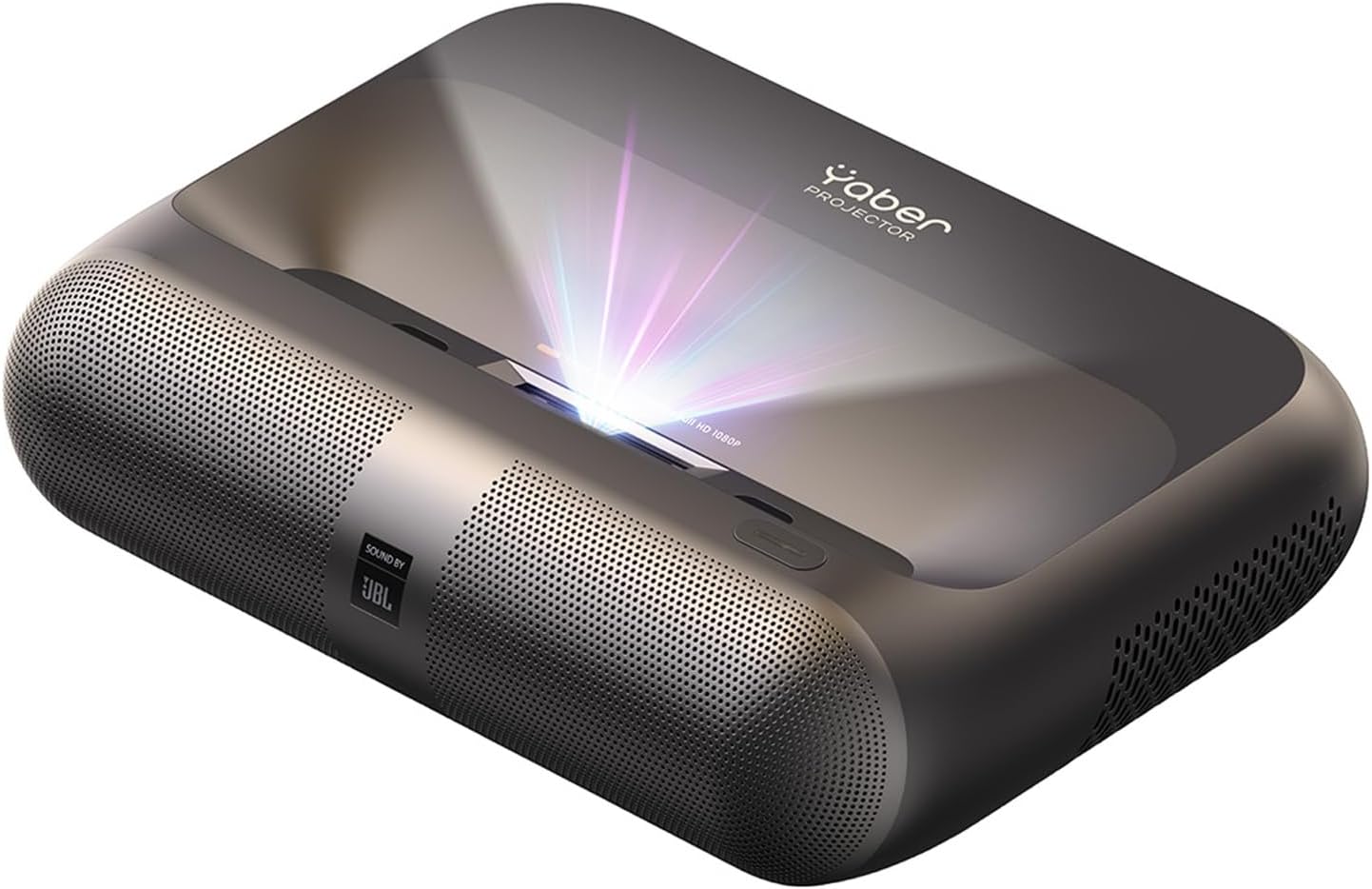
Image: The Yaber K300s Triple Laser Projector, showcasing its sleek design and front projection lens.
2. What's in the Box
Upon unboxing your Yaber K300s projector, please ensure all the following items are present:
- Yaber K300s Projector
- Remote Control
- HDMI Cable
- User Manual (this document)
- Cleaning Kit
3. Setup Guide
3.1 Placement
Due to its ultra-short throw capability, the Yaber K300s can be placed very close to the projection surface. For a 100-inch display, position the projector approximately 9.7 inches (24.8 cm) from the wall or screen. Ensure the surface is flat and free of obstructions for optimal image quality.
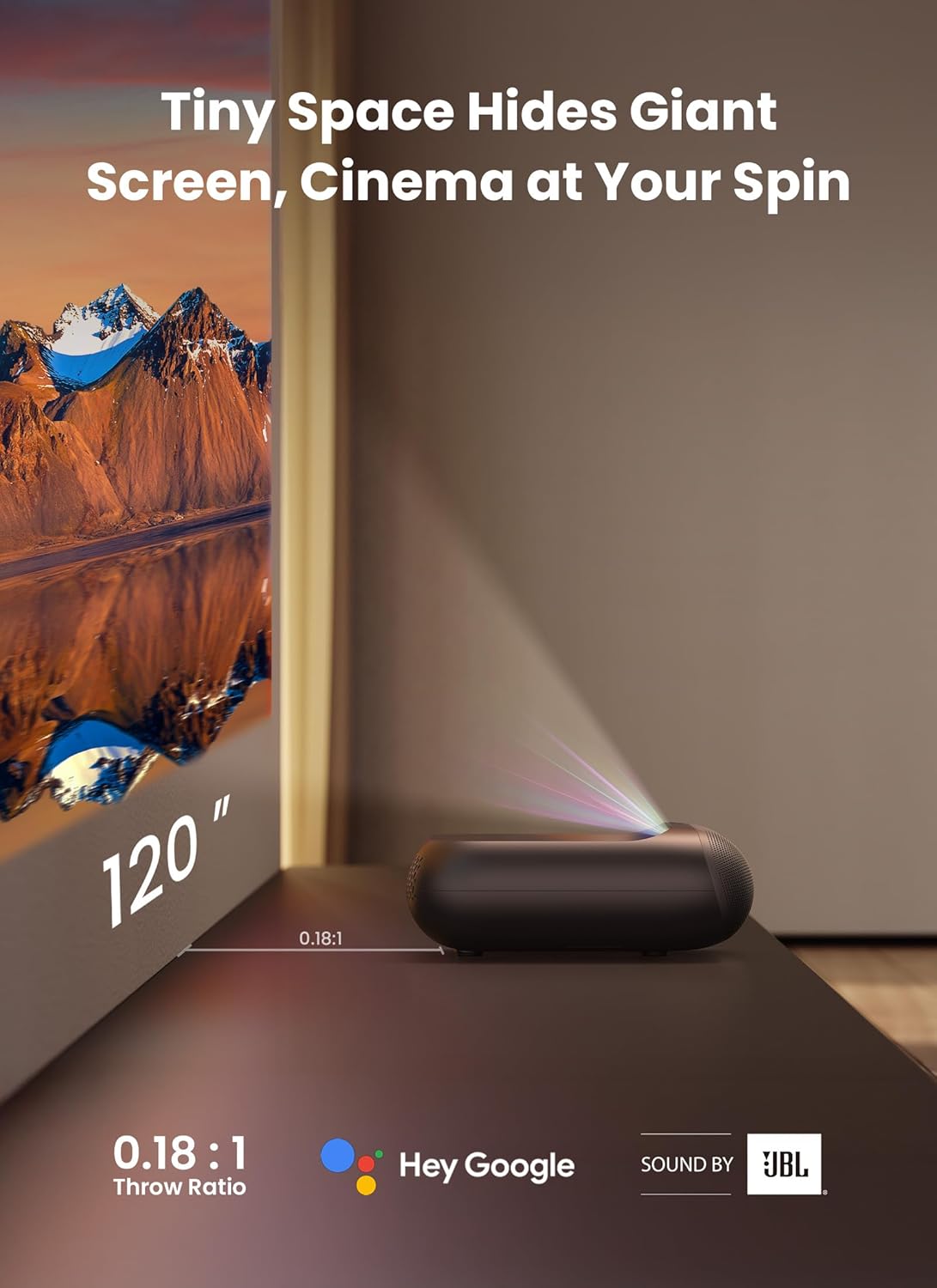
Image: Diagram illustrating the ultra-short throw distance of the Yaber K300s projector, showing a 100-inch display from a short distance.
3.2 Power Connection
- Connect the power cable to the projector's power input port.
- Plug the other end of the power cable into a suitable electrical outlet.
- Press the power button on the projector or remote control to turn it on.
3.3 Initial Setup and Auto-Correction
The Yaber K300s features AI-powered auto-focus and keystone correction. Upon first power-on or relocation, the projector will automatically adjust the image for clarity and geometry within approximately 3 seconds. Ensure the projector is stable during this process.

Image: A visual representation of the projector's 3-second autofocus and AI-driven keystone correction in action.
4. Operating Instructions
4.1 Navigating the Smart TV Interface
The Yaber K300s comes with Android TV built-in, providing access to a wide range of streaming services and apps. Use the remote control to navigate the interface, select apps, and browse content.

Image: The smart content hub interface of the Yaber K300s, showing various pre-loaded streaming applications like Netflix and YouTube.
4.2 Connecting External Devices
The projector supports various connectivity options:
- HDMI: Connect Blu-ray players, gaming consoles, or laptops using the HDMI port.
- USB: Play media files directly from a USB drive.
- Bluetooth 5.1: Pair wireless headphones or external speakers for enhanced audio.
- Wi-Fi 6: Connect to your home network for online streaming and updates.
- Ethernet: For a stable wired internet connection.
- 3.5mm Jack: For wired audio output to headphones or external speakers.
4.3 Audio Features (JBL & Dolby)
The Yaber K300s integrates dual 15W JBL speakers with Dolby Audio support. This provides a powerful and clear audio experience without the need for external sound systems. Adjust volume using the remote control.
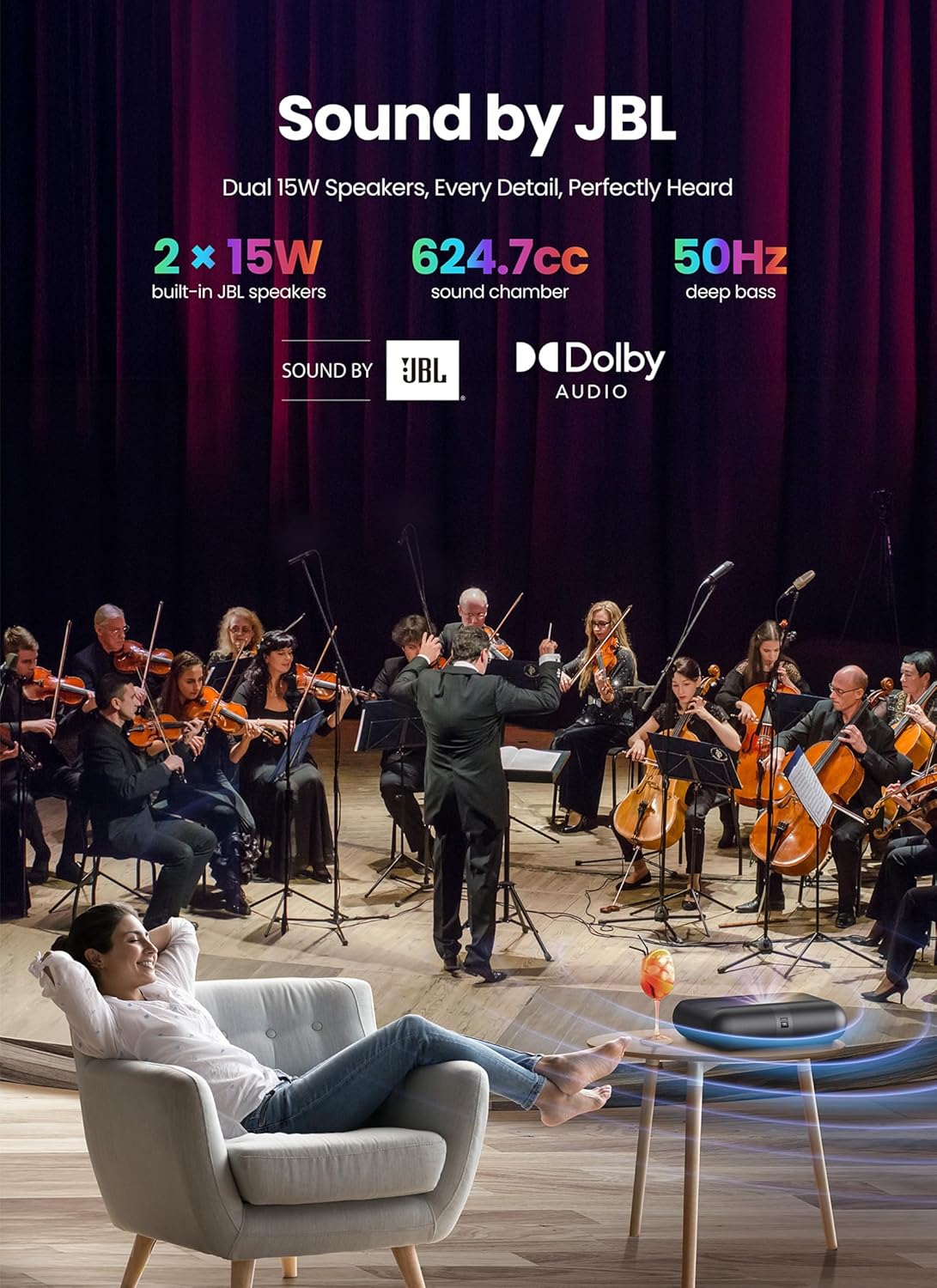
Image: A visual emphasizing the integrated JBL dual 15W speakers and Dolby Audio support, highlighting the immersive sound experience.
4.4 Image Settings and MEMC
Access the projector's settings menu to fine-tune image parameters such as brightness, contrast, and color temperature. The built-in MEMC (Motion Estimation, Motion Compensation) technology can be enabled or disabled to reduce motion blur, particularly beneficial for fast-paced content like sports or action movies.

Image: A comparison showing the effect of AI-Powered MEMC motion smoothing, demonstrating clearer action scenes.
5. Maintenance
Regular maintenance ensures the longevity and optimal performance of your Yaber K300s projector.
- Lens Cleaning: Use the provided cleaning kit or a soft, lint-free cloth specifically designed for optical lenses. Gently wipe the lens to remove dust or smudges. Avoid abrasive materials or harsh chemicals.
- Dust Removal: Periodically clean the projector's exterior with a soft, dry cloth. Ensure ventilation ports are clear of dust and debris to prevent overheating.
- Storage: When not in use for extended periods, store the projector in a cool, dry place, ideally in its original packaging or a protective case, to prevent dust accumulation and damage.
6. Troubleshooting
If you encounter issues with your Yaber K300s projector, refer to the following common troubleshooting steps:
| Problem | Possible Cause / Solution |
|---|---|
| No image projected |
|
| Blurred or distorted image |
|
| No sound |
|
| Remote control not working |
|
| Overheating warning |
|
If the issue persists after trying these steps, please contact Yaber customer support.
7. Specifications
Detailed technical specifications for the Yaber K300s Projector:
| Feature | Detail |
|---|---|
| Model Number | VC-CCK02257-US |
| Product Dimensions | 11.42 x 8.66 x 3.27 inches |
| Item Weight | 6.92 pounds |
| Display Resolution | 1920 x 1080 (Full HD, 4K Support) |
| Throw Ratio | 0.18:1 (Ultra Short Throw) |
| Color Gamut | >150% NTSC |
| Contrast Ratio | 1,500:1 |
| Speaker Output | Dual 15W JBL Speakers |
| Audio Support | Dolby Audio |
| Operating System | Android TV (Built-in) |
| Wireless Connectivity | Wi-Fi 6, Bluetooth 5.1 |
| Wired Connectivity | HDMI, USB, Ethernet, 3.5mm Jack |
| Special Features | Triple Laser DLP Tech, MEMC, Auto-Focus, Auto Keystone Correction, Intelligent Screen Alignment, Intelligent Obstacle Avoidance, Smart Eye Protection (No Harmful Blue Light) |
| Lamp Life | Up to 20,000 hours |
8. Warranty and Support
Yaber PROJECTOR is committed to providing high-quality products and customer satisfaction.
- Warranty: Please refer to the warranty card included with your product for specific warranty terms and conditions.
- Technical Support: Yaber offers lifetime technical support for its products.
- Returns: Hassle-free returns are typically available within 30 days of purchase.
- Customer Service: For any inquiries, technical assistance, or support, please contact Yaber customer service at service@yaber.com. Support is available 24 hours.

Image: Information regarding Yaber's customer support, including email, 24-hour availability, lifetime technical support, and 30-day returns.


