
1. Introduction
Thank you for choosing the Newhai Commercial Veggie Slicer. This machine is designed for efficient and precise cutting of various vegetables and fruits in commercial kitchen environments. Its conveyor belt system and adjustable settings allow for versatile ingredient handling and consistent results. Please read this manual thoroughly before operation to ensure safe and optimal performance.
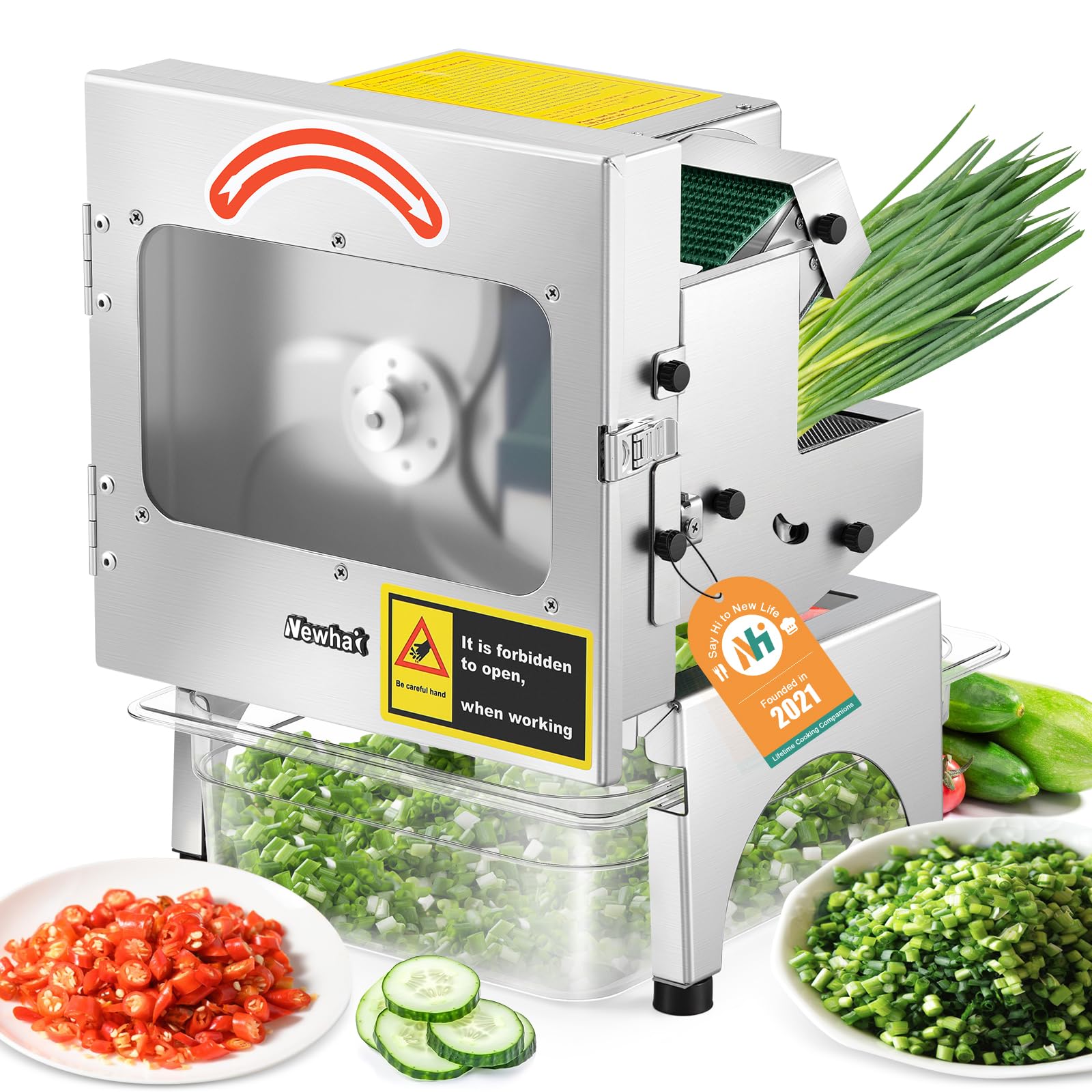
Image 1.1: Newhai Commercial Veggie Slicer, a robust stainless steel unit with a clear viewing window.
2. Safety Information
Always prioritize safety when operating electrical equipment. Failure to follow safety guidelines can result in injury or damage to the machine.
- Read all instructions before use.
- Keep hands and foreign objects away from moving parts and blades during operation.
- Ensure the machine is placed on a stable, level surface.
- Do not operate the machine with a damaged power cord or plug.
- Unplug the machine before cleaning, maintenance, or when not in use.
- This appliance is equipped with a safety micro-switch. The machine will automatically shut off if the cover is opened during operation. Do not attempt to bypass this safety feature.

Image 2.1: Illustration of the safety micro-switch design, which stops operation when the cover is opened.
3. Product Overview
The Newhai Commercial Veggie Slicer features a durable stainless steel construction and a conveyor belt system for continuous feeding. Key components include:
- Stainless Steel Body: Reinforced for durability and easy cleaning.
- 420 Steel Blade: Upgraded for long-lasting sharpness and efficient cutting.
- Conveyor Belt: 2.75-inch wide food-grade belt for automatic and smooth feeding of ingredients.
- Control Knobs: Independent controls for blade speed (spindle speed) and conveyor belt speed.
- Large Viewing Window: Allows monitoring of the cutting process.
- Food Receiving Basin: Collects sliced ingredients.

Image 3.1: Close-up of the 2.75-inch conveyor belt for effortless ingredient feeding.
4. Setup
- Unpack all components and remove any packaging materials.
- Place the slicer on a clean, stable, and dry surface. Ensure adequate space around the machine for operation and ventilation.
- Attach the food receiving basin securely under the discharge chute.
- Inspect the blades and conveyor belt for any damage or obstructions.
- Plug the power cord into a grounded 110V electrical outlet.
5. Operating Instructions
5.1 Basic Operation
- Ensure the machine is properly set up and the cover is securely closed.
- Turn on the power switch.
- Adjust the blade speed (spindle speed) and conveyor belt speed using the respective control knobs to achieve the desired cutting thickness and length (refer to section 5.2).
- Carefully place pre-cut ingredients onto the conveyor belt. The belt will automatically feed them into the cutting mechanism.
- Monitor the cutting process through the viewing window.
- Once finished, turn off the power switch and unplug the machine.
5.2 Adjusting Cutting Precision (Thickness: 1-35mm)
The slicer offers adjustable cutting precision through two control knobs:
- Blade Speed (Spindle Speed): Adjusts how quickly the blade rotates. Higher blade speed generally results in finer, shorter cuts.
- Conveyor Belt Speed: Adjusts how quickly ingredients are fed to the blade. Faster conveyor speed generally results in longer, thicker cuts.
Experiment with both settings to achieve the desired slice thickness, ranging from 1mm to 35mm.
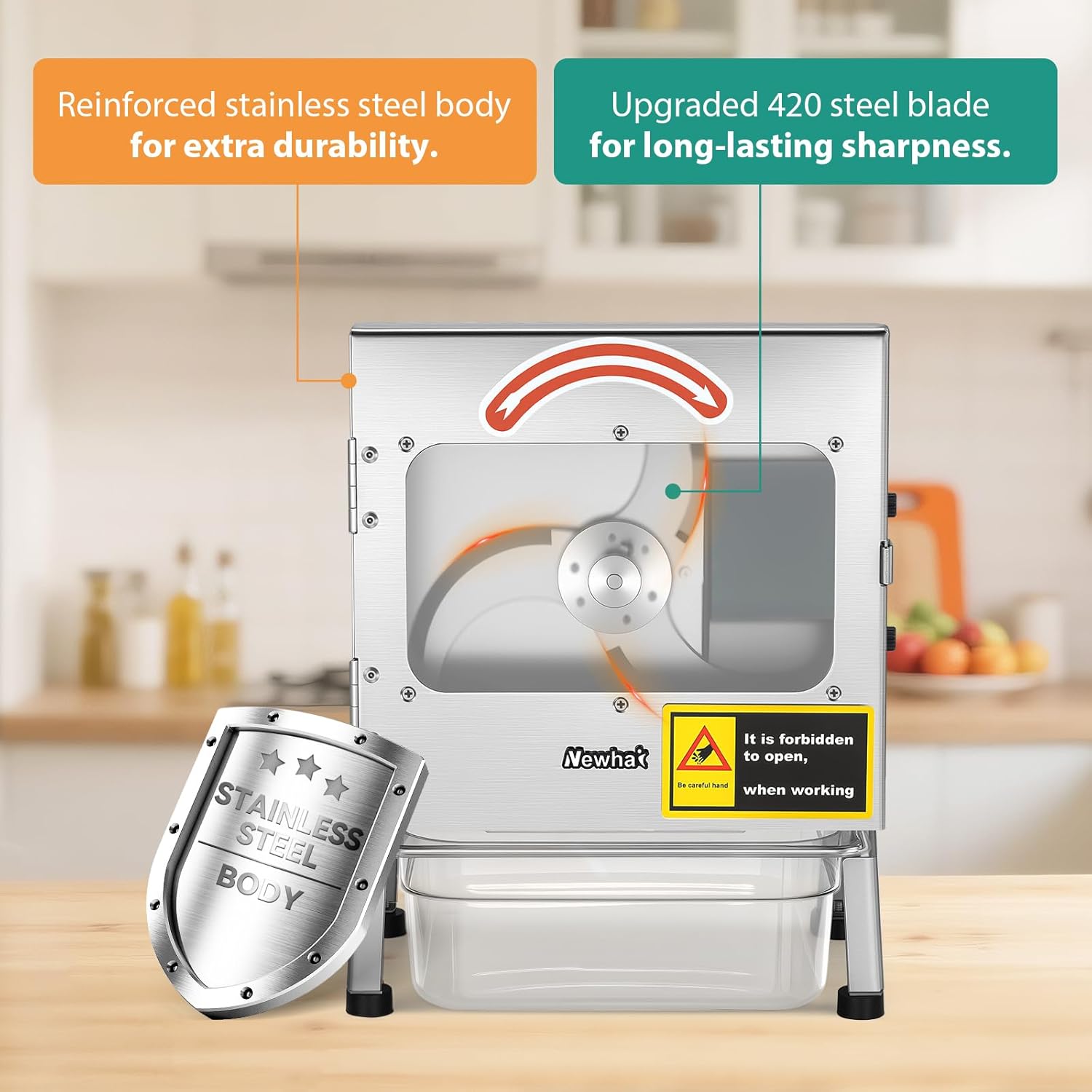
Image 5.1: Control knobs for adjusting blade speed and conveyor belt speed to achieve desired cutting thickness.
5.3 Versatile Ingredient Handling
This slicer is designed to handle a wide range of ingredients, from long vegetables like green beans and scallions to soft fruits such as bananas, and hard produce like carrots and cucumbers.

Image 5.2: Examples of various vegetables and fruits that can be processed, including chives, celery, scallions, garlic, green onions, mushrooms, green beans, cucumber, and carrot.
5.4 Operational Videos
Watch these videos for a visual guide on operating the Newhai Commercial Veggie Slicer:
Newhai Vegetable Slicer Machine
Video 5.4.1: A demonstration of the Newhai Vegetable Slicer in action, showcasing its general operation and efficiency.
Newhai Commercial Vegetable Slicer Machine
Video 5.4.2: An overview of the commercial vegetable slicer, highlighting its features and performance in a kitchen setting.
Use Effect Display-Vegetable Slicer with Conveyor Belt
Video 5.4.3: This video demonstrates the practical application and cutting effects of the vegetable slicer, focusing on the conveyor belt's efficiency.
Newhai 200W Commercial Vegetable Slicer
Video 5.4.4: A concise video showcasing the 200W commercial vegetable slicer's capabilities and ease of use.
6. Maintenance and Cleaning
Regular cleaning and maintenance ensure the longevity and hygienic operation of your slicer.
- Always unplug the machine before cleaning.
- Remove the food receiving basin and empty any contents.
- The food receiving basin is dishwasher safe.
- Use the provided cleaning brush to remove food debris from the blades and conveyor belt.
- Wipe down all stainless steel surfaces with a damp cloth and mild detergent. Avoid abrasive cleaners.
- Ensure all parts are thoroughly dry before reassembling or storing the machine.
- Periodically check the blades for sharpness. Replace if dull or damaged.
7. Troubleshooting
If you encounter issues with your Newhai Commercial Veggie Slicer, refer to the following common troubleshooting steps:
- Machine does not turn on:
- Check if the power cord is securely plugged into a working outlet.
- Ensure the cover is fully closed and the safety micro-switch is engaged.
- Verify the power switch is in the 'ON' position.
- Ingredients are not slicing properly:
- Adjust the blade speed and conveyor belt speed settings (refer to section 5.2).
- Check if the blades are clean and free of debris.
- Inspect blades for sharpness; dull blades may need replacement.
- Ensure ingredients are appropriately sized for the conveyor belt.
- Unusual noise during operation:
- Turn off and unplug the machine immediately.
- Inspect for any foreign objects caught in the blades or conveyor mechanism.
- Ensure all components are correctly assembled.
If the problem persists after attempting these steps, please contact Newhai customer support.
8. Specifications

Image 8.1: Visual representation of the slicer's dimensions and output capacity.
| Feature | Detail |
|---|---|
| Brand | Newhai |
| Model Number | WWX92 |
| Product Dimensions | 11"L x 10.5"W x 15"H |
| Material | Stainless Steel |
| Color | Silver |
| Special Features | Speed adjustable, with conveyor belt, 200W motor power, belt width 7cm (2.75"), 400lb/h output |
| Recommended Uses | Fruit, Vegetable |
| Product Care Instructions | Dishwasher Safe (for receiving basin) |
| Blade Material | Stainless Steel |
| Item Weight | 18 pounds |
| Operation Mode | Automatic |
| Included Components | Small wrench, Food receiving basin, Cleaning brush |
9. Warranty and Support
Newhai products are manufactured to high-quality standards. For warranty information, please refer to the documentation included with your purchase or visit the official Newhai website. For technical support, replacement parts, or any inquiries, please contact Newhai customer service through their official channels.
You can visit the Newhai Store for more information: Newhai Store on Amazon