
1. Introduction
This manual provides essential information for the safe and effective operation of your Longer B1 24000mW Laser Engraver. Please read all instructions carefully before assembly, setup, and operation to ensure optimal performance and safety. This advanced laser engraver is designed for precise cutting and engraving on a variety of materials, including wood, acrylic, and stainless steel.

Image 1.1: The Longer B1 24000mW Laser Engraver shown with its comprehensive set of accessories, including the auto air assist, chuck jaw kit, honeycomb panel, camera, and riser pads.
2. Key Features
- High-Performance Mainboard and Efficient Air Pump: Equipped with a 32-bit high-performance mainboard for stable and efficient use. Features a smart air pump, controlled by the mainboard, to automatically clear smoke and clean the surface, enhancing cutting and engraving quality.
- Spacious Working Area and High Efficiency: Offers a large working area of 450x440mm (17.72x17.32 inches) and a 20000mW light output power, with a top working speed of 36000mm/min for enhanced productivity.
- Versatile Software Compatibility: Supports multi-platform software, including LaserGRBL (Free) and LightBurn, compatible with Windows, Mac OS, and Linux.
- Multiple Connectivity Options: Supports USB, TF Card, Wifi, and APP for easy operation and control.
- Advanced Cutting Capabilities: Capable of cutting 25mm wood, 35mm black acrylic, and 0.05mm stainless steel.
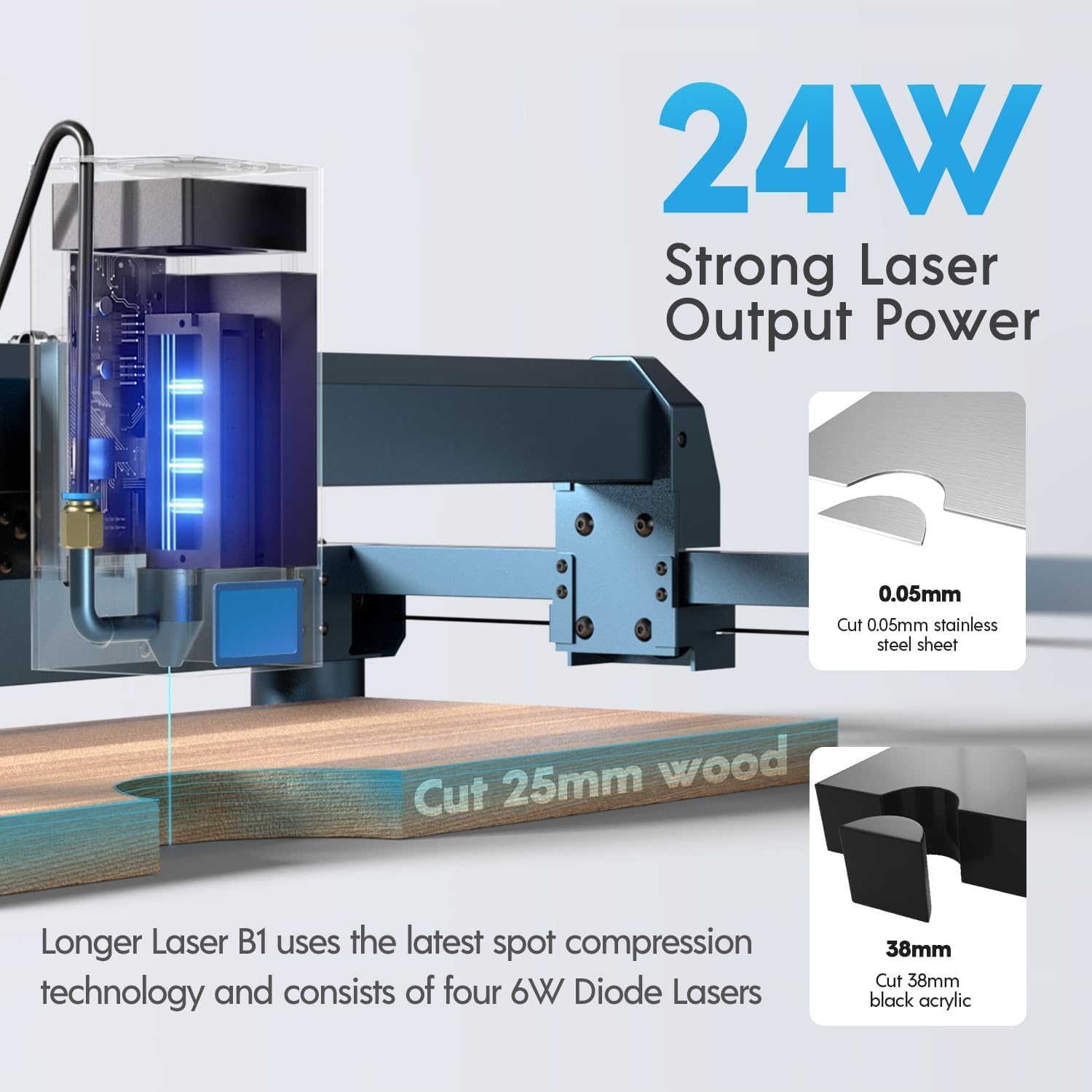
Image 2.1: Illustration of the 24W strong laser output power, demonstrating its ability to cut 25mm wood, 0.05mm stainless steel, and 38mm black acrylic.

Image 2.2: A visual comparison highlighting the faster working speed of the Longer B1 24W at 36000mm/min compared to other engravers at 20000mm/min, showcasing increased output in the same timeframe.

Image 2.3: The laser engraver equipped with an air assist pump, demonstrating how it prevents yellowing and ensures a clean surface during engraving, improving overall quality.
3. Setup Guide
Before operating your Longer B1 Laser Engraver, ensure proper assembly and setup. Refer to the included quick start guide for detailed step-by-step assembly instructions. Always place the machine on a stable, level, and fire-resistant surface in a well-ventilated area.
3.1 Unpacking and Component Check
Carefully unpack all components and verify that all parts listed in the packing list are present and undamaged. If any parts are missing or damaged, contact customer support immediately.
3.2 Assembly
Follow the provided assembly manual for detailed instructions on connecting the frame, laser module, and other components. Ensure all screws are tightened securely.
3.3 Initial Power-On
Connect the power adapter to the machine and a suitable power outlet. Turn on the main power switch. The indicator lights should illuminate, indicating the machine is ready for connection to your computer or mobile device.
4. Operating Instructions
Operating the Longer B1 Laser Engraver involves preparing your design, setting up the material, configuring software parameters, and initiating the engraving or cutting process.
4.1 Software Installation and Connection
Install LaserGRBL or LightBurn software on your computer. Connect the engraver via USB, Wi-Fi, or TF card. For mobile control, download the LaserBurn APP.

Image 4.1: A smartphone screen showing the LaserBurn APP, which allows for WiFi network distribution, motion control, drawing creation, preview, and setting of engraving parameters.
4.2 Material Preparation
Place your material flat on the honeycomb working table. Ensure it is securely positioned and does not obstruct the laser path. Use the included riser pads for thicker materials or when using the rotary extender.

Image 4.2: Diagram illustrating the dimensions of the Longer Honeycomb Working Table, showing a usable area of 460mm*460mm and an overall unit size of 500mm*500mm (19.68 inches).
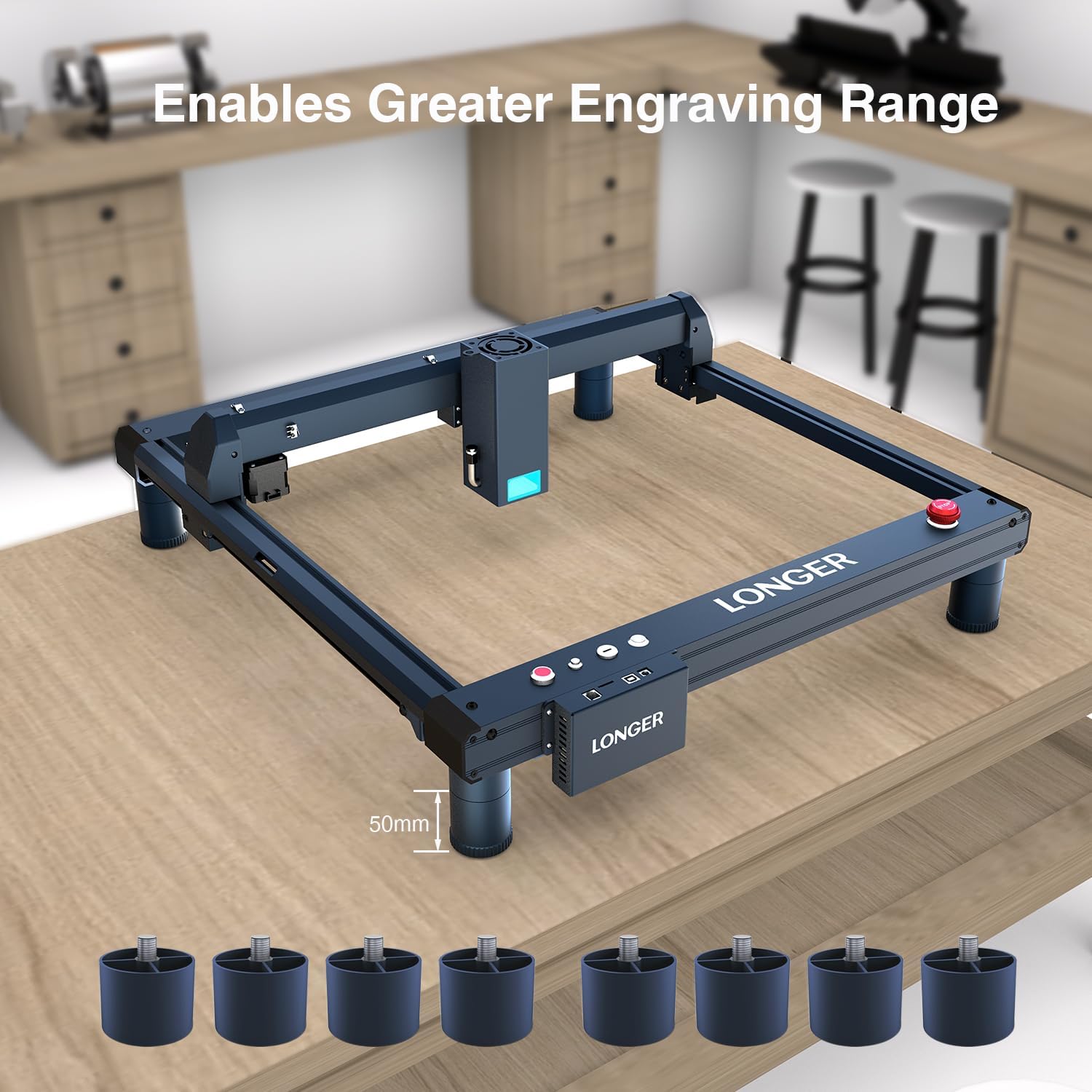
Image 4.3: The Longer B1 Laser Engraver elevated by riser pads, demonstrating how these accessories enable a greater engraving range for taller objects.
4.3 Design and Parameter Settings
Import or create your design in the software. Adjust laser power, speed, and passes according to the material type and desired outcome. Utilize the camera kit for precise positioning and job preview.

Image 4.4: The Longer B1 Laser Engraver with an overhead camera, illustrating its capability for remote monitoring, precise positioning, work preview, and video recording during engraving tasks.
4.4 Starting Engraving/Cutting
Once parameters are set and the material is in place, initiate the process from the software. Monitor the operation closely. The auto air assist will activate as needed to ensure clean results.
4.5 Engraving Performance
The Longer B1 supports 256-bit color scale for superb color representation, moving beyond traditional black and white engraving.

Image 4.5: An illustration showcasing the Longer B1's rare color engraving performance, utilizing a self-developed 256-bit color scale for detailed and vibrant results.
5. Maintenance
Regular maintenance ensures the longevity and optimal performance of your laser engraver.
5.1 Cleaning
- Regularly clean the laser module lens with a soft, lint-free cloth and lens cleaning solution.
- Wipe down the machine frame and rails to remove dust and debris.
- Clean the honeycomb working table to prevent residue buildup.
5.2 Lubrication
Periodically apply a small amount of lubricant to the linear rails to ensure smooth movement of the laser module.
5.3 Laser Module Care
Avoid touching the laser lens directly. Ensure the laser module's cooling fan is free from obstructions.

Image 5.1: A detailed view of the laser module, highlighting its panoramic filter glass designed to block blue light and filter 97% of ultraviolet light, providing eye protection.
6. Safety Features
The Longer B1 Laser Engraver incorporates multiple safety features to ensure user protection during operation.
- Flame Detector: Automatically detects flames and stops operation immediately.
- Position Movement Protection: Stops the machine if it moves or tilts unexpectedly during operation.
- Newly Upgraded Safety Lock: Prevents unauthorized use, especially by children.
- X and Y Axis Two Limit Switches: Ensures accurate homing and positioning, preventing the laser head from exceeding boundaries.

Image 6.1: An overview of the four primary safety features: Flame Detector, Position Movement Protection, Newly Upgraded Safety Lock, and X and Y axis Two Limit Switches, designed for enhanced user safety.
7. Troubleshooting
This section provides solutions to common issues you might encounter.
7.1 Machine Not Powering On
- Check if the power adapter is securely connected to both the machine and the power outlet.
- Ensure the main power switch is in the 'ON' position.
7.2 Laser Not Firing/Weak Output
- Verify laser power settings in the software.
- Clean the laser lens for any dust or debris.
- Ensure the material is within the focal length of the laser.
7.3 Engraving/Cutting Quality Issues
- Adjust speed and power settings for the specific material.
- Ensure the material is flat and securely placed.
- Check if the air assist is functioning correctly to clear smoke and debris.
7.4 Connectivity Problems
- For USB connection, try a different USB port or cable.
- For Wi-Fi/APP, ensure the machine and device are on the same network and signal is strong.
- Restart both the machine and the software/app.
8. Specifications
| Attribute | Value |
|---|---|
| Model | B1 24000mW |
| Manufacturer | LONGER |
| Laser Output Power | 20000mW (20W) |
| Working Area | 450x440mm (17.72x17.32 inches) |
| Max Working Speed | 36000mm/min |
| Connectivity | USB, TF Card, Wifi, APP |
| Software Compatibility | LaserGRBL, LightBurn |
| Operating System Compatibility | Windows, Mac OS, Linux |
| Cutting Capability (Wood) | Up to 25mm |
| Cutting Capability (Black Acrylic) | Up to 35mm |
| Cutting Capability (Stainless Steel) | Up to 0.05mm |
| Date First Available | June 18, 2025 |
9. Included Accessories
The Longer B1 24000mW Laser Engraver Advanced Package-1 comes with several useful accessories to enhance your engraving and cutting experience:
- Camera Kit: Longer New LightBurn Camera Kit for Laser Engravers – 5MP HD Precision Auto Positioning, Supports Video Recording, Multi-Task Engraving, and Job Preview, Covers a Large Area of 740x560mm.
- 4-in-1 Chuck Jaw Kit: LONGER Rotary Extender (with Riser) is ideal for engraving cylindrical, wine glass, and irregular objects. Compatible with Nano, Nano Pro, Ray5, B1, and Most Other Laser engravers.
- 16 Riser Pads: Longer Ray5 Laser Engraver Height Extension Kit 16 Riser Pads, specially designed for laser engraving machines to increase working height.
- Longer Honeycomb Working Table Kit: Perfect for engravers, provides quick heat dissipation and desktop protection, compatible with most laser engraving machines, 19.69" x 19.69".

Image 9.1: Detailed dimensions of the 4-in-1 chuck jaw kit, illustrating its adjustable components for securing various cylindrical and irregular objects for engraving.
10. Warranty and Support
Your Longer B1 24000mW Laser Engraver is backed by the manufacturer's warranty. For specific warranty terms and conditions, please refer to the documentation included with your product or contact Longer Official customer support.
Customer Support
For technical assistance, troubleshooting, or any product-related inquiries, please contact Longer Official support:
- Technical Support Hotline: +1 888-575-9099
- Operating Hours (Mon-Fri): 9:00 AM - 6:00 PM (EST, UTC-5)
- Operating Hours (Sun-Thu): 8:30 PM - 7:00 AM (EST, UTC-5)
Longer has warehouses in the United States and Europe, and their customer service team is professionally trained to provide timely and effective help for any product issues.