
Monster E26black
Monster Open Ear AC500 Headphones User Manual
Model: E26black
Introduction
Thank you for choosing the Monster Open Ear AC500 Headphones. These innovative clip-on earbuds are designed to provide a comfortable, secure fit and high-fidelity sound while keeping you aware of your surroundings. Featuring Bluetooth 5.3 technology, IPX5 water resistance, and extended battery life, they are perfect for sports, workouts, and daily use. This manual will guide you through the setup, operation, and maintenance of your new headphones.
Safety Information
- Do not disassemble or modify the product.
- Keep the charging case and earbuds dry. Do not expose to extreme temperatures.
- Avoid listening at high volume levels for extended periods to prevent hearing damage.
- Use only the provided charging cable or a certified equivalent.
- Dispose of batteries and electronic components responsibly according to local regulations.
Package Contents
Please check the package contents upon opening:
- Monster Open Ear AC500 Headphones (Left and Right Earbuds)
- Charging Case
- USB Charging Cable
- User Manual (this document)
Product Overview
Familiarize yourself with the components of your Monster Open Ear AC500 Headphones.

Image: The Monster Open Ear AC500 headphones, showing both earbuds and the open charging case. The earbuds are black with gold Monster logos, and the charging case is also black with a gold Monster logo on the lid.

Image: An exploded diagram illustrating the internal components of the Monster Open Ear AC500 earbud, highlighting the 13mm dynamic speaker technology responsible for Pure Monster Sound. Various layers of the speaker driver are shown.

Image: A person wearing the Monster Open Ear AC500 headphone, with insets highlighting 'Lightweight', 'Flexible and Soft', and 'Comfortable Fit' aspects of the earbuds, emphasizing their ergonomic design.

Image: A diagram showing an ear with the Monster earbud clipped on, illustrating sound waves directed precisely into the ear canal, highlighting the Directional Acoustics Technology that reduces sound leakage and enhances bass.

Image: Two Monster earbuds depicted floating in a cloud-like environment, with text emphasizing 'Lightweight Comfort' and stating each earbud weighs only 5 grams, providing an effortless listening experience.
Setup
1. Charging the Headphones and Case
Before first use, fully charge both the earbuds and the charging case. The charging case provides up to 30 hours of total playtime, with 6 hours on a single earbud charge.
- Place the earbuds into the charging case, ensuring they are correctly seated.
- Connect the USB charging cable to the charging port on the case and to a power source (e.g., computer USB port, wall adapter).
- The indicator light on the charging case will show charging status. Once fully charged, the light will change or turn off.
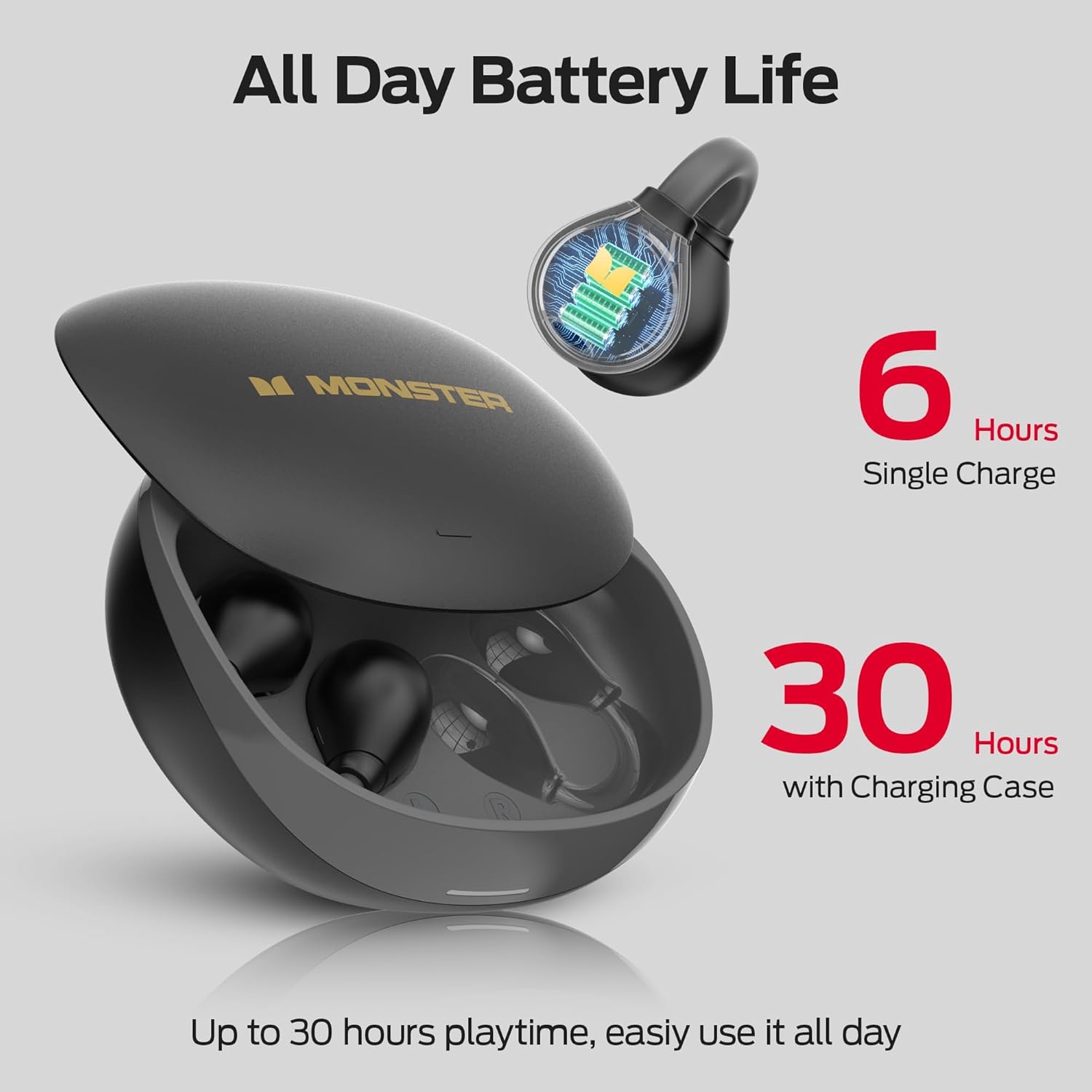
Image: An illustration showing the Monster Open Ear AC500 headphones in their charging case, with text indicating "6 Hours Single Charge" and "30 Hours with Charging Case," emphasizing the total battery life.
2. Bluetooth Pairing
The Monster Open Ear AC500 Headphones utilize Bluetooth 5.3 for a stable and efficient connection.
- Open the charging case. The earbuds will automatically enter pairing mode.
- On your device (smartphone, tablet, computer), enable Bluetooth.
- Search for "Monster Open Ear AC500" in the list of available Bluetooth devices.
- Select "Monster Open Ear AC500" to connect. Once connected, you will hear a confirmation tone.
- The earbuds will automatically reconnect to the last paired device when taken out of the case.
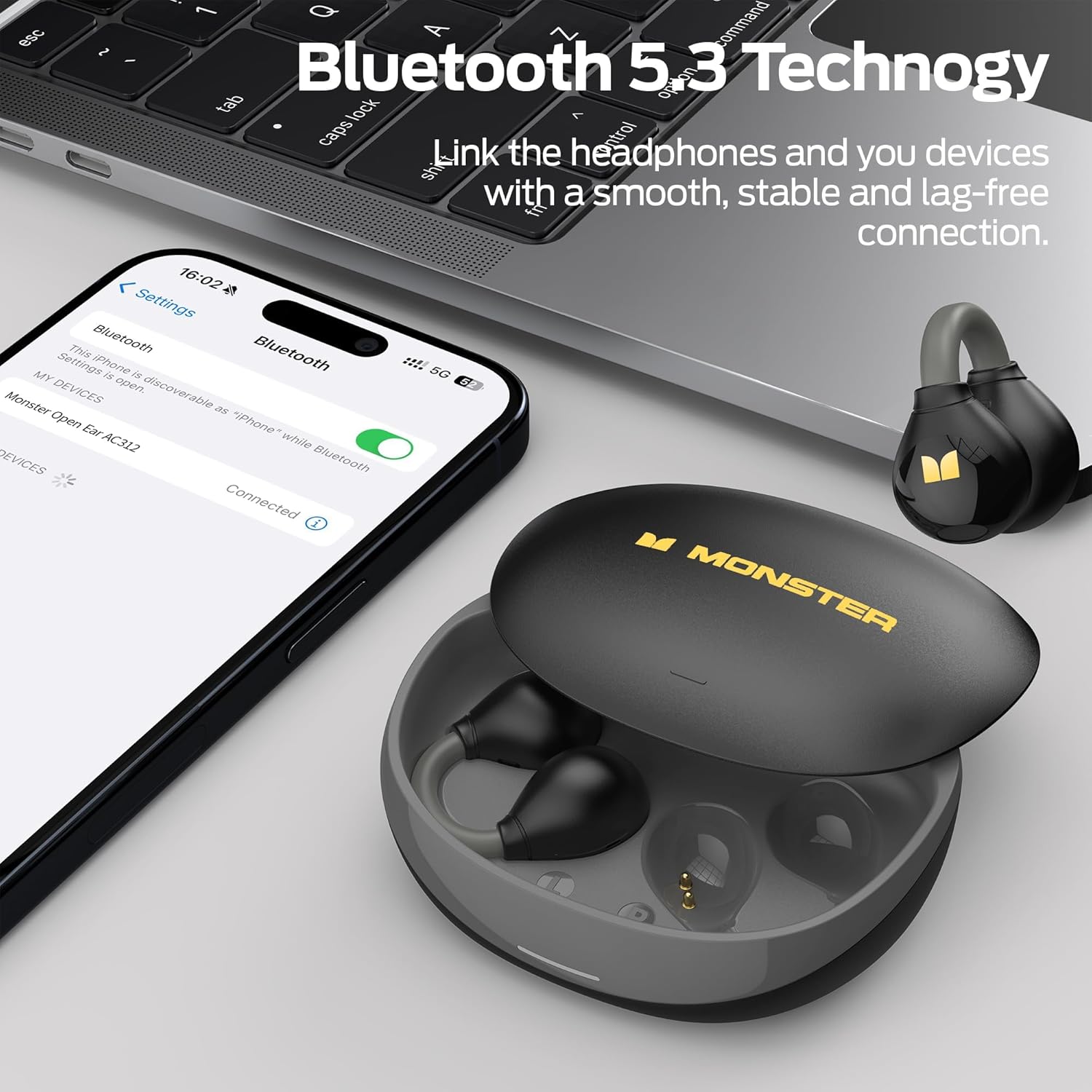
Image: A smartphone screen displaying Bluetooth settings, showing "Monster Open Ear AC500" as a connected device. The charging case with earbuds is next to a laptop, illustrating the Bluetooth 5.3 connection process.

Image: A transparent view of a Monster earbud, showcasing its internal components and highlighting the upgraded Bluetooth 5.3 technology for stable and faster transmission.

Image: The Monster earbuds in their charging case next to a smartphone and laptop, illustrating their compatibility with phones, tablets, computers, and other Bluetooth-enabled devices.
3. How to Wear
The open-ear clip-on design ensures a secure and comfortable fit without entering your ear canal.
- Gently clip the earbud onto your ear, positioning the speaker part near your ear canal.
- Adjust the earbud slightly up or down until it feels secure and comfortable. The flexible design adapts to various ear shapes.
- Ensure the earbud is stable and does not feel loose, especially during physical activity.

Image: A close-up of a person wearing the Monster Open Ear AC500 headphone on their ear, demonstrating the clip-on design. The earbud is black with a gold Monster logo visible.

Image: A diagram illustrating the correct way to wear the Monster Open Ear AC500 headphones, showing the earbud clipping onto the ear and suggesting vertical adjustment for comfort.

Image: A comparison graphic showing the Monster's upgraded clip-on design (no pain, not easy to fall off) versus traditional earbuds that can cause ear discomfort, pain, or fall off easily.

Image: A person in athletic wear performing an exercise, wearing the Monster earbuds, illustrating the flexible and stable clip-on cuff design that ensures the earbuds stay securely in place during movement.

Image: A person wearing a cycling helmet and the Monster earbuds while riding a bicycle, highlighting the open-ear design that allows users to stay aware of their surroundings for safety during outdoor activities.
Operating Instructions
Touch Controls
| Action | Earbud (L/R) | Function |
|---|---|---|
| Double Tap | L/R | Answer/End Call, Play/Pause Music |
| One Tap | L | Volume Up |
| One Tap | R | Volume Down |
| Long Press | L | Previous Track |
| Long Press | R | Next Track |

Image: A visual guide to the touch controls on the Monster Open Ear AC500 headphones, showing the location of the touch sensor and listing actions like double tap, one tap, and long press for music and call management.
Call Functions
- Answer/End Call: Double tap either earbud.
- Reject Call: Long press either earbud during an incoming call.
- Crystal-Clear Call: The dual-microphone design enhances voice clarity and isolates background noise for clear conversations.

Image: A person smiling and holding a smartphone to their ear, wearing the Monster Open Ear AC500 headphones, illustrating the clear call feature.
Maintenance
Cleaning
- Wipe the earbuds and charging case with a soft, dry, lint-free cloth.
- Do not use abrasive cleaners, alcohol, or chemical solvents.
- Ensure charging contacts are clean and dry before placing earbuds in the case.
Storage
- Store the headphones in their charging case when not in use to protect them and keep them charged.
- Store in a cool, dry place away from direct sunlight and extreme temperatures.
Water Resistance (IPX5)
The Monster Open Ear AC500 Headphones are IPX5 water-resistant, meaning they can withstand splashes and sweat. They are suitable for workouts and outdoor activities.
- Do not submerge the earbuds in water.
- The charging case is not water-resistant. Keep it dry.
- Ensure earbuds are completely dry before placing them back into the charging case to prevent damage.

Image: Two Monster Open Ear AC500 earbuds shown with water droplets on them, illustrating their IPX5 waterproof and sweatproof capabilities.
Troubleshooting
| Problem | Possible Solution |
|---|---|
| Earbuds not pairing/connecting. |
|
| No sound or low volume. |
|
| Earbuds not charging. |
|
| Intermittent connection/sound. |
|
Specifications
- Model: E26black
- Connectivity: Bluetooth 5.3
- Ear Placement: Open Ear, Clip-On
- Water Resistance: IPX5
- Playtime: Up to 6 hours (earbuds), Up to 30 hours (with charging case)
- Control Type: Touch Control
- Material: Plastic
- Included Components: User Manual, Earphones, Wireless Charging Case
- Battery Type: Lithium Ion (included)
- Item Weight: 150 g (Parcel Dimensions)
Warranty and Support
Monster products are designed and manufactured to the highest quality standards. For warranty information and technical support, please refer to the warranty card included in your package or visit the official Monster website. Please retain your proof of purchase for any warranty claims.
For further assistance, you may contact Monster customer service through their official channels.
Related documentsE26black


Ask a question about this manual
Ask about setup, troubleshooting, compatibility, parts, safety, or missing instructions. Manuals+ will review the question and use this page’s manual context to help answer it.