
1. Important Safety Information
Please read all instructions carefully before assembly and use. Retain this manual for future reference.
- Electrical Safety: Ensure the power outlet and USB ports are used with compatible devices and within specified voltage limits (125V for AC, 5V/2.1A for USB). Do not overload the outlets. Always unplug the unit from the power source before cleaning or performing any maintenance.
- Fireplace Safety: Maintain clear space around the electric fireplace. Do not block air vents. Keep flammable materials at least 3 feet (0.9 meters) away from the front of the fireplace. The fireplace features built-in overheat protection; if it shuts off unexpectedly, unplug it, wait 10 minutes, and then plug it back in.
- Furniture Stability: This TV stand is designed to support TVs up to 80 inches and a maximum weight of 132 lbs (60 kg). Do not exceed this weight limit. Place the TV stand on a flat, level surface. Consider using anti-tip hardware (not included) to secure the unit to a wall, especially in homes with children or pets.
- Assembly Safety: Assembly requires two adults. Follow all assembly steps precisely. Do not use power tools for tightening fasteners unless explicitly instructed, as this may damage the product.
2. Package Contents
Your MXV Fireplace TV Stand is shipped in two separate packages. These packages may arrive on different days. Please ensure you have received both packages and all components before beginning assembly.

Image: The product ships in two separate boxes, which may arrive on different days.
Carefully unpack all components and hardware. Verify that all parts listed in the assembly instructions are present and undamaged. If any parts are missing or damaged, do not proceed with assembly and contact customer support.
- TV Stand Panels (various sizes)
- Hardware Pack (screws, dowels, cam locks, hinges, etc.)
- Electric Fireplace Unit (36-inch)
- LED Light Strips and Controller
- Remote Controls (for fireplace and LED lights)
- Instruction Manual
3. Assembly Instructions (Setup)
Basic assembly instructions are included with your product. Please follow them carefully. Assembly typically requires two adults and common household tools such as a Phillips head screwdriver and a hammer.

Image: Product dimensions for the 70-inch TV console and 36-inch fireplace.
- Prepare the Area: Clear a spacious, clean, and level area for assembly. Lay out a blanket or cardboard to protect the furniture pieces and your floor.
- Identify Parts: Refer to the parts list in the included manual and identify all panels and hardware. Group similar items to streamline the process.
- Assemble the Main Frame: Begin by assembling the base and side panels of the TV stand according to the diagrams. Secure connections firmly but do not overtighten.
- Install Shelves and Dividers: Insert the fixed and adjustable shelves into their designated positions. The adjustable shelves allow for flexible storage configurations.
- Integrate the Electric Fireplace: Carefully slide the 36-inch electric fireplace unit into its central compartment. Ensure it is seated correctly and secured if necessary.
- Attach Doors (Optional): If desired, attach the cabinet doors using the provided hinges. Adjust hinges for proper alignment.
- Install LED Lights: Apply the 12-color LED light strips to the open compartments on both sides. Connect them to the controller and power source as instructed.
- Final Checks: Once assembled, ensure all connections are secure and the unit is stable.

Image: Illustration of storage layers and fireplace integration.
4. Operating Instructions
4.1 Electric Fireplace Operation
The 36-inch electric fireplace can be controlled via the included remote control or the touch buttons located on the unit.
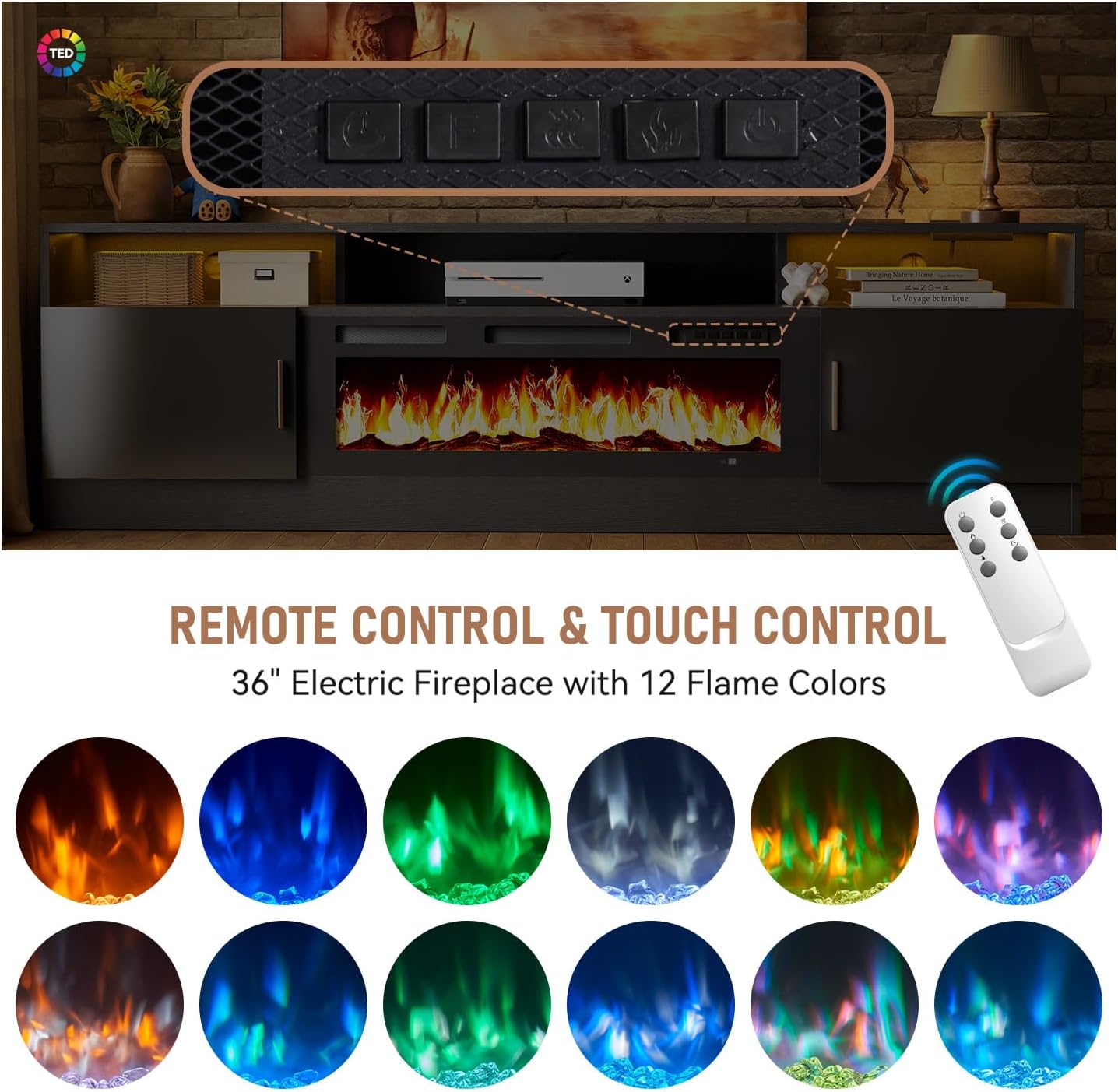
Image: Remote and touch controls for the electric fireplace, demonstrating 12 flame colors.
- Power On/Off: Press the power button on the remote or unit to turn the fireplace on or off.
- Heat Settings: Select between 750W (low heat) and 1500W (high heat) modes using the remote or control panel.
- Thermostat: Adjust the temperature setting from 62°F to 82°F (17°C to 28°C). The fireplace will automatically maintain the set temperature.
- Timer Function: Set an automatic shut-off timer from 0 to 8 hours.
- Flame Colors: Choose from 12 different flame colors to match your ambiance.
- Brightness Levels: Adjust the flame brightness with 5 available levels.
- Overheat Protection: The unit is equipped with an automatic shut-off feature if it overheats. If this occurs, unplug the unit, allow it to cool for 10 minutes, and then plug it back in.
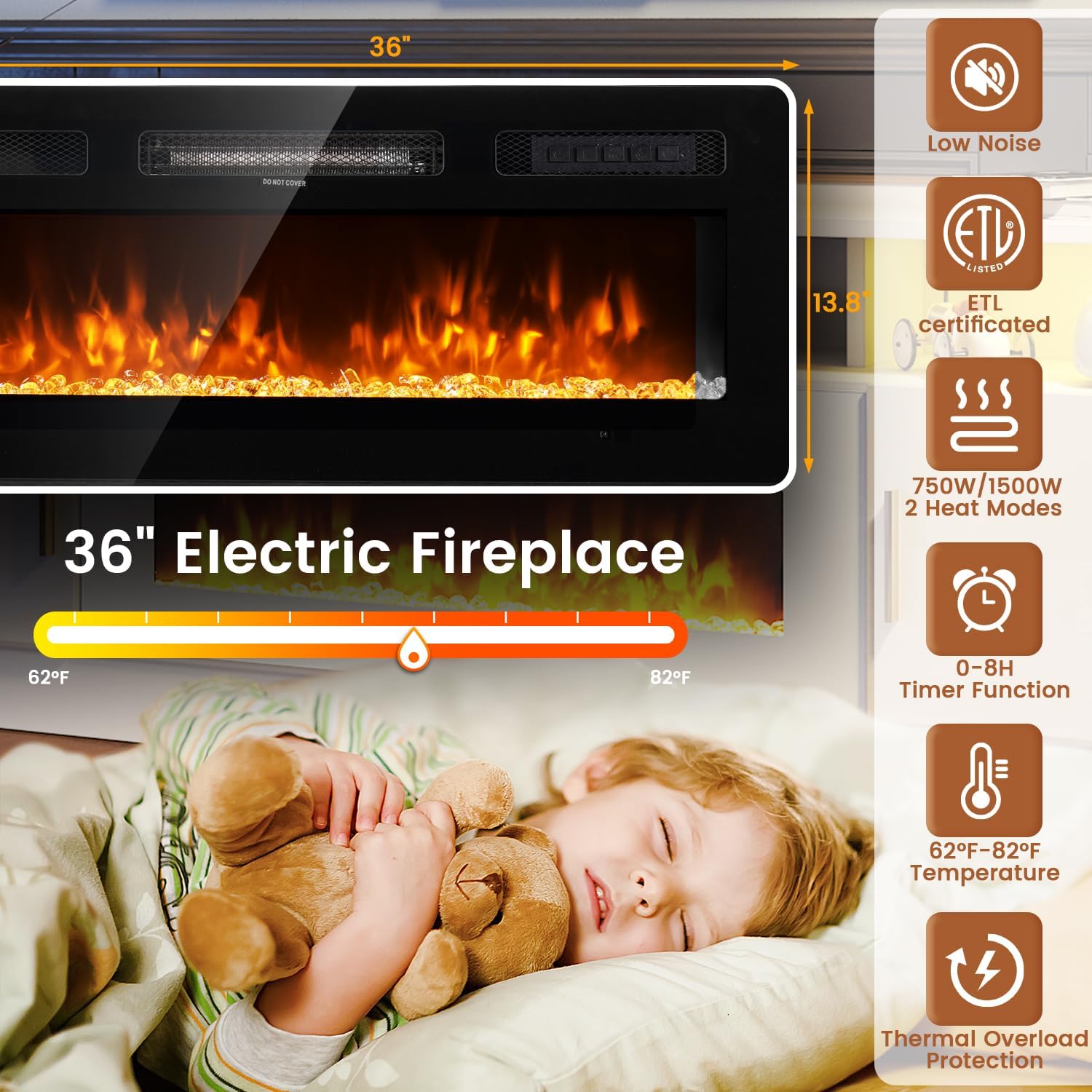
Image: Features of the 36-inch electric fireplace, including temperature control and heat settings.
4.2 LED Light Operation
The open compartments on both sides of the TV stand feature 12-color LED light strips, controlled by a separate remote.

Image: Controls for the 12-color LED lights, including brightness and color selection.
- Power On/Off: Use the LED remote to turn the lights on or off.
- Color Selection: Choose from 12 different colors to customize the ambiance.
- Brightness Control: Adjust the intensity of the LED lights.
4.3 Power Outlet and USB Ports
The TV stand is equipped with a built-in power strip for convenient device charging and power supply.
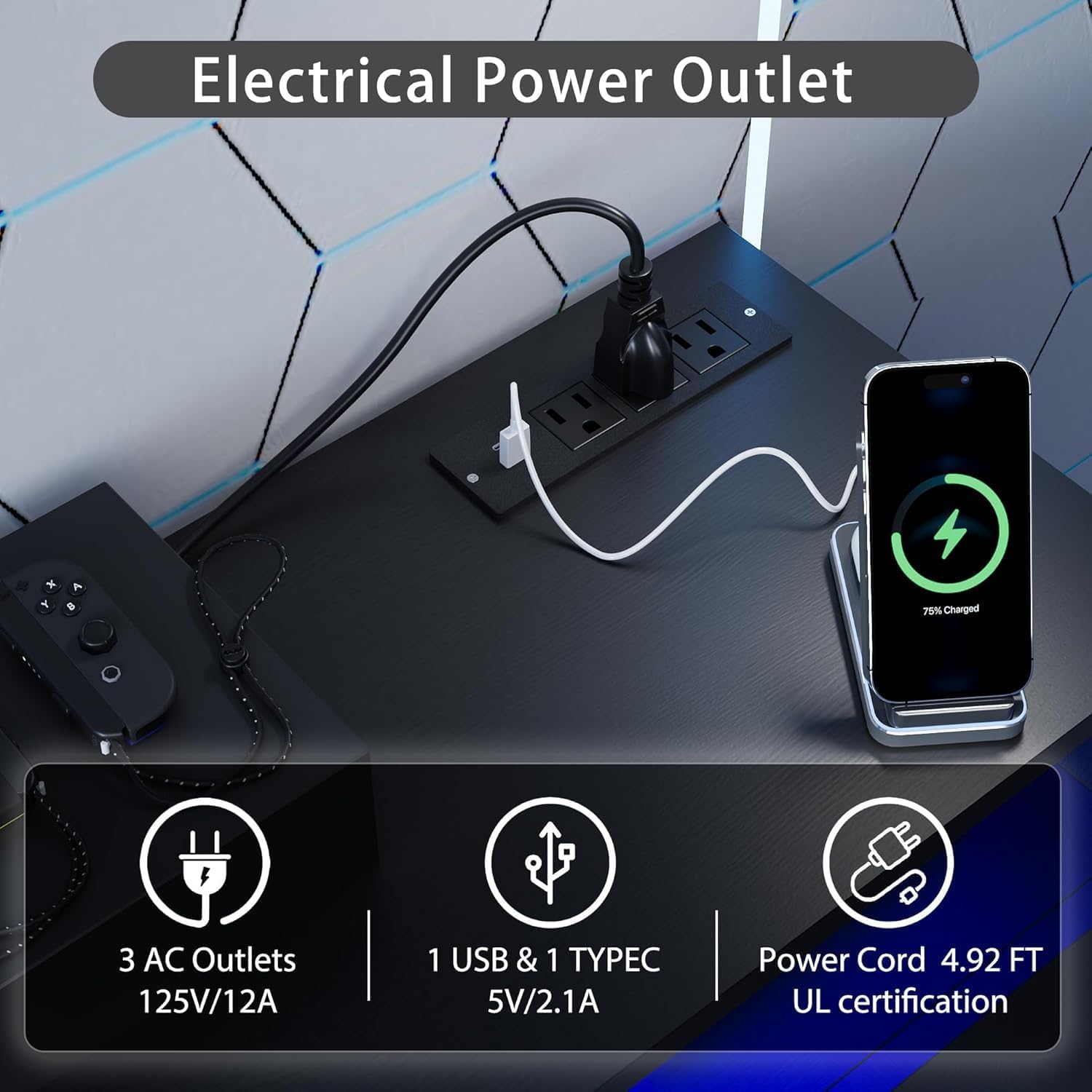
Image: Electrical power outlet with 3 AC outlets and 2 USB ports.
- AC Outlets: Three 125V/12A AC outlets are provided for powering your TV, sound system, or other electronics.
- USB Ports: Two 5V/2.1A USB ports are available for charging smartphones, tablets, or other USB-powered devices.
4.4 Storage and Cable Management
The TV stand offers ample storage with three open shelves and two lockable cabinets, ideal for media equipment, gaming consoles, and accessories. Integrated cable management holes help keep wires organized.

Image: Adjustable shelves for customized storage.

Image: Storage cabinet for various media devices and accessories.
5. Maintenance
Regular maintenance will help prolong the life and appearance of your TV stand.
- Cleaning Surfaces: Wipe surfaces with a soft, damp cloth. Avoid harsh chemicals or abrasive cleaners, which can damage the finish. For the high-gloss surface, use a microfiber cloth to prevent scratches.
- Fireplace Care: Keep the air intake and outlet vents of the electric fireplace free from dust and obstructions. Periodically vacuum the vents to ensure proper airflow. Do not attempt to open or service the fireplace unit yourself.
- Electrical Components: Regularly inspect power cords for any signs of damage. Ensure all plugs are securely seated in the outlets.
- Hardware: Periodically check and retighten any loose screws or fasteners to maintain the structural integrity of the stand.
6. Troubleshooting
If you encounter issues with your MXV Fireplace TV Stand, refer to the following common problems and solutions:
| Problem | Possible Cause | Solution |
|---|---|---|
| Electric fireplace does not turn on. | No power, remote battery dead, unit overheated. | Check power cord connection. Replace remote batteries. If overheated, unplug for 10 minutes then reconnect. |
| No heat from fireplace. | Heat function off, thermostat set too low. | Ensure heat function is activated. Increase thermostat setting. |
| LED lights are not working. | Loose connection, remote battery dead. | Check all LED strip connections. Replace LED remote batteries. |
| TV stand feels unstable or wobbly. | Loose hardware, uneven surface. | Retighten all assembly hardware. Ensure the stand is on a flat, level surface. |
If the problem persists after attempting these solutions, please contact customer support.
7. Specifications
- Dimensions (Overall): 70 inches (W) × 13.8 inches (D) × 25.2 inches (H)
- Material: Engineered Wood (Certified Particleboard and MDF)
- Color: Black-black
- Item Weight: Approximately 85 Pounds
- Weight Capacity: 132 lbs (60 kg)
- TV Size Compatibility: Up to 80 inches
- Electric Fireplace:
- Size: 36 inches
- Heat Modes: 750W / 1500W
- Thermostat Range: 62°F – 82°F
- Timer: 0-8 hours
- Flame Colors: 12 options
- Brightness Levels: 5 options
- Control: Remote or Touch Buttons
- Safety: Overheat Protection
- Power Outlets:
- AC Outlets: 3 x 125V/12A
- USB Ports: 2 x 5V/2.1A
- LED Lights: 12-color adjustable LED strips in open compartments

Image: TV stand suitable for TVs up to 80 inches.
8. Product Videos
Perfect entertainment center!
Video: A demonstration of the TV stand in a home setting, highlighting its use as an entertainment center. This video showcases the overall aesthetic and functionality.
TV Stand with Electric Fireplace & LED Lights
Video: A closer look at the TV stand's electric fireplace and LED lighting features, demonstrating color changes and flame effects.
Modern 78 TV Stand with
Video: A general overview of the TV stand, showcasing its modern design and how it fits into a living space. Note: This video may show a 78-inch variant, but the features are similar.
9. Warranty and Support
This product comes with a manufacturer's warranty. Please refer to the warranty card included in your package for specific terms and conditions, including coverage duration and claim procedures.
For technical assistance, missing parts, or any other inquiries, please contact MXV customer support. Contact details can typically be found on the packaging, the warranty card, or the official MXV website.
When contacting support, please have your model number (69691c9e-8567-4924-aa83-209bd24d252e) and purchase information readily available.