Introduction
Thank you for choosing the NIU KQi 100F Electric Scooter and KQi100 Phone Mount Bundle. This manual provides essential information for the safe operation, maintenance, and troubleshooting of your new electric scooter. Please read this manual thoroughly before your first ride to ensure optimal performance and safety.
Safety Information
Your safety is paramount. Always wear a helmet and appropriate protective gear when riding. Adhere to all local traffic laws and regulations. Perform a pre-ride inspection before each use.
Key Safety Features:
- Front Drum Brake and Rear Regenerative Brake: For efficient stopping power.
- Built-in Turn Signals and LED Lights: Ensure visibility during day and night rides.
- IPX5 Water Resistant: Provides protection against splashes.
- Side Reflectors: Enhance visibility from the sides.
- Mechanical Bell: For alerting pedestrians and other riders.

The NIU KQi 100F features a sleek design with a drum brake integrated into the front wheel for enhanced safety and a clean aesthetic.
Integrated LED headlight and turn signals ensure visibility and safety during rides, especially in low-light conditions.

The rear tail light provides crucial visibility from behind, enhancing safety for other road users.
Package Contents
Please verify that all items are present and in good condition upon opening the package:
- NIU KQi 100F Electric Scooter
- NIU KQi100 Phone Mount
- Power Adapter/Charger
- User Manual (this document)
- Assembly Tools (if required)

The NIU KQi 100F Electric Scooter and the included KQi100 Phone Mount.
Setup
1. Unfolding and Assembly:
The NIU KQi 100F features a dual folding mechanism for easy transport. To unfold, release the quick-release mechanism and extend the handlebar stem until it locks into place. Ensure all locking features are securely engaged before riding.

The dual folding mechanism allows for compact storage and easy transportation.
2. Initial Charging:
Before first use, fully charge the scooter's battery. Connect the power adapter to the charging port on the scooter and then to a power outlet. The charging indicator will change when fully charged.
3. Installing the Phone Mount:
Attach the KQi100 Phone Mount to the center of the handlebars. Ensure it is securely fastened and does not obstruct your view or access to controls.

The KQi100 Phone Mount provides a secure and accessible location for your smartphone.
4. NIU App Connectivity:
Download the official NIU app from your smartphone's app store. Follow the in-app instructions to pair your scooter via Bluetooth. The app allows for scooter locking, speed customization, and access to smart features like auto cruise and battery charge limit settings.
Operating Your Scooter
Controls and Dashboard:
The NIU KQi 100F features an intuitive LCD dashboard for easy readability of essential information such as speed, battery level, and riding mode.

The new LCD dashboard provides clear and concise information at a glance.
Twist throttle handlebars offer enhanced control and easier steering.
Riding Tips:
- Starting: Kick-push to gain initial momentum, then apply the throttle.
- Braking: Use both the front drum brake and rear regenerative brake for balanced and effective stopping.
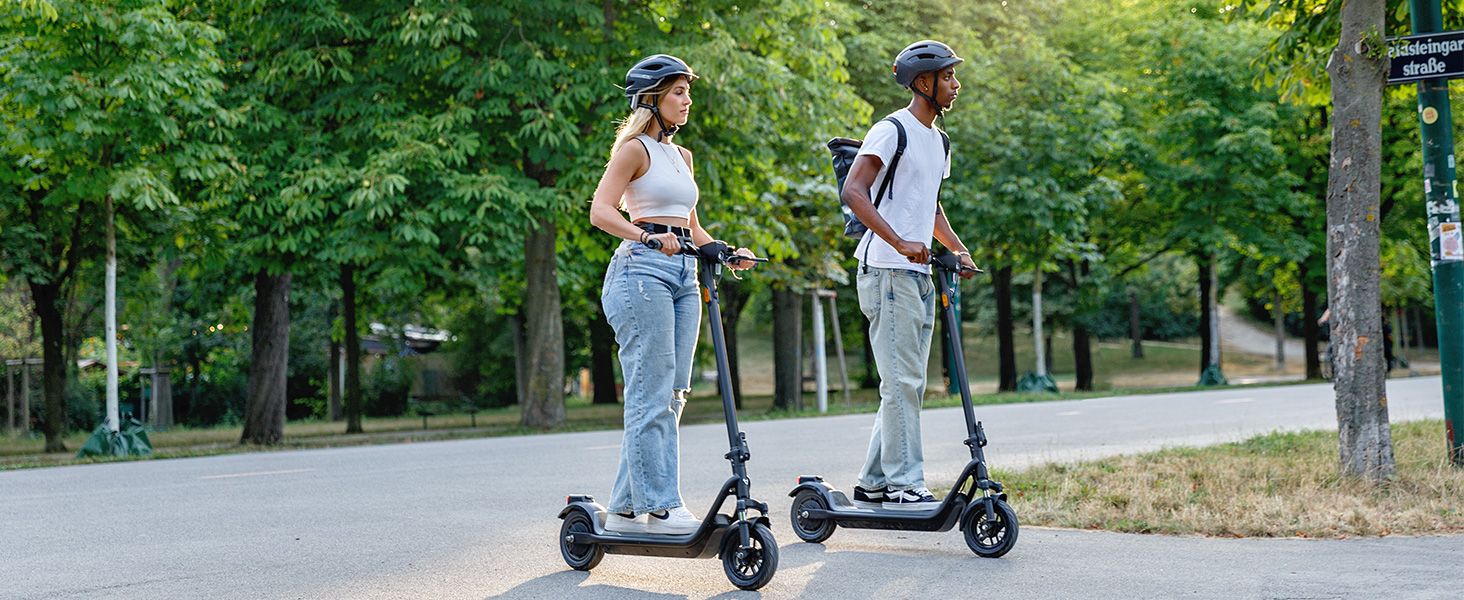
- Terrain: The 36mm dual-stroke suspension and 9.5-inch pneumatic tires are designed for both city streets and varied terrains, minimizing vibrations and bumps.
- Folding for Transport: To fold, engage the quick-release mechanism and collapse the handlebar stem. The folded size is approximately 1154x184x505mm, making it easy to fit into car trunks.

The KQi 100F is designed for comfort and stability across various terrains, from city to off-road.

The foldable design makes the scooter highly portable for daily commutes and travel.
Maintenance
Regular maintenance ensures the longevity and safe operation of your NIU KQi 100F scooter.
- Cleaning: Wipe down the scooter with a damp cloth. Avoid using high-pressure water jets directly on electronic components.
- Battery Care:
- Charge the battery regularly, even if not in use, to maintain its health.
- Avoid completely draining the battery.
- Store the scooter in a cool, dry place when not in use for extended periods.
- The NIU BMS (Battery Management System) provides comprehensive protection against overcharge, over-discharge, overcurrent, and temperature fluctuations.
- Tire Pressure: Check tire pressure regularly. Proper inflation ensures optimal ride quality and range. The 9.5-inch pneumatic tires require specific pressure (refer to tire sidewall for recommended PSI).
- Brake Inspection: Periodically check the functionality of both front and rear brakes. Adjust if necessary.
- General Check: Ensure all screws and fasteners are tight. Inspect for any signs of wear or damage.
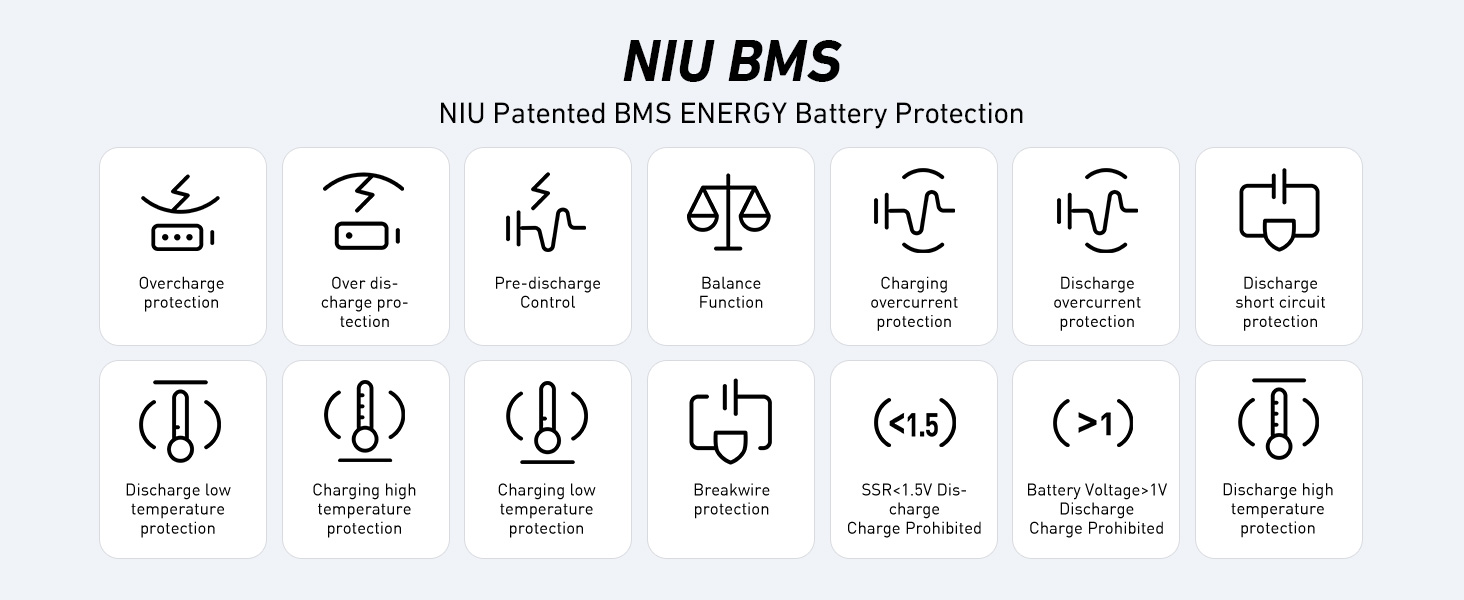
The NIU Patented BMS ENERGY Battery Protection system ensures the safety and longevity of your scooter's battery.
Troubleshooting
| Problem | Possible Cause | Solution |
|---|---|---|
| Scooter does not turn on. | Low battery; Power button not pressed correctly. | Charge the battery fully. Press and hold the power button for a few seconds. |
| Reduced range or power. | Low tire pressure; Battery degradation; Overload. | Check and inflate tires to recommended PSI. Ensure battery is fully charged. Do not exceed maximum load capacity (265 lbs). |
| App connection issues. | Bluetooth off; Scooter not in pairing mode; App outdated. | Ensure Bluetooth is enabled on your phone. Restart the scooter. Update the NIU app to the latest version. |
| Brakes feel weak. | Brake cable loose; Brake pads worn. | Inspect brake cables and adjust tension. If pads are worn, contact customer support for replacement. |
If you encounter issues not listed here or if solutions do not resolve the problem, please contact NIU customer support.
Specifications
| Feature | Detail |
|---|---|
| Model | NIU KQi 100F |
| Motor Power | 300W (600W peak output) |
| Max Speed | Up to 17.4 mph (28 km/h) |
| Max Range | Up to 18 miles (29 km) per charge |
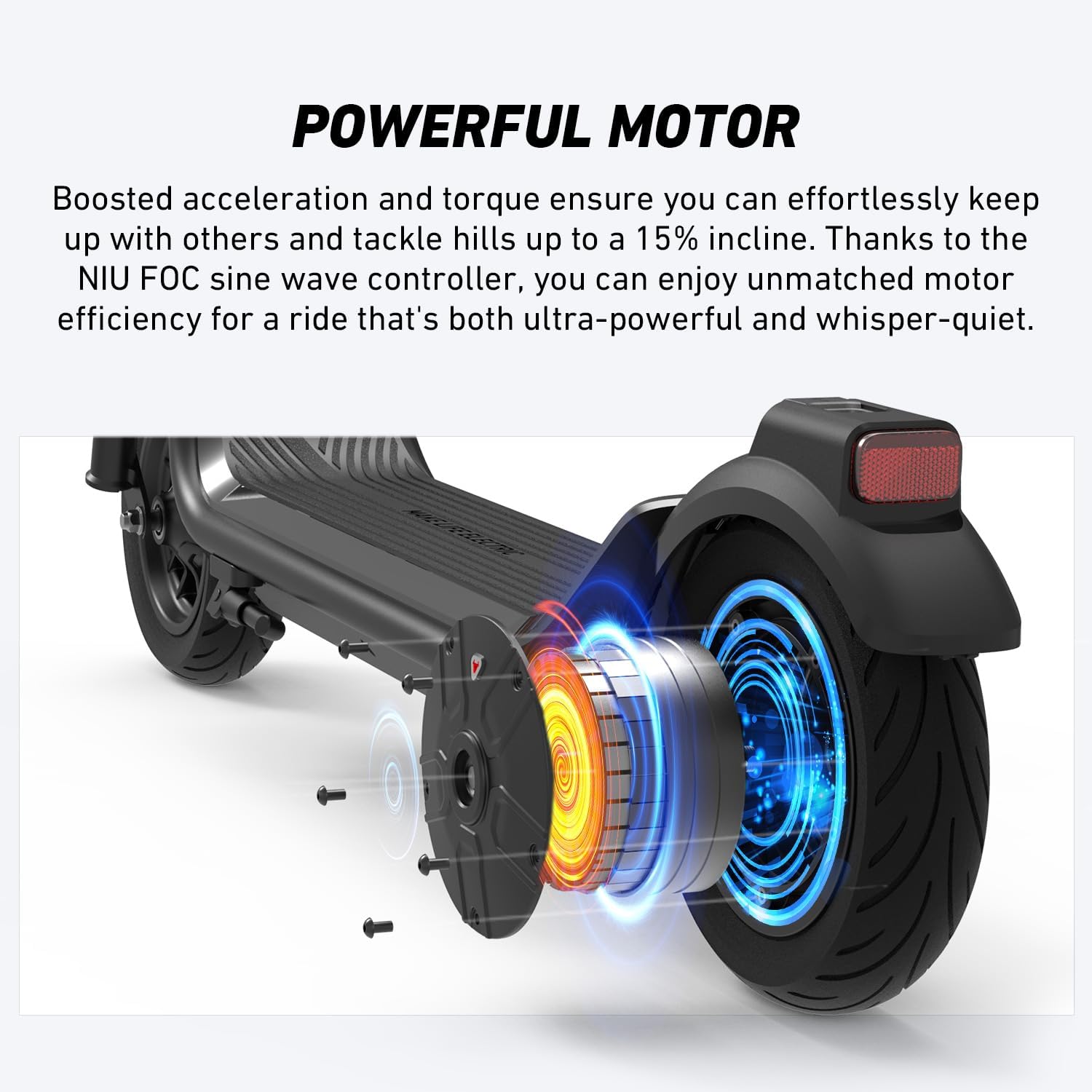
| Climbing Grade | Up to 15% |
| Tires | 9.5-inch Pneumatic Tires |
| Suspension | 36mm Dual-Stroke Suspension |
| Brakes | Front Drum Brake, Rear Regenerative Brake |
| Max Load | Up to 265 lbs (120 kg) |
| Folded Dimensions (L x W x H) | 1154 x 184 x 505 mm |
| Water Resistance | IPX5 |
| Connectivity | Bluetooth (NIU App) |
Warranty and Support
For warranty information, technical support, or any inquiries regarding your NIU KQi 100F Electric Scooter, please contact NIU Global customer service. Keep your purchase receipt as proof of purchase.
You can often find support contact details on the official NIU website or through the NIU app.


