
Introduction
This manual provides instructions for the GHUST Replacement Remote Control, designed for various Denon Home Theater Soundbar models. This remote offers a direct replacement solution without the need for complex programming or setup.
Key Features:
- No Programming Required: Ready to use after battery installation.
- Wide Compatibility: Supports Denon models RC-1236, RC-1242, RC-1251, RC-1245, DHT-S216H, DHT-S216, DHT-S517, DHT-S218, DHT-C210, DHT-S316.
- Durable Design: Constructed from high-quality ABS material for longevity.
- Ergonomic: Small and compact size for comfortable grip and ease of use.
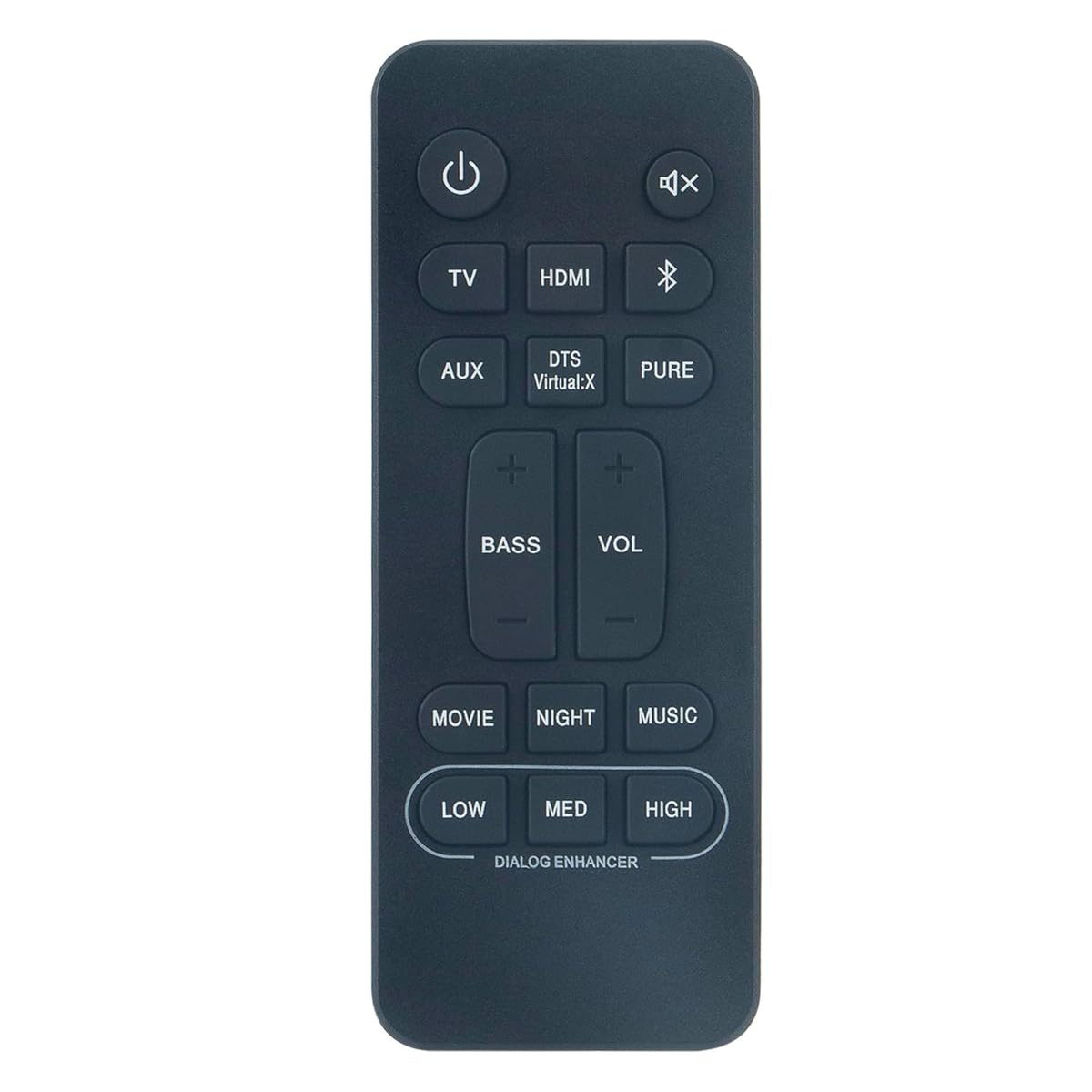
Image: The GHUST Replacement Remote Control, a black, compact device with clearly labeled buttons, designed for Denon soundbars.
Setup
The GHUST Replacement Remote Control requires no programming or complex setup. Simply install the batteries, and it will be ready for immediate use with your compatible Denon soundbar.
Battery Installation
- Locate the battery compartment on the back of the remote control.
- Slide open the battery compartment cover.
- Insert two (2) AAA batteries (not included), ensuring the positive (+) and negative (-) terminals match the diagrams inside the compartment.
- Close the battery compartment cover securely.
Note: Always use new batteries and replace both batteries at the same time. Do not mix old and new batteries, or different types of batteries.
Operating Instructions
Once batteries are installed, the remote control is ready to operate your compatible Denon Home Theater Soundbar. Point the remote control directly at the soundbar's infrared receiver.
Basic Functions
- Power Button: Turns the soundbar on or off.
- Volume Up/Down: Adjusts the soundbar's volume level.
- Mute Button: Silences or restores the sound.
- Input/Source Button: Cycles through available audio input sources (e.g., HDMI, Optical, Bluetooth).
- Other Buttons: Use other labeled buttons for specific functions as indicated on the remote and in your soundbar's original manual.
For detailed information on specific soundbar functions, please refer to the original Denon soundbar instruction manual.
Maintenance
Proper care will ensure the longevity and optimal performance of your remote control.
Cleaning
- Wipe the remote control with a soft, dry cloth.
- Do not use abrasive cleaners, solvents, or chemical sprays, as these can damage the remote's finish or internal components.
Battery Care
- If the remote control will not be used for an extended period (e.g., one month or more), remove the batteries to prevent leakage and potential damage.
- Dispose of used batteries according to local regulations.
Troubleshooting
If you experience issues with your remote control, please refer to the following common solutions:
| Problem | Possible Cause | Solution |
|---|---|---|
| Remote control is not working. |
|
|
| Limited operating range. |
|
|
Specifications
| Brand | GHUST |
| Compatible Models | Denon RC-1236, RC-1242, RC-1251, RC-1245, DHT-S216H, DHT-S216, DHT-S517, DHT-S218, DHT-C210, DHT-S316 |
| Connectivity Technology | Infrared (IR) |
| Maximum Range | 10 Meters (approximately 33 feet) |
| Batteries Required | 2 x AAA (not included) |
| Material | High-quality ABS |
| Item Weight | 85 Grams |
| Color | Black |
Warranty and Support
Warranty Information
This product comes with a 30-day warranty from the date of purchase. This warranty covers manufacturing defects under normal use.
Customer Support
For any questions regarding the quality or operation of your GHUST Replacement Remote Control, please contact our customer support team. We are committed to resolving any issues promptly to ensure your satisfaction.
Please refer to your purchase documentation or the retailer's website for specific contact details.