
Introduction
Thank you for choosing the Juboos Kids Digital Sport Watch. This manual provides detailed instructions for setting up, operating, and maintaining your watch. Please read it carefully to ensure proper use and to enjoy all the features this watch offers.
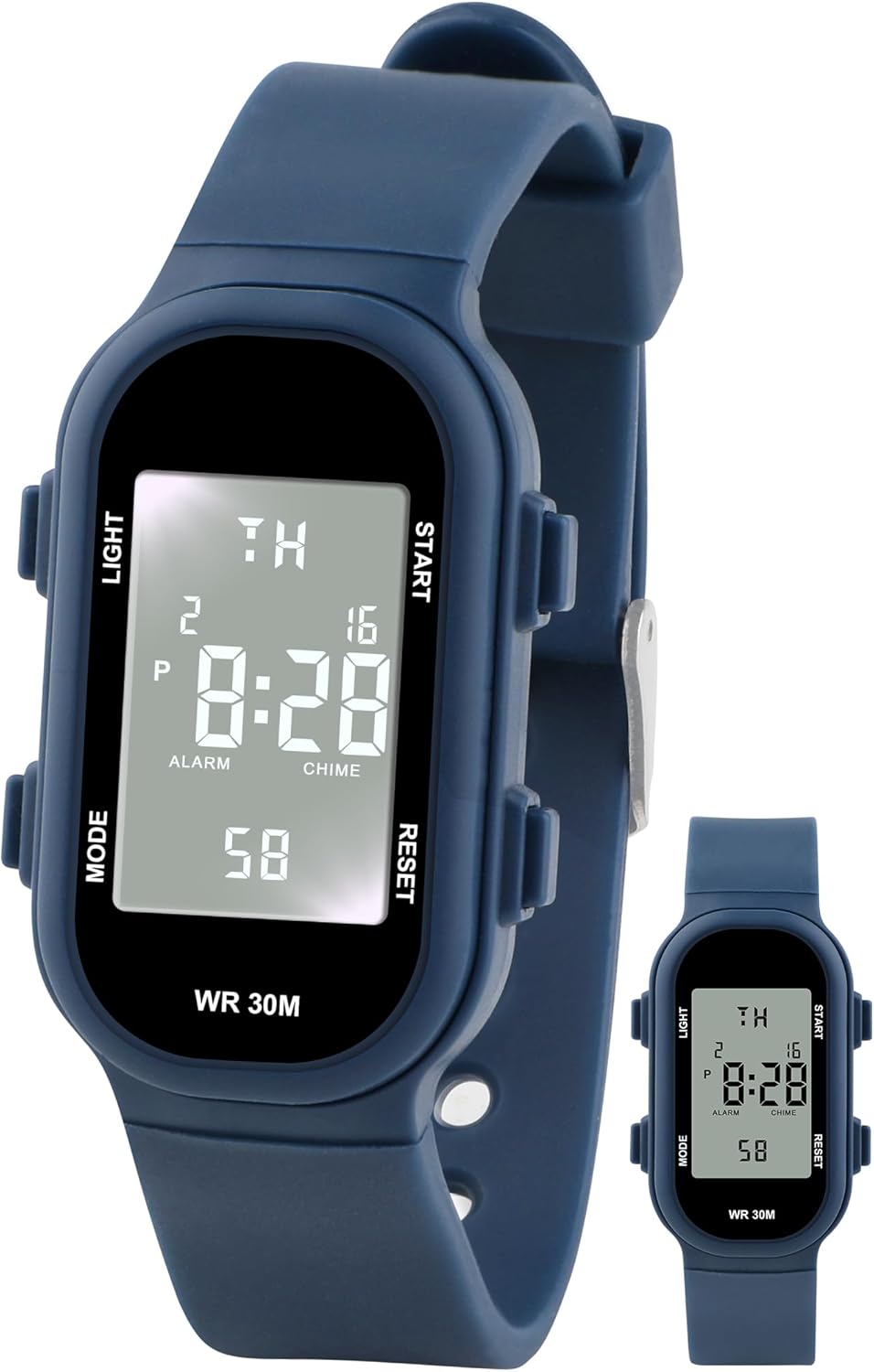
Image: Front view of the Juboos Kids Digital Sport Watch.
Product Features
- Digital Display: Clear digital time display with calendar.
- Multi-functionality: Includes alarm clock, stopwatch, and hourly chime.
- 3ATM Water Resistance: Suitable for daily use like hand washing and rain exposure. Not for bathing or swimming.
- Durable Construction: Features a high-definition plexiglass mirror, rounded edges, and a shockproof 3D case.
- Night Light: Backlight function for clear visibility in dark environments.
- Comfortable Wear: Soft, skin-friendly, and adjustable strap.
- Accurate Timekeeping: Equipped with a Japanese imported movement for precise time.

Image: Display highlighting the multi-functional features of the watch.
Components and Controls
Familiarize yourself with the watch's buttons and display elements:
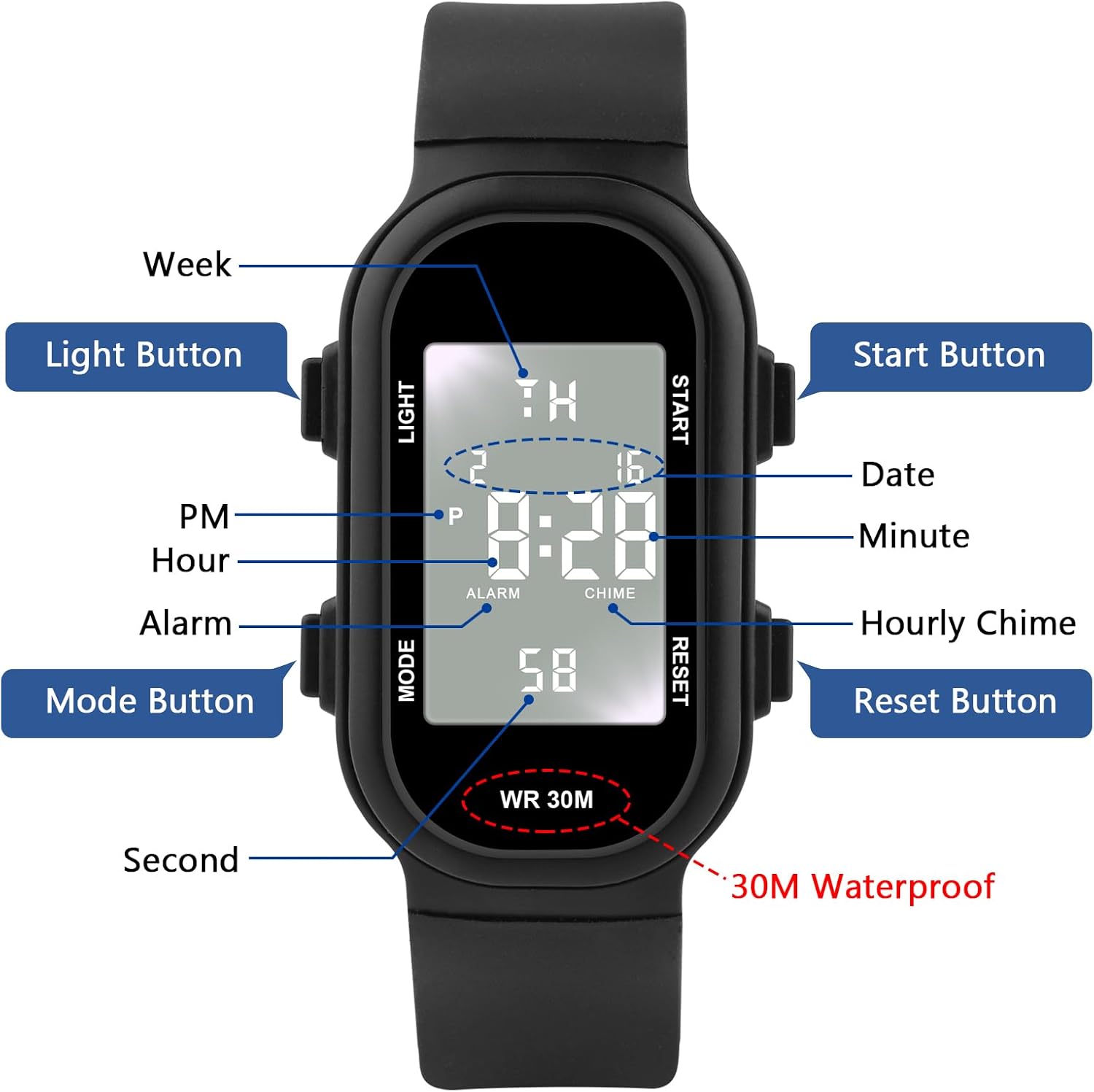
Image: Diagram showing the 'Light', 'Mode', 'Start', and 'Reset' buttons, along with display indicators for Hour, Minute, Second, PM, Alarm, Chime, Week, and Date.
- LIGHT Button (Top Left): Activates the backlight.
- MODE Button (Bottom Left): Cycles through display modes (Time, Alarm, Stopwatch, Date).
- START Button (Top Right): Used to start/stop functions or adjust values.
- RESET Button (Bottom Right): Used to reset functions or switch setting parameters.
Setup Instructions
Setting Time and Date
Follow these steps to set the correct time and date on your watch:
- From the normal time display, press the MODE button three times to enter the time setting mode. The seconds will begin to flash.
- Press the RESET button to switch to the minutes setting. The minutes will flash.
- Press the START button to adjust the minute number.
- Press the RESET button to switch to the hours setting. The hours will flash.
- Press the START button to adjust the hour number (note the 'A' for AM and 'P' for PM indicators).
- Press the RESET button to switch to the day setting. The day will flash.
- Press the START button to adjust the day number.
- Press the RESET button to switch to the month setting. The month will flash.
- Press the START button to adjust the month number.
- Press the RESET button to switch to the week setting. The week will flash.
- Press the START button to adjust the week day.
- Press the RESET button to switch to the seconds setting. The seconds will flash.
- Press the START button to set the seconds to zero.
- Once all settings are complete, press the MODE button to save the settings and return to the normal time display.
Video: A visual guide demonstrating how to set the time and date on a digital kids watch.
Operating Instructions
Night Light Function
To illuminate the display in dark conditions, simply press the LIGHT button located on the top left side of the watch. The backlight will remain on for approximately 3 seconds.

Image: Illustration showing a finger pressing the 'LIGHT' button to activate the watch's backlight.
Stopwatch Function
The watch includes a stopwatch for timing activities:
- From the normal time display, press the MODE button once to enter stopwatch mode. The display will show '00:00:00'.
- Press the START button to begin timing.
- Press the START button again to pause the stopwatch.
- Press the RESET button to clear the stopwatch to '00:00:00'.
- Press the MODE button to return to the normal time display.
Alarm Clock Function
Set an alarm to remind you of important events:
- From the normal time display, press the MODE button twice to enter alarm setting mode. The hour digits will flash.
- Press the START button to adjust the alarm hour.
- Press the RESET button to switch to the minute setting. The minute digits will flash.
- Press the START button to adjust the alarm minute.
- Press the MODE button to save the alarm time and return to the normal time display.
- To activate/deactivate the alarm, press the START button while in alarm mode. An alarm icon will appear/disappear on the display.
- When the alarm sounds, press any button to stop it.
Hourly Chime
The hourly chime feature provides an audible alert at the top of every hour.
- To activate/deactivate the hourly chime, press and hold the RESET button, then press the MODE button while in normal time display. A chime icon will appear/disappear.
Water Resistance Guidelines
This watch is rated 3ATM (30 meters / 98 feet) water resistant. This means it is suitable for:
- Hand washing
- Rainwater exposure
- Sweat
Important Notes:
- Do NOT press any buttons while the watch is in water.
- The watch should be removed before bathing, showering, or swimming.
- Avoid exposing the watch to high temperatures, such as hot water or steam, as this can compromise the water resistance seals.
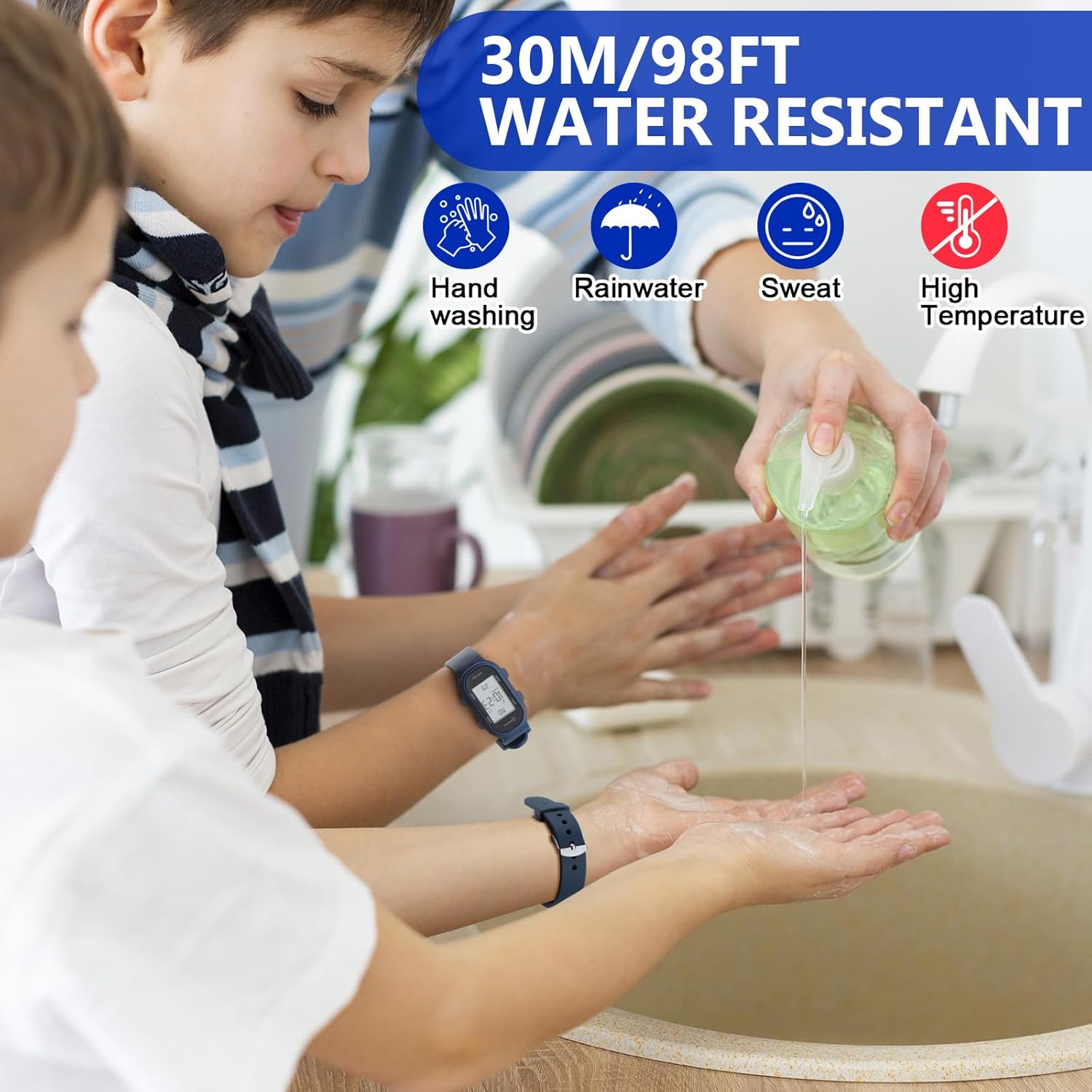
Image: Visual representation of activities suitable for 30M water resistance, including hand washing, rainwater, and sweat, with warnings against high temperatures.
Maintenance
To ensure the longevity and optimal performance of your Juboos Kids Digital Sport Watch, follow these maintenance tips:
- Cleaning: Wipe the watch regularly with a soft, dry cloth to remove dirt and sweat. For stubborn dirt, a slightly damp cloth can be used, but ensure no water enters the watch.
- Avoid Chemicals: Do not expose the watch to strong chemicals, solvents, or detergents, as these can damage the case, strap, or internal components.
- Temperature Extremes: Avoid prolonged exposure to extreme hot or cold temperatures, which can affect battery life and watch accuracy.
- Impact: While the watch is designed to be shockproof, avoid unnecessary impacts or drops to prevent damage.
- Battery Replacement: When the display dims or the watch stops functioning, the battery may need replacement. This should ideally be done by a qualified watch technician to maintain water resistance.
Troubleshooting
If you encounter any issues with your watch, refer to the following common problems and solutions:
- Watch not displaying time: Check if the battery needs replacement.
- Display is dim: The battery may be low. Replace the battery.
- Buttons not responding: Ensure the watch is not in a locked mode (if applicable, though not a feature of this model). Try resetting the watch by pressing all four buttons simultaneously for a few seconds, if the issue persists, battery replacement might be needed.
- Time is inaccurate: Re-set the time and date following the instructions in the 'Setting Time and Date' section. If inaccuracy persists, the battery may be weak or the movement may require service.
- Water inside the watch: If water appears inside the watch, immediately stop using it and seek professional service to prevent further damage.
Specifications
| Feature | Detail |
|---|---|
| Brand | Juboos |
| Model | Kids Digital Sport Watch |
| Water Resistance | 3ATM (30 meters / 98 feet) |
| Display Type | Digital |
| Functions | Time, Date, Day, Alarm, Stopwatch, Hourly Chime, Night Light |
| Movement | Japanese Imported Digital Movement |
| Case Material | Durable Plastic/Resin |
| Strap Material | Soft, Skin-friendly Resin |
| Dial Thickness | 1.1 cm / 0.43 in |
| Weight | 26g / 0.057lb |

Image: Diagram illustrating the dimensions of the watch, including dial thickness, width, and strap length.
Warranty and Support
For warranty information or technical support, please refer to the product packaging or contact Juboos customer service directly. Keep your purchase receipt as proof of purchase.