
Introduction
This manual provides essential information for setting up, operating, and maintaining your BLKE Max XS18 Pro Mini Smartphone. Please read this manual thoroughly to ensure proper use and to maximize your device's capabilities. This compact Android smartphone is designed for portability and offers core functionalities in a small form factor.
What's in the Box
- Mini Smartphone x1
- Phone Case x1
- Screen Protector x1
- Type C Cable x1
- Ejection Pin x1
- User Manual x1
Device Overview
The BLKE Max XS18 Pro is a highly compact smartphone, designed for ease of carrying and discreet use. Its small size does not compromise its functionality, offering a full Android experience.

Figure 1: The BLKE Max XS18 Pro Mini Smartphone held in a hand, displaying its home screen with various application icons.
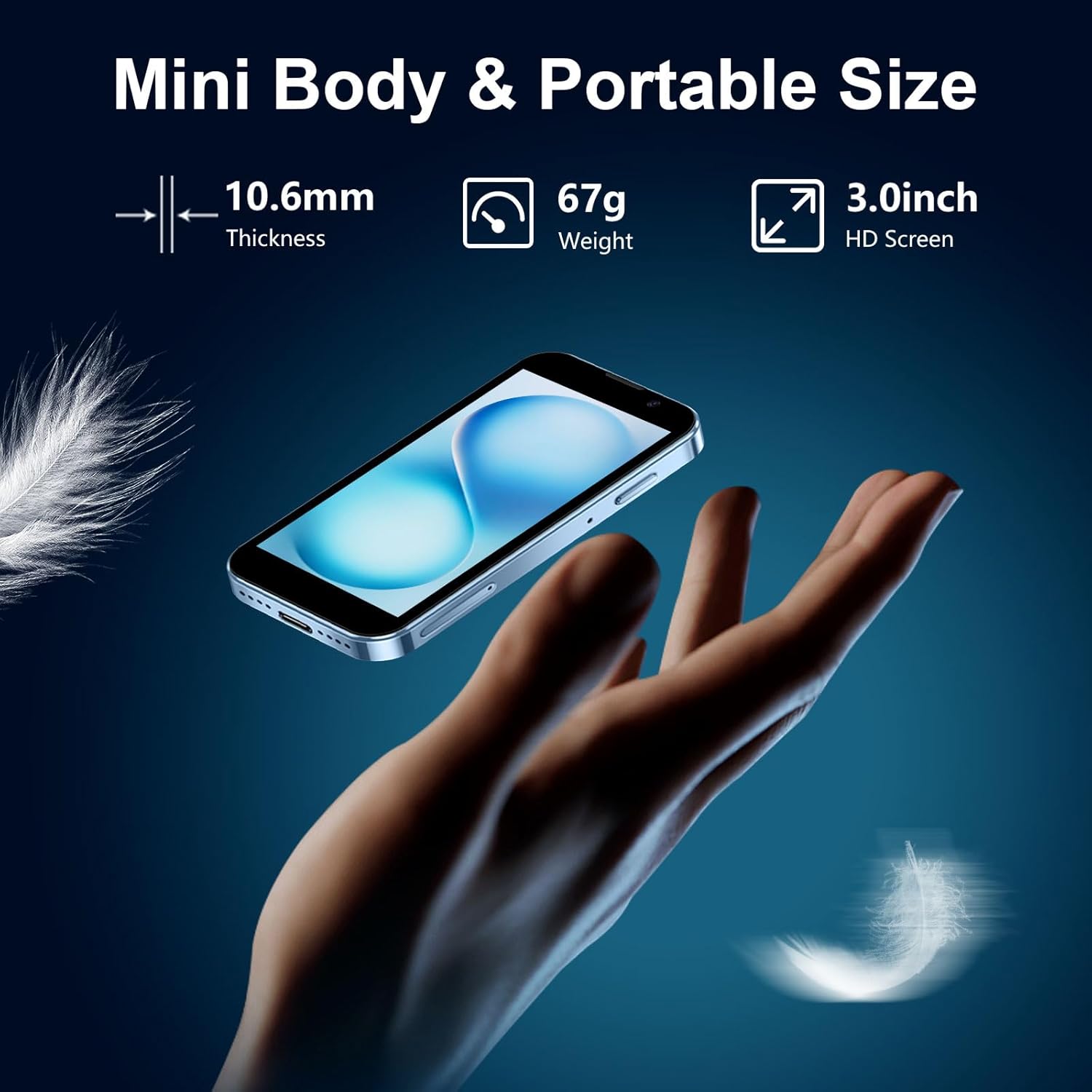
Figure 2: The BLKE Max XS18 Pro Mini Smartphone, highlighting its compact dimensions and lightweight design.
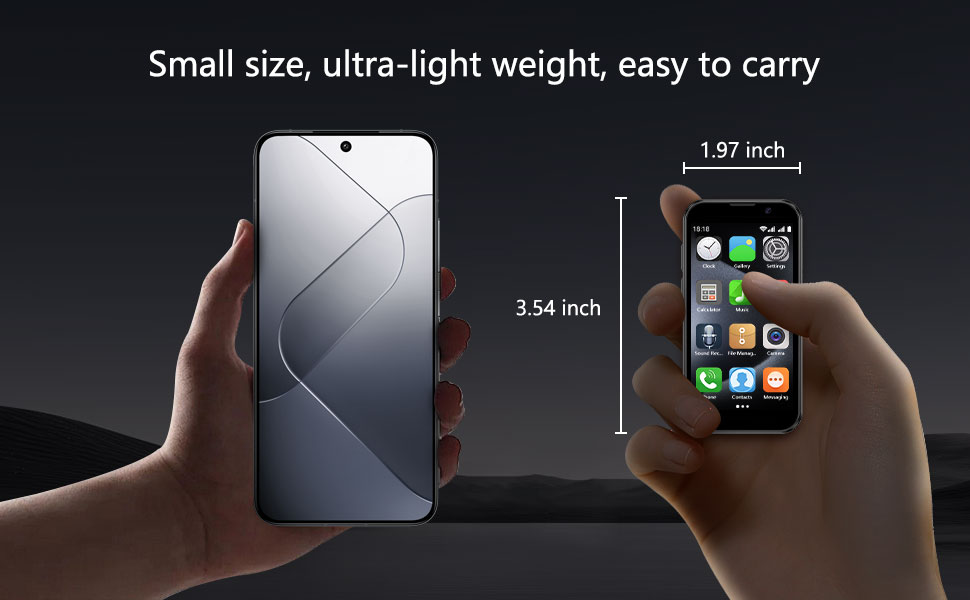
Figure 3: Size comparison of the BLKE Max XS18 Pro Mini Smartphone with a larger device, emphasizing its compact form factor.
Setup
1. SIM Card Installation
The BLKE Max XS18 Pro supports dual SIM cards. To install your SIM card(s):
- Locate the SIM card tray on the side of the device.
- Insert the provided ejection pin into the small hole next to the tray to open it.
- Place your Nano-SIM card(s) into the designated slots on the tray. Ensure proper orientation.
- Gently push the tray back into the device until it clicks into place.
Network Compatibility: This device supports 2G GSM (850/900/1800/1900) and 3G WCDMA (B1/B2/B5/B8). Verify your SIM card's frequency compatibility with your carrier for optimal service.
2. Initial Power On
Press and hold the power button (located on the side) until the screen illuminates. Follow the on-screen prompts to complete the initial setup, including language selection, Wi-Fi connection, and Google account setup.
Operating Instructions
1. Android 9.0 Operating System
Your BLKE Max XS18 Pro runs on Android 9.0, providing a familiar and intuitive user interface. Navigate using the touchscreen and the standard Android navigation buttons at the bottom of the display.
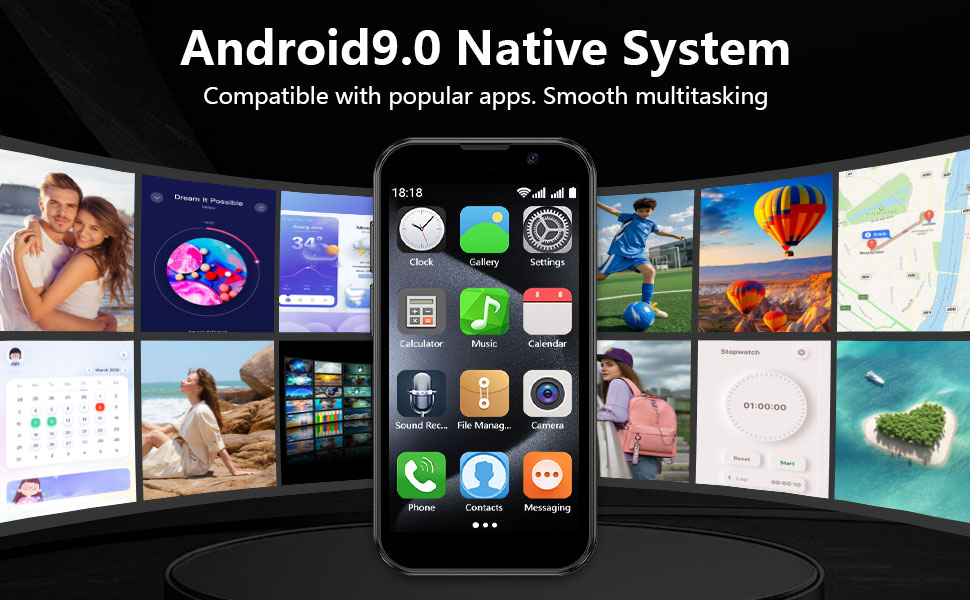
Figure 4: The BLKE Max XS18 Pro Mini Smartphone showcasing its Android 9.0 native system and app compatibility.
2. Application Management
You can download and install applications from the Google Play Store. For optimal performance and faster downloads, it is recommended to use a Wi-Fi connection when downloading apps, as 2G/3G networks may have limitations.

Figure 5: Illustrates the extensive application download capacity and user interaction with the device.
Camera Usage
The BLKE Max XS18 Pro is equipped with dual cameras to capture your moments.
- Rear Camera: 5 Megapixels (MP)
- Front Camera: 3 Megapixels (MP)
Access the camera application from the home screen or app drawer to take photos and videos.

Figure 6: Details of the BLKE Max XS18 Pro Mini Smartphone's dual camera system and example photography.
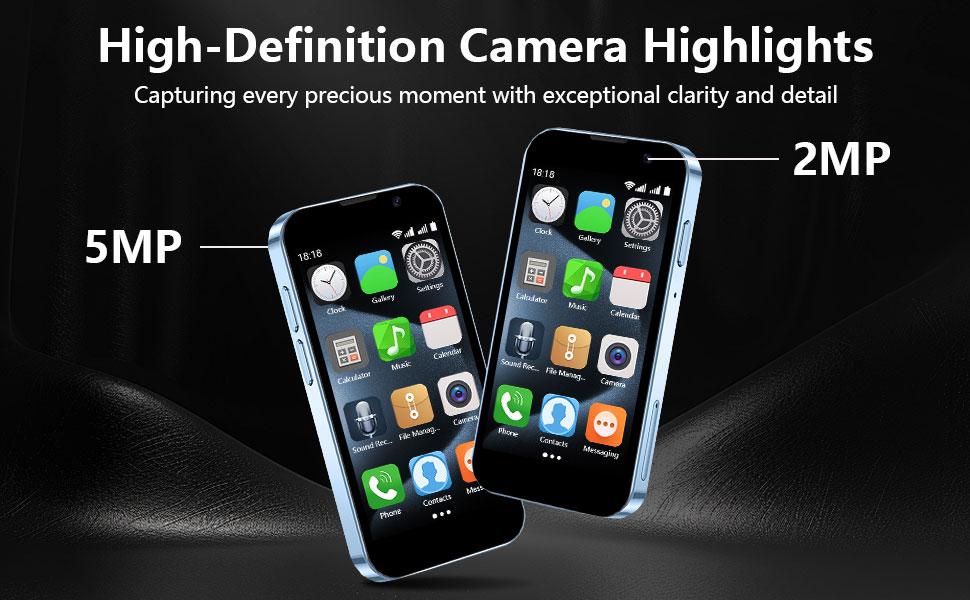
Figure 7: Highlighting the camera capabilities of the BLKE Max XS18 Pro Mini Smartphone.
Connectivity
The device offers various connectivity options:
- Wi-Fi: Connect to wireless networks for internet access.
- Bluetooth: Pair with compatible devices such as headphones or speakers.
- USB: Use the Type-C port for charging and data transfer.
Storage
The BLKE Max XS18 Pro comes with 16GB of internal storage. This can be expanded by up to 128GB using a memory card (not included).

Figure 8: Visual representation of the BLKE Max XS18 Pro Mini Smartphone's storage capacity and expansion options.
Security Features
Your device includes security features to protect your data:
- Password Unlocking: Set a PIN, pattern, or password to secure your device.
- Face Recognition: Use facial recognition for convenient and secure unlocking.

Figure 9: Demonstrates the privacy protection features, including password unlocking and face recognition.
Battery and Charging
The BLKE Max XS18 Pro is powered by a 2000mAh Lithium Ion battery. It supports Type-C charging for efficient power replenishment. Use the provided Type-C cable and a compatible power adapter (not included) for charging.
Maintenance
To ensure the longevity and optimal performance of your smartphone:
- Keep the device clean using a soft, dry cloth. Avoid abrasive materials or harsh chemicals.
- Protect the screen with the included screen protector.
- Avoid exposing the device to extreme temperatures, direct sunlight, or moisture.
- Handle the device with care to prevent physical damage.
Troubleshooting
If you encounter issues with your device, consider the following common solutions:
- Device not powering on: Ensure the battery is charged. Connect the device to a charger for at least 15 minutes before attempting to power on again.
- Network connectivity issues: Check if your SIM card is properly inserted. Verify that your carrier's network is available in your area and that your SIM card is compatible with the device's supported frequencies (2G GSM, 3G WCDMA).
- Wi-Fi connection problems: Restart your Wi-Fi router and the phone. Ensure you are entering the correct Wi-Fi password.
- Apps not downloading/running: Ensure you have a stable internet connection (preferably Wi-Fi). Check available storage space. Clear the cache of the Google Play Store app.
- Slow performance: Close unnecessary background applications. Clear cached data. Consider a factory reset if performance issues persist (back up your data first).
Specifications
| Product Dimensions | 3.7 x 1.8 x 0.5 inches |
| Item Weight | 3.35 ounces (95 Grams) |
| Item Model Number | XS18 Pro |
| Operating System | Android 9.0 |
| Screen Size | 3 Inches |
| Resolution | 480 x 854 |
| Memory Storage Capacity | 16 GB (Expandable up to 128GB) |
| RAM Memory Installed Size | 2 GB |
| Battery Power Rating | 2000 mAh (Lithium Ion) |
| Connectivity Technologies | Bluetooth, USB, Wi-Fi |
| Cellular Technology | 3G (2G GSM 850/900/1800/1900 & 3G WCDMA B1/B2/B5/B8) |
| Special Features | Basic Phone, Dual SIM, Expandable Memory, Internationally Sourced |
| Human Interface Input | Touchscreen |
| Audio Jack | No headphone jack |
Warranty and Support
This product includes a user manual in the box. For specific warranty information or further technical support, please refer to the documentation provided with your purchase or contact BLKE Max directly through their official channels. Keep your purchase receipt for warranty claims.