
addlon USET-200FT100LED-B-243C+P3
addlon 200FT Permanent Outdoor Lights User Manual
Model: USET-200FT100LED-B-243C+P3
1. Introduction
Thank you for choosing addlon 200FT Permanent Outdoor Lights. These RGB+IC LED lights are designed for versatile outdoor illumination, offering smart control via app and remote, and are built with IP67 waterproofing for durability. This manual provides essential information for safe installation, operation, and maintenance of your lighting system.
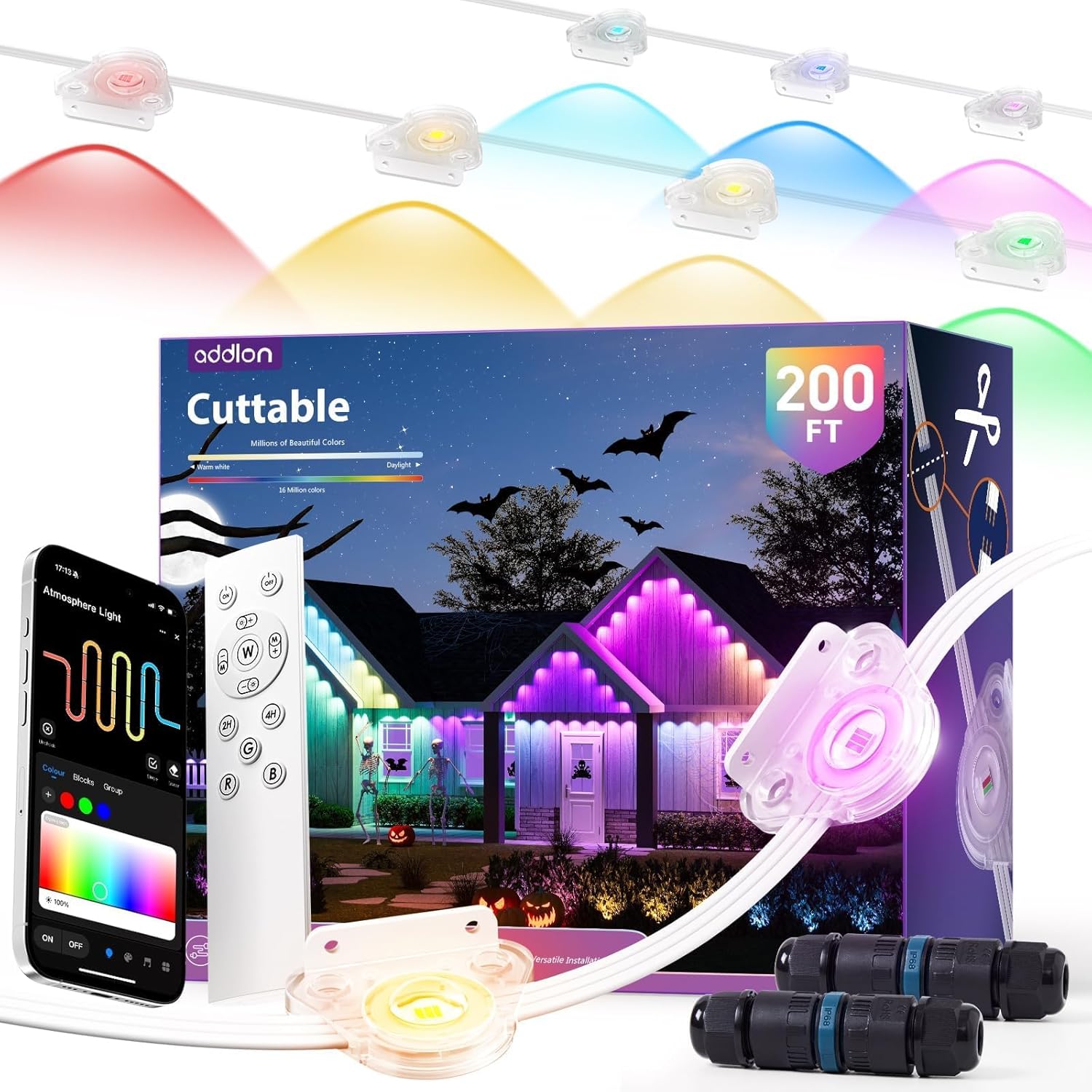
Image 1.1: Overview of the addlon 200FT Permanent Outdoor Lights system, including the lights, remote control, and smartphone app interface.
2. Important Safety Information
Please read all safety instructions before installation and use. Failure to follow these instructions may result in electric shock, fire, or other hazards.
- Ensure the power supply is disconnected before installation or maintenance.
- Use only the provided power adapter and controller.
- Do not submerge the lights, control box, or adapter in water, despite their IP67 rating. The rating indicates protection against temporary immersion, but prolonged submersion is not recommended.
- Avoid installing near heat sources or flammable materials.
- Do not attempt to repair or modify the product. Contact customer support for assistance.
- Keep out of reach of children.
3. Package Contents
Verify that all items listed below are included in your package:
- LED Light Strings (200FT total)
- Power Adapter
- Controller
- Remote Control
- Extension Cable
- Wire Connectors
- Mounting Screws
- Spare Adhesive Pads
- User Manual
- Batteries for Remote Control

Image 3.1: All components included in the addlon Permanent Outdoor Lights package, laid out for inspection.
4. Setup and Installation
4.1. Planning Your Installation
Before installation, plan the layout of your lights. Consider the desired length and placement to ensure optimal lighting coverage and accessibility to power outlets.
4.2. Cuttable and Extendable Features
The addlon permanent outdoor lights are designed to be cut and extended to fit your specific needs. Follow the instructions carefully when modifying the length.
- Cutting: Identify the designated cutting points on the light string. Use appropriate tools to make a clean cut.
- Splicing/Extending: Use the provided wire connectors and extension cables to rejoin cut sections or extend the total length. Ensure all connections are secure and waterproof.

Image 4.1: Illustration of the cuttable and extendable features, demonstrating how to modify the light string length using connectors.
4.3. Mounting Options
The lights feature a versatile side-mount design for easy attachment to various surfaces.
- Adhesive Installation: For quick setup, use the strong VHB adhesive pads on clean, dry surfaces.
- Screw Installation: For lasting stability, use the provided screws to secure the lights to walls, fences, wooden beams, or eaves.
- Side-Mount Bracket: The unique all-in-one side-mount bracket allows for flexible positioning.

Image 4.2: Visual guide demonstrating various installation methods including fence, wall, and eaves mounting.
4.4. Power Connection
Choose one of the following power options for your installation:
- Option 1: Connect the power adapter (A) to the controller (B), then connect the controller to the first light string (C1).
- Option 2: Connect the power adapter directly to the first light string (C1).
- Option 3: Connect the power adapter directly to the second light string (C2).
Ensure all connections are tight and the waterproof caps are securely fastened.

Image 4.3: Detailed diagram showing the three available power connection configurations for the lighting system.
5. Operating Instructions
5.1. Smart App Control
Download the dedicated app to control your addlon lights. The app allows for comprehensive customization of colors, brightness, effects, and scheduling.
- Pairing: Follow the in-app instructions to pair your lights via Bluetooth.
- Color Selection: Choose from 16 million colors and adjust brightness levels.
- Scene Modes: Select from pre-set scenes or create custom DIY scenes for various occasions.
- Music Sync: Synchronize light effects with music.
- Timers: Set schedules for automatic on/off times.

Image 5.1: Various screenshots showcasing the user interface of the addlon smart app, demonstrating color selection, scene modes, and scheduling.
5.2. Remote Control Operation
The included remote control provides convenient access to basic functions.
- Power Button: Turn lights on/off.
- Brightness Adjustment: Increase or decrease light intensity.
- Color Selection: Cycle through pre-set colors or color modes.
- Mode Selection: Change lighting effects.

Image 5.2: A house illuminated by addlon lights, with an overlay showing the remote control and app interface for smart control.
5.3. Smart Zoning (5-Light Group Control)
The lighting system features smart zoning, allowing independent control of light segments.
- Each control zone consists of 5 LED lights.
- Zones can change colors independently, enabling smooth gradients and complex patterns.
- In the app, you can manage all lights simultaneously or select specific zones for individual control.
- If only certain lights illuminate, ensure all zones are selected in the app to light the entire string.
6. Maintenance
Regular maintenance ensures the longevity and optimal performance of your addlon outdoor lights.
- Cleaning: Periodically wipe the lights and housing with a soft, damp cloth to remove dirt and debris. Do not use harsh chemicals or abrasive cleaners.
- Connection Check: Annually inspect all connections, including power adapter, controller, and wire connectors, to ensure they remain secure and waterproof.
- Mounting Check: Verify that all mounting points (screws, adhesive) are still firmly attached. Re-secure if necessary.
7. Troubleshooting
If you encounter issues with your addlon permanent outdoor lights, refer to the following common solutions:
| Problem | Possible Cause | Solution |
|---|---|---|
| Lights do not turn on. | No power, loose connection, faulty adapter/controller. | Check power outlet, ensure all connections are secure. Test with a different outlet. Contact support if adapter/controller is suspected faulty. |
| Only a section of lights illuminates. | App setting, loose wire connector, damaged section. | In the app, ensure all zones are selected for control. Check wire connectors for secure fit. Inspect the non-working section for visible damage. |
| Remote control not working. | Dead batteries, remote out of range, interference. | Replace remote batteries. Ensure remote is within range of the controller. Minimize obstructions. |
| App cannot connect to lights. | Bluetooth off, lights not in pairing mode, app glitch. | Ensure Bluetooth is enabled on your device. Restart the app and lights. Follow app's pairing instructions. |
| Lights flicker or display incorrect colors. | Loose connection, power fluctuation, internal fault. | Check all connections. Ensure stable power supply. If problem persists, contact customer support. |
8. Specifications
- Brand: addlon
- Model Number: USET-200FT100LED-B-243C+P3
- Length: 200FT
- Light Source Type: RGB+IC LED
- Indoor/Outdoor Usage: Outdoor
- Waterproof Rating: IP67 (LED Lights, Control Box, Adapter)
- Power Source: Corded Electric
- Control Method: App, Remote Control
- Operating Temperature: -4°F to 140°F (-20°C to 60°C)
- Lifespan: Up to 50,000 hours
- Material: Plastic
- Item Weight: 8.73 pounds
- Package Dimensions: 13.82 x 11.54 x 6.06 inches

Image 8.1: Visual representation of the product's durability and reliability features, including its IP67 waterproof rating and extended lifespan.
9. Warranty and Support
addlon is committed to providing quality products and customer satisfaction.
- Warranty: Enjoy 1 year of easy, no-cost replacement for manufacturing defects.
- Returns & Exchange: 30-day return and exchange policy.
- Customer Support: Expect a response within 24 hours for any inquiries or issues.
For assistance, please contact addlon customer support through the retailer's platform or the contact information provided with your purchase.
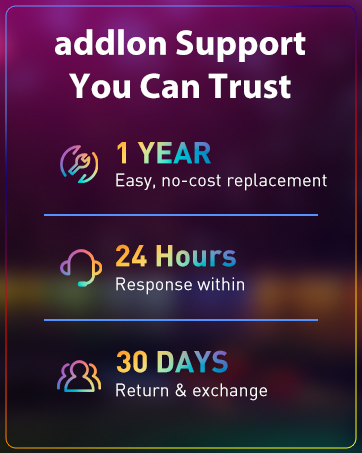
Image 9.1: Summary of addlon's customer support and warranty policies.
Ask a question about this manual
Ask about setup, troubleshooting, compatibility, parts, safety, or missing instructions. Manuals+ will review the question and use this page’s manual context to help answer it.