
1. Introduction
The ACEMO SP1 Bulb-Type Security Camera offers advanced surveillance features with easy installation. Designed for both indoor and outdoor use (with appropriate socket protection), it provides high-resolution video, 360-degree monitoring, smart detection, two-way audio, and flexible storage options to enhance your security.

Image: The ACEMO SP1 camera alongside its mobile application interface, demonstrating live view and control options.
2. Package Contents
Please verify that all items are present in your package:
- ACEMO SP1 Bulb-Type Security Camera Unit
- Power Adapter (5V1A)
- Type-C Power Cable
- Wiring Clips (red)
- Adhesive Pads (Magic Tape)
- Quick User Guide
- Warranty Card

Image: A person unboxing the camera, showing the power adapter, Type-C cable, wiring clips, adhesive pads, and the camera unit itself.
3. Setup Instructions
The ACEMO SP1 camera is designed for simple, wire-free installation, compatible with standard E26/E27 bulb sockets. No complex wiring or drilling is required.
- Install the Camera: Screw the camera unit into an existing E26 or E27 light bulb socket. Ensure the socket is powered.
- Download the App: Scan the QR code provided in the Quick User Guide or visit smartapp.tuya.com/tuyasmart to download the 'Tuya Smart' application. Register an account if you don't have one.
- Connect to Wi-Fi: Open the app, tap 'Add Device', and follow the on-screen instructions. The app will automatically search for the camera. Enter your 2.4GHz Wi-Fi network password to complete the connection.
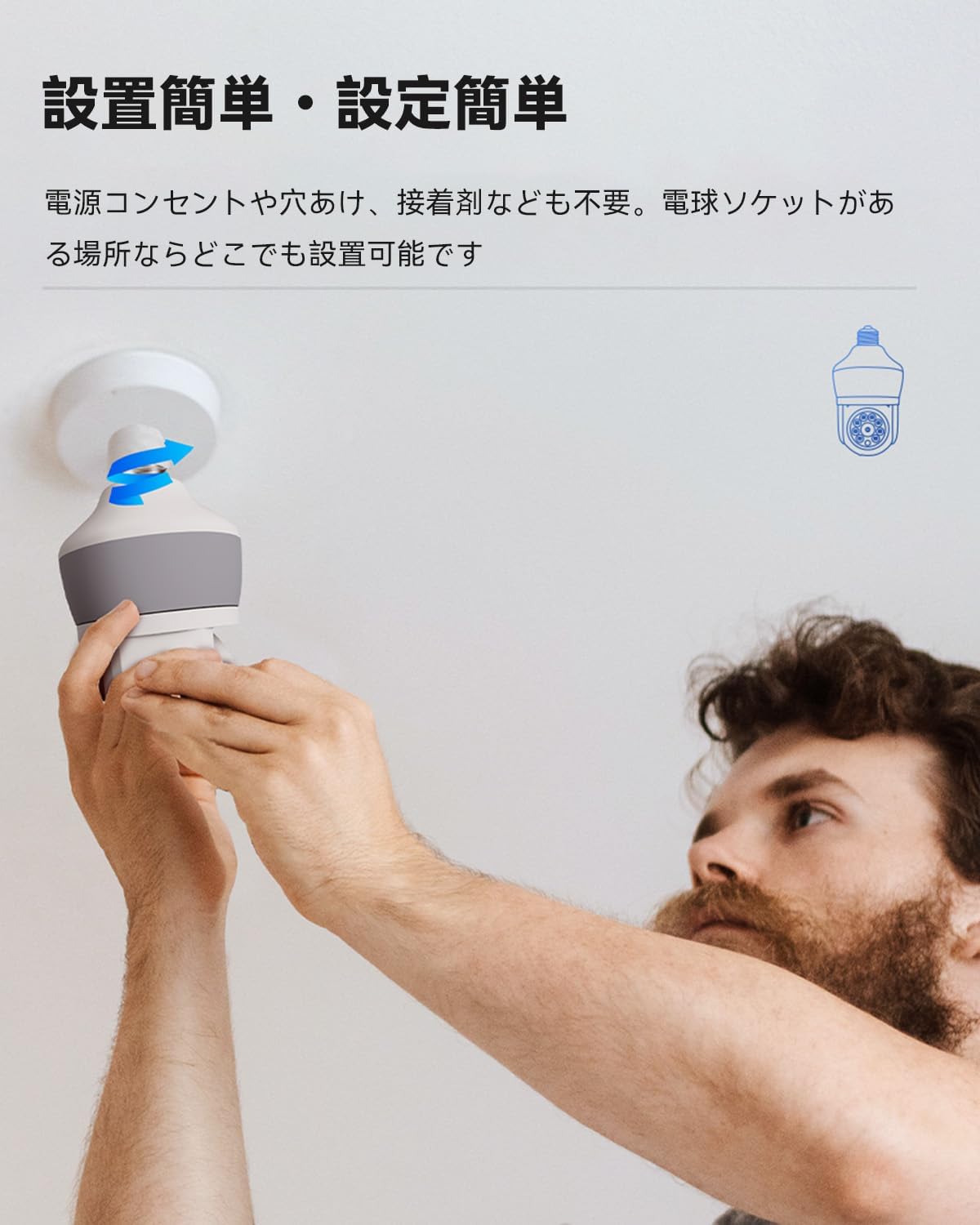
Image: A person easily screwing the camera into a light bulb socket, highlighting the simple installation process.

Image: Visual representation of the three-step setup process: connecting to a socket, downloading the app, and adding the device via Wi-Fi.
4. Operating Instructions
The ACEMO SP1 camera offers a range of features for comprehensive monitoring:
- High-Resolution Video & 360° View: Enjoy clear 2304x1296 resolution video. The camera supports 360-degree automatic periodic rotation, ensuring no blind spots in your monitoring area.
- Smart Detection & Auto Tracking: The camera features human and motion detection, sensing movement up to 12 meters. Upon detecting an anomaly, it automatically tracks the subject, sends notifications to your smartphone, and can trigger an alarm sound and automatic recording.
- Two-Way Talk: With a built-in microphone and speaker, the camera enables real-time two-way communication. This is useful for interacting with visitors or deterring intruders remotely.
- Night Vision: The camera supports both infrared night mode and full-color night mode, providing clear visibility even in low-light conditions.
- Multi-functional App: The dedicated mobile app allows you to view live footage, control camera movement, manage recording settings, and receive notifications, all from your smartphone.
- Versatile Application: The camera is suitable for various environments, including homes, shops, offices, living rooms, and for pet monitoring.

Image: Icons illustrating 3MP high resolution, 360° field of view, E27 socket compatibility, two-way audio, app support, human detection/tracking, smart night vision, and family sharing.

Image: A visual representation of the human detection and tracking feature, showing an outline of a person being detected and options for sound alarm, AI tracking, and screen capture.

Image: A child interacting with the camera, demonstrating the two-way audio function.

Image: A side-by-side comparison showing the difference between infrared night mode (monochrome) and full-color night mode, both capturing a person sleeping.

Image: A smartphone displaying the camera's live feed and control options within the mobile application.

Image: Multiple small images depicting different application scenarios for the camera, including a home, a shop, an office, a living room, and pet monitoring.
5. Storage Options
The ACEMO SP1 camera supports both local and cloud storage for your recordings:
- MicroSD Card (TF Card): The camera supports up to 128GB microSD cards for local storage. It can be configured for alarm-triggered recording or continuous recording, with older footage automatically overwritten.
- Cloud Storage: Cloud storage is also available, providing a secure backup for your video data and reducing the risk of data loss.

Image: Visuals for TF card and cloud storage, including a table showing estimated recording durations for different microSD card capacities.
| Capacity | Duration |
|---|---|
| 16GB | 3 days |
| 32GB | 6 days |
| 64GB | 12 days |
| 128GB | 24 days |
Note: Lower image quality settings consume less storage, allowing for longer recording times.
6. Troubleshooting
If your camera is not powering on or is unresponsive, please follow these steps:
- Check Power Connection: Ensure the power adapter and Type-C power cable are securely connected to both the camera and a working power outlet.
- Verify Power Adapter: Confirm that the power adapter is functioning correctly.
- Reset the Camera: If the camera remains unresponsive, locate the reset button (often under the lens cover) and press and hold it for several seconds until you hear a prompt or see an indicator light change.
- Re-plug Power: Disconnect the power cable, wait a few seconds, and then reconnect it.
Video: Demonstrates troubleshooting steps for when the camera has no power or is unresponsive, including checking connections and performing a reset.
7. Specifications
| Feature | Detail |
|---|---|
| Wireless Communication Technology | Wi-Fi |
| Product Dimensions (Length x Width x Height) | 10 x 8 x 15 cm |
| Water Resistance Level | Waterproof |
| Product Model Number | SP1 |
| Product Size | 10 x 8 x 15 cm; 500 g |
| Laser Class | HD Resolution, Motion Sensor, Two-Way Audio, Night Vision |
| Product Weight | 500 g |
| Recommended Use | Indoor Security |
| Brand | ACEMO |
| Connectivity Technology | Wireless |
| Special Features | HD Resolution, Motion Sensor, Two-Way Audio, Night Vision |
| Indoor/Outdoor Use | Indoor |
| Connection Protocol | Wi-Fi |
| Mounting Type | Wall Mount |
| Video Capture Resolution | 1440p |
| Number of Items | 1 |
| Included Components | Bulb-Type Security Camera |
8. Warranty and Support
All ACEMO products come with a 3-year quality guarantee. If you encounter any product issues, please contact us for a free replacement.
For any questions or concerns before or during use, please feel free to contact us:
- Email: acemojp@acemopower.com or info@yesyamo.com
- Official Website: www.yesyamo.com
Our support team is available 24 hours a day, year-round.