
1. Introduction
This manual provides detailed instructions for the safe installation, operation, and maintenance of your Boldever HY300/HY300 Pro Projector Mount. Please read this guide thoroughly before attempting any installation or use to ensure proper functionality and safety.
2. Product Specifications
- Brand: Boldever
- Color: White
- Mounting Type: Wall Mount, Ceiling Mount
- Material: Stainless Steel
- Weight Capacity: 1.2 kg (2.65 lbs)
- Item Dimensions: 4.72 x 4.72 x 0.35 inches (12 x 12 x 0.9 cm)
- Compatible Projectors: HY300, HY300 Pro, and other barrel-type projectors meeting the following criteria:
- Base thickness: 0.24–0.35 inches (0.6–0.9 cm)
- Base diameter: Less than 4.7 inches (12 cm)
- Weight: Less than or equal to 2.65 lbs (1.2 kg)

Image 2.1: Projector mount with key dimensions and weight capacity.

Image 2.2: Detailed product dimensions for the mount and fasteners.
3. Package Contents
Verify that all components are present before beginning installation:
- 1 x Projector Mount
- 3 x Iron Nails (Screws)
- 3 x Plastic Expansion Anchors
- 1 x Instruction Manual (this document)
4. Safety Information
Please observe the following safety precautions:
- Ensure the mounting surface (wall or ceiling) is structurally sound and capable of supporting the combined weight of the mount and projector.
- Do not exceed the maximum weight capacity of 1.2 kg (2.65 lbs).
- Use the appropriate fasteners for your specific wall or ceiling material. Plastic expansion anchors are for solid concrete and brick only; use screws directly for wood surfaces.
- Keep all small parts and tools out of reach of children.
- If you are unsure about any part of the installation process, consult a qualified professional.
5. Installation
The Boldever projector mount can be installed on a wall or ceiling. Follow these steps carefully:
5.1. Preparing for Installation
- Choose Location: Select a suitable location on your wall or ceiling that provides the desired projection angle and is free from obstructions.
- Identify Wall/Ceiling Material: Determine if your mounting surface is wood, solid concrete, or brick. This will dictate the type of fasteners to use.
- Gather Tools: You will need a pencil, a drill, and a screwdriver.
5.2. Mounting Steps
- Step 1: Mark Hole Positions
Place the projector mount against the desired surface. Use a pencil to mark the three screw hole positions. - Step 2: Drill Holes and Insert Anchors (if applicable)
For solid concrete or brick walls, drill holes at the marked positions. Gently press the yellow plastic expansion anchors into the drilled holes until flush with the surface. For wood surfaces, anchors are not needed; proceed directly to screwing. - Step 3: Secure the Mount
Align the mount with the drilled holes (and anchors, if used). Insert the three screws and tighten them securely with a screwdriver until the mount is firmly attached to the wall or ceiling. - Step 4: Slide Projector into Mount
Carefully slide your compatible projector into the mount. Ensure it sits snugly within the tapered slide rails and rests on the anti-slip silicone pads for stability.

Image 5.1: Step-by-step installation process.

Image 5.2: Fastener recommendations for various wall types.
6. Usage and Operation
Once installed, the mount provides a stable platform for your projector.
- Adjusting Angle: The mount allows for 180° vertical or horizontal rotation, depending on whether it's wall-mounted or ceiling-mounted. Gently adjust your projector to achieve the desired projection angle.
- Stability Features: The mount features anti-slip silicone pads and a tapered slide rail design to prevent the projector from shaking or slipping, ensuring a stable image.

Image 6.1: Wall mount usage demonstrating 180° vertical rotation.

Image 6.2: Ceiling mount usage demonstrating 180° horizontal rotation.

Image 6.3: Anti-slip silicone pads and tapered design for enhanced stability.
7. Maintenance
To ensure the longevity and continued performance of your projector mount:
- Regular Inspection: Periodically check all screws and fasteners to ensure they remain tight and secure.
- Cleaning: Wipe the mount with a soft, dry cloth to remove dust. Avoid using abrasive cleaners or solvents.
- Material Durability: The mount is constructed from stainless steel for durability.

Image 7.1: Illustration of the mount's durable stainless steel construction.
8. Troubleshooting
If you encounter issues with your projector mount, refer to the following:
- Mount feels unstable:
- Ensure all three screws are fully tightened.
- Verify that the correct fasteners (screws directly into wood, or screws with expansion anchors for concrete/brick) were used for your wall type.
- Confirm the mounting surface is strong enough to support the weight.
- Projector is slipping or shaking:
- Check that your projector meets the specified compatibility requirements (base thickness, diameter, and weight).
- Ensure the projector is properly seated within the tapered slide rails.
- Verify the anti-slip silicone pads are intact and providing grip.
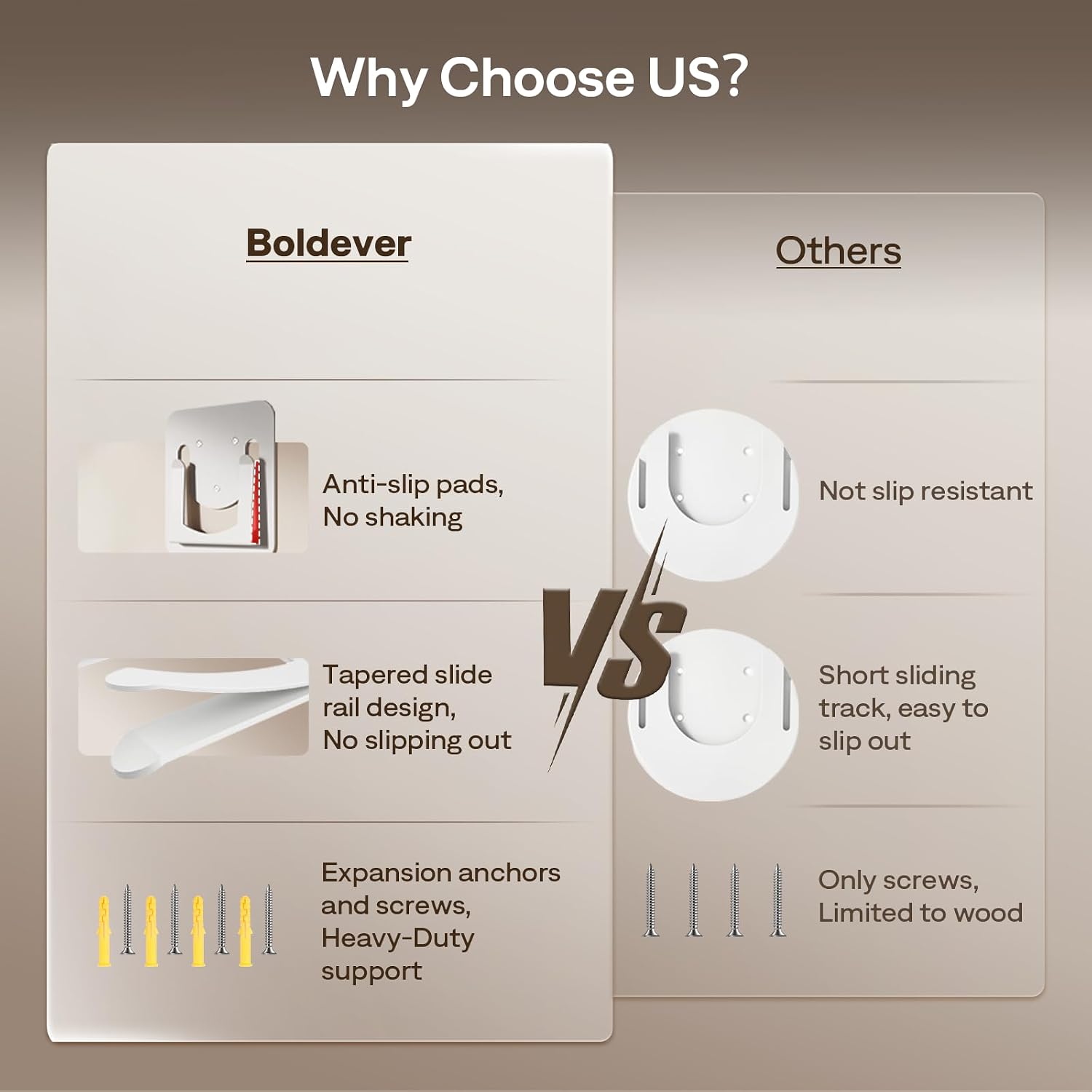
Image 8.1: Comparison of Boldever mount features for stability and secure installation.
9. Support
For technical assistance, product inquiries, or customer service, please contact Boldever support. We are committed to providing:
- Quick replies within 24 hours.
- Replacement options available within 24 months of purchase.
- Lifetime professional customer service.
Please refer to your product packaging or the Boldever official website for specific contact details.