
1. Introduction
The Yuposl Automatic Pet Feeder with Camera (Model YPF05-PW12) is designed to provide scheduled and controlled feeding for your pets, ensuring they receive meals consistently. This device features a 1080P camera with night vision, two-way audio communication, and remote control via a smartphone application, supporting both 2.4GHz and 5GHz WiFi networks. It is suitable for cats and small to medium-sized dogs.
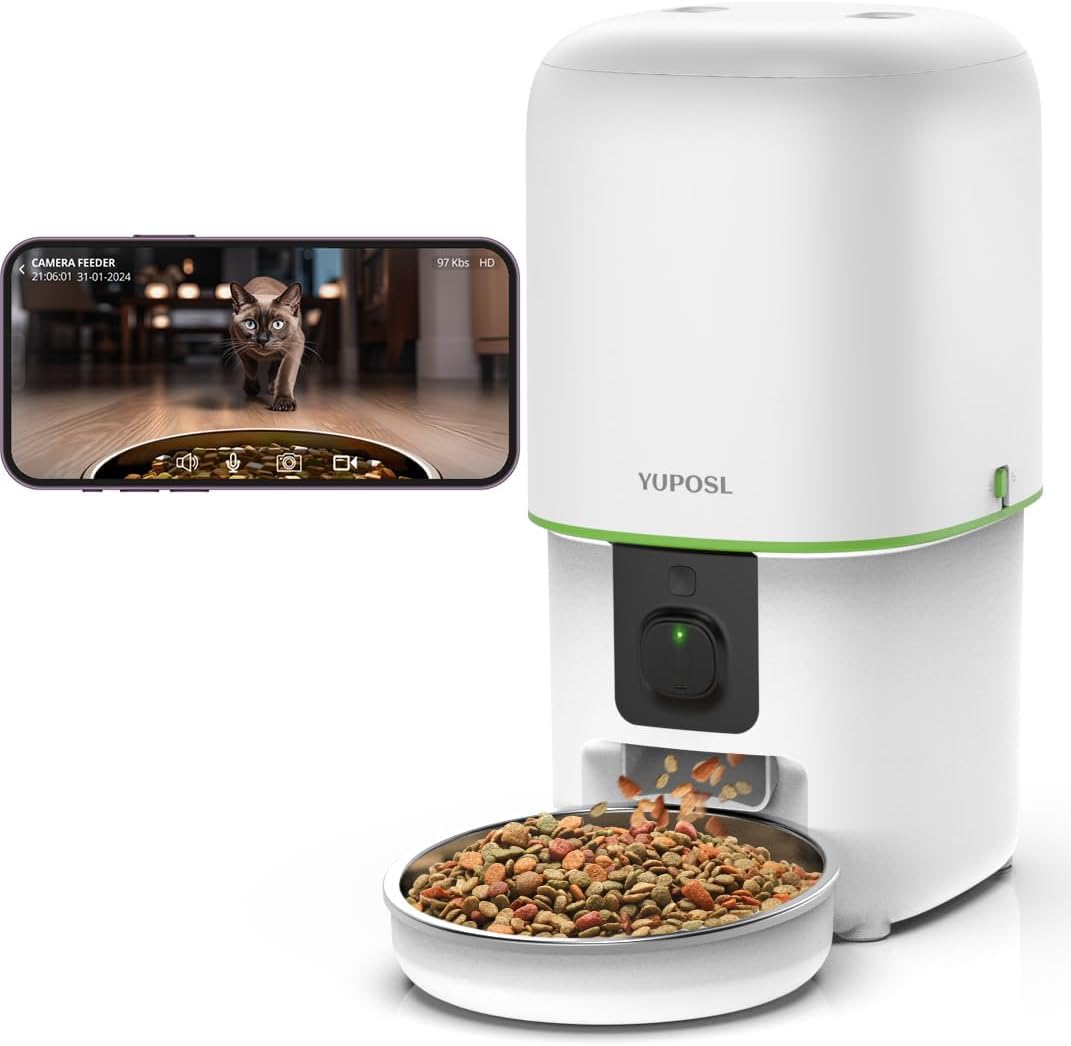
Image 1.1: Yuposl Automatic Pet Feeder (Model YPF05-PW12)
2. Safety Precautions
- Read all instructions before using the appliance.
- Do not immerse the main unit in water or other liquids. The main unit is not washable.
- Use only the provided power adapter.
- Ensure the feeder is placed on a stable, level surface to prevent tipping.
- Keep out of reach of children and pets to prevent accidental operation or damage.
- Do not use with wet food; this feeder is designed for dry pet food only (2-15mm diameter).
- Regularly check the food level and battery status to ensure continuous operation.
3. Package Contents
Verify that all components are present in the package:
- Yuposl Automatic Pet Feeder Main Unit
- Stainless Steel Food Bowl
- Power Adapter
- Desiccant Pack (pre-installed or separate)
- User Manual
4. Product Diagram

Image 4.1: Overview of the feeder's main components.
- Food Storage Lid (with reinforced seal)
- Food Hopper (4L capacity)
- Control Panel/Manual Feed Button
- Camera Lens
- Food Outlet
- Stainless Steel Bowl
- Power Port
- Battery Compartment (for 3x D-size batteries, not included)
5. Setup
5.1 Powering the Feeder
- AC Power: Connect the power adapter to the feeder's power port and plug it into a wall outlet.
- Battery Backup: For power outages or flexible placement, install three D-size batteries (not included) into the battery compartment at the bottom of the unit.
5.2 App Download and Installation
Search for the "Yuposl Pet" app on your smartphone's app store (iOS or Android) and install it.
5.3 WiFi Connection
The feeder supports dual-band WiFi (2.4GHz and 5GHz) for stable connectivity.
- Open the Yuposl Pet app and create an account or log in.
- Follow the in-app instructions to add a new device.
- Ensure your phone is connected to your home WiFi network.
- The app will guide you through connecting the feeder to your WiFi. This typically involves pressing a reset button on the feeder until an indicator light flashes, then scanning a QR code displayed on your phone with the feeder's camera.

Image 5.1: Dual-band WiFi connection process.
5.4 Loading Food
- Open the food storage lid.
- Pour dry pet food (2-15mm diameter) into the hopper.
- Close the lid securely to maintain freshness.
6. Operating Instructions
6.1 Scheduled Feeding
Set up a customized feeding schedule via the Yuposl Pet app:
- You can program up to 15 meals per day.
- Each meal can be set from 1 to 99 portions.
- The app allows you to view feeding history.

Image 6.1: Setting up scheduled meals to ensure your pet never misses a meal.
6.2 Manual Feeding
Press the manual feed button on the feeder or use the app to dispense a single portion of food instantly.
6.3 Camera Monitoring
The integrated 1080P camera with a 118° wide-angle lens allows you to monitor your pet's feeding activity in real-time. It includes infrared night vision for clear viewing in low-light conditions.

Image 6.2: Clear night vision allows monitoring even in dark environments.

Image 6.3: The adjustable camera ensures an optimal view of your pet.
6.4 Two-Way Audio and Voice Recording
- Use the built-in microphone and speaker for two-way communication with your pet.
- Record a personalized voice message (up to 10 seconds) that plays three times during scheduled feeding times to call your pet to eat.

Image 6.4: Engage in two-way communication with your pet through the app.
6.5 Multi-Pet Households
For households with multiple pets, consider using multiple feeders. This allows for individual feeding schedules and portion control, reducing food competition and ensuring each pet receives the appropriate amount of food.

Image 6.5: Multiple feeders can be used to manage feeding for several pets.
7. Maintenance and Cleaning
7.1 Cleaning the Stainless Steel Bowl
The stainless steel food bowl is removable and washable. Clean it regularly with water and mild detergent, then dry thoroughly before reattaching.
7.2 Cleaning the Main Unit and Food Hopper
- The main unit is not waterproof. Do not rinse or immerse it in water.
- Wipe the exterior of the main unit with a soft, damp cloth.
- Clean the food hopper and food outlet with a dry or slightly damp cloth. Ensure all parts are completely dry before adding new food.
7.3 Desiccant Replacement
The feeder features a multi-seal structure and includes a desiccant pack to keep food fresh. Replace the desiccant pack periodically (e.g., every 1-2 months) to maintain optimal freshness.

Image 7.1: The multi-seal structure and desiccant help maintain food freshness.
8. Troubleshooting
The feeder is equipped with an infrared sensor and smart notification system to alert you of potential issues.
- Food Clogging: The feeder has an anti-clogging design with an automatic reversal mechanism. If a clog is detected, the feeder will attempt to clear it. If the issue persists, check the food outlet for obstructions and ensure the food size is within the recommended 2-15mm range.
- Low Food Level: The app will send a notification when the food level in the hopper is low. Refill the food hopper promptly.
- Low Battery: If using battery backup, the app will notify you when the battery level is low. Replace the D-size batteries.
- WiFi Disconnection: The app will alert you if the feeder loses its WiFi connection. Check your home WiFi network and the feeder's connection status.
- Feeder Not Dispensing: Ensure the feeder is powered on, connected to WiFi, and the feeding schedule is correctly set in the app. Check for any physical obstructions or food clogs.

Image 8.1: Automatic notifications for low food, low battery, or feeding errors.
9. Specifications
| Feature | Specification |
|---|---|
| Model | YPF05-PW12 |
| Brand | Yuposl |
| Capacity | 4 Liters |
| Material | ABS, Stainless Steel |
| Color | White |
| Dimensions (L x W x H) | 17.5 x 19.5 x 24 cm |
| Camera Resolution | 1080P |
| Camera Angle | 118° Wide-angle |
| Night Vision | Supported (Infrared) |
| WiFi Connectivity | 2.4GHz & 5GHz Dual-band |
| Feeding Schedule | Up to 15 meals/day |
| Portion Control | 1-99 portions/meal |
| Voice Recording | Max 10 seconds |
| Power Supply | AC Adapter, 3x D-size Batteries (not included) |
| Compatible Pet Food Size | 2-15mm dry food |
| GTIN | 743127842336 |
10. Warranty and Support
10.1 Manufacturer's Warranty
This Yuposl Automatic Pet Feeder comes with a 1-year manufacturer's warranty from the date of purchase. The warranty covers defects in materials and workmanship under normal use. It does not cover damage caused by misuse, accidents, unauthorized modifications, or failure to follow the instructions in this manual.
10.2 Customer Support
For technical assistance, troubleshooting, or warranty claims, please contact Yuposl customer support through the following channels:
- Email: support@yuposl.com (example email, replace with actual if available)
- Website: www.yuposl.com/support (example website, replace with actual if available)
- Please have your model number (YPF05-PW12) and proof of purchase ready when contacting support.


