Product Overview
The WISDOM VIEW Wireless Smart Video Doorbell System offers a comprehensive home security solution with its 7-inch 1080P touchscreen display and advanced features. Designed for ease of use and installation, this system provides clear video, two-way audio communication, and intelligent motion detection without the need for subscription fees.
- 7-Inch 1080P Touch Screen Monitor: Enjoy a crystal-clear 1080P resolution display for monitoring outdoors, answering calls, unlocking doors, and more.
- Easy Installation, True Wireless: No wiring or drilling required, allowing for quick setup in approximately 5 minutes. Supports both 2.4G and 5G WiFi, and 915MHz frequency for strong signal penetration.
- No Subscription Fees: Events are securely stored on the included TF card, accessible via the monitor and the "TuyaSmart" app, ensuring no ongoing costs.
- 160° Wide-Angle Lens & Motion Detection: A broad field of view with intelligent motion detection that triggers alarms and sends notifications to your phone and indoor monitor.
- Night Vision & 2-Way Audio: Ensures clear video day and night with automatic switching and enhanced night vision. Supports real-time two-way audio communication.

Figure 1: The Wireless Smart Video Doorbell System, showing the outdoor doorbell unit, the 7-inch indoor touchscreen monitor, and a smartphone displaying the live feed.
Setup and Installation
The WISDOM VIEW Video Doorbell System is designed for quick and easy installation, requiring no complex wiring or drilling. Follow these steps to set up your system:
- Unpack Components: Ensure all components are present: doorbell unit, 7-inch touchscreen monitor, charging cable, mounting hardware (if applicable), and user manual.
- Charge the Doorbell Unit: Fully charge the doorbell unit before installation. A full charge can last approximately 2 months.
- Mount the Doorbell: Choose a suitable location near your door. The doorbell can be installed using strong adhesive or expansion screws. Ensure it is placed where it has a clear view of your entrance.
- Power On the Monitor: Plug in the 7-inch touchscreen monitor. While portable, it is best used plugged in for continuous operation.
- Pairing (if necessary): The doorbell and monitor are typically pre-paired. If not, follow the instructions in the quick start guide to pair them.
- Connect to Wi-Fi (Optional but Recommended): For remote access, motion detection alerts, and app control, connect the monitor to your home's Wi-Fi network (supports 2.4GHz and 5GHz).
- Download the "TuyaSmart" App: Search for "TuyaSmart" in your smartphone's app store (App Store for iOS, Google Play for Android) and download it. Follow the in-app instructions to add your device.
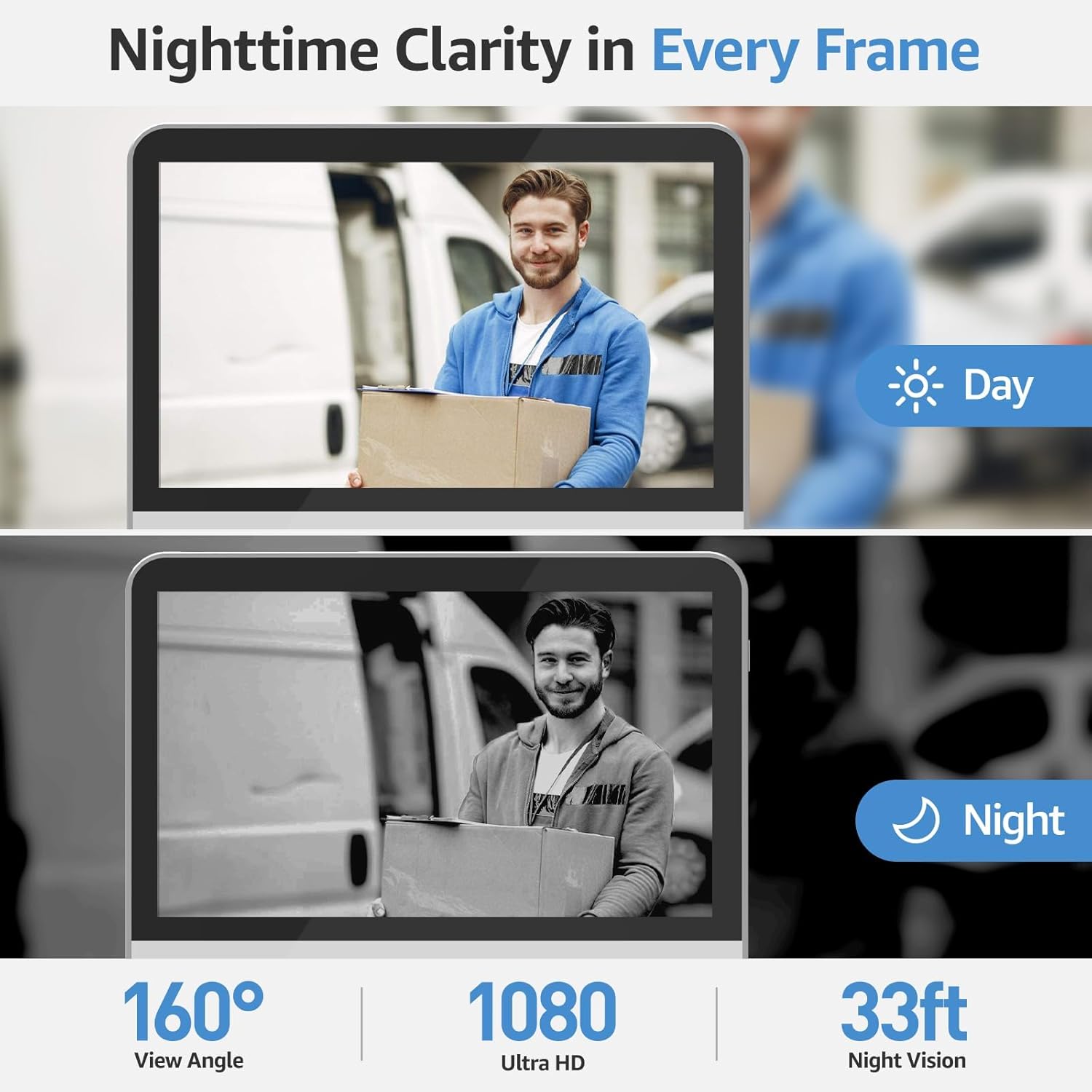
Figure 2: The doorbell unit being installed on a wall, highlighting its easy, wire-free setup.

Figure 3: Illustration of the doorbell's wireless signal strength, demonstrating its ability to penetrate various materials like wood/glass, stone, and metal, with an effective range of up to 100m in open spaces.
Operating Instructions
7-Inch Touchscreen Monitor
The 7-inch touchscreen monitor serves as your primary interface for the doorbell system. All essential functions, including answering calls, unlocking compatible doors (with optional electronic lock integration), and monitoring, are integrated directly into the monitor. Its intuitive interface is designed for ease of use, similar to a smartphone.

Figure 4: The 7-inch 1080P touchscreen monitor, showcasing its clear display and user-friendly operation for viewing visitors.
Two-Way Audio Communication
Engage in real-time conversations with visitors at your door using the two-way audio feature. You can communicate directly through the indoor monitor or via the "TuyaSmart" app on your smartphone.
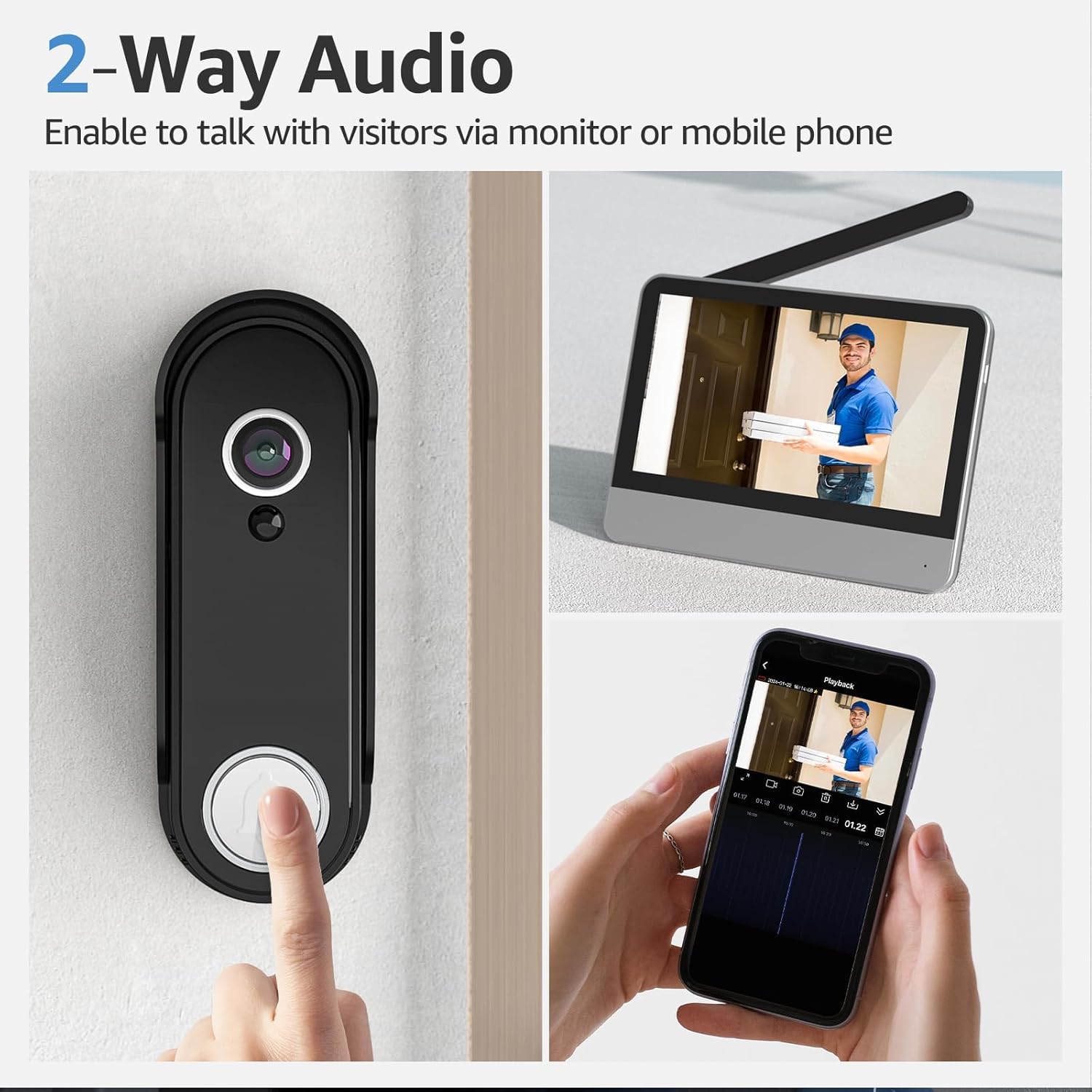
Figure 5: Demonstrates the two-way audio capability, allowing communication with visitors through both the indoor monitor and a connected mobile phone.
Video 1: Official product video demonstrating the easy DIY installation, seamless signal transmission, 160° wide-angle camera view, two-way audio communication, and local storage playback. This video highlights the convenience and security features of the doorbell system.
Smart PIR Motion Detection
The doorbell features intelligent PIR motion detection, instantly triggering alarms and pushing notifications to your cell phone and indoor monitor when movement is detected within 5 meters. Video footage is automatically captured and saved to the TF card in the monitor.
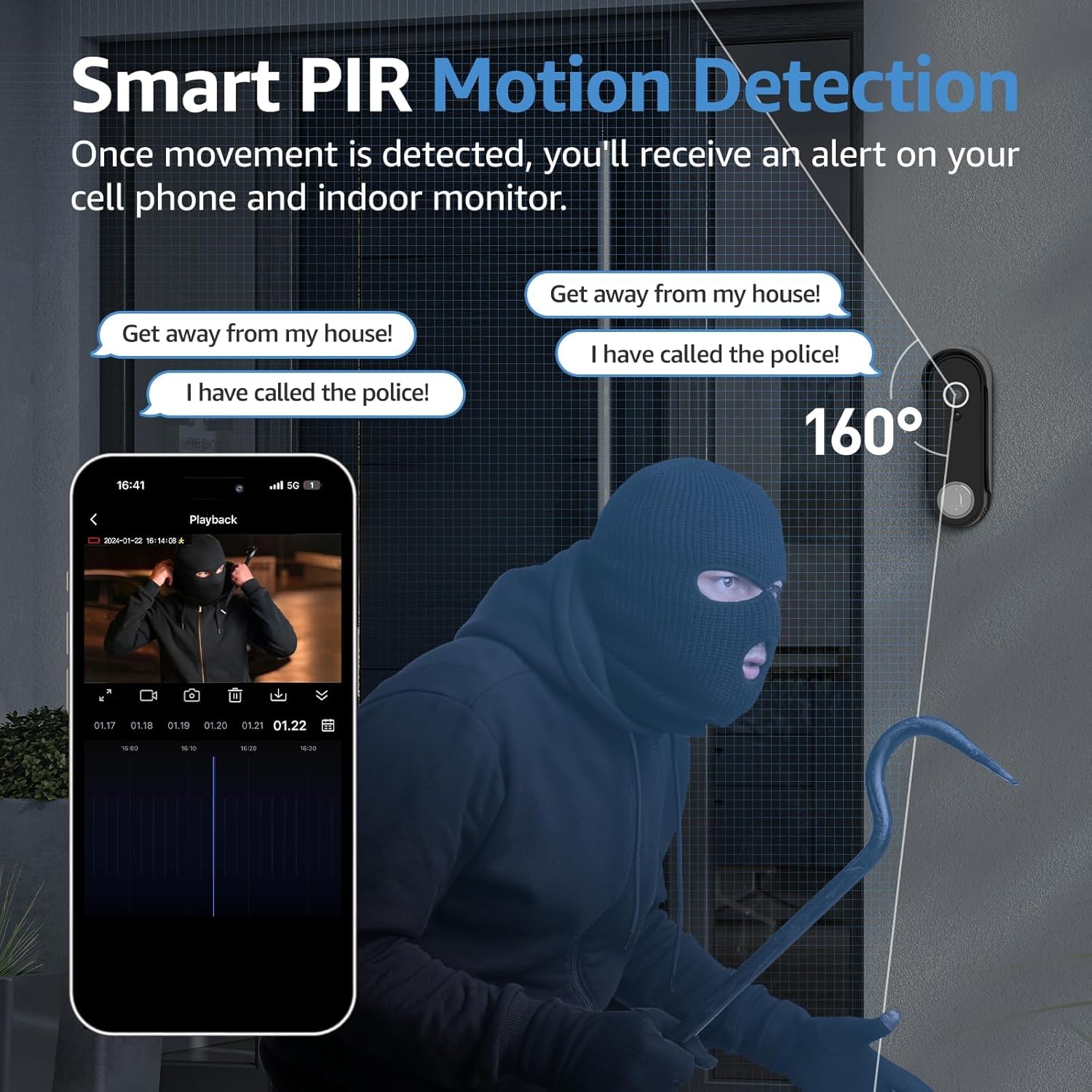
Figure 6: Illustrates the smart PIR motion detection feature, showing an alert on a smartphone when movement is detected near the doorbell.
Night Vision
The wireless doorbell camera ensures crystal-clear video day and night. With automatic day and night switching, it provides excellent visibility in any lighting condition, offering enhanced night vision for a clear view even in low-light environments.

Figure 7: A side-by-side comparison demonstrating the doorbell camera's clear video quality during both day and night, highlighting its effective night vision.
Local Storage and App Control
All events are securely stored on the included TF card within the monitor, eliminating the need for subscription fees. You can access recorded footage and control the system conveniently through the "TuyaSmart" app on your smartphone.

Figure 8: The "Tuya Smart" app interface on a smartphone, illustrating remote control capabilities and access to recorded events.
Maintenance
- Battery Charging: The doorbell unit is powered by a rechargeable battery. It can be used for approximately 2 months after being fully charged. Recharge the unit when the battery indicator shows low power.
- Cleaning: Wipe the doorbell camera lens and monitor screen with a soft, dry cloth to ensure clear visibility. Avoid using harsh chemicals.
- Weather Resistance: The doorbell unit is IP55 waterproof, designed to withstand various weather conditions including rain, shine, temperature fluctuations, snow, and dust.


Figure 9: Left: The doorbell unit's battery being charged. Right: The doorbell unit's weather resistance, indicating its ability to withstand rain, shine, temperature changes, snow, and dust.
Troubleshooting
If you encounter any issues with your WISDOM VIEW Wireless Smart Video Doorbell System, please refer to the following common solutions:
- No Signal/Poor Connection:
- Ensure the doorbell unit and monitor are within effective range (up to 60 meters in open spaces).
- Check for potential signal interference, especially from metal doors or thick walls, which can reduce signal strength.
- Verify your Wi-Fi network is active and the monitor is connected to the correct 2.4G or 5G band.
- Motion Detection Sensitivity:
- If motion detection is too sensitive (e.g., triggering for passing cars), adjust the sensitivity settings within the "TuyaSmart" app.
- If motion detection is not triggering, ensure the doorbell's view is clear and there are no obstructions.
- Battery Draining Quickly:
- Frequent motion detection events or live view access can consume battery faster. Adjust sensitivity or reduce live view usage if possible.
- Ensure the doorbell is fully charged.
- No Audio/Poor Audio Quality:
- Check volume settings on both the monitor and your smartphone app.
- Ensure there are no obstructions blocking the microphone or speaker on the doorbell unit.
For further assistance, please refer to the Warranty and Support section.
Specifications
| Feature | Detail |
|---|---|
| Model Name | WV-001 / Video Doorbell1 |
| Indoor/Outdoor Usage | Outdoor |
| Compatible Devices | Smartphone |
| Power Source | Battery Powered (Rechargeable) |
| Connectivity Protocol | Wi-Fi (2.4G & 5G), 915MHz Frequency |
| Mounting Type | Door Mount |
| Video Capture Resolution | 1080p |
| Color | Black |
| Night Vision Range | 10 Meters (33 ft) |
| Material | Acrylonitrile Butadiene Styrene (ABS) |
| Voltage | 5 Volts |
| Dimensions (L x W x H) | 10.2 x 8.99 x 3.5 inches |
| Water Resistance Level | Waterproof (IP55) |
| Battery Capacity | 5000 Amp Hours |
| Video Capture Format | MP4 |
| UPC | 786570267660 |
| Special Features | 2-Way Audio, HD Resolution, Night Vision, Weather Proof |
Warranty and Support
WISDOM VIEW is committed to ensuring your satisfaction with our products. Your Wireless Smart Video Doorbell System comes with a 1-year warranty.
For any inquiries or assistance, our dedicated customer support team is available 24/7. Please do not hesitate to reach out if you experience any issues with battery performance, pairing, product quality, or any other concerns.
You can contact us through:
- Amazon messaging system.
- The contact information provided in your product's user manual.
- Directly via the device's interface (if applicable).
Optional Protection Plans
For extended coverage, optional protection plans are available:
- 2-Year Protection Plan: Extends coverage for an additional 24 months.
- 3-Year Protection Plan: Extends coverage for an additional 36 months.
- Complete Protect: A monthly plan covering all eligible past and future purchases.
Please refer to the product listing or contact customer support for details on purchasing these protection plans.


