
Introduction
Thank you for choosing the Sanorum G62 Health Fitness Tracker Smart Watch. This device is designed to help you monitor your health and fitness activities with advanced features such as call answering/making, blood pressure, SpO2, sleep, and heart rate monitoring, alongside comprehensive activity tracking for over 120 sports modes. With its impressive 100-day battery life and 5ATM water resistance, the Sanorum G62 is a reliable companion for your daily life and fitness journey. This manual provides detailed instructions to ensure you get the most out of your new smart watch.
Setup
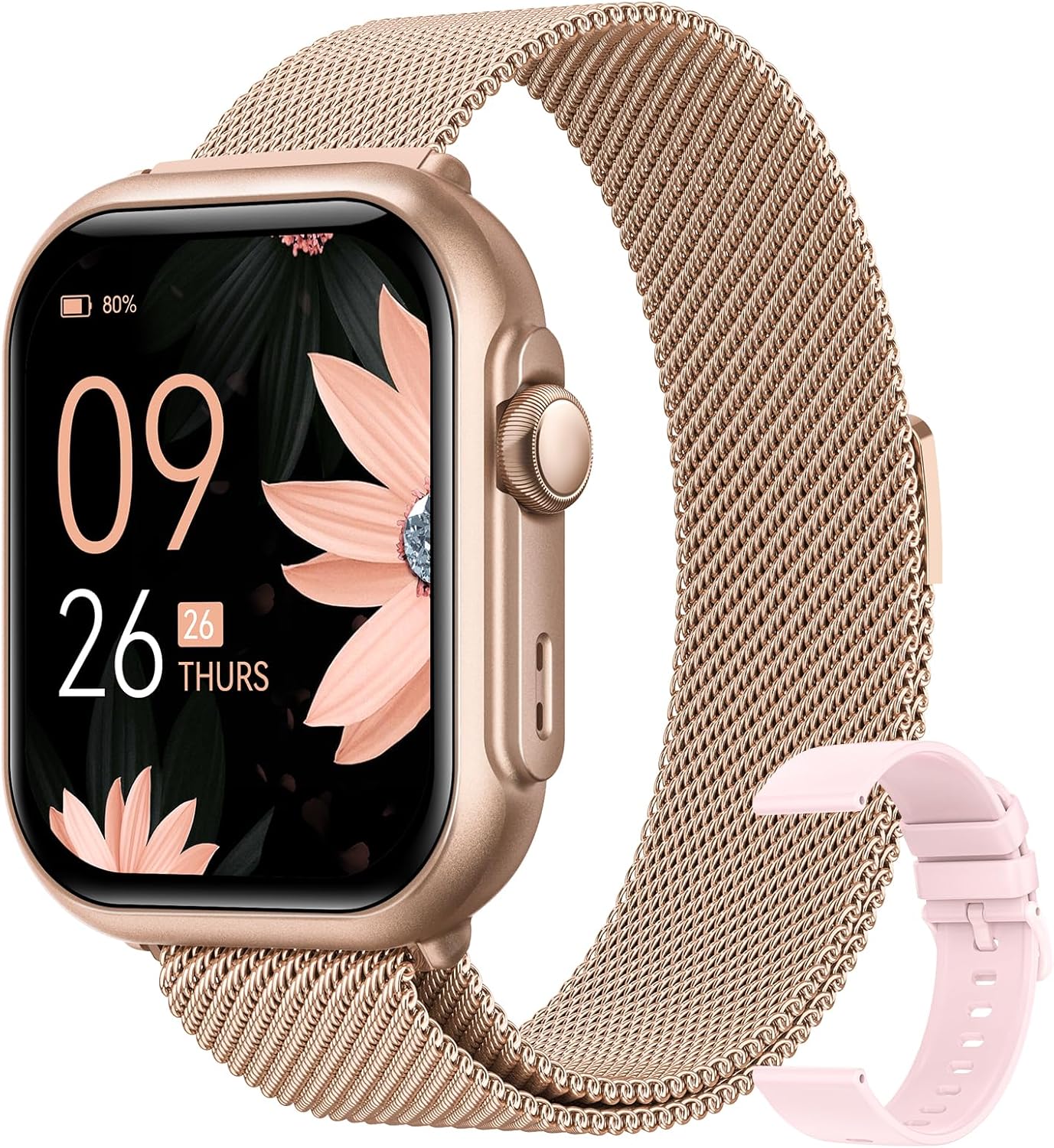
This image displays the Sanorum G62 Smart Watch, featuring a rectangular gold-colored watch face with a digital display showing time, date, and battery level. It is fitted with a gold-colored magnetic mesh strap. An additional pink silicone strap is shown alongside the watch, indicating interchangeable band options.
1. Unboxing and Initial Charge
Upon unboxing, ensure all components are present: the Sanorum G62 Smart Watch, charging cable, and any additional bands. Before first use, fully charge the device. Connect the magnetic charging cable to the charging points on the back of the watch and plug the USB end into a compatible power adapter (not included) or a computer USB port. The watch display will indicate charging status. A full charge typically takes approximately 2 hours.
2. App Installation
To unlock the full potential of your Sanorum G62 Smart Watch, download the companion application, "Sanorum Health App," from your smartphone's app store (Google Play Store for Android or Apple App Store for iOS). Search for "Sanorum Health App" and install it.
3. Device Pairing
- Ensure your smartphone's Bluetooth is enabled.
- Open the "Sanorum Health App" on your smartphone.
- Follow the on-screen instructions to create an account or log in.
- Navigate to the "Device" or "My Device" section within the app.
- Select "Add Device" or "Pair New Device." The app will scan for nearby Sanorum devices.
- Select "G62" from the list of found devices.
- Confirm the pairing request on both your watch and smartphone if prompted.
- Once successfully paired, the watch will synchronize time and data with your phone.
Operating Instructions
Basic Navigation
- Touchscreen: Swipe left/right to navigate between main functions (e.g., activity data, heart rate). Swipe up/down to access quick settings or notifications. Tap to select an option.
- Side Button: Press to wake the screen, return to the home screen, or access the main menu. Long press to power on/off the device.
Call Function
The Sanorum G62 allows you to answer and make calls directly from your wrist when connected to your smartphone via Bluetooth.
- Answering Calls: When an incoming call is received, the watch will display the caller ID. Tap the green phone icon on the screen to answer.
- Making Calls: Access the "Dial Pad" or "Contacts" feature on your watch. You can dial numbers directly or select contacts synchronized from your phone.
Health Monitoring
The watch provides various health metrics. For accurate readings, ensure the watch is worn snugly on your wrist, about one finger's width above the wrist bone.
- Heart Rate: Navigate to the Heart Rate interface. The watch will automatically begin measuring your heart rate.
- Blood Pressure: Access the Blood Pressure function. Remain still during measurement. Note: This device is not a medical device and should not be used for medical diagnosis or treatment. Consult a healthcare professional for any health concerns.
- SpO2 (Blood Oxygen): Go to the SpO2 interface. Keep your arm still and flat during the measurement.
- Sleep Tracking: Wear the watch to bed. It will automatically track your sleep patterns, including deep sleep, light sleep, and wake times. View detailed sleep data in the Sanorum Health App.
Activity and Sports Modes
- Daily Activity: The watch continuously tracks your steps, distance, and calories burned. View daily summaries on the watch or in the app.
- Sports Modes: The G62 supports over 120 sports modes. Navigate to the "Workout" or "Sports" section on the watch, select your desired activity (e.g., running, cycling, yoga), and tap to start. The watch will record relevant data for your chosen activity.
Notifications
Enable app notifications in the Sanorum Health App to receive alerts for calls, messages, and other applications directly on your watch. Swipe down from the home screen to view recent notifications.
Maintenance
- Cleaning: Regularly clean your watch and band, especially after exercise or exposure to sweat. Use a soft, damp cloth. Do not use harsh chemicals or abrasive cleaners.
- Water Resistance: The Sanorum G62 is 5ATM water-resistant, meaning it can withstand pressures equivalent to a depth of 50 meters. It is suitable for swimming and showering but not for diving or high-pressure water activities. Avoid exposing the watch to hot water or steam.
- Band Care: If you have a metal mesh band, ensure it is dry after exposure to water. For silicone bands, clean with mild soap and water.
- Storage: When not in use for extended periods, store the watch in a cool, dry place. It is recommended to charge the watch periodically to maintain battery health.
Troubleshooting
| Problem | Possible Solution |
|---|---|
| Watch does not power on. | Ensure the watch is fully charged. Connect it to the charger for at least 30 minutes. |
| Cannot pair with smartphone. |
|
| Inaccurate health readings. |
|
| Notifications not appearing. |
|
| Short battery life. |
|
Specifications
| Feature | Detail |
|---|---|
| Model Name | G62 |
| Brand | Sanorum |
| Color | Gold-Pink |
| Display Size | 1.85 inches |
| Battery Life | Up to 100 days |
| Battery Type | Lithium Polymer |
| Water Resistance | 5ATM |
| Sports Modes | 120+ |
| Health Monitoring | Heart Rate, Blood Pressure, SpO2, Sleep Tracking |
| Call Function | Answer/Make Calls |
| Item Weight | 5 ounces |
| Package Dimensions | 10.98 x 3.66 x 0.67 inches |
| Compatibility | iPhone / Android Phones |
Warranty and Support
For warranty information and customer support, please refer to the warranty card included with your product packaging or visit the official Sanorum website. If you encounter any issues not covered in this manual, or require further assistance, please contact Sanorum customer service.
You can often find support contact details on the brand's official website or through the retailer where you purchased the product.