
APONUO Solar Post Cap Lights (Model TZ11) User Manual
Color Changing RGB & White LED Lights for Fence, Deck, and Patio Posts
1. Introduction
Thank you for choosing APONUO Solar Post Cap Lights. These lights are designed to provide ambient and functional illumination for your outdoor spaces, featuring color-changing RGB and essential white light modes. They are solar-powered, waterproof, and suitable for various post sizes.
2. Package Contents
- Solar Post Cap Lights (16 units)
- Adjustable Bases (for 4x4, 5x5, 6x6 posts)
- User Manual
- Screwdriver
3. Features
- Versatile Fit: Includes 3 adjustable bases for secure installation on standard wooden (nominal 4x4/6x6, actual ~3.5"x3.5"/~5.5"x5.5") and vinyl (nominal 4x4/5x5, actual ~4"x4"/~5"x5") fence, deck, garden, patio, and porch posts.
- Multiple Lighting Modes: Offers Warm White (3000K), Cool White (6000K), RGB Solid (fixed color), and RGB Gradient (auto-cycling through 8 colors).
- Easy Control: Simple one-touch button to cycle through lighting modes and fix RGB colors. Automatically remembers the last setting.
- Solar Powered: Charges during the day and illuminates from dusk to dawn.
- Durable Design: IP65 waterproof rating, constructed with high-quality, impact-resistant Acrylonitrile Butadiene Styrene (ABS) material for outdoor use.
- Replaceable Battery: Features a replaceable AA 600mAh battery.
4. Installation
No wiring is needed for installation. Ensure the solar panel is placed in a location that receives direct sunlight for optimal charging.
4.1 Choosing the Right Base
The APONUO Solar Post Cap Lights come with adjustable bases to fit various post sizes. Select the appropriate base for your post type:
- For 4x4 vinyl posts (actual size 4"x4"), use the base that fits directly.
- For 4x4 wood posts (actual size ~3.5"x3.5"), use the provided adapter base.
- For 5x5 vinyl posts (actual size ~5"x5"), use the provided adapter base.
- For 6x6 wood posts (actual size ~5.5"x5.5"), use the provided adapter base.

Figure 1: Applicable Post Sizes and Dimensions. The light measures 5.51"D x 5.51"W x 2.64"H. This image illustrates how the light fits on various post dimensions, including 4x4 vinyl (actual 4x4), 4x4 wood (actual 3.5x3.5), 5x5 vinyl (actual 5x5), and 6x6 wood (actual 5.5x5.5), by using different base inserts.
4.2 Mounting the Light
- Unpack: Carefully remove the solar post cap light and all components from the packaging.
- Select Base: Choose the correct adjustable base for your post size as described above.
- Attach Base: Secure the selected base to the bottom of the solar light unit.
- Position on Post: Place the assembled light unit onto the top of your fence or deck post.
- Secure: Use the provided screwdriver and screws to firmly attach the light to the post. Ensure it is stable and level.
5. Operation
The APONUO Solar Post Cap Lights are designed for simple, automatic operation. Ensure the lights are placed in a location that receives 6-8 hours of direct sunlight daily for optimal performance.

Figure 2: Solar Charging and Night Illumination. The image illustrates the solar panel on top of the light absorbing sunlight for 6-8 hours during the day, and then providing 8-12 hours of lighting at night.
5.1 Initial Setup
Before first use, allow the lights to charge in direct sunlight for at least 6-8 hours with the power button pressed to the 'ON' position. The lights will automatically turn on at dusk and off at dawn.
5.2 Changing Lighting Modes
Each light features a single control button (often labeled 'MODE/OFF') located on the underside or side of the unit. Press this button to cycle through the available lighting modes:
- Cool White: Bright, clear light (6000K) for security and pathways.
- Warm White: Cozy ambiance (3000K) for relaxing evenings.
- RGB Solid: Press repeatedly to cycle through and fix your favorite vibrant color (Red, Green, Blue, Yellow, Purple, Cyan, Indigo, etc.).
- RGB Gradient: Mesmerizing auto-cycling through 8 colors (white, warm, red, blue, green, purple, cyan, indigo) for a dynamic light show.
The light will automatically remember your last selected setting for the next night.

Figure 3: Lighting Modes. This image displays the four distinct lighting modes available: Cool White, Warm White, RGB Solid Color Glow, and RGB Gradient, illustrating the visual effect of each.
Video 1: APONUO Solar Post Cap Lights RGB Color Changing. This video demonstrates the various RGB color-changing capabilities and the different white light options of the solar post cap lights, showcasing their vibrant and ambient effects.
6. Maintenance
6.1 Cleaning
Regularly clean the solar panel with a soft, damp cloth to ensure maximum sunlight absorption. Dust, dirt, and debris can reduce charging efficiency.
6.2 Battery Replacement
The lights use a replaceable AA 600mAh battery. If the light duration significantly decreases over time, the battery may need replacement. To replace:
- Carefully open the battery compartment, usually located on the underside of the light.
- Remove the old battery.
- Insert a new AA 600mAh rechargeable battery, ensuring correct polarity (+/-).
- Close the battery compartment securely.
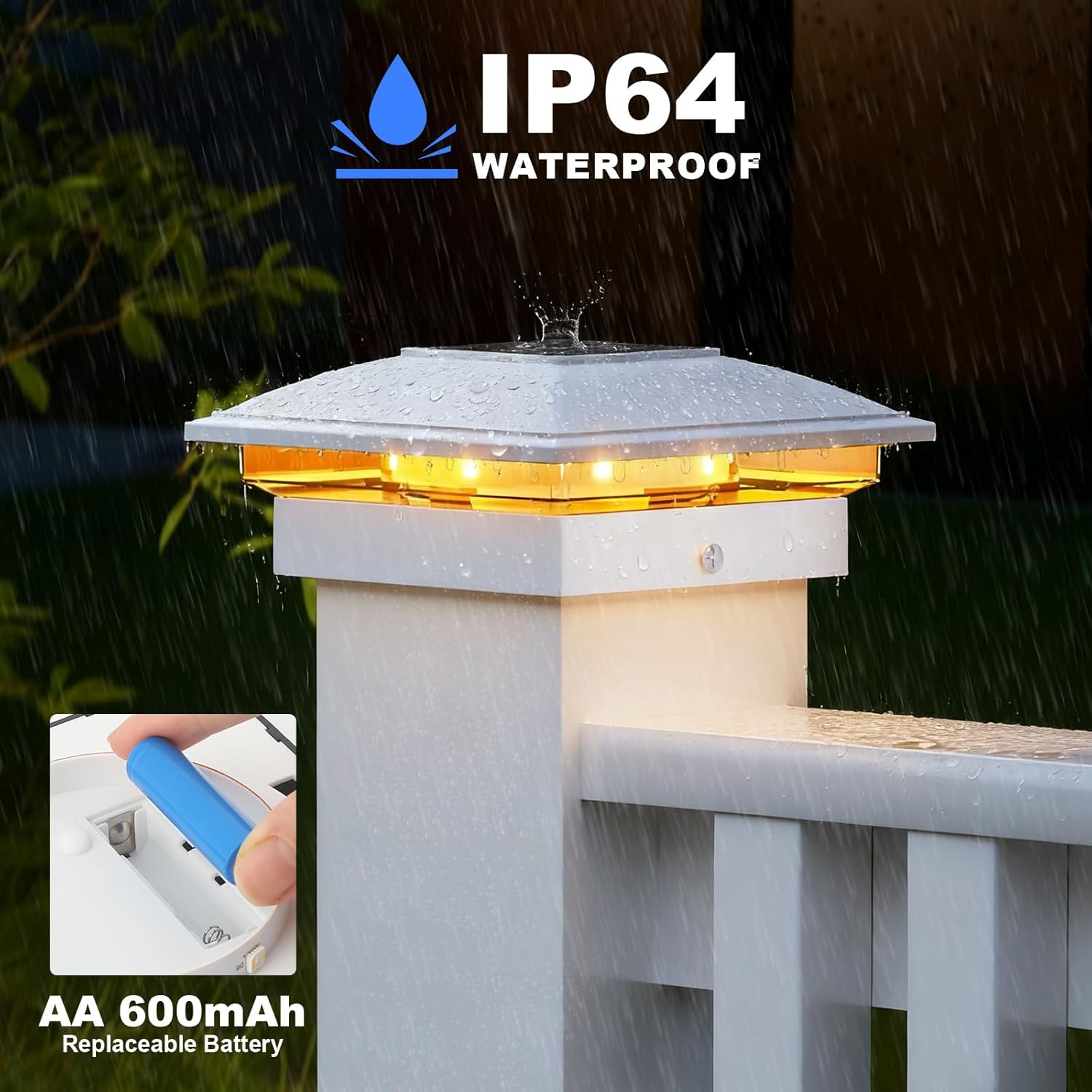
Figure 4: Waterproof Design and Battery Access. This image highlights the IP65 waterproof rating of the light, showing it functioning in rain, and also illustrates the easy access for replacing the AA 600mAh battery.
7. Troubleshooting
- Light does not turn on at night:
- Ensure the light is switched to the 'ON' position.
- Verify the solar panel receives at least 6-8 hours of direct sunlight daily. Relocate if necessary.
- Check the battery connection. Remove and reinsert the battery to reset the unit.
- The battery may be depleted or faulty. Replace with a new AA 600mAh rechargeable battery.
- Light duration is short:
- Ensure the solar panel is clean and free from obstructions.
- Verify the light receives sufficient direct sunlight for charging. Shady conditions will reduce performance.
- Battery capacity may have degraded. Consider replacing the battery.
- Inconsistent operation (lights randomly turn off or don't turn on):
- This can sometimes be resolved by performing a hard reset. Open the battery compartment, remove the battery for 30 seconds, then reinsert it.
- Ensure the battery is fully charged.
8. Specifications
| Feature | Specification |
|---|---|
| Model Number | TZ11 |
| Product Dimensions | 5.51"D x 5.51"W x 2.64"H |
| Light Source Type | LED |
| Power Source | Solar Powered |
| Brightness | 20 Lumen |
| Voltage | 3.7 Volts |
| Wattage | 2.22 watts |
| Water Resistance Level | IP65 Waterproof |
| Material Type | Acrylonitrile Butadiene Styrene (ABS) |
| Control Method | Touch Button |
| Included Components | Shade, User Manual, Screwdriver |
| Indoor/Outdoor Usage | Outdoor use only |
9. Warranty and Support
APONUO provides a one-year warranty for this product. For any questions, technical support, or warranty claims, please contact APONUO customer service through your purchase platform or the contact information provided on the product packaging.