
1. Introduction and Safety Information
This manual provides essential information for the safe and efficient operation of your Electrolux UltimateTaste 700 ETM4302C-B refrigerator. Please read it thoroughly before installation and use, and keep it for future reference.
1.1 General Safety Precautions
- Ensure the refrigerator is disconnected from the power supply before cleaning or maintenance.
- Do not store explosive substances such as aerosol cans with a flammable propellant in this appliance.
- Keep ventilation openings clear of obstruction.
- Do not use mechanical devices or other means to accelerate the defrosting process, other than those recommended by the manufacturer.
- The appliance must be positioned so that the plug is accessible after installation.
2. Setup and Installation
2.1 Unpacking
Carefully remove all packaging materials. Inspect the refrigerator for any damage incurred during transit. Report any damage to your retailer immediately.
2.2 Placement
Choose a location that is dry, well-ventilated, and away from direct sunlight or heat sources (e.g., ovens, radiators). Ensure sufficient space around the appliance for proper ventilation. Refer to the dimensions below for planning.
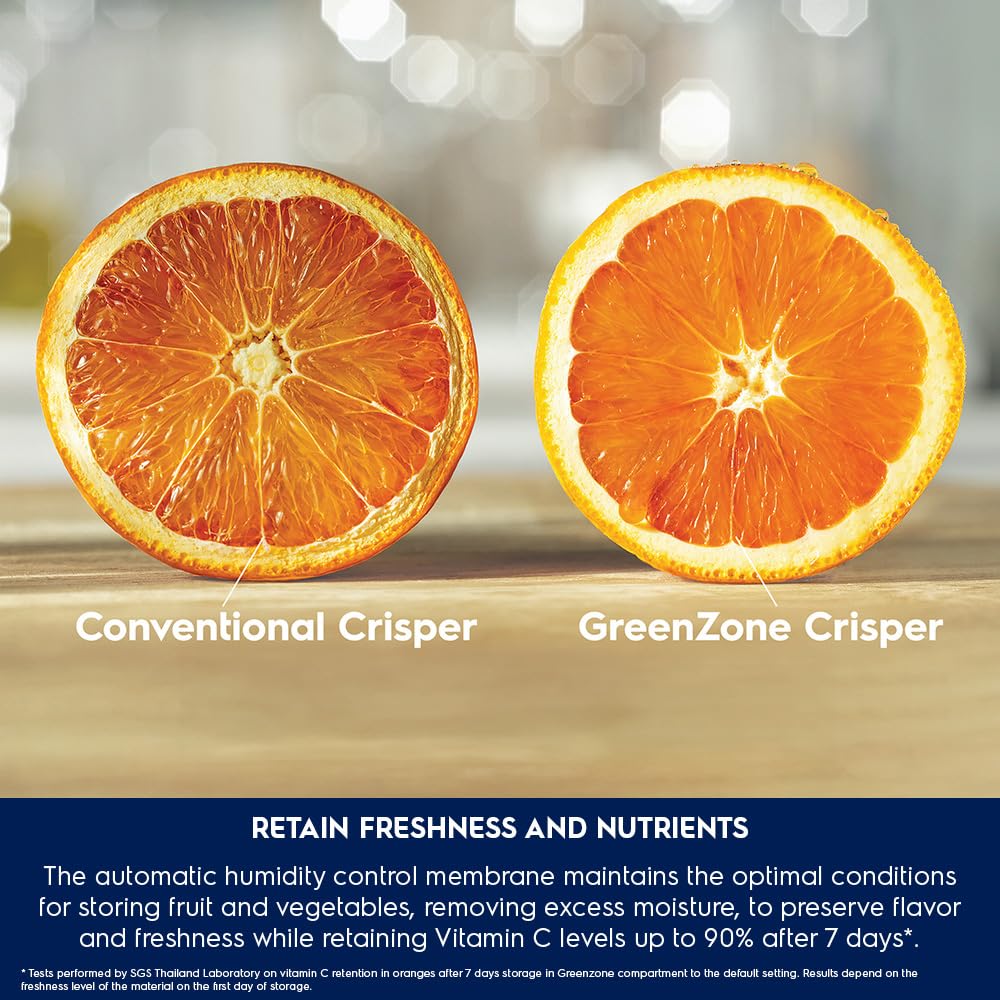
Image: Refrigerator dimensions (72.3D x 69.3W x 172.5H Centimeters) for proper placement.
- Product Dimensions: 72.3D x 69.3W x 172.5H Centimeters
- Clearance: Allow at least 10 cm (4 inches) at the back and sides for air circulation.
- Leveling: Adjust the leveling feet to ensure the refrigerator is stable and level.
2.3 Electrical Connection
Connect the refrigerator to a dedicated 230 Volt, 50 Hz AC power outlet. Do not use extension cords or multi-plugs. Allow the refrigerator to stand for at least 2-4 hours before plugging it in to allow refrigerants to settle.
3. Operating Instructions
Your Electrolux UltimateTaste 700 refrigerator is designed with advanced features to optimize food preservation and energy efficiency.
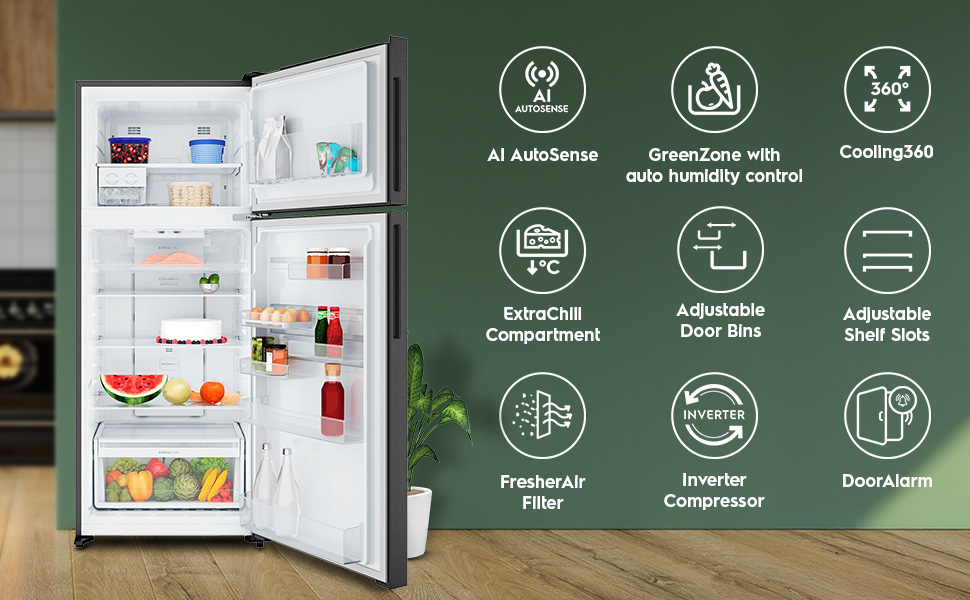
Image: Overview of the refrigerator's key features including AI AutoSense, GreenZone, Cooling360, ExtraChill, Adjustable Door Bins, Adjustable Shelf Slots, FresherAir Filter, Inverter Compressor, and Door Alarm.
3.1 Temperature Control
The refrigerator features adjustable temperature control. Use the internal control panel to set your desired temperature. For optimal food preservation, a refrigerator temperature between 2°C and 4°C (35°F and 40°F) is generally recommended.
3.2 AI AutoSense Technology
AI AutoSense uses artificial intelligence to learn your household's usage patterns. It automatically adjusts refrigerator settings, such as defrosting times and fan speed, to optimize operation and save energy.
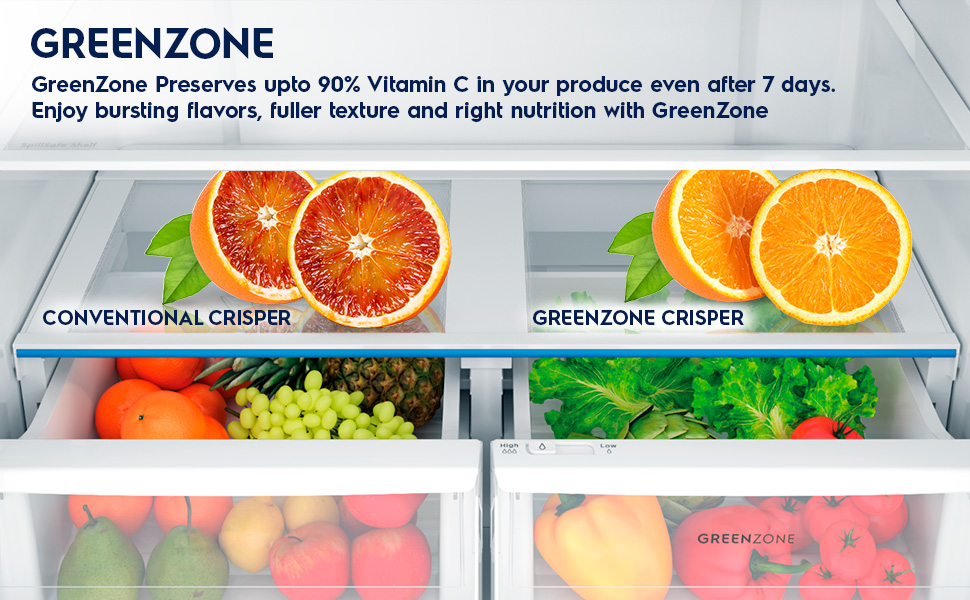
Image: Diagram illustrating how AI AutoSense learns user behavior to optimize cooling, reduce noise, and save energy.
3.3 GreenZone with Automatic Humidity Control
The sealed GreenZone drawer is designed to keep produce fresher for longer. Its automatic humidity control membrane removes excess moisture, reducing condensation and preserving flavor, freshness, and Vitamin C levels in fruits and vegetables.
Image: Comparison showing the effectiveness of the GreenZone Crisper in retaining freshness and nutrients compared to a conventional crisper.
3.4 Cooling 360° System
The Cooling 360° system ensures cold air is evenly distributed throughout the refrigerator. This maintains stable temperature and humidity levels in every corner, creating optimal conditions for food storage.
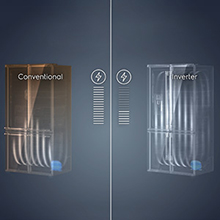
Image: Illustration of cold air circulation within the refrigerator by the Cooling 360° system.
3.5 ExtraChill Compartment
The ExtraChill compartment maintains a lower temperature than the rest of the refrigerator, with active circulation of cold air. This is ideal for storing deli items, cheeses, and fresh meats to keep them in prime condition.

Image: Close-up view of the ExtraChill compartment, designed for optimal storage of delicate foods.
3.6 FresherAir Filter
The FresherAir carbon filter absorbs unpleasant odors and reduces transfer between ingredients, ensuring your refrigerator smells fresh and preserves the natural aromas of your stored food.
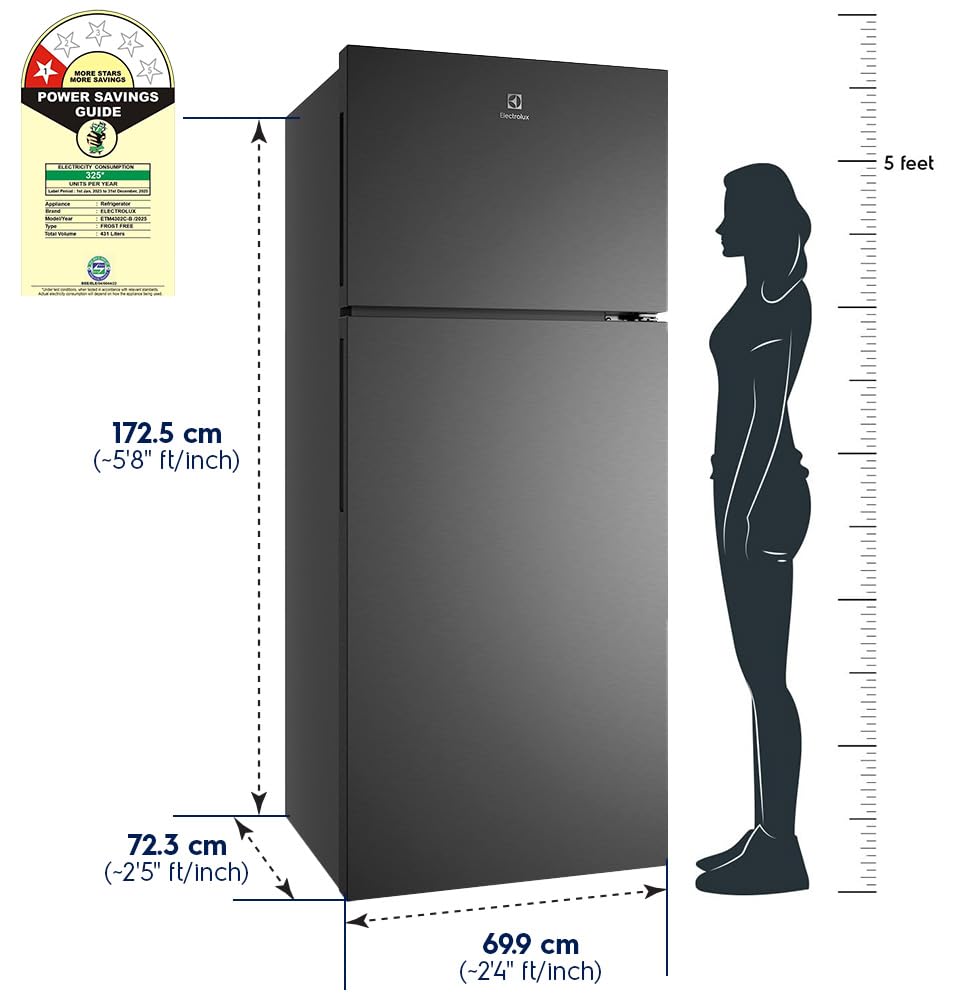
Image: Visual representation of the FresherAir carbon filter at work, removing odors from the refrigerator.
3.7 Storage Features
The refrigerator offers flexible storage options:
- FlexiSpace: 3 shelves with 7 adjustment slots for customizable space.
- FlexiStor: Adjustable door bins to accommodate various bottle and jar sizes.
- Twist & Serve Ice Maker: Effortlessly make and store cubed ice in the freezer compartment.
- Big Crisper: Large capacity crisper for fresh produce.
Image: Internal view of the refrigerator showcasing the Twist & Serve Ice Maker, ExtraChill compartment, FlexiSpace shelves, FlexiStor door bins, and Big Crisper.
4. Maintenance
4.1 Cleaning
- Interior: Clean the interior regularly with a solution of mild detergent and warm water. Rinse thoroughly and dry.
- Exterior: Wipe the exterior with a soft, damp cloth. For matte finishes, avoid abrasive cleaners.
- Door Gaskets: Clean door gaskets with warm soapy water to ensure a tight seal.
4.2 Defrosting
This is a frost-free refrigerator, meaning manual defrosting is generally not required. The system automatically manages frost buildup. If excessive frost accumulates in the freezer, ensure the door is sealing properly and that the temperature setting is appropriate.
4.3 FresherAir Filter Replacement
The FresherAir carbon filter should be replaced periodically to maintain optimal odor absorption. Refer to the filter's packaging for recommended replacement intervals. Instructions for replacement are typically found on the filter housing.
5. Troubleshooting
Before contacting customer service, please refer to the following common issues and solutions:
| Problem | Possible Cause | Solution |
|---|---|---|
| Refrigerator not cooling | Power outage; plug loose; temperature setting too high; door left open. | Check power supply; ensure plug is secure; adjust temperature; close door fully. |
| Unusual noise | Refrigerator not level; items vibrating inside; compressor operation. | Level the appliance; rearrange items; compressor noise is normal. |
| Water on floor | Drain tube blocked; excessive humidity. | Clear drain tube; ensure proper ventilation and door closure. |
| Bad odor inside | Spoiled food; FresherAir filter needs replacement. | Remove spoiled food; clean interior; replace FresherAir filter. |
6. Specifications
| Feature | Detail |
|---|---|
| Brand | Electrolux |
| Model Name | UltimateTaste 700 |
| Model Number | ETM4302C-B |
| Capacity | 431 Litres (329L Fresh Food, 102L Freezer) |
| Configuration | Full-Sized Freezer-on-Top, Double Door |
| Defrost System Type | Frost Free |
| Product Dimensions (D x W x H) | 72.3D x 69.3W x 172.5H Centimeters |
| Item Weight | 75 Kilograms |
| Colour | Charcoal Black |
| Voltage | 230 Volts |
| Annual Energy Consumption | 325 Kilowatt Hours Per Year |
| BEE Star Rating | 1 Star |
| Compressor Type | Inverter (Reciprocating) |
| Refrigerant | R-600A |
| Shelf Type | Glass (3 shelves) |
| Included Components | Refrigerator, 1xUser Manual, 1xWarranty Card |
7. Warranty and Support
7.1 Warranty Information
Your Electrolux UltimateTaste 700 ETM4302C-B refrigerator comes with a 1 Year Standard Warranty. Additionally, the compressor is covered by a 10 Year Warranty. Please note that refrigerant/gas charges are applicable for compressor warranty claims.
Keep your purchase receipt and warranty card for any service requests.
7.2 Customer Support
For any assistance, service requests, or inquiries, please contact Electrolux Customer Support:
- Toll-Free Number: 1800 202 1800
- Manufacturer: Designed by Electrolux AB, Electrolux India Private Limited
- Address: 1st Floor, Plus Offices, Landmark Cyber Park, Sector 67, Gurugram-122018 Haryana, India
Please have your model number (ETM4302C-B) and purchase date ready when contacting support.


