
1. Safety Instructions
Read all instructions carefully before installation and use. Retain this manual for future reference.
- Ensure power is disconnected at the circuit breaker before installation or servicing.
- All wiring must be in accordance with national and local electrical codes.
- Installation should be performed by a qualified electrician.
- Mounting structure must be capable of supporting the fan's weight (22 lbs).
- Keep hands clear of fan blades during operation.
- Do not operate the fan if any part is damaged.
2. Package Contents
Verify all components are present before beginning installation.
- DC Motor Assembly
- 7 Reversible Blades (Oil Bronze/Wood Grain)
- LED Light Kit
- Remote Control with Wall Bracket
- 3 Downrods (5-inch, 10-inch, 15-inch)
- Mounting Bracket
- Hardware Pack (screws, wire nuts, pins)
- User Manual
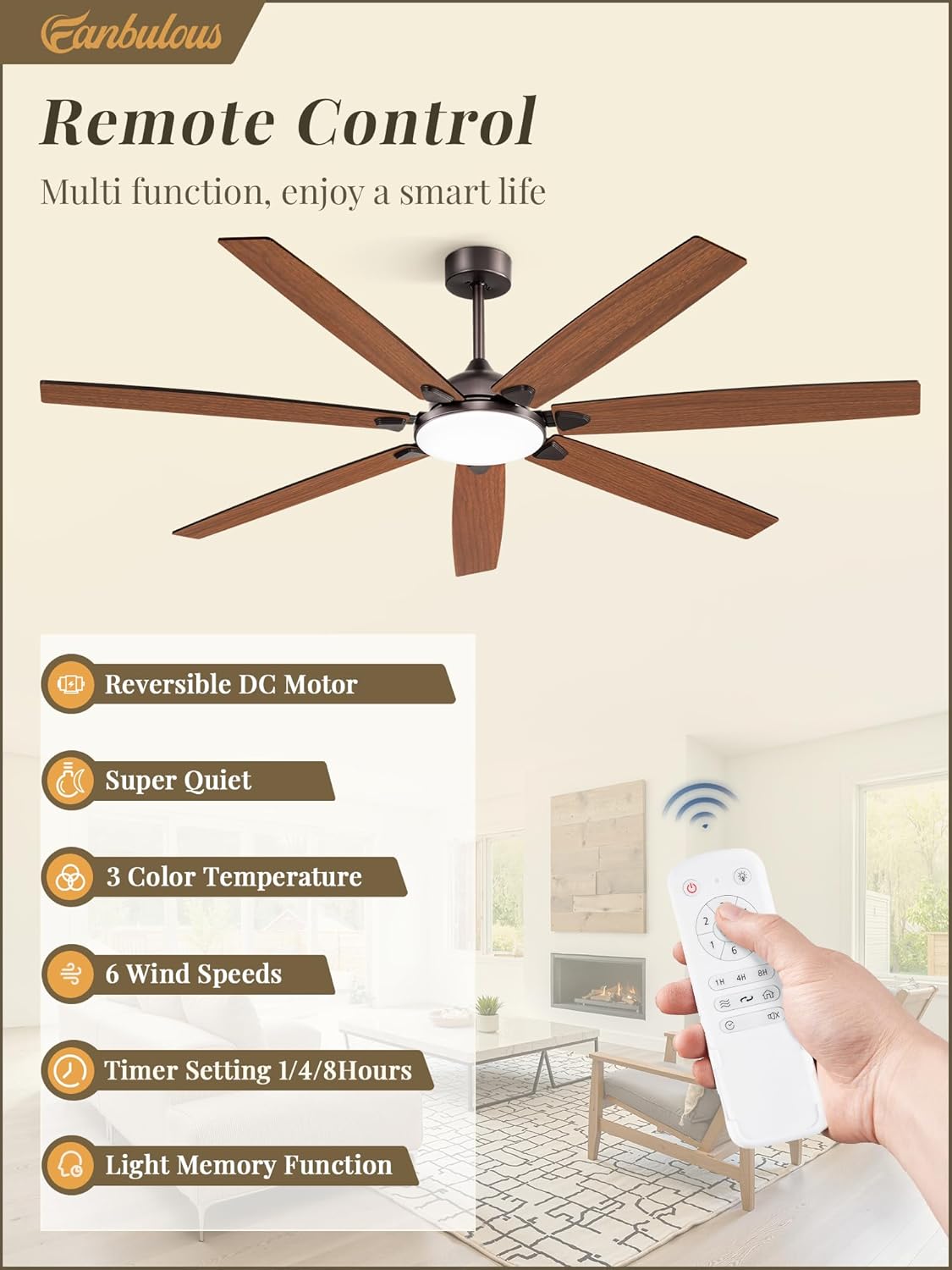
Image: All components included in the Fanbulous 72-inch ceiling fan package.
3. Setup and Installation
Follow these steps for proper installation. It is recommended to have two people for installation.
3.1 Blade Mounting
- Attach blade arms to each blade using the provided screws.
- Remove screws from the motor housing.
- Mount the 7 blades onto the motor host, ensuring they are securely fastened.

Image: Detailed view of blade attachment to the motor housing.
3.2 LED Light Installation
- Remove screws from the light kit area.
- Cover the lamp panel.
- Tighten the screws to secure the lamp panel.
- Connect the light kit wires to the corresponding connectors.
3.3 Downrod Connection
- Choose the appropriate downrod length (5", 10", or 15") for your ceiling height.
- Remove the downrod pin.
- Thread the motor wires through the downrod.
- Install the decorative covers onto the downrod.
- Fix the downrod pin and tighten the screws to secure the downrod to the motor.
3.4 Hanging the Ceiling Fan
- Fix the mounting bracket securely to the ceiling junction box.
- Connect the controller to the motor: 3-pin connector for the fan, 2-pin connector for the light.
- Carefully lift the fan assembly and put the downrod pin onto the bracket. Ensure the fan is stable.
3.5 Wiring Instructions
- Connect the controller to the ceiling wiring: white wire to neutral wire, black wire to live wire, green or yellow/bare wire to ground wire.
- Insert the controller into the mounting bracket.
- Fix the canopy cover over the mounting bracket.
- Install the lampshade last to avoid damage.
- Fix the remote wall bracket to a convenient location.
Video: Step-by-step installation guide for the Fanbulous ceiling fan with light.
This video demonstrates the assembly of the fan blades, LED light kit, downrod connection, and wiring to the ceiling bracket.
4. Operating Instructions
Your Fanbulous ceiling fan is controlled by the included remote.
4.1 Remote Control Functions
- Power Button: Turns the fan and light On/Off.
- Fan Speed: Buttons 1-6 adjust fan speed from low (1) to high (6).
- Light Control: Toggle light On/Off and cycle through 3 color temperatures (3000K Warm Light, 4000K Natural Light, 6000K Cold White Light).
- Timer Setting: Set the fan to turn off automatically after 1, 4, or 8 hours.
- Reversible Motor: Switch between Summer Mode (downward airflow for cooling) and Winter Mode (upward airflow for air circulation).
- Light Memory Function: The fan retains the last used light color temperature setting when turned off and on again after 10 seconds.
- Mute Function: Silence the remote control's beeping sound.
Image: Remote control layout with buttons for speed, light, timer, and direction.

Image: Illustration of reversible motor function for summer and winter modes.
5. Maintenance
Regular maintenance ensures optimal performance and longevity of your fan.
- Cleaning: Use a soft, damp cloth to clean the fan blades and motor housing. Do not use abrasive cleaners or solvents.
- Blade Inspection: Periodically check that all blade screws are tight. Loose screws can cause wobbling and noise.
- Light Kit: The LED light kit is integrated and does not require bulb replacement.
- Motor: The DC motor is designed for long-term, maintenance-free operation.
6. Troubleshooting
Refer to this section for common issues and their solutions.
| Problem | Possible Cause | Solution |
|---|---|---|
| Fan does not start | No power to the fan; Loose wire connections; Remote control battery low. | Check circuit breaker; Ensure all wire connections are secure; Replace remote control batteries. |
| Fan wobbles | Loose blade screws; Improperly installed downrod; Unbalanced blades. | Tighten all blade screws; Ensure downrod is securely fixed to the motor and mounting bracket; Use balancing kit if necessary. |
| Light does not work | Loose wire connection to light kit; Faulty LED driver. | Check light kit wire connections; Contact customer support if LED driver is suspected faulty. |
| Remote not working | Low battery; Remote not paired. | Replace batteries; Refer to remote pairing instructions in the full manual. |
| Fan is noisy | Loose screws; Motor housing rubbing. | Check and tighten all screws; Ensure no parts are rubbing against each other. |
7. Specifications
| Feature | Detail |
|---|---|
| Brand | Fanbulous |
| Model Number | F-JP72OB-1D01 |
| Size | 72 inches |
| Color | Oil Bronze |
| Motor Type | Quiet DC Motor |
| Blades | 7 Reversible Blades (Wood) |
| Light Type | Integrated LED |
| Color Temperature (CCT) | 3000K/4000K/6000K (Adjustable) |
| Wattage | 24 watts (Light) |
| Control Method | Remote Control |
| Special Features | 6 Fan Speeds, Reversible Airflow, Timer (1/4/8H), Light Memory Function |
| Indoor/Outdoor Usage | Indoor/Outdoor (Covered Patio) |
| Product Dimensions | 72"D x 72"W x 17"H |
| Item Weight | 22 Pounds |

Image: Detailed dimensions of the Fanbulous 72-inch ceiling fan.
8. Warranty and Support
Fanbulous offers comprehensive support for your product.
- After-Sales Service: Enjoy 2 years of after-sales service.
- Online Support: 24-hour online support is available for any queries or assistance.
Video: Overview of Fanbulous Large Ceiling Fan features and after-sales support.
This video highlights the fan's design, 6-7 blades, and commitment to customer service.