
1. Product Overview
The NICKLUC LED Work Light Model D3 is a versatile and durable lighting solution designed for various outdoor and emergency situations. It features ultra-bright LEDs, a high-capacity rechargeable battery that doubles as a power bank, multiple lighting modes, and flexible mounting options.

Image 1.1: Front view of the NICKLUC LED Work Light Model D3.
2. Safety Information
- Do not look directly into the LED light when it is on, as it can cause eye strain or damage.
- Keep the device away from extreme temperatures and direct sunlight to prevent damage to the battery.
- Do not attempt to disassemble or modify the device. Repairs should only be performed by qualified personnel.
- Ensure the charging port cover is securely closed when not in use, especially in wet conditions, to maintain IP65 waterproof rating.
- Keep out of reach of children.
3. What's in the Box
Verify that all items are present upon unboxing:
- NICKLUC LED Work Light Model D3
- USB Charging Cable (Type-C)
- User Manual
4. Setup
4.1 Initial Charging
Before first use, fully charge the work light. Connect the provided USB-C cable to the charging port on the device and plug the other end into a compatible USB power adapter (not included). The battery indicator lights will show the charging progress.
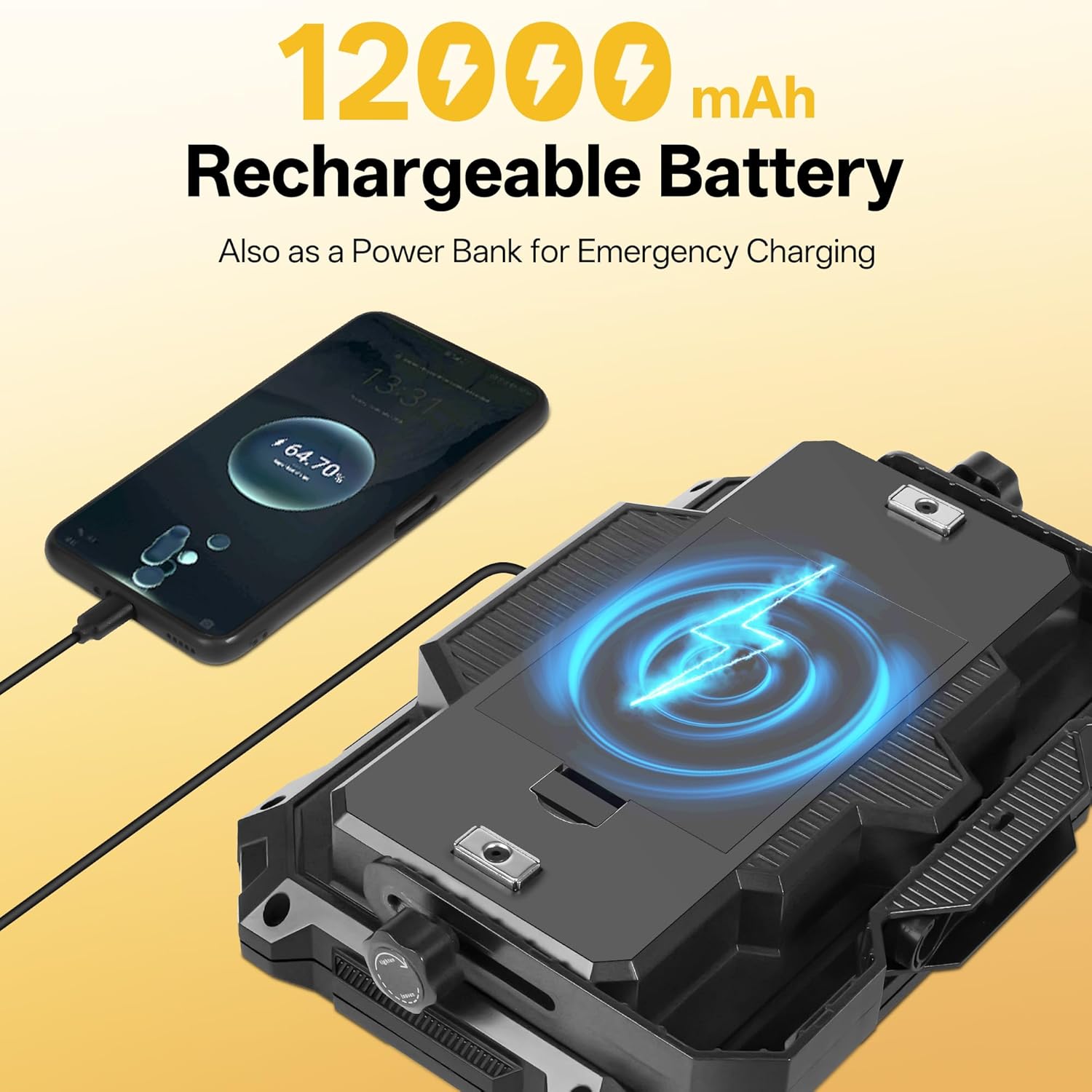
Image 4.1: The work light being charged and also used to charge a mobile phone.
4.2 Adjusting the Stand/Handle
The integrated stand/handle can be adjusted 180 degrees to position the light as needed. Loosen the knobs on either side of the stand, adjust to the desired angle, and then tighten the knobs to secure it.

Image 4.2: The adjustable stand allows for stable placement on various surfaces.
5. Operating Instructions
5.1 Power On/Off and Light Modes
Press the power button to cycle through the four main light modes:
- High Brightness: Provides maximum illumination (10,000 lumens).
- Medium Brightness: A balanced light output for general use.
- Low Brightness: Conserves battery life for extended use.
- Red Flash: An emergency signaling mode.
To turn off the light, continue pressing the power button until the light turns off, or long-press the button in any mode.

Image 5.1: Visual representation of High, Medium, and Low brightness settings.

Image 5.2: The Red Flash mode is ideal for emergency signaling or roadside assistance.
5.2 Stepless Dimming
For fine-tuning the brightness, long-press the power button in any of the white light modes (High, Medium, Low). The brightness will gradually increase or decrease. Release the button when the desired brightness level is reached.
5.3 Power Bank Function
The built-in 12000mAh battery allows the work light to function as a power bank. Connect your mobile device or other USB-powered gadgets to the USB output port on the work light using your device's charging cable. The battery indicator lights will show the remaining power.

Image 5.3: The work light can charge external devices via its USB output port.
6. Mounting Options
The NICKLUC LED Work Light offers multiple ways to position it for optimal lighting:
- Magnetic Base: Two strong magnets on the back allow for secure attachment to metallic surfaces, such as car hoods, toolboxes, or metal shelving.
- Hanging Hook: A retractable hook on the top provides a convenient option for hanging the light in tents, workshops, or other elevated positions.
- Tripod Mount: A 1/4-inch threaded hole is located on the bottom of the light, making it compatible with standard tripods for stable, elevated illumination.

Image 6.1: The magnetic base allows for hands-free operation on metal surfaces.

Image 6.2: The integrated hook provides a simple hanging solution.

Image 6.3: The 1/4-inch threaded mount enables tripod compatibility.
7. Maintenance
- Cleaning: Wipe the light with a soft, damp cloth. Do not use abrasive cleaners or solvents.
- Storage: Store the device in a cool, dry place when not in use. For long-term storage, charge the battery to about 50% every 3-6 months to prolong its lifespan.
- Battery Care: Avoid fully discharging the battery frequently. Recharge promptly when the battery indicator shows low power.
8. Troubleshooting
- Light not turning on: Ensure the battery is charged. If the battery is low, connect the light to a power source using the USB-C cable.
- Light is dim: The battery might be low, or the light is in a lower brightness mode. Recharge the device or cycle through the brightness modes.
- Device not charging: Check the USB-C cable and power adapter for damage. Ensure the cable is securely connected to both the light and the power source.
- Power bank function not working: Ensure the work light has sufficient battery charge. Check the connection between the work light and the device you are trying to charge.
9. Specifications
| Feature | Specification |
|---|---|
| Model Number | D3 |
| Brightness | Up to 10,000 Lumens |
| Battery Capacity | 12000mAh |
| Light Modes | High, Medium, Low, Red Flash (Stepless Dimming available) |
| Waterproof Rating | IP65 |
| Power Source | Battery Powered |
| Charging Port Type | USB-C |
| Output Port Type | USB |
| Material | Acrylonitrile Butadiene Styrene (ABS), Plastic, Glass |
| Color Temperature | 6500 Kelvin |
| Item Weight | 2.14 pounds |
| Product Dimensions | 9.29 x 2.13 x 6.14 inches |
10. Product Videos
Watch the official product video for a visual guide on features and usage:
Video 10.1: Official product video demonstrating the LED Work Light's features and functionality.
11. Warranty and Support
For warranty information, technical support, or any product-related inquiries, please refer to the contact details provided on the product packaging or visit the official NICKLUC website. Keep your purchase receipt for warranty claims.