
Introduction
Thank you for choosing the Coleshome 100x70cm L-Shaped Gaming Desk. This manual provides detailed instructions for assembly, usage, and maintenance to ensure optimal performance and longevity of your desk. Please read this manual thoroughly before beginning assembly or use.

Image: The Coleshome L-shaped gaming desk, showcasing its design and functionality in a typical gaming or office environment.
Safety Information
- Always follow the assembly instructions carefully.
- Exercise caution when handling the desk components, as the total weight is 9.8 kg.
- Ensure all screws and fasteners are tightened securely before use.
- Do not overload the desk or shelves beyond their intended capacity.
- Keep small parts away from children during assembly to prevent choking hazards.
- Place the desk on a level surface to ensure stability.
Package Contents
Before starting assembly, verify that all parts listed in the instruction manual are present and undamaged. All necessary tools for assembly are included in the package.
- Desktop panels (main and L-extension)
- Reversible storage shelf panels (2 shelves)
- Steel frame components
- Reinforced side support rods
- Adjustable foot pads
- Assembly hardware (screws, bolts, etc.)
- Assembly tools (e.g., Allen wrench)
- Accessory hooks
Setup and Assembly Instructions
Follow the step-by-step instructions provided in the included assembly guide. Ensure you have enough space and a clean area for assembly. The desk's side shelf is reversible, allowing you to configure it on either the left or right side during assembly.
- Unpack Components: Carefully remove all parts from the packaging and lay them out on a soft, clean surface to prevent scratches.
- Assemble Frame: Connect the steel frame components according to the diagrams in the manual. Ensure all connections are finger-tight initially.
- Attach Reversible Shelf: Decide whether you want the storage shelf on the left or right side of the L-shaped configuration. Attach the shelf frame and panels as per your chosen orientation.
- Secure Desktop Panels: Place the main desktop and L-extension panels onto the assembled frame. Secure them with the provided screws.
- Install Adjustable Foot Pads: Screw the adjustable foot pads into the bottom of the desk legs. These help stabilize the desk on uneven floors.
- Final Tightening: Once all components are in place, systematically tighten all screws and bolts using the provided tools. Do not overtighten.
- Attach Accessory Hooks: Install the accessory hooks on the desired side of the desk for hanging bags or headphones.

Image: Detailed dimensions of the desk, illustrating the 100x70cm L-shape and shelf measurements.
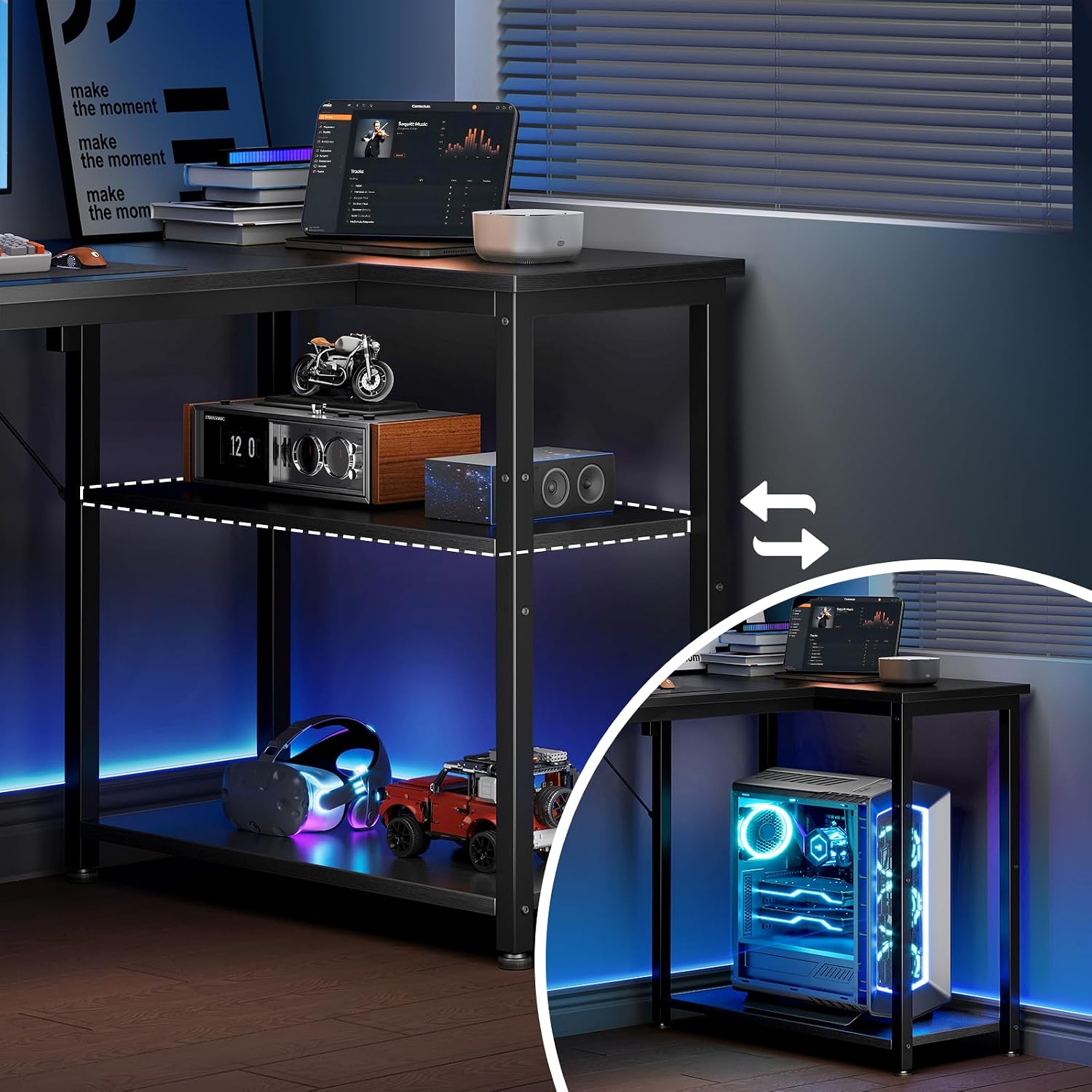
Image: Illustration of the reversible storage shelf, highlighting its flexibility to be installed on either side of the desk.
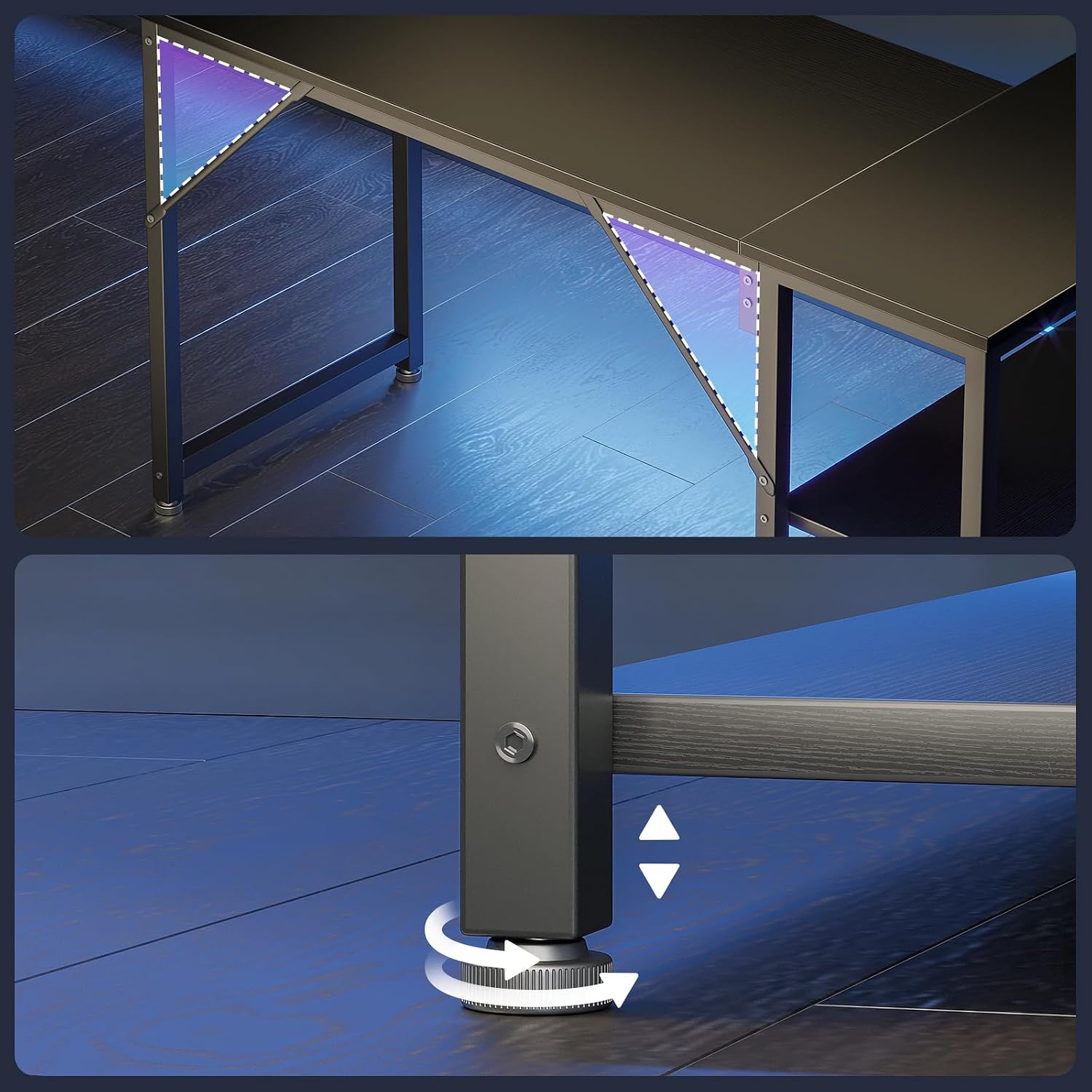
Image: Detail of the adjustable foot pads, designed to ensure desk stability on uneven surfaces.
Operating (Usage)
The Coleshome L-shaped gaming desk is designed for versatile use in various settings, including gaming, home office, and study. Its spacious design accommodates multiple monitors, keyboards, and other peripherals.
- Spacious Workspace: Utilize the large L-shaped surface for your computer, monitors, and other work or gaming essentials.
- Storage Shelves: The two open shelves provide convenient storage for books, documents, gaming consoles, or decorative items.
- Accessory Hooks: Use the integrated hooks to keep your headphones, bags, or other accessories organized and within reach.
- Corner Placement: The L-shape design is ideal for corner placement, maximizing space efficiency in your room.

Image: Two Coleshome L-shaped desks arranged together, illustrating how multiple units can create an extended workspace.
Maintenance
- Cleaning: Wipe the desk surfaces with a soft, damp cloth. Avoid harsh chemicals or abrasive cleaners that may damage the finish.
- Regular Checks: Periodically check all screws and fasteners to ensure they remain tight. Retighten if necessary.
- Avoid Excessive Moisture: Protect the desk from prolonged exposure to moisture or direct sunlight to prevent warping or discoloration.
- Weight Distribution: Distribute weight evenly across the desktop and shelves to maintain stability and prevent stress on individual components.
Troubleshooting
| Problem | Possible Cause | Solution |
|---|---|---|
| Desk is wobbly or unstable. | Uneven floor; loose fasteners. | Adjust the foot pads at the bottom of the legs until the desk is stable. Check and tighten all assembly screws. |
| Parts do not fit together. | Incorrect orientation; wrong parts used. | Refer to the assembly manual diagrams. Ensure you are using the correct parts for each step and that they are oriented correctly. |
| Missing parts. | Packaging error. | Contact Coleshome customer support with your purchase details and a list of missing components. |
Specifications
- Model Number: cji-11
- Brand: Coleshome
- Dimensions (L x W x H): 100 x 70 x 75.7 cm
- Weight: 9.8 kg
- Material: Alloy Steel, Metal
- Color: Black
- Desk Design: L-shaped computer desk
- Special Feature: Reversible storage shelves
- Number of Shelves: 2
- Assembly Required: Yes (Instructions included)
- Mounting Type: Corner Mount
- Recommended Uses: Gaming, Home Office
Warranty and Support
Specific warranty information was not provided in the product data. For details regarding warranty coverage, returns, or technical support, please contact Coleshome customer service directly or refer to the official Coleshome website.
You may also refer to your purchase receipt or the retailer's policy for return and support options.
