
Juboos 24211
Juboos Kids Digital Watch Instruction Manual
Model: 24211
Product Overview
The Juboos Kids Digital Watch is designed for boys and girls aged 7-16, offering a blend of style and practicality. This 3ATM waterproof sports watch features a night light, alarm clock, and stopwatch, making it suitable for various daily activities.

Image: Front view of the Juboos Kids Digital Watch in black, displaying the time and date.
Key Features
- Multi-functional: Includes calendar, alarm clock, and stopwatch.
- Durable Design: Features a high-definition plexiglass mirror, rounded edges, and a shockproof 3D case to protect the movement.
- 3ATM Water Resistance: Suitable for hand washing and rain exposure. Note: Not for bathing or swimming. Do not press buttons underwater.
- Comfortable Wear: Soft, skin-friendly, and adjustable strap for a comfortable fit.
- Night Light: Press the "LIGHT" button for clear time display in dark environments.
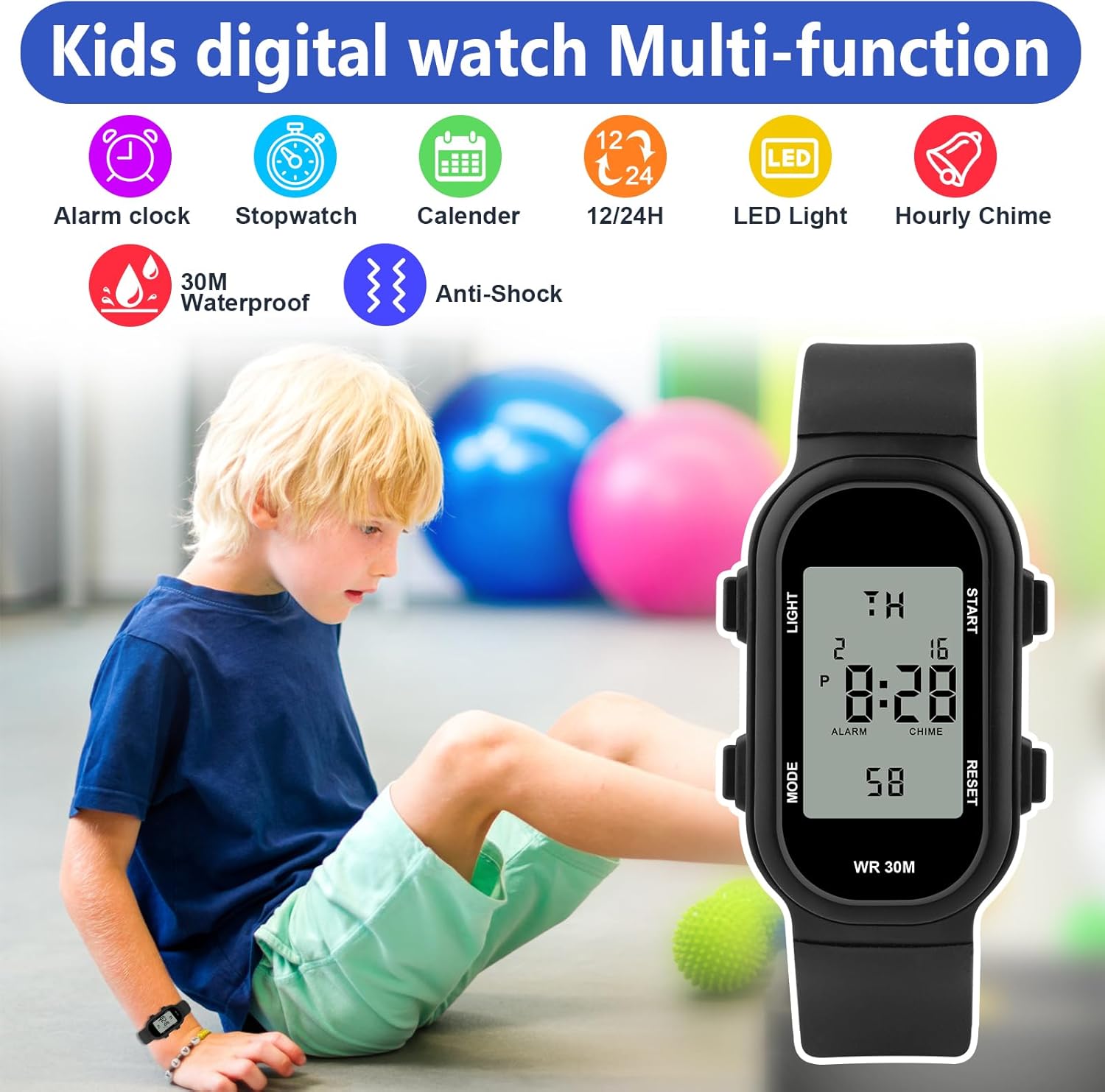
Image: Visual representation of the watch's multi-functions, including alarm, stopwatch, calendar, and water resistance.
Setup and Button Functions
The watch features four main buttons for various operations:
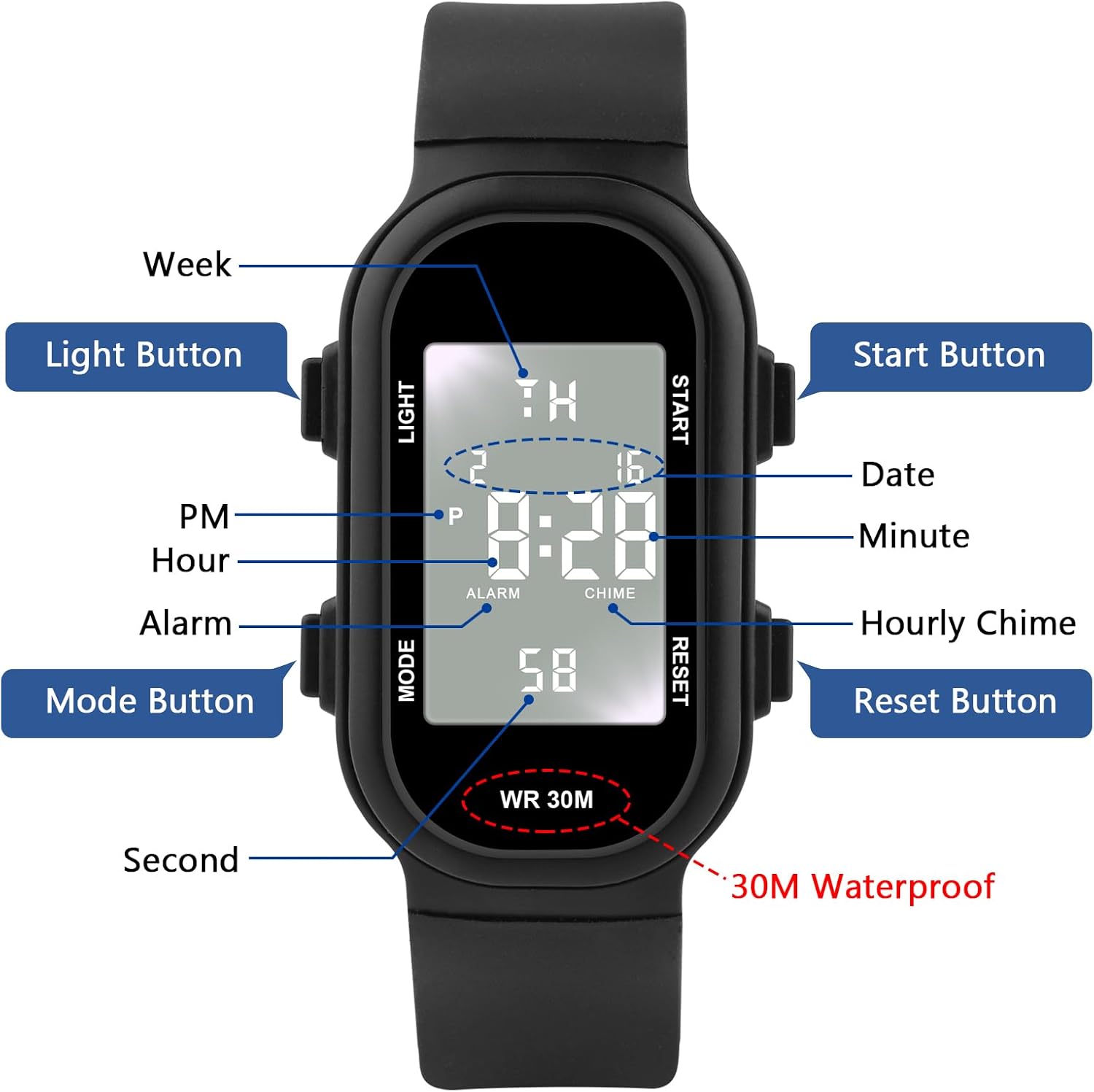
Image: Detailed diagram of the watch face and buttons, indicating their functions and display elements.
- LIGHT Button (Top Left): Activates the backlight for 3 seconds.
- MODE Button (Bottom Left): Cycles through different modes (Time, Alarm, Stopwatch).
- START Button (Top Right): Used to start/stop functions in Stopwatch mode or adjust settings during setup.
- RESET Button (Bottom Right): Used to reset functions or confirm settings during setup.
Setting the Time and Date:
Specific instructions for setting the time and date are typically found in the included manual. Generally, you will press the MODE button until the time display flashes, then use the START and RESET buttons to adjust the hour, minute, and date. Press MODE again to confirm and exit setting mode.
Operating Instructions
Using the Backlight:
To illuminate the display in low-light conditions, press the LIGHT button located on the top left side of the watch. The light will remain on for approximately 3 seconds.

Image: Demonstrates pressing the LIGHT button to activate the backlight for 3 seconds.
Using the Stopwatch:
- Press the MODE button repeatedly until the stopwatch display appears (usually showing "00:00:00").
- Press the START button to begin timing.
- Press the START button again to pause timing.
- Press the RESET button to clear the stopwatch to zero.
Setting the Alarm:
- Press the MODE button until the alarm setting appears (often indicated by an alarm icon).
- Use the START and RESET buttons to adjust the alarm hour and minute.
- Press MODE to confirm the alarm time and exit.
- To turn the alarm on or off, typically press the START button while in alarm mode.
Maintenance and Care
- Water Resistance: The watch is 3ATM (30 meters/98 feet) water resistant. This means it can withstand splashes, rain, and hand washing.
- Important Water Resistance Notes:
- Do not press any buttons while the watch is submerged in water.
- Do not wear the watch during bathing, showering, or swimming.
- Avoid exposure to hot water or high temperatures, as this can compromise the water seal.
- Cleaning: Wipe the watch with a soft, dry cloth. For stubborn dirt, a slightly damp cloth can be used, but ensure no water enters the watch.
- Storage: Store the watch in a cool, dry place away from direct sunlight and extreme temperatures when not in use.
- Battery Replacement: Battery replacement should be performed by a qualified watch technician to ensure the water resistance seal is maintained.
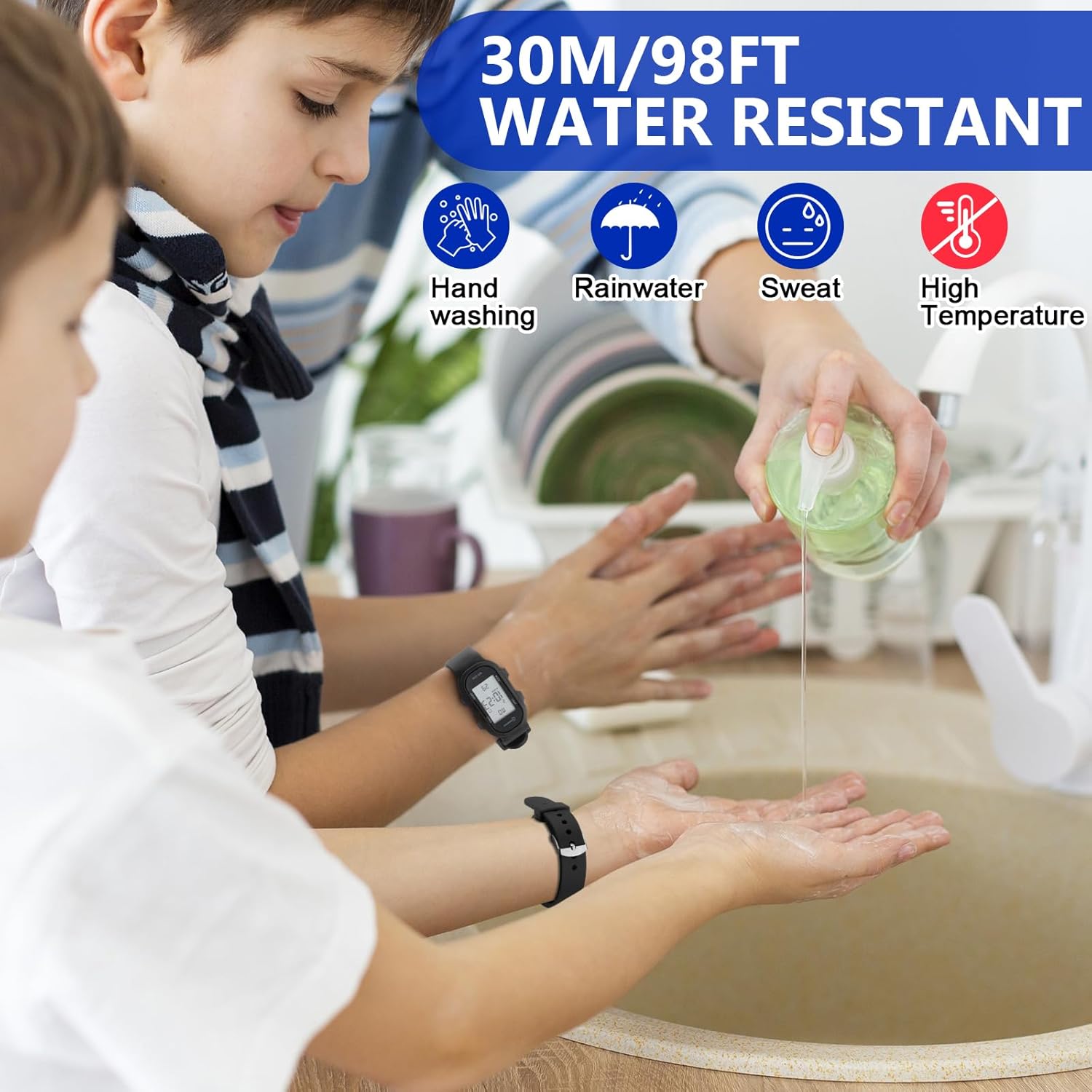
Image: Illustrates the watch's water resistance for daily activities like hand washing, with warnings against high temperatures.
Troubleshooting
| Problem | Possible Cause | Solution |
|---|---|---|
| Watch display is blank or dim. | Low or dead battery. | Replace the battery. Consult a professional to maintain water resistance. |
| Time is inaccurate. | Time needs to be reset; battery is low. | Reset the time according to the "Setting the Time and Date" section. If problem persists, replace battery. |
| Buttons are unresponsive. | Watch may be in a locked mode; internal malfunction. | Try pressing the MODE button multiple times. If unresponsive, the watch may require professional inspection. |
| Watch is not water resistant as expected. | Buttons pressed underwater; exposed to high temperatures; seal compromised. | Ensure no buttons are pressed underwater. Avoid hot water. If water ingress occurs, dry immediately and seek professional repair. |
| Metal clasp causes discomfort. | Sharp edge on the clasp. | Wear the watch looser or consider applying a protective layer to the inside of the clasp if discomfort persists. |
Specifications
| Feature | Detail |
|---|---|
| Model Number | 24211 |
| Brand | Juboos |
| Water Resistance | 3ATM (30 meters / 98 feet) |
| Movement | Japanese Imported Digital Movement |
| Display Type | Digital |
| Functions | Time, Date, Day of Week, Alarm, Stopwatch, Night Light, Hourly Chime |
| Mirror Material | High definition plexiglass |
| Clasp Type | Buckle |
| Weight | 0.92 ounces (approx. 26 grams) |
| Dimensions (Watch Face) | Approx. 3.5cm (1.38in) height x 1.7cm (0.67in) width |
| Strap Length (Total) | Approx. 23.5cm (9.25in) |

Image: Detailed dimensions and weight of the Juboos Kids Digital Watch.
Warranty and Support
For warranty information and customer support, please refer to the product packaging or contact Juboos customer service directly. Specific warranty terms and conditions may vary.
You can visit the official Juboos store on Amazon for more information: Juboos Store
Ask a question about this manual
Ask about setup, troubleshooting, compatibility, parts, safety, or missing instructions. Manuals+ will review the question and use this page’s manual context to help answer it.