
1. Product Overview
The Mgaolo Mini Karaoke Machine is a portable entertainment device designed for children, featuring a Bluetooth speaker and two wireless microphones. It includes interactive LED lights and various voice effects to enhance the user experience.

Package Contents:
- 1x Karaoke Speaker
- 2x Wireless Microphones
- 1x USB Type-C Charging Cable
- 1x User Manual
2. Setup
2.1 Charging the Device and Microphones
Before initial use, fully charge the karaoke speaker and both wireless microphones. Use the provided USB Type-C charging cable.
- Connect the USB Type-C cable to the charging port on the speaker and each microphone.
- Connect the other end of the cable to a compatible USB power adapter (not included).
- A red indicator light on the microphones will turn off when fully charged.
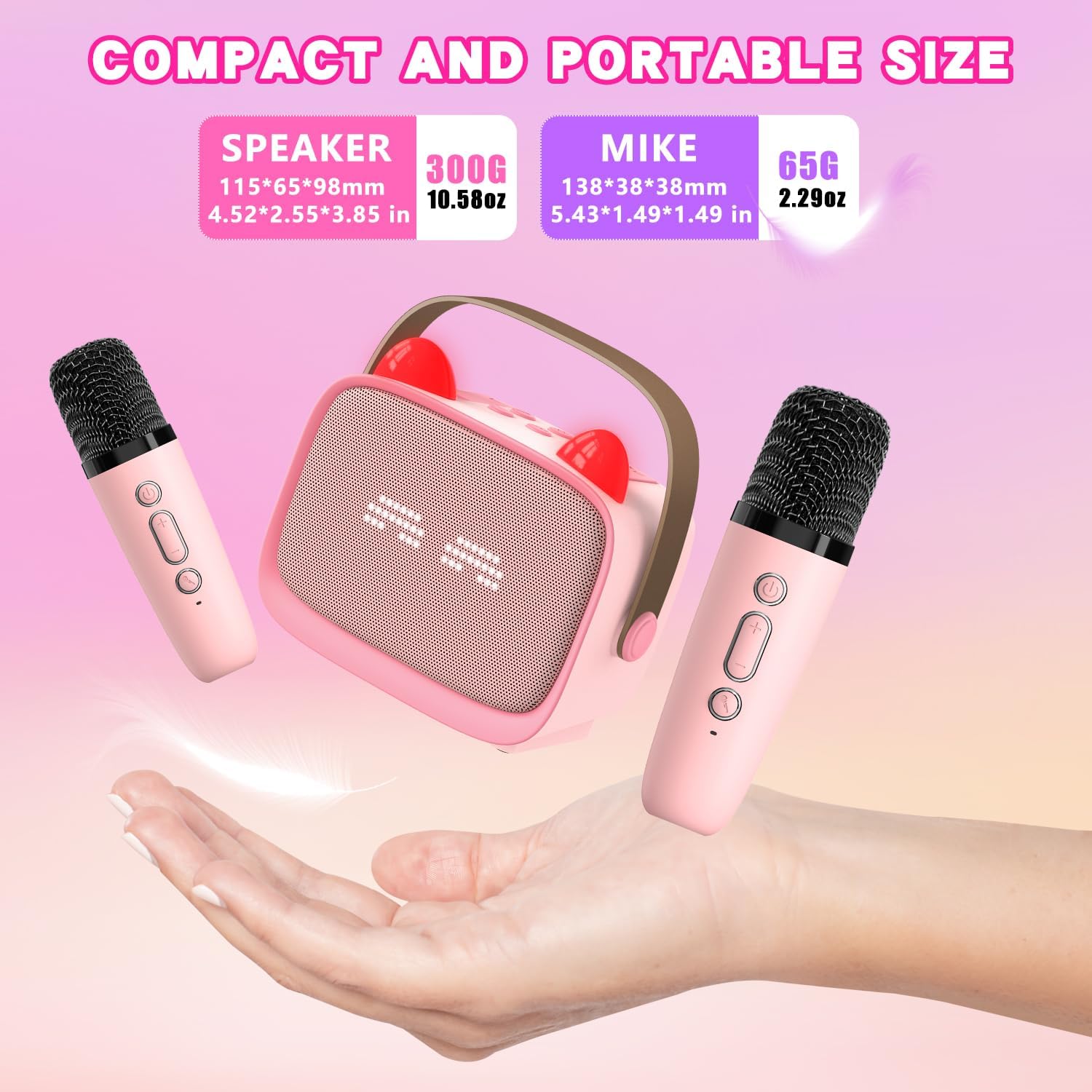
2.2 Powering On/Off
- Speaker: Long press the power button on the top of the speaker to turn it on or off.
- Microphones: Long press the power button on each microphone to turn it on or off.
2.3 Pairing Microphones
The wireless microphones are designed to automatically pair with the speaker when both are powered on. A blue indicator light on the microphone confirms successful pairing.
2.4 Connecting to an Audio Source
The karaoke machine supports multiple connection methods:
- Bluetooth 5.3: Turn on the speaker and enable Bluetooth on your smartphone, tablet, or other compatible device. Select "Mgaolo Karaoke" from the list of available devices to connect.
- TF Card: Insert a TF (Micro SD) card with pre-loaded music into the designated slot on the back of the speaker.
- AUX Input: Connect an external audio device using a 3.5mm AUX cable (not included) to the AUX port on the back of the speaker.

3. Operating Instructions
3.1 Speaker Controls
- Power Button: Long press to turn the speaker on/off.
- Volume +/-: Short press to adjust the speaker's music volume.
- Play/Pause: Short press to play or pause music.
- Mode (M) Button: Short press to switch between Bluetooth, TF card, and AUX input modes.
- LED Light Control: Short press the light button to cycle through different LED lighting effects. Long press to turn off the LED effect.
3.2 Microphone Controls
- Power Button: Long press to turn the microphone on/off.
- Microphone Volume +/-: Short press to adjust the microphone's output volume through the speaker.
- Voice Changer Button: Short press to cycle through 5 different voice effects (Original, Baby, Male, Female, Monster).
- Echo Effect: Short press the '+' or '-' button on the microphone to cycle and adjust the echo volume.
- Vocal Removal: Long press the microphone button on the speaker to remove or restore music vocals from a playing track.

3.3 Interactive LED Lights
The speaker features multi-color LED lights that synchronize with music rhythms, creating a dynamic visual display. These lights can be controlled via the dedicated light button on the speaker.
4. Maintenance
4.1 Charging
Ensure the device and microphones are charged regularly. The speaker provides 6-10 hours of play time on a 2-3 hour charge. Use only the provided USB Type-C cable for charging.
4.2 Cleaning
Wipe the device and microphones with a soft, dry cloth. Avoid using abrasive cleaners or solvents that may damage the surface.
4.3 Storage
Store the karaoke machine and microphones in a cool, dry place away from direct sunlight and extreme temperatures when not in use.
5. Troubleshooting
- No Sound from Speaker:
- Ensure the speaker is powered on and charged.
- Check the speaker's volume level.
- Verify the audio source (Bluetooth, TF card, AUX) is correctly connected and playing.
- No Sound from Microphone:
- Ensure the microphone is powered on and charged.
- Check the microphone's volume level.
- Confirm the microphone is successfully paired with the speaker (blue indicator light).
- Distorted Sound:
- Reduce the volume of both the speaker and the microphone.
- Ensure the microphone is not too close to the speaker to prevent feedback.
- Bluetooth Pairing Issues:
- Make sure the speaker is in Bluetooth mode.
- Disable and re-enable Bluetooth on your audio source device.
- Move the speaker closer to your audio source.
- LED Lights Not Working:
- Short press the light button on the speaker to activate or change the light mode.
- Ensure the speaker is powered on.
6. Specifications
| Feature | Specification |
|---|---|
| Brand | MgaoLo |
| Model Number | B0FD9YD7VN |
| Item Weight | 1.12 pounds |
| Product Dimensions | 4.33 x 3.94 x 2.36 inches |
| Batteries | 1 Nonstandard Battery (included) |
| Battery Type | Lithium Ion |
| Power Source | Battery Powered |
| Connector Type | USB Type C |
| Speaker Count | 1 |
| Special Features | Echo Effect, Light Up Speaker, Lightweight, Portable, Rechargeable |
| Compatible Devices | MP3 Player, Smartphone, Tablet, Speaker |
7. Warranty and Support
For warranty information or technical support, please refer to the contact details provided with your purchase or visit the official Mgaolo website.