
1. Introduction
This manual provides detailed instructions for the GREYOLK V3 Open Ear Headphones. Designed for comfort and situational awareness, these Bluetooth 5.4 wireless headphones feature an AI noise-cancelling microphone and Hi-Fi stereo sound, making them suitable for work, calls, meetings, driving, and sports. Please read this manual thoroughly before use to ensure proper operation and maintenance.
2. What's in the Box
- GREYOLK V3 Open Ear Headphones
- USB-C Charging Cable
- User Manual
3. Product Overview
The GREYOLK V3 headphones are engineered for an optimal audio experience while maintaining awareness of your surroundings. Key features include:
- Open Ear Design: Enhances comfort and allows awareness of surroundings.
- AI Noise Cancelling Microphone: Minimizes background noise for clear conversations.
- HI-FI Stereo Sound: 15mm speakers deliver immersive audio with clarity and depth.
- Ultra-Light & Comfortable: Weighing only 32g, designed for extended wear.
- Durable Bluetooth Headset: Offers up to 10 hours of talk time on a single charge.
- Effortless Control: Intuitive multi-function button (MFB) and 270° rotatable microphone.
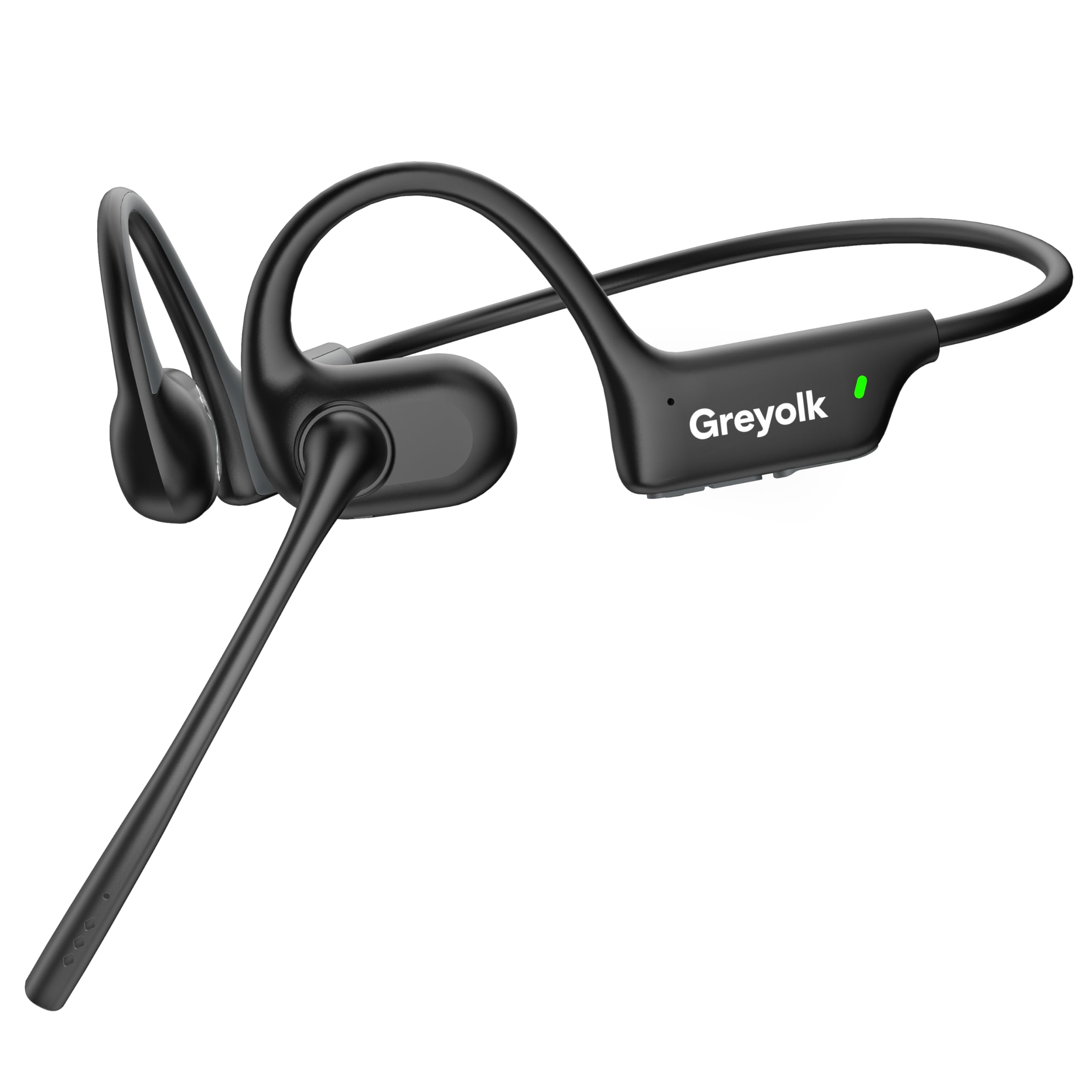
Image: GREYOLK V3 Open Ear Headphones with an adjustable microphone.

Image: A man wearing the GREYOLK V3 Open Ear Headphones with Mic, demonstrating the open-ear design for comfort and awareness in a professional environment.

Image: A woman using the GREYOLK V3 headphones, highlighting the AI Noise Cancellation Microphone feature for clear calls by minimizing background noise.

Image: An exploded diagram showcasing the internal components of the GREYOLK V3's 15mm dynamic driver, emphasizing its Hi-Fi stereo sound capabilities.

Image: A cyclist wearing the GREYOLK V3 Open Ear Headphones, illustrating how the design allows for awareness of surroundings, such as traffic, enhancing safety during outdoor activities.

Image: The GREYOLK V3 headphones simultaneously connected to a smartphone and a laptop, demonstrating its stable Bluetooth 5.4 connectivity and multi-device pairing capability.
Video: An official product video demonstrating the GREYOLK V3 Open Ear Headphones with Mic for work, highlighting its features and use cases.
4. Setup
4.1 Charging the Headphones
Before first use, fully charge your GREYOLK V3 headphones. Connect the provided USB-C charging cable to the charging port located on the headset. A full charge takes approximately 2 hours and provides up to 10 hours of talk/music time.

Image: A close-up view of the GREYOLK V3 headset's Type-C charging port and simple button controls.
4.2 Powering On/Off and Pairing
- Power On: Press and hold the Multi-Function Button (MFB) for 2 seconds until the indicator light illuminates.
- Pairing Mode: When powering on for the first time, the headphones will automatically enter pairing mode, indicated by a blinking light. If already paired, they will attempt to reconnect to the last device. To manually enter pairing mode, press and hold the MFB for 5 seconds.
- Connect to Device: On your device (smartphone, tablet, laptop), enable Bluetooth and select "V3" from the list of available devices. Once connected, the indicator light will stop blinking.
- Power Off: Press and hold the MFB for 5 seconds until the indicator light turns off.

Image: The GREYOLK V3 headphones displaying Bluetooth 5.4 connectivity and a 10-meter range, shown pairing with a smartphone.
5. Operating Instructions
5.1 Call Management
- Answer/End Call: Single click the MFB.
- Reject Call: Long press the MFB.
- Adjust Microphone: The 270° rotatable microphone can be adjusted to optimize voice capture.
5.2 Music Control
- Play/Pause: Single click the MFB.
- Next Track: Double click the '+' button.
- Previous Track: Double click the '-' button.
- Volume Up: Single click the '+' button.
- Volume Down: Single click the '-' button.
Image: Detailed view of the GREYOLK V3's simple button controls for power, volume, track selection, and call management.
6. Maintenance
- Cleaning: Wipe the headphones with a soft, dry cloth. Avoid using harsh chemicals or abrasive materials.
- Storage: Store the headphones in a cool, dry place away from direct sunlight and extreme temperatures.
- Water Resistance: The headphones are water-resistant. Avoid submerging them in water or exposing them to heavy rain for extended periods.
7. Troubleshooting
- No Power: Ensure the headphones are fully charged.
- Cannot Pair:
- Ensure Bluetooth is enabled on your device.
- Ensure the headphones are in pairing mode (blinking indicator light).
- Move the headphones closer to your device (within 10 meters).
- Restart both the headphones and your device.
- Confirm your device supports Bluetooth audio devices.
- Poor Sound Quality:
- Check the volume levels on both the headphones and your connected device.
- Ensure there are no obstructions between the headphones and your device.
- Move away from sources of strong electromagnetic interference.
- Microphone Issues:
- Ensure the microphone is properly positioned towards your mouth.
- Check for any debris blocking the microphone holes.
- Verify that the AI Noise Cancellation is functioning correctly in noisy environments.
8. Specifications
| Brand | GREYOLK |
| Model Name | V3 |
| Ear Placement | Open Ear |
| Connectivity Technology | Wireless (Bluetooth) |
| Bluetooth Version | 5.4 |
| Bluetooth Range | 10 Meters |
| Noise Control | Active Noise Cancellation (AI Noise Cancelling Microphone) |
| Audio Driver Size | 15 Millimeters |
| Frequency Range | 20 Hz - 20,000 Hz |
| Battery Average Life | 10 Hours (Talk/Music Time) |
| Battery Charge Time | 2 Hours |
| Item Weight | 32 Grams |
| Water Resistance Level | Water Resistant |
| Control Type | Button Control |
| Compatible Devices | Cellphones, Desktops, Tablets |
9. Warranty and Support
The GREYOLK V3 Open Ear Headphones come with a 2 Year Warranty. For any product inquiries, technical support, or warranty claims, please contact GREYOLK customer service through the retailer's platform or the official GREYOLK website.