
1. Introduction
Thank you for choosing the KXAITO 3379 Men's Dual Display Sports Watch. This manual provides detailed instructions for setting up, operating, and maintaining your watch. Please read it carefully to ensure proper use and to maximize the lifespan of your device.

Figure 1: Front view of the KXAITO 3379 Dual Display Sports Watch.
2. Product Features
- Dual Time Zones: Displays time for two different locations simultaneously.
- Stopwatch: Precision timing for various activities.
- Multiple Alarms: Four independent alarms for daily reminders.
- Countdown Timer: Useful for tracking specific durations.
- Calendar: Displays date, day, and month.
- Hourly Chime: Optional audible alert every hour.
- 5 ATM Water Resistance: Suitable for swimming and everyday water exposure.
- Shockproof Construction: Enhanced durability for active use.
- Luminous Display: Backlight and glow-in-the-dark elements for visibility in low light.
- 12/24 Hour Format: Selectable time display format.
- Drowsiness Reminder: A convenient function for long periods of activity.
3. Specifications

Figure 2: KXAITO 3379 Watch Dimensions and Materials.
| Feature | Detail |
|---|---|
| Brand | KXAITO |
| Model Number | KXAITO 3379 |
| Movement Type | Electron + Quartz |
| Case Material | Steel Ring and ABS |
| Mirror Material | Acrylic |
| Band Material | Thermoplastic Polyurethane (TPU) |
| Clasp Type | Buckle |
| Case Diameter | 44.5 mm (1.75 inches) |
| Case Thickness | 16.5 mm (0.64 inches) |
| Band Width | 22 mm (0.86 inches) |
| Band Length | 260 mm (10.2 inches) |
| Weight | 52 g |
| Water Resistance | 5 ATM (50 meters / 165 feet) |
| Power Source | Battery Powered |
4. Button Functions
The KXAITO 3379 watch features four control buttons, typically located on the sides of the watch case. For the purpose of these instructions, we will refer to them by their common functions:
- Light Button (Top-Left): Activates the backlight for the digital display.
- Mode Button (Bottom-Left): Cycles through different modes (Time, Alarm, Stopwatch, Countdown Timer, Dual Time).
- Start/Increment Button (Top-Right): Starts/stops the stopwatch, increases values during setting, or selects options.
- Set/Reset Button (Bottom-Right): Enters/exits setting mode, resets stopwatch, or confirms selections.

Figure 3: Watch button functions and display elements.
5. Setup and Operating Instructions
5.1 Initial Setup
- Remove Battery Tab: If present, gently pull out any plastic battery tab from the side of the watch to activate the battery.
- Power On: The digital display should illuminate. If not, press the Light Button.
5.2 Setting Time and Date (Digital Display)
- In normal time mode, press and hold the Set/Reset Button until the seconds begin to flash. This indicates you are in setting mode.
- Press the Mode Button to cycle through the settings: Seconds → Hour → Minute → Year → Month → Day → 12/24 Hour Format.
- Use the Start/Increment Button to adjust the flashing value.
- Once all settings are correct, press the Set/Reset Button again to exit setting mode.
5.3 Setting Analog Time
The analog hands are typically set independently. Pull out the crown (the small knob on the right side of the watch case) to the first or second click position (depending on the model). Rotate the crown to adjust the hour and minute hands. Push the crown back in to start the analog movement.
5.4 Using the Stopwatch
- Press the Mode Button repeatedly until 'STW' or 'STOP' appears on the digital display.
- Press the Start/Increment Button to start the stopwatch.
- Press the Start/Increment Button again to pause the stopwatch.
- Press the Set/Reset Button to reset the stopwatch to zero.
- To exit stopwatch mode, press the Mode Button.
5.5 Setting an Alarm
- Press the Mode Button repeatedly until 'ALM' or 'ALARM' appears on the digital display.
- Press the Set/Reset Button to select an alarm (AL1, AL2, etc., if multiple are available).
- Press and hold the Set/Reset Button until the hour digits flash.
- Use the Start/Increment Button to adjust the hour.
- Press the Mode Button to move to the minute setting, then use the Start/Increment Button to adjust.
- Press the Set/Reset Button to confirm and exit alarm setting.
- To turn the alarm ON/OFF, in alarm mode, press the Start/Increment Button. An alarm icon will appear/disappear.
5.6 Using the Backlight
Press the Light Button (Top-Left) to illuminate the digital display. The backlight will typically stay on for a few seconds.
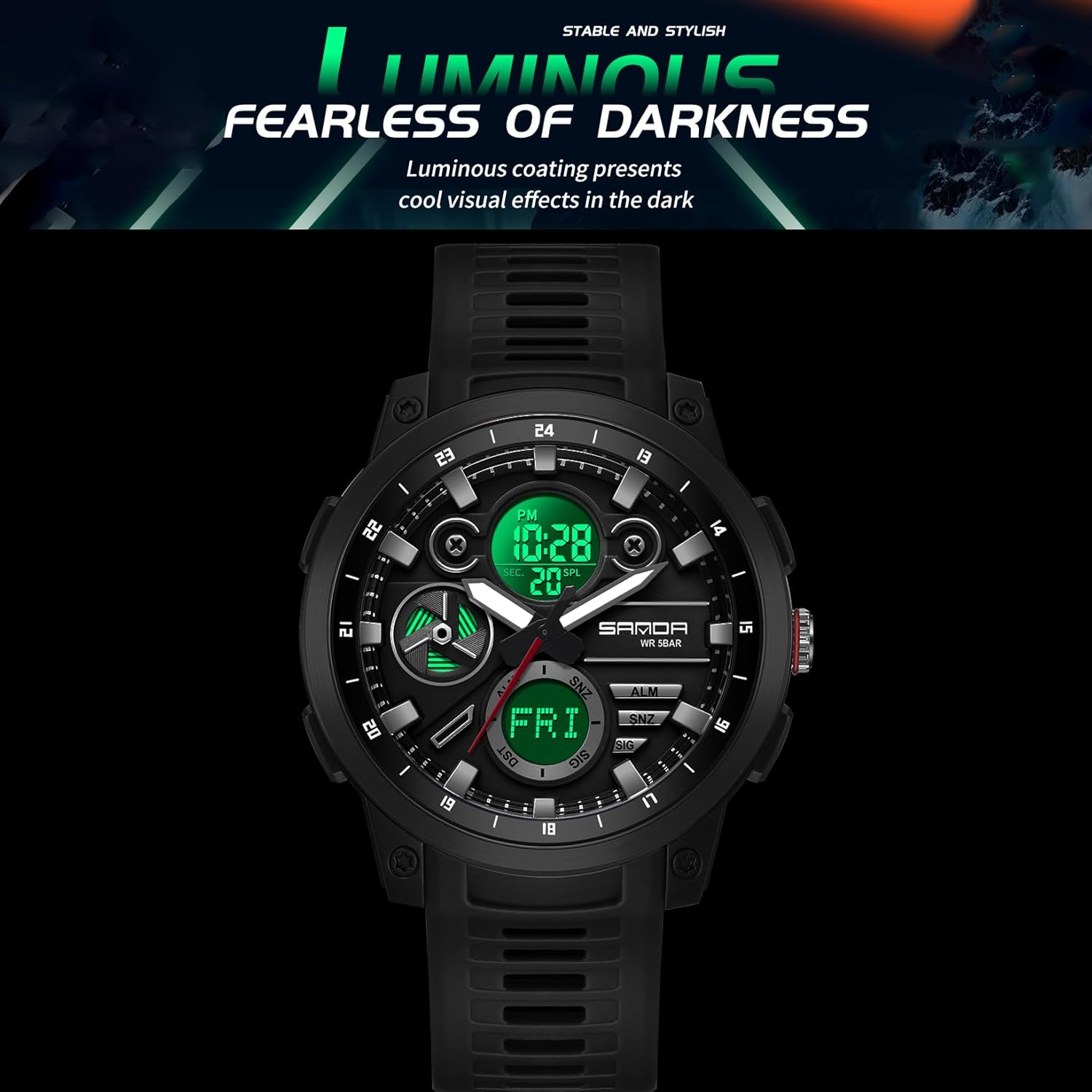
Figure 4: Luminous display for night visibility.
6. Water Resistance Guidelines
Your KXAITO 3379 watch is rated for 5 ATM (50 meters / 165 feet) water resistance. This means it is suitable for:
- Daily use, such as hand washing and face washing.
- Exposure to rain.
- Showering (avoid hot water and steam).
- Swimming in shallow water.
Important Precautions:
- Do NOT press any buttons while the watch is submerged in water.
- Do NOT expose the watch to hot water, steam, or extreme temperature changes, as this can compromise the water seals.
- Avoid diving, snorkeling, or high-pressure water activities.
- Ensure the crown is fully pushed in before any water exposure.

Figure 5: Watch demonstrating water resistance.
7. Maintenance
- Cleaning: Wipe the watch case and band regularly with a soft, damp cloth. For stubborn dirt, a mild soap solution can be used, followed by rinsing with clean water and drying thoroughly.
- Avoid Chemicals: Do not expose the watch to strong chemicals, solvents, or detergents, as these can damage the case, band, or seals.
- Temperature: Avoid exposing the watch to extreme temperatures (hot or cold) for prolonged periods.
- Battery Replacement: When the display dims or the watch stops functioning, the battery may need replacement. It is recommended to have the battery replaced by a professional watch technician to ensure water resistance is maintained.
- Storage: When not in use for extended periods, store the watch in a cool, dry place away from direct sunlight.
8. Troubleshooting
| Problem | Possible Cause | Solution |
|---|---|---|
| Digital display is blank or dim. | Low battery or battery tab still in place. | Check for battery tab. Replace battery if necessary. |
| Analog hands are not moving. | Crown is pulled out or low battery. | Push the crown fully in. Replace battery if issue persists. |
| Buttons are unresponsive. | Watch may be in a locked mode or internal error. | Try pressing all buttons to see if any respond. If not, a battery reset (removing and reinserting battery) by a professional may be needed. |
| Water inside the watch. | Water resistance compromised. | Immediately take the watch to a professional for inspection and repair to prevent further damage. Avoid further water exposure. |
9. Product Demonstration
Video 1: Demonstration of the KXAITO 3379 watch's features, including button functions, backlight, and strap removal.
10. Warranty and Support
This KXAITO watch comes with a manufacturer's warranty. For specific warranty terms, conditions, and duration, please refer to the documentation included with your purchase or contact KXAITO customer support directly.
For technical support or inquiries, please visit the official KXAITO website or contact their customer service department. Keep your purchase receipt as proof of purchase for warranty claims.
