
Introduction
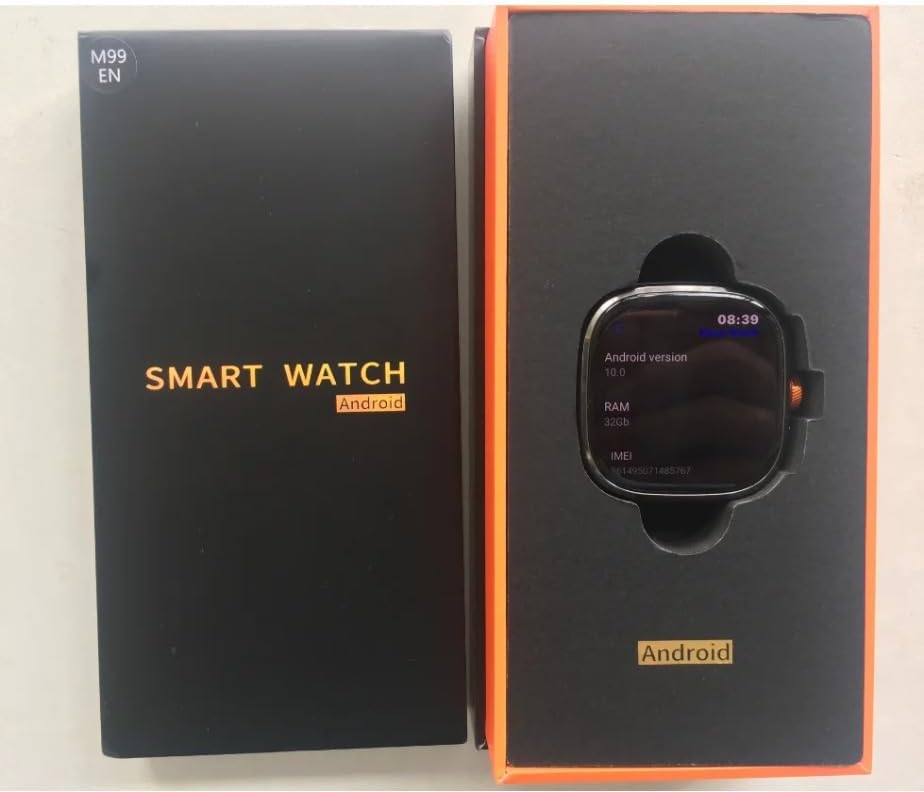
Thank you for choosing the XINDADA M99 Smartwatch. This manual provides essential information for setting up, operating, and maintaining your device. Please read it carefully to ensure optimal performance and longevity of your smartwatch.
What's in the Box
- 1 x XINDADA M99 Smartwatch
- 1 x Watch Strap
- 1 x Charging Cable
- 1 x User Manual
Key Features
- 4G Netcom: Supports global calls for comprehensive connectivity.
- Powerful Processor: Equipped with a SC8541E quad-core 1.4GHz CPU for smooth operation.
- Android 10.0 OS: High-performance, low-power Android 10.0 for a secure and fluid user experience.
- Ample Storage: Available in 4GB RAM + 64GB storage or 8GB RAM + 128GB storage configurations.
- Vibrant Display: Large 2.4-inch AMOLED screen with 720x720 HD resolution.
- Rotating HD Camera: Features a 900W (9MP) rotating camera for versatile photo and video capture.
- Long-lasting Battery: Integrated 2100mAh battery ensures extended usage.


Setup
Connecting to Your Mobile Phone (HiSportPro App)
To fully utilize your smartwatch's features, connect it to your mobile phone using the HiSportPro application.
- Step 1: Activate Bluetooth
Ensure Bluetooth is enabled on both your XINDADA M99 Smartwatch and your mobile phone. - Step 2: Download and Link the App
On your smartwatch, access the app market and download the Bluetooth assistant. Use this assistant to scan and download the 'HiSportPro' app onto your mobile phone. Once installed, open the Bluetooth service within the assistant on your watch, then scan the QR code displayed on your watch using the HiSportPro app on your phone to establish the connection. - Step 3: Enable Information Synchronization
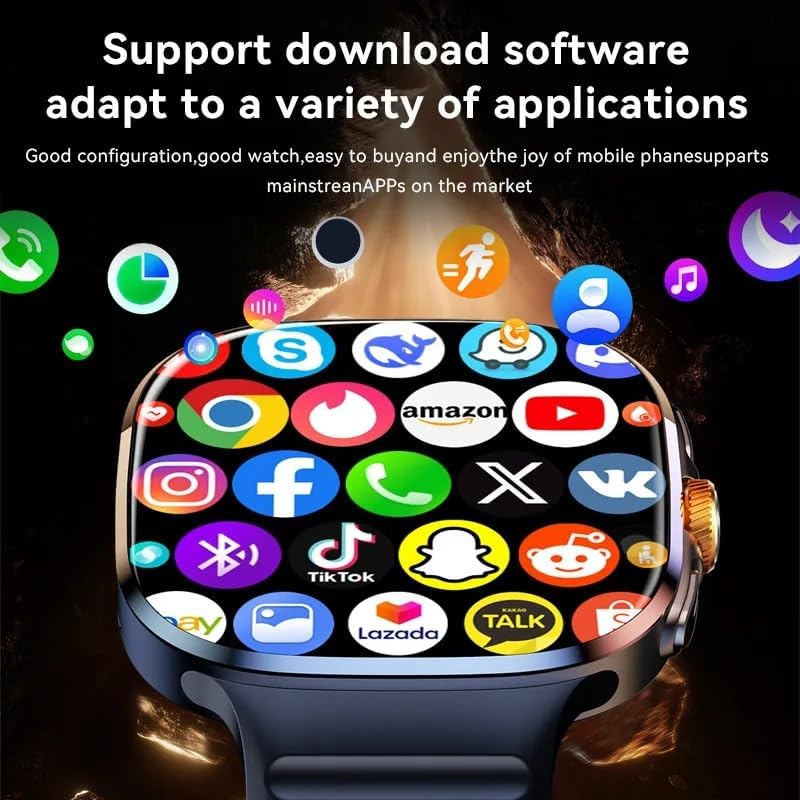
After linking, configure the HiSportPro app to allow mobile phone information to be pushed to your smartwatch. This enables you to receive notifications, heart rate data, weather updates, and access the app market directly on your watch.
Operating Your Smartwatch
Basic Navigation
The XINDADA M99 Smartwatch features a touch-sensitive AMOLED display for navigation. Swipe left, right, up, or down to access different menus, notifications, and quick settings. Tap icons to open applications or select options.
Making Calls
With 4G Netcom support and a SIM card, you can make and receive calls directly from your smartwatch. Access the 'Phone' application to dial numbers or view call history.
Using the Camera
The 900W rotating HD camera can be activated from the camera application. Rotate the camera lens to capture photos or videos from various angles (front, rear, side).


Connectivity
Supported Network Bands
The smartwatch supports a wide range of frequency bands for global compatibility:
- 2G: B2 + B3 + B8 + B5
- 3G: B1 + B2 + B5 + B8
- 4G_FDD: B1+B2+B3+B4+B5+B7+B8+B12+B17+B20+B28+B66
- 4G_TDD: B34+B38+B39+B40+B41
Wireless Technologies
The M99 Smartwatch integrates the following wireless technologies:
- Wi-Fi: For internet access and faster data transfer.
- GPS: Built-in GPS for accurate location tracking and navigation.
- NFC: For contactless payments and other NFC-enabled functionalities.
- Bluetooth: For connecting to your mobile phone and other Bluetooth accessories.
Maintenance
Battery Care
- Charge the smartwatch using the provided charging cable.
- Avoid extreme temperatures, as they can affect battery life.
- Do not leave the battery completely drained for extended periods.
Cleaning and Storage
- Wipe the screen and body with a soft, dry, lint-free cloth.
- Avoid using harsh chemicals or abrasive materials.
- Store the smartwatch in a cool, dry place when not in use.
Troubleshooting
If you encounter any issues with your XINDADA M99 Smartwatch, please try the following basic troubleshooting steps:
- Device not turning on: Ensure the battery is charged. Connect the smartwatch to the charger and wait a few minutes before attempting to power it on.
- Connectivity issues (Bluetooth/Wi-Fi): Ensure Bluetooth and Wi-Fi are enabled on both devices. Try restarting both the smartwatch and the connected device. For app connection, re-follow the steps in the 'Setup' section.
- App not syncing: Verify that the HiSportPro app is running on your phone and has the necessary permissions. Check your phone's internet connection.
- Slow performance: Close unnecessary applications running in the background. Consider clearing cache or performing a factory reset (note: this will erase all data).
If problems persist, please refer to the 'Support' section for further assistance.
Specifications
| Brand | XINDADA |
| Model | M99 |
| Color | Black |
| Screen Size | 2.4 Inches |
| Display Type | AMOLED |
| Operating System | Android 10 |
| Memory Storage Capacity | 64 GB (also available in 128 GB) |
| Battery Capacity | 2100 mAh |
| Connectivity Technology | Bluetooth, Wi-Fi, 4G/5G, GPS, NFC |
| Special Features | GPS, NFC, Rotating Camera |
| Compatible Devices | Smartphone |
| Shape | Rectangular |
Warranty and Support
Manufacturer Warranty
This product comes with a 1-year manufacturer warranty. Please retain your proof of purchase for warranty claims.
Customer Support
For technical assistance, warranty claims, or any other inquiries, please contact XINDADA customer support through the retailer where you purchased the product or visit the official XINDADA website for contact information.