
XINDADA M99
XINDADA M99 Smartwatch User Manual
Model: M99
Introduction
The XINDADA M99 Smartwatch is a high-performance wearable device featuring 4G/5G global calling capabilities, an Android 10 operating system, and a large 2.4-inch AMOLED display. Designed for both social interaction and fitness tracking, it offers a smooth user experience with its quad-core processor and ample storage options. This manual provides essential information for setting up, operating, and maintaining your M99 Smartwatch.

Figure 1: XINDADA M99 Smartwatch with its vibrant display showing various application icons.
What's in the Box
Upon unboxing your XINDADA M99 Smartwatch, please verify that all components listed below are present:
- 1 x XINDADA M99 Smartwatch
- 1 x Watch Strap
- 1 x Charging Cable
- 1 x User Manual
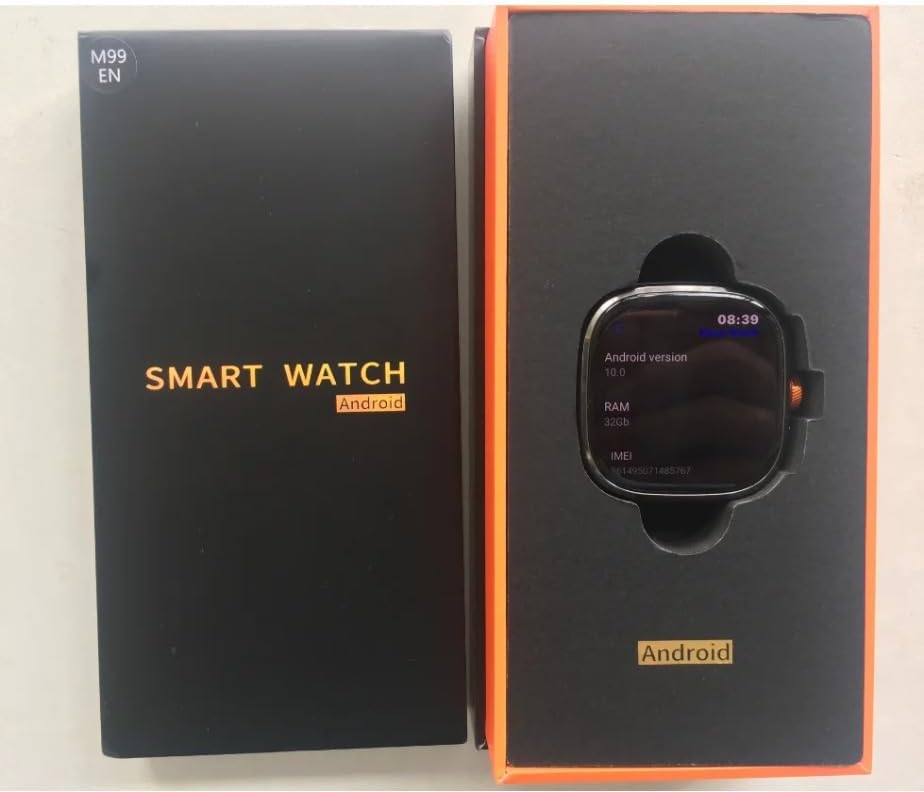
Figure 2: Contents of the XINDADA M99 Smartwatch package.
Specifications
| Feature | Detail |
|---|---|
| Processor | SC8541E Quad-core 1.4GHz |
| Operating System | Android 10.0 |
| Memory (RAM + ROM) | 4GB + 64GB / 8GB + 128GB (selectable) |
| Display | 2.4-inch AMOLED, 720x720 HD Resolution |
| Camera | 900W Rotatable HD Camera |
| Battery | 2100mAh |
| Connectivity | 4G Netcom (Global Call), GPS, WiFi, NFC, Bluetooth |
| Supported Frequency Bands |
|
Setup
1. Initial Charging
Before first use, fully charge your XINDADA M99 Smartwatch. Connect the provided charging cable to the watch and a compatible USB power adapter. The watch display will indicate charging status.
2. SIM Card Installation (Optional)
The M99 Smartwatch supports 4G/5G connectivity for global calls. To use this feature, insert a compatible SIM card into the designated slot on the watch. Refer to the watch's physical design for the exact SIM card tray location and orientation.
Operating Instructions
Basic Navigation
The M99 Smartwatch features a touch-sensitive AMOLED display. Swipe left, right, up, or down to navigate through menus, notifications, and applications. Tap to select items.

Figure 3: The 2.4-inch AMOLED display of the M99 Smartwatch.
Applications
The Android 10.0 operating system allows for the installation of various applications. Access the app market on your watch to download and install desired apps. The watch supports mainstream applications for communication, entertainment, and productivity.
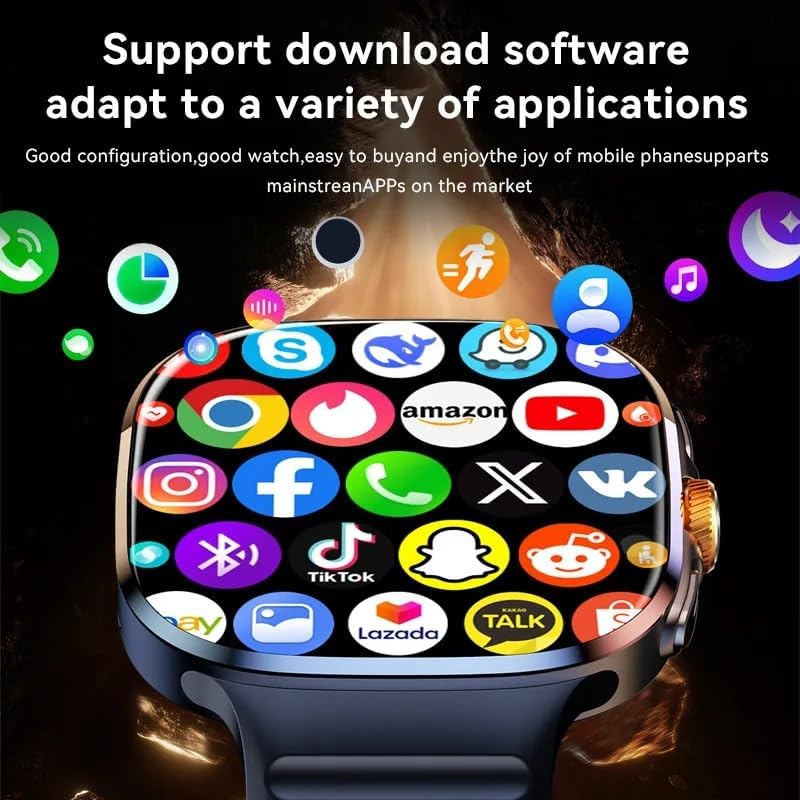
Figure 4: The M99 Smartwatch supports a wide range of downloadable applications.
Camera Functionality
The M99 Smartwatch is equipped with a 900W rotatable HD camera. This camera can be rotated 190 degrees, allowing for flexible shooting angles including front, rear, and side views without obstructing the screen.

Figure 5: The M99 Smartwatch features a scalable rotating camera.
Multimedia Playback
With its large AMOLED screen, the M99 Smartwatch is capable of playing high-definition videos, offering a theater-level viewing experience directly on your wrist.

Figure 6: Enjoy high-definition video playback on your M99 Smartwatch.
Connectivity
Connecting to Your Mobile Phone (HiSportPro App)
To synchronize information and receive notifications from your mobile phone, connect your M99 Smartwatch using the HiSportPro application. Follow these steps:
- Step 1: Ensure Bluetooth is active on both your M99 Smartwatch and your mobile phone.
- Step 2: On your smartwatch, download the Bluetooth assistant from the watch's app market. Use this assistant to scan and download the "HiSportPro" application onto your mobile phone. Once installed on your phone, open the Bluetooth service within the Bluetooth assistant on your watch. Then, use the HiSportPro app on your phone to scan the QR code displayed on your watch to establish the connection.
- Step 3: After successful pairing, your watch will receive information pushed from your mobile phone, including call reminders, messages, heart rate data, weather updates, and more. This enables seamless synchronization of information between your phone and watch.
The HiSportPro app also facilitates online OTA upgrades for your watch's software and provides access to the app market for additional features.
Maintenance
- Cleaning: Gently wipe the watch screen and body with a soft, dry, lint-free cloth. Avoid using abrasive materials or harsh chemicals.
- Water Resistance: While the watch may have some resistance to splashes, avoid submerging it in water or exposing it to high-pressure water streams. Refer to product specifications for exact water resistance ratings.
- Storage: Store the watch in a cool, dry place away from direct sunlight and extreme temperatures when not in use for extended periods.
- Battery Care: To prolong battery life, avoid fully discharging the battery frequently. Charge the watch regularly.
Troubleshooting
| Problem | Possible Solution |
|---|---|
| Watch does not turn on | Ensure the watch is fully charged. Connect it to the charger for at least 30 minutes. |
| Cannot connect to phone via Bluetooth |
|
| Poor 4G/5G signal |
|
| Screen is unresponsive | Try restarting the watch. If the issue persists, contact customer support. |
Warranty and Support
The XINDADA M99 Smartwatch comes with a manufacturer's warranty. Please refer to the warranty card included in your package for specific terms and conditions. For technical support, product inquiries, or warranty claims, please contact XINDADA customer service through their official website or the contact information provided with your purchase documentation.
Manufacturer's Warranty: 1 Year (as per product specifications)
Availability of Spare Parts: Information unavailable (as per product specifications)
Ask a question about this manual
Ask about setup, troubleshooting, compatibility, parts, safety, or missing instructions. Manuals+ will review the question and use this page’s manual context to help answer it.