
Product Overview
The Victrix Pro BFG Reloaded is a premium wireless gaming controller designed for PlayStation 5, PlayStation 4, and PC. It features a modular design, Hall-Effect technology for drift-free precision, and extensive customization options through the Victrix Control Hub PC app. This manual provides essential information for setting up, operating, and customizing your controller.
Key Features:
- 3 Customizable Modules with Built-In Hall-Effect Technology for drift-free precision.
- Ergonomically Enhanced 6-Button Fightpad Module with Kailh Microswitches.
- 5-Stop Hall-Effect Clutch Triggers with Hair-Trigger Mode for faster reactions.
- 4 Mappable Quick-Action Buttons for enhanced control.
- 11 Interchangeable Components including various thumbsticks, D-pads, and gates.
- Built-In 3.5mm Audio Jack with Premium Sony 3D Audio on PS5.
- Wired and Wireless Connectivity with up to 20-hour rechargeable battery.
- PlayStation Officially Licensed Product.
- Free Victrix Control Hub Companion App on PC for advanced customization.
- Includes Carrying Case and Module Tool for portability and easy customization.
Package Contents
Ensure all items are present in your Victrix Pro BFG Reloaded package:
- Victrix™ Pro BFG™ Reloaded Controller
- USB Wireless Transmitter
- Detachable 3m Braided USB-C Cable
- 6-button Fightpad Module with Khailh Microswitches
- Reversible D-Pad and Thumbstick Left Module with Hall-Effect Technology
- Swappable Button & Thumbstick Right Module with Hall-Effect Technology
- Interchangeable D-Pads, Thumbsticks, and Gates
- Module Customization Tool
- Carrying Case
Setup & Connectivity
Initial Connection (Wireless):
- Insert the USB Wireless Transmitter into an available USB port on your PlayStation console (PS5/PS4) or PC.
- Ensure the mode switch on the controller is set to the correct platform (PS5, PS4, or PC).
- Power on the Victrix Pro BFG Reloaded controller. The controller should automatically pair with the transmitter.
- The LED indicator on the controller will show a solid light when successfully connected.
Wired Connection:
- Connect the detachable 3m braided USB-C cable to the USB-C port on the controller and to an available USB port on your PlayStation console or PC.
- The controller will automatically switch to wired mode and begin charging.
Mode Switching:
Use the multi-platform mode switch located on the controller to easily transition between PlayStation 5, PlayStation 4, and PC modes.

Image: Rear view of the Victrix Pro BFG Reloaded controller, highlighting the mode switch for PS5, PS4, and PC.
Customization Options
The Victrix Pro BFG Reloaded offers extensive modularity and software-based customization to suit your playstyle.
Modular Components:
The controller features three customizable modules and eleven interchangeable components. Use the included module customization tool to swap out parts.
- Thumbsticks: Choose between standard caps, a dome cap, or a Sniper Stick for FPS games. All stick modules feature Hall-Effect technology for drift-free precision.
- D-Pads: Select from various D-pads and gates to optimize directional input.
- Fightpad Module: Replace the standard right module with the 6-button Fightpad module, featuring Kailh microswitches, ideal for fighting games.
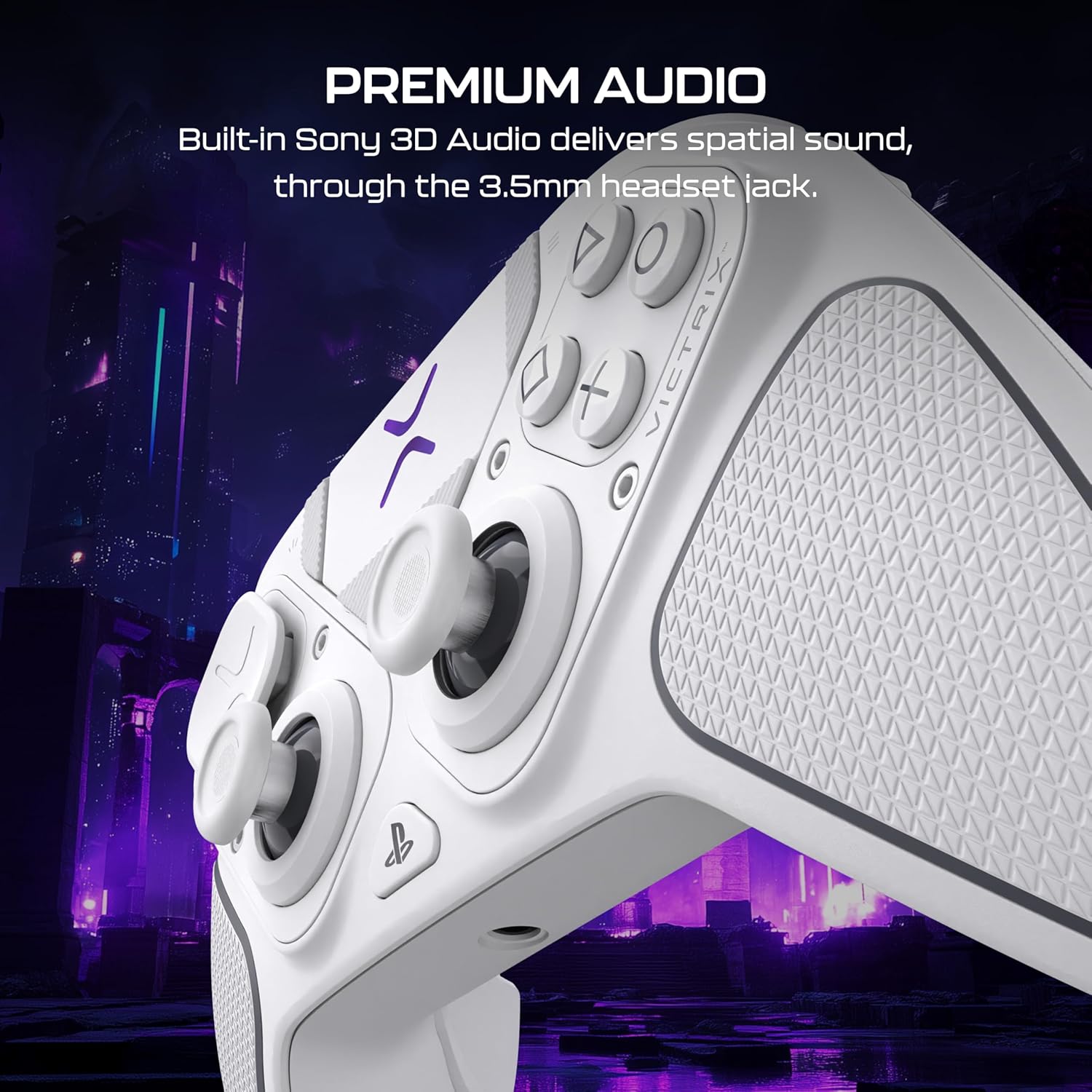
Image: The Victrix Pro BFG Reloaded controller disassembled, showing its modular design and interchangeable thumbsticks, D-pads, and the fightpad module.
Victrix Control Hub PC App:
Download the free Victrix Control Hub app on PC to fine-tune your controller settings:
- Button Remapping: Assign any button to another function.
- Trigger Adjustment: Customize the 5-stop Hall-Effect Clutch Triggers with Hair-Trigger mode. Adjust minimum and maximum deadzones for precise input.
- Analog Stick Deadzones: Fine-tune deadzones for analog sticks to eliminate drift and enhance accuracy.
- EQ Settings: Adjust audio equalizer settings for connected headsets.
- Firmware Updates: Keep your controller's firmware up-to-date for optimal performance.
Video: Official Victrix Pro BFG Control Hub App tutorial, demonstrating how to customize controller settings including button remapping, trigger adjustments, and audio settings.
Video: Official tutorial on adjusting trigger sensitivity and deadzones for the Victrix Pro BFG and Pro BFG Reloaded controllers.
Audio Features
The Victrix Pro BFG Reloaded enhances your audio experience:
- 3.5mm Headset Jack: Connect your favorite wired headset for low-latency, high-fidelity sound.
- Sony 3D Audio (PS5): Experience advanced spatial surround sound on PlayStation 5 for supported games.

Image: The Victrix Pro BFG Reloaded controller with a headset plugged into its 3.5mm jack, illustrating its premium audio capabilities.
Operating the Controller
Basic Controls:
- Familiarize yourself with the layout of the thumbsticks, D-pad, action buttons, and shoulder/trigger buttons.
- Utilize the four mappable quick-action back buttons for custom commands during gameplay.
Battery Management:
- The built-in rechargeable battery provides up to 20 hours of gameplay.
- Connect the USB-C cable to charge the controller. You can continue playing while charging in wired mode.
Technical Specifications
| Feature | Detail |
|---|---|
| Processor | 500 MHz Dual-core ARM-7 Victrix proprietary MCU, firmware upgradeable |
| Wireless Compatibility | 30-foot wireless range |
| Wired Compatibility | Detachable 3m braided USB-C cable |
| Audio Input/Output | 3.5mm 4-pole headset jack, PS5 console compatible Sony 3D Audio |
| Battery Life | Up to 20 hours |
| Buttons | High-response elastomer membrane (standard module), Low damped Fightpad module with Khailh Microswitches |
| Product Weight (controller) | 265g / 0.58lb |
| Product Dimensions (W x H x D) | 160mm x 105mm x 60mm (6.3” x 4.1” x 2.4”) |
| Item Model Number | TBC-3101-15 |
Troubleshooting
If you encounter issues with your Victrix Pro BFG Reloaded controller, try the following steps:
- Connection Issues: Ensure the USB Wireless Transmitter is securely plugged in and the controller's mode switch matches your platform (PS5/PS4/PC). Try re-pairing the controller by holding the profile button until it blinks, then pressing the sync button on the transmitter.
- Drift/Input Inaccuracy: Calibrate the analog sticks using the Victrix Control Hub PC app. Ensure Hall-Effect modules are correctly seated.
- Controller Not Responding: Check battery level. Connect the controller via USB-C cable to ensure it's powered. Perform a hard reset by holding the PlayStation button for 5 seconds.
- Firmware Update Issues: Ensure your PC has the latest Victrix Control Hub app and a stable internet connection. Follow the app's instructions for firmware updates.
- Audio Problems: Verify headset connection. Check audio settings in the Victrix Control Hub app and your console/PC settings.
Warranty and Support
The Victrix Pro BFG Reloaded controller comes with a manufacturer's warranty. Please refer to the warranty card included in your package or visit the official Turtle Beach website for detailed warranty information and support resources.
For further assistance, product registration, or to download the Victrix Control Hub PC app, visit the Official Turtle Beach Store or their support website.