
1. Introduction
The BLUETTI Elite 100 V2 is a compact and powerful portable power station designed to provide reliable energy for various applications, including camping, emergencies, and home backup. With a 1024Wh capacity and 1800W AC output (2700W Power Lifting), it can power up to 11 devices simultaneously. This model is 35% smaller than previous versions, making it highly portable with a hidden handle for easy transport. It features optimized solar charging, allowing a full charge in 7 hours with the included 200W solar panel.
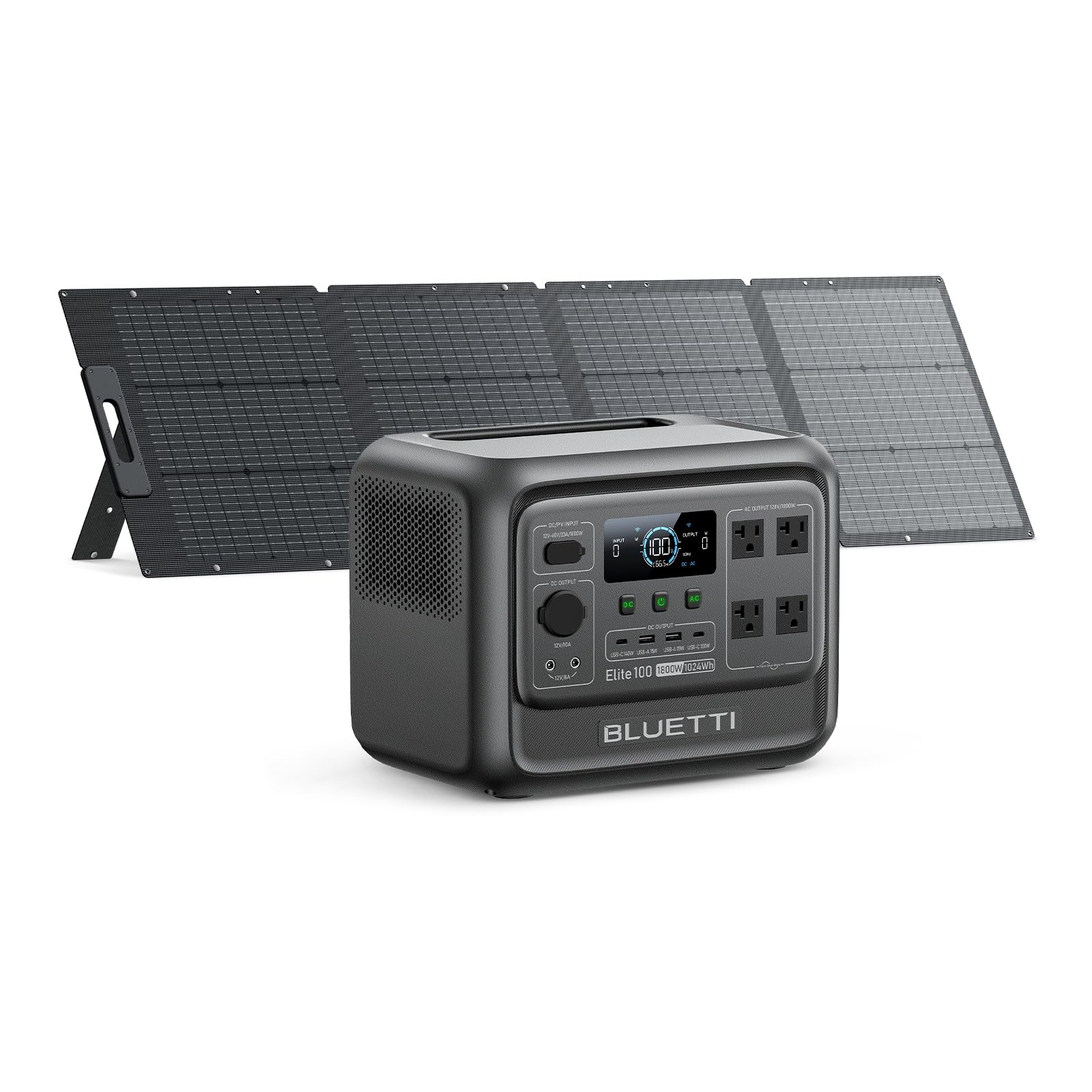
Figure 1: Front view of the BLUETTI Elite 100 V2 Portable Power Station.
2. What's in the Box
Upon unboxing your BLUETTI Elite 100 V2, you will find the following items:
- BLUETTI Elite 100 V2 Portable Power Station
- 200W Solar Panel (ships separately)
- AC Charging Cable
- Solar Charging Cable
- Grounding Screw
- User Manual
Optional accessories that may be purchased separately include a USB-C to USB-C Cable, Car Charging Cable, and Lead-acid Battery Charging Cable.
Video 1: An unboxing and overview of the BLUETTI Elite 100 V2, detailing the contents of the package and optional accessories.
3. Product Overview
3.1. Compact Design
The Elite 100 V2 is engineered for portability, weighing 25 lbs and featuring compact dimensions of 12.6"L x 8.5"W x 9.8"H. Its design includes a hidden handle for easy one-handed transport, making it convenient for various outdoor and indoor uses.

Figure 2: Side view of the BLUETTI Elite 100 V2, illustrating its compact size and dimensions.
3.2. Power Output and Capacity
Equipped with a 1024Wh capacity, the Elite 100 V2 solar generator delivers a robust 1800W AC output, with a Power Lifting capability of 2700W. This allows it to handle a wide range of devices and appliances.

Figure 3: Front view of the BLUETTI Elite 100 V2, highlighting its display and various output ports.
3.3. Versatile Ports
The power station features 11 output ports to accommodate multiple devices:
- 4 x 1800W AC Outlets
- 2 x USB-A 15W Max ports
- 2 x USB-C 140W Max ports
- 2 x DC5521 12V/8A Max ports
- 1 x Car Port 12V/10A

Figure 4: Detailed view of the BLUETTI Elite 100 V2's output ports.
3.4. Uninterruptible Power Supply (UPS)
The Elite 100 V2 offers a reliable UPS function with a switching time of less than 10ms. This ensures that sensitive electronics like WiFi routers and PCs remain powered during outages, preventing data loss and interruptions.

Figure 5: The BLUETTI Elite 100 V2 acting as an Uninterruptible Power Supply for a workstation.
3.5. Quiet Operation
Designed for minimal noise, the Elite 100 V2 operates at a library-level 30dB, ensuring a quiet environment whether used indoors or outdoors.
4. Setup
4.1. Initial Charge
Before first use, fully charge your BLUETTI Elite 100 V2 using the provided AC charging cable. This ensures optimal battery performance and longevity.
4.2. Solar Panel Connection
If using the 200W solar panel, connect it to the DC/PV input port on the power station using the solar charging cable. Ensure the solar panel is positioned to receive maximum sunlight for efficient charging.

Figure 6: A BLUETTI solar panel connected to the power station for solar charging.
5. Operating Instructions
5.1. Charging the Power Station
The Elite 100 V2 supports multiple charging methods:
- AC Wall Charging: Connect the AC charging cable to a standard wall outlet. The unit supports up to 1200W Max AC Input, allowing 0-80% charge in approximately 45 minutes.
- Solar Charging: Connect compatible solar panels (up to 1000W Max PV Input) to the DC/PV input port. A full charge can be achieved in about 70 minutes under optimal sunlight conditions.
- Car Charging: Use the optional Car Charging Cable with a 560W Charger 1 (sold separately) for up to 6X faster charging on the go, reaching a full charge in approximately 1.8 hours.
- Dual Charging: Combine AC and solar input for simultaneous charging, maximizing charging speed and efficiency.
5.2. Powering Devices
To power your devices, simply plug them into the appropriate AC outlets, USB ports, or DC ports. Ensure the total wattage of connected devices does not exceed the power station's continuous output capacity.
5.3. UPS Functionality
For Uninterruptible Power Supply (UPS) functionality, connect the power station to a wall outlet and then plug your devices into the power station's AC outlets. In the event of a power outage, the Elite 100 V2 will automatically switch to battery power within 10ms, providing seamless power to your connected devices.
5.4. App Control
Manage and monitor your power station using the BLUETTI mobile application. The app allows you to:
- Receive battery alerts and real-time status updates.
- Customize charging modes (Standard, Silent, Turbo, Custom).
- Enable or disable System Switch Recovery for output status upon restart.
Video 2: A demonstration of the BLUETTI Elite 100 V2 in various usage scenarios, including camping and home backup.
6. Maintenance
To ensure the longevity and optimal performance of your BLUETTI Elite 100 V2, follow these maintenance guidelines:
- Regular Cleaning: Keep the power station clean and free from dust and debris. Use a dry, soft cloth for cleaning.
- Storage: Store the unit in a cool, dry place away from direct sunlight and extreme temperatures. Ensure it is charged to at least 50% before long-term storage.
- Battery Health: For best battery health, fully discharge and recharge the unit at least once every 3-6 months.
- Avoid Overloading: Do not exceed the rated output power to prevent damage to the unit and connected devices.
7. Troubleshooting
If you encounter issues with your BLUETTI Elite 100 V2, refer to the following common troubleshooting steps:
- Unit Not Turning On: Ensure the battery is charged. If not, connect to a power source and attempt to charge.
- No Output from Ports: Verify that the specific output (AC, DC, USB) is enabled. Check the display for any error codes.
- Overload Protection: If an overload occurs, the unit will shut down. Disconnect some devices and restart the power station.
- Charging Issues: Check all cable connections. For solar charging, ensure panels are clean and receiving adequate sunlight.
For persistent issues, consult the full user manual or contact BLUETTI customer support.
8. Specifications
| Feature | Specification |
|---|---|
| Brand | BLUETTI |
| Model Name | BLUETTI Elite 100 V2 |
| Wattage (Battery Capacity) | 1024 Watt-hours |
| Output Wattage (Running) | 1800 Watts |
| Starting Wattage (Peak) | 2700 Watts |
| Voltage (AC Output) | 110 Volts (AC) |
| Power Source | Solar Powered |
| Fuel Type | Electric |
| Recommended Uses | Camping, Emergencies, Backup Power |
| Item Weight | 25 Pounds |
| Product Dimensions | 12.6"L x 8.5"W x 9.8"H |
| Material | Lithium Iron Phosphate, Steel/Aluminum, Plastic/Rubber |
| Included Components | BLUETTI Elite 100 V2, 200W Solar panel (shipped separately), AC/Solar charging cable, grounding screw, user manual |
9. Warranty and Support
The BLUETTI Elite 100 V2 is sold by Bluetti. For any product-related inquiries, technical assistance, or warranty claims, please contact Bluetti customer support directly. Protection plans are available for purchase to extend coverage beyond the standard warranty period.
- 4-Year Protection Plan: Available for purchase.
- Complete Protect: Monthly plan covering eligible past and future purchases.


