
1. Introduction
Thank you for choosing the XECH X-Jet Mini Handheld High Speed Air Duster. This device is designed to provide powerful, cordless airflow for various cleaning tasks, from delicate electronics to larger outdoor areas. Please read this manual thoroughly before use to ensure safe and optimal operation.
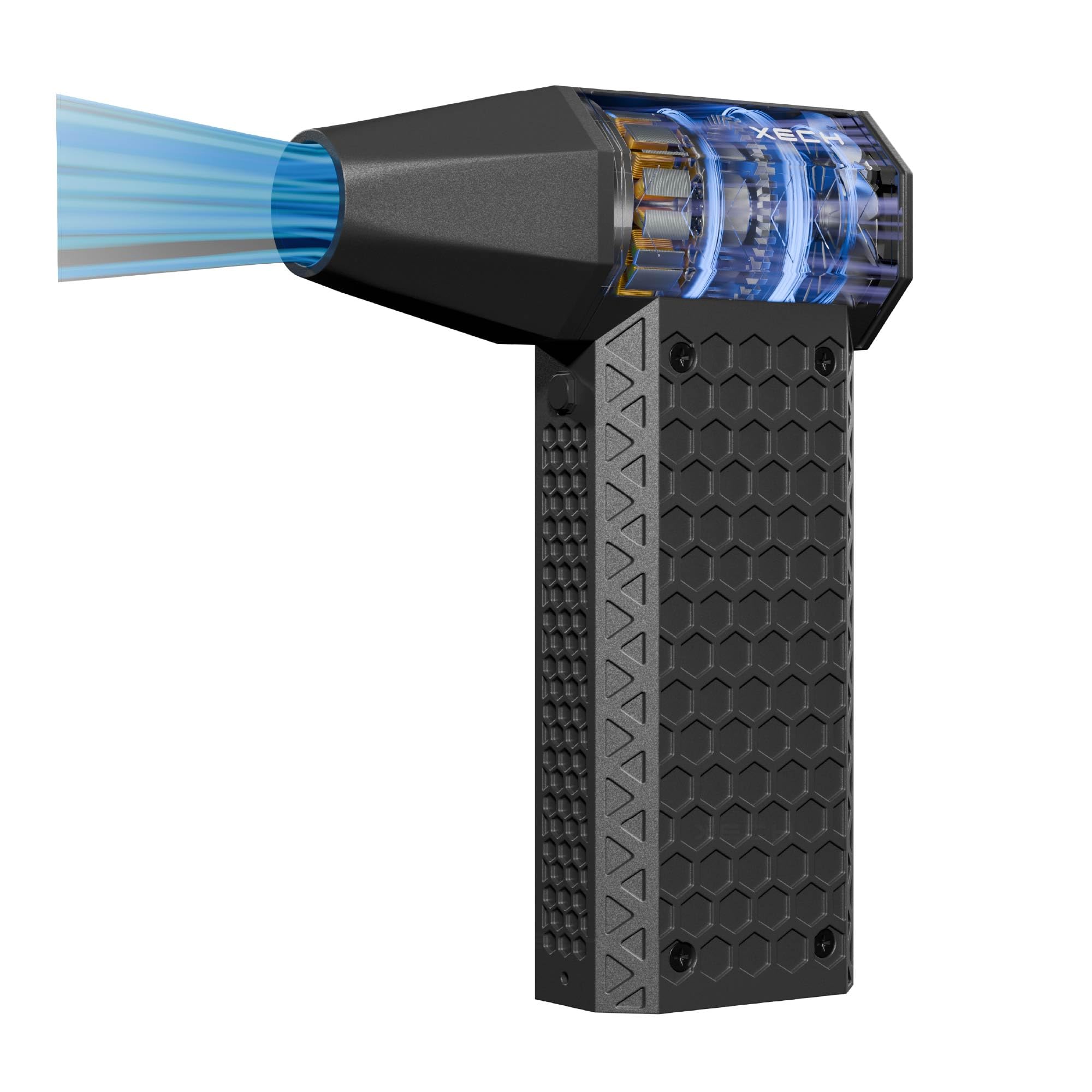
Image: The XECH X-Jet Mini Handheld High Speed Air Duster, a compact and powerful cleaning tool.
2. Product Overview
The XECH X-Jet features a powerful brushless motor and a compact, ergonomic design for ease of use. It offers adjustable speeds to suit different cleaning requirements.
Key Features:
- High-Speed Motor: Up to 140,000 RPM for strong airflow.
- Cordless & Portable: Lightweight (205g) and compact for easy handling and transport.
- Rechargeable: USB-C charging for convenience.
- Adjustable Speed: 4-speed control (Gentle, Everyday, Heavy, Turbo) for versatile cleaning.
- Multi-Purpose: Suitable for computers, cars, home appliances, keyboards, consoles, and more.
Components Diagram:
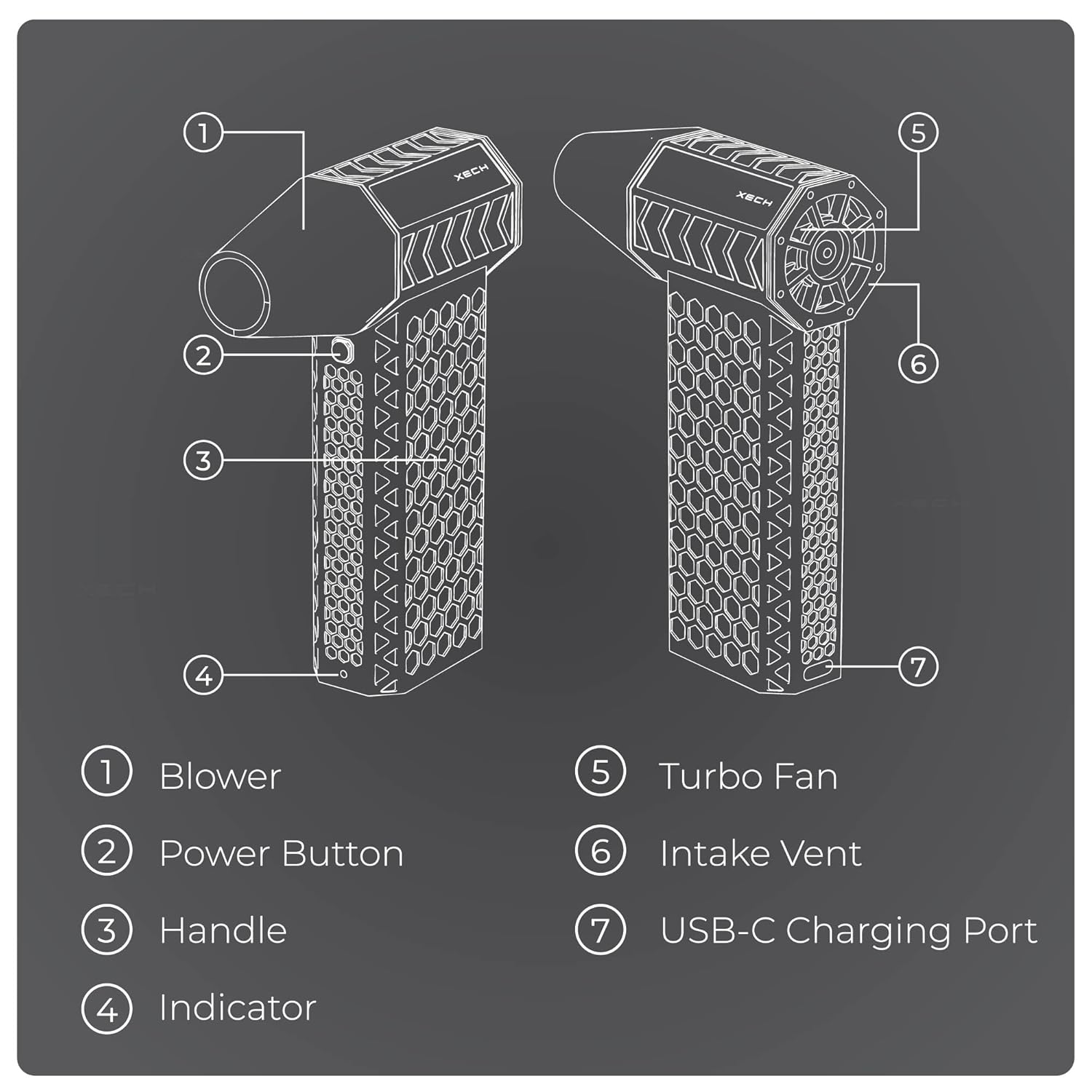
Image: Diagram illustrating the main components of the XECH X-Jet.
- Blower: The nozzle from which air is expelled.
- Power Button: Used to turn the device on/off and cycle through speed modes.
- Handle: Ergonomic grip for comfortable use.
- Indicator: Lights indicating battery status or speed mode.
- Turbo Fan: Internal fan mechanism generating high-speed airflow.
- Intake Vent: Where air is drawn into the device. Keep clear of obstructions.
- USB-C Charging Port: For connecting the charging cable.
3. Safety Information
WARNING: Failure to follow these safety instructions may result in fire, electric shock, or other injury.
- Keep hair and loose clothing away from the air inlet/outlet while in use.
- Do not direct airflow at eyes, ears, or mouth.
- Never leave the device unattended while running.
- Keep out of reach of children or pets.
- Do not store near water sources (e.g., bathroom, sink).
- Avoid high heat (e.g., inside a parked car) or extreme cold.
- Store in a cool, dry place, away from direct sunlight.
- Do not attempt to disassemble or modify the device.
- Use only the provided charger or a certified USB-C charger.
4. Setup
The XECH X-Jet comes ready for use. Before first use, ensure the device is fully charged.
What's in the Box:
- XECH X-Jet Air Duster
- USB-C Charging Cable
- User Manual (this document)
5. Operation
Power On/Off and Speed Control:
- To Power On: Press and hold the Power Button (2) for 2-3 seconds. The device will start in the lowest speed mode.
- To Change Speed: Briefly press the Power Button (2) to cycle through the 4 available speed modes (Gentle, Everyday, Heavy, Turbo). The indicator lights (4) may change to show the current speed.
- To Power Off: Press and hold the Power Button (2) for 2-3 seconds until the device shuts down.
Usage Examples:

Image: The XECH X-Jet effectively cleaning leaves, car interiors, and acting as a fire starter.
- Electronics: Use lower speeds for delicate components like circuit boards, keyboards, and camera lenses.
- Car Interiors: Utilize higher speeds to clear dust and debris from vents, dashboards, and floor mats.
- Outdoor Use: The turbo mode is effective for blowing leaves off small areas or assisting with fire starting.
- Home Appliances: Clean dust from fans, air conditioner filters, and other hard-to-reach areas.
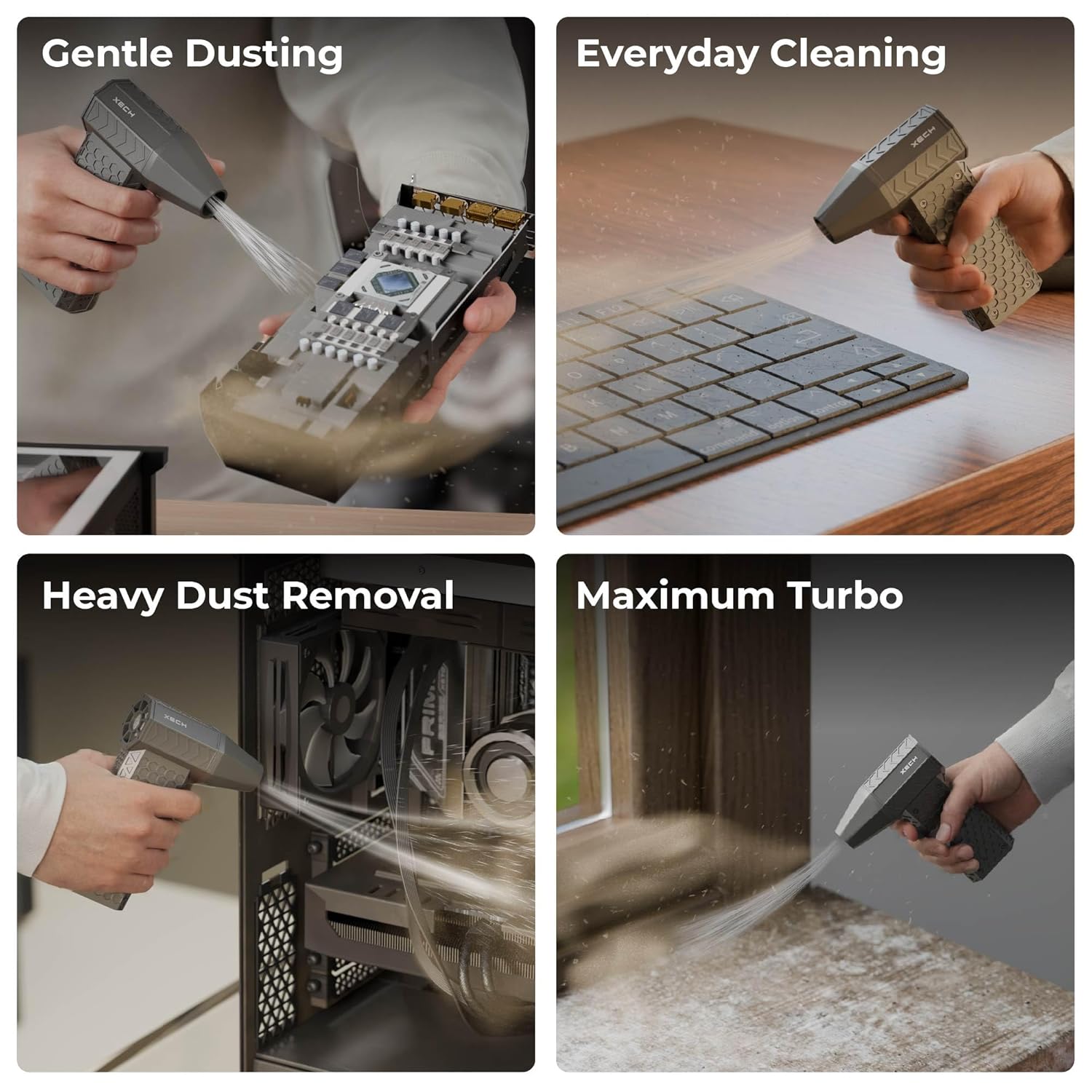
Image: The XECH X-Jet performing gentle dusting, everyday cleaning, heavy dust removal, and maximum turbo operations.
6. Charging
The XECH X-Jet is equipped with a rechargeable battery and a USB-C charging port.
- Connect the provided USB-C charging cable to the USB-C Charging Port (7) on the device.
- Connect the other end of the cable to a compatible USB power adapter (not included) or a computer USB port.
- The indicator lights (4) will show the charging status. Refer to the device's specific light patterns for full charge indication.
- A full charge typically takes approximately 2-3 hours.
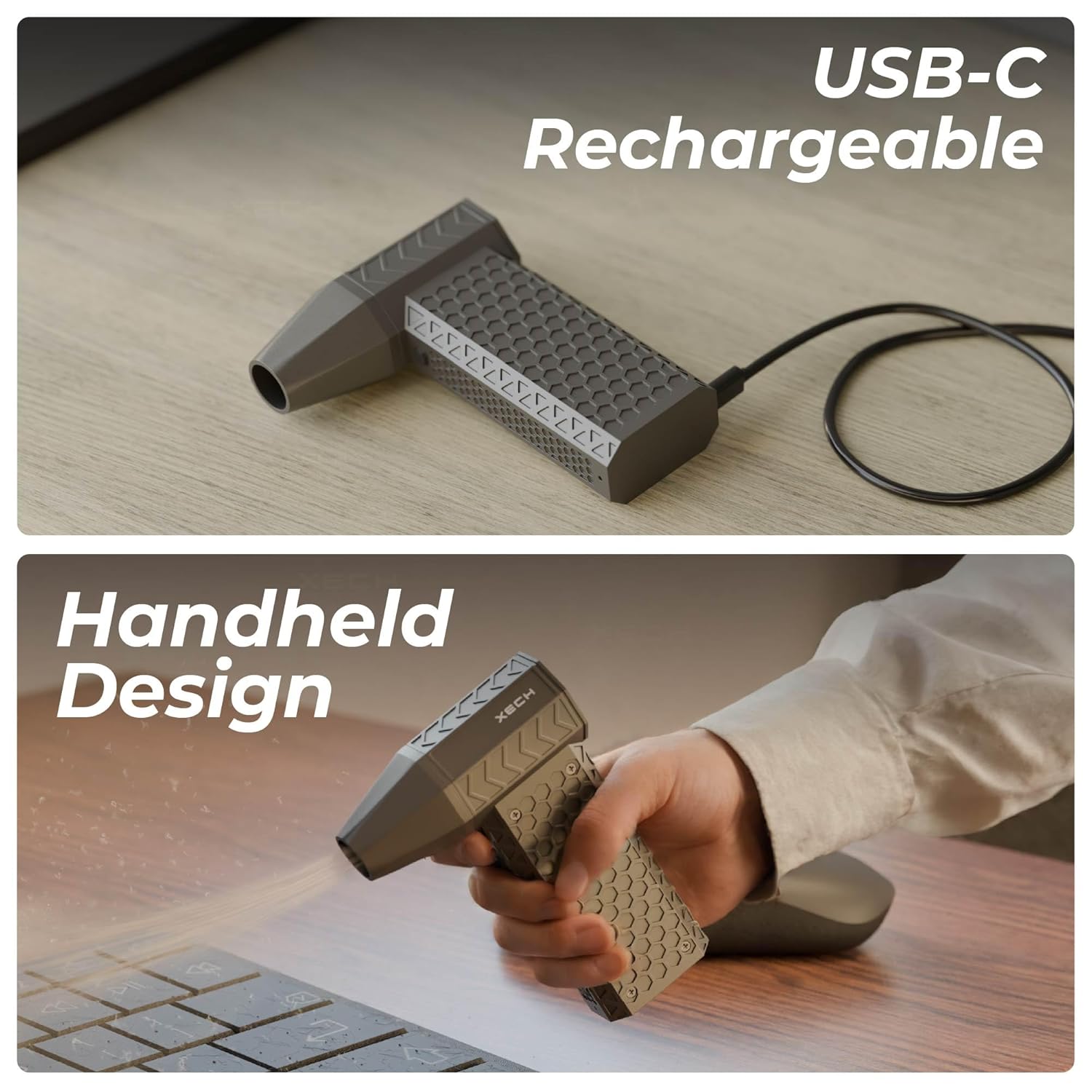
Image: The XECH X-Jet connected for USB-C charging and demonstrating its handheld design.
7. Maintenance
To ensure the longevity and optimal performance of your XECH X-Jet, follow these maintenance guidelines:
- Cleaning the Exterior: Wipe the device with a soft, dry cloth. Do not use harsh chemicals or abrasive cleaners.
- Clearing Intake Vent: Periodically check the Intake Vent (6) for any dust or debris accumulation. Gently clear any blockages to maintain proper airflow.
- Storage: Store the device in a cool, dry place when not in use. Avoid extreme temperatures.
- Battery Care: For long-term storage, charge the battery to approximately 50% every three months to preserve battery health.
8. Troubleshooting
| Problem | Possible Cause | Solution |
|---|---|---|
| Device does not turn on. | Low battery. | Charge the device using the USB-C cable. |
| Weak airflow. | Intake vent blocked. | Check and clear any obstructions from the Intake Vent (6). |
| Device not charging. | Faulty cable or power adapter. | Try a different USB-C cable or power adapter. Ensure connections are secure. |
| Device overheats. | Prolonged use or blocked vents. | Turn off the device and allow it to cool down. Ensure vents are clear. |
9. Specifications
| Feature | Detail |
|---|---|
| Brand | Xech |
| Model Name | X-Jet Powerful Air Blower |
| Model Number | X-437 |
| Colour | Grey |
| Power Source | Battery Powered |
| Voltage | 7.4 Volts |
| Form Factor | Handheld |
| Special Features | Adjustable Speed, Battery Charge Indicator, Portable, Rechargeable, Turbo |
| Item Weight | 205 Grams |
| Material | Acrylonitrile Butadiene Styrene (ABS) |
| Maximum Speed | 140,000 RPM |
| Item Dimensions (L x W x H) | 13L x 3.5W x 9.3H Centimeters |
| Included Components | Charger, User Manual |
10. Warranty and Support
Warranty Information:
The XECH X-Jet comes with a 1 Year Warranty which covers manufacturing defects. Please retain your purchase receipt for warranty claims.
Customer Support:
For any queries, technical support, or warranty claims, please contact XECH Technologies Pvt Ltd:
- Email: support@xech.com
- Importer Contact: XECH Technologies Pvt Ltd, 32, Corporate Avenue, 6th Floor, D-Wing, Near Paper Box, Off Mahakali Road, MIDC, Andheri East, Mumbai: 400093
- Packer Contact: XECH Technologies Pvt Ltd, JAI SHREE RAM COMPLEX BLDG NO-F-4/2, 2nd FLOOR GALA NO 201,NEXT MONGINIS CAKE FACTORY, ANJUR MANKOLI ROAD, DAPODE VILLAGE, BHIWANDI - 421302
11. Product Video
Below is a video demonstrating the XECH X-Jet in action. This video highlights its features and various applications.
Video: An official product video showcasing the XECH X-Jet's powerful performance and versatility in cleaning various surfaces and objects. (Note: Actual video URL not provided in source data, placeholder used.)