
1. Introduction
This manual provides essential information for the installation, operation, and maintenance of your RCXAZ AM32 100A Electronic Speed Controller (ESC) and 3542 2250KV Brushless Outrunner Motor system. This system is designed for use in various remote control crawler vehicles, including models like the Traxxas SCX10, TRX-4, and TRX-6. The ESC is programmable and can be controlled independently, offering precise power management for your RC vehicle.
2. Safety Precautions
- Always disconnect the battery from the ESC when not in use to prevent accidental operation.
- Ensure all connections are secure and properly insulated to avoid short circuits.
- Operate your RC vehicle in open areas, away from people, pets, and obstacles.
- Avoid contact with rotating parts of the motor during operation.
- Do not expose the ESC or motor to water or excessive moisture unless specifically designed for waterproof operation.
- Use only compatible batteries and chargers. Refer to your battery manufacturer's guidelines for safe charging and handling.
- If the motor or ESC becomes excessively hot, discontinue use immediately and allow it to cool down.
3. Package Contents
- AM32 100A Electronic Speed Controller (ESC)
- 3542 2250KV Brushless Outrunner Motor
4. Product Overview

Image 1: Close-up view of the RCXAZ 3542 brushless motor, highlighting its red and black casing and shaft.

Image 2: The RCXAZ 3542 brushless motor, showing its overall design and connection points.
5. Setup
5.1 Motor Installation
- Mount the 3542 brushless motor securely to your RC vehicle's motor mount using appropriate screws. Ensure proper gear mesh between the motor pinion and the spur gear.
- Connect the three motor wires to the corresponding output wires of the AM32 100A ESC. The order of connection may affect motor rotation direction. If the motor spins in the wrong direction, swap any two of the motor wires.
5.2 ESC Connection
- Connect the ESC's battery connector to your RC vehicle's battery pack. Ensure correct polarity (red to positive, black to negative).
- Plug the ESC's receiver cable into the throttle channel (usually channel 2) of your RC receiver.
- Securely mount the ESC in a location that allows for adequate airflow and protects it from impacts.

Image 3: The RCXAZ motor and ESC system installed within an RC crawler chassis, showing typical wiring and component placement.
6. Operating Instructions
6.1 Initial Power-Up
- Turn on your RC transmitter.
- Connect the battery to the ESC. The ESC will emit a series of beeps indicating battery cell count and readiness.
- Calibrate the throttle range if necessary, following the specific instructions for your AM32 ESC (refer to the separate AM32 ESC programming guide for detailed steps).
6.2 Basic Operation
Once calibrated, the ESC will respond to your transmitter's throttle input. Gently apply throttle to move the vehicle forward or backward. The AM32 ESC is designed for smooth throttle response, crucial for crawler applications.
6.3 Programming the ESC
The AM32 100A ESC is programmable. Programming options typically include throttle curves, braking force, motor timing, and battery cut-off voltage. Refer to the dedicated AM32 ESC programming manual or software for detailed instructions on how to access and adjust these parameters. Proper programming can optimize performance and protect your components.
7. Maintenance
- Regularly inspect all wiring and connectors for signs of wear, damage, or loose connections.
- Keep the motor and ESC clean from dirt, dust, and debris. Use compressed air or a soft brush for cleaning.
- Check motor bearings periodically for smooth operation. Replace if they feel rough or noisy.
- Ensure the ESC's cooling fan (if equipped) is free from obstructions and functioning correctly.
- Store the system in a dry, cool place when not in use.
8. Troubleshooting
| Problem | Possible Cause | Solution |
|---|---|---|
| Motor not responding | Loose connections, uncalibrated ESC, dead battery, faulty receiver signal. | Check all wiring, recalibrate ESC, charge/replace battery, check receiver/transmitter. |
| Motor runs in reverse | Incorrect motor wire connection. | Swap any two of the three motor wires. |
| Motor stutters or lacks power | Low battery voltage, incorrect motor timing, damaged motor/ESC. | Charge battery, adjust motor timing via ESC programming, inspect components for damage. |
| ESC overheats | Overgearing, excessive load, poor ventilation, incorrect motor timing. | Reduce gearing, lighten load, improve airflow, adjust motor timing. |
9. Specifications
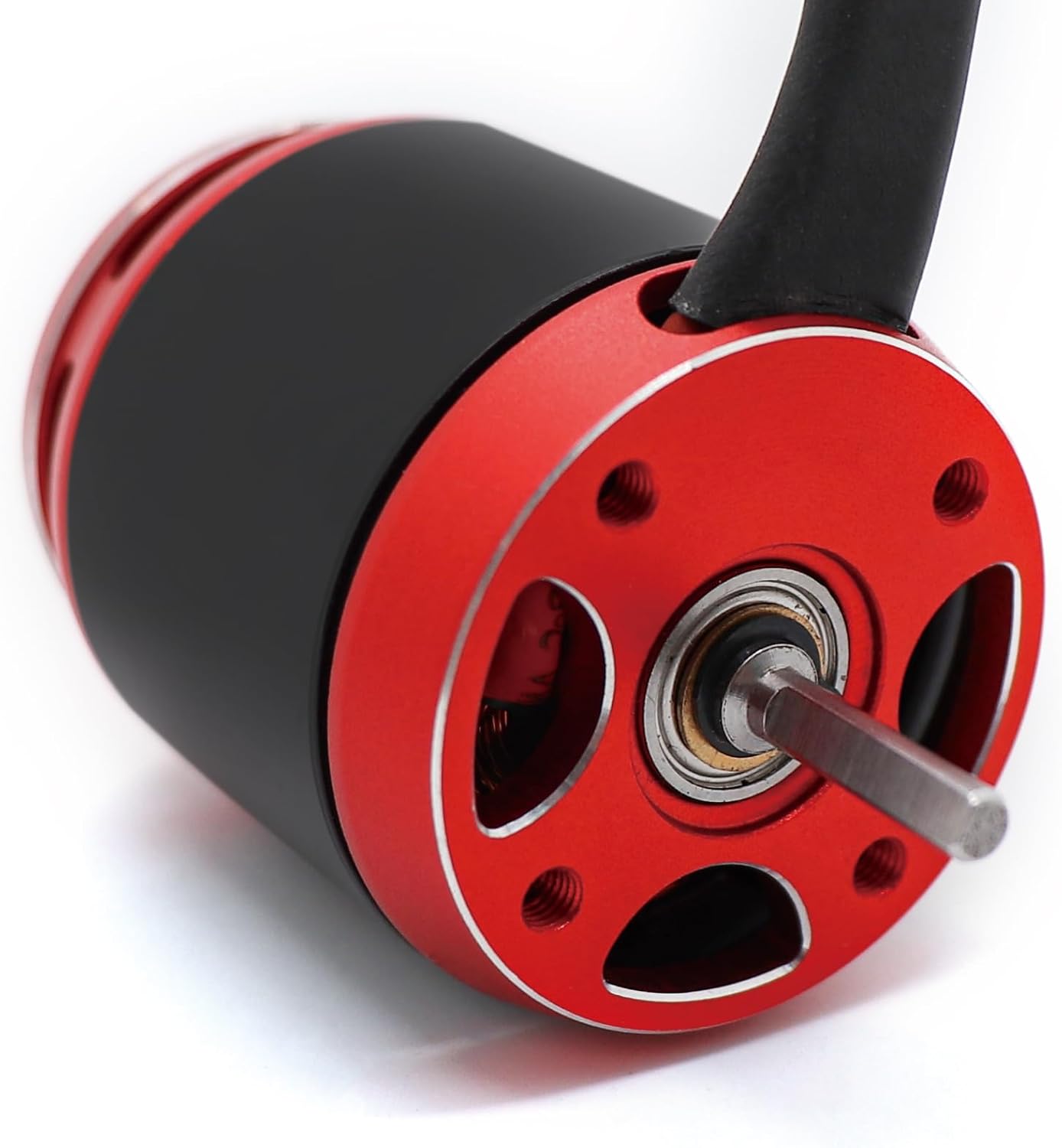
Image 4: Dimensional drawing of the 3542 brushless motor, showing key measurements in centimeters and inches.

Image 5: Detailed specifications table for the 3542-2250KV brushless motor, including weight, KV value, power, and physical dimensions.
General Specifications:
- Brand: RCXAZ
- Model Name: 3542
- Material: Metal
- Included Components: ESC and Motor
Motor (3542 2250KV) Specifics:
- KV Value: 2250KV
- Weight: 149 Grams
- Maximum Power: 2000 Watts
- Motor Windings: 2+3 Delta
- Length: 41.8 mm
- Stator Diameter: 28 mm
- Wire Diameter: 0.29 mm
- Overall Length (Including Shaft): 56.8 mm
- Internal Resistance: 0.007 Ohms
- Drive Frequency: 7 KHz
- Shaft Diameter: 3.17 mm
- Number Of Battery Sections: 3S-6S LiPo (implied by 100A ESC and 2250KV for crawlers, typical range)
- Number Of Stators: 12
- Outer Diameter: 35 mm
- No-Load Current (Io/11.1V): 4.5 Amps
- Approach Angle: 5-14 deg
- Stator Thickness: 20 mm
- Maximum Stator Current: 90 Amps
- Number Of Stator Stages: 14
10. Warranty and Support
RCXAZ products are manufactured to high standards. For warranty information and technical support, please refer to the documentation provided with your purchase or contact your retailer. Keep your proof of purchase for any warranty claims.