
Introduction
Welcome to the user manual for your new Teka NEO HSB 6360 P SS Pyrolytic Multifunction Oven. This appliance is designed to provide exceptional cooking performance and convenience with its advanced features and intuitive controls. Please read this manual carefully before using the oven to ensure safe and efficient operation, and to maximize the lifespan of your appliance. Keep this manual for future reference.
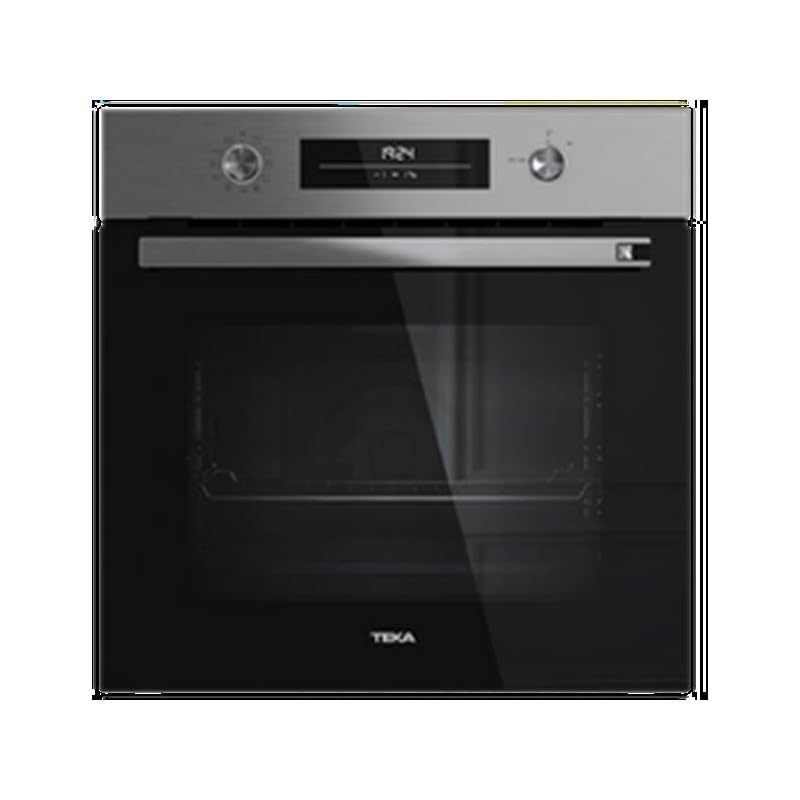
Figure 1: Front view of the Teka NEO HSB 6360 P SS Pyrolytic Multifunction Oven, showcasing its sleek stainless steel finish and black glass door.
Safety Information
Always prioritize safety when operating electrical appliances. This section outlines important safety precautions to prevent injury or damage.
- Ensure the oven is properly installed by a qualified technician before first use.
- Do not touch hot surfaces. Always use oven mitts or gloves when handling hot items or surfaces.
- Keep children and pets away from the oven during operation, especially during pyrolytic cleaning cycles.
- Never use flammable materials near the oven.
- Disconnect the appliance from the power supply before cleaning or maintenance.
- Do not use abrasive cleaners or sharp metal scrapers to clean the oven door glass, as they can scratch the surface and lead to shattering.
Setup
Proper installation and initial preparation are crucial for optimal performance.
Installation
The Teka NEO HSB 6360 P SS oven should be installed in a suitable cabinet according to the provided installation template. Ensure adequate ventilation around the appliance. It is highly recommended that installation and electrical connections are performed by a qualified professional to comply with local safety standards.
Initial Cleaning and First Use
Before using the oven for the first time, remove all packaging materials, accessories, and protective films from the interior and exterior. Wipe the interior with a damp cloth. For the first use, it is advisable to run the oven empty at a high temperature (e.g., 200°C) for approximately 30-60 minutes to burn off any manufacturing residues. A slight odor or smoke may be present during this process; ensure the kitchen is well-ventilated.

Figure 2: The spacious interior of the oven, highlighting the multiple rack positions for versatile cooking.
Operating Instructions
This section details how to operate your Teka oven for various cooking needs.
Control Panel Overview
The oven features mechanical push-pull knobs for function and temperature selection, and an electronic LED timer with touch control for setting time-related functions.

Figure 3: The intuitive control panel, featuring two push-pull knobs for function and temperature, and a central LED display for timer and settings.
Cooking Functions
Your oven is equipped with 8 cooking functions, including specialized 'Chef functions' for automatic programs. To select a function, gently pull out and turn the left knob to the desired symbol. Refer to the symbols on the control panel for specific functions such as conventional heating, fan-assisted cooking, grill, and more.
Temperature Control
After selecting a cooking function, pull out and turn the right knob to set the desired temperature. The oven can reach temperatures up to 300°C. The LED display may indicate the current temperature or a preheating status.
Timer Functions
The electronic LED timer allows you to set cooking duration, delay start, or simply use it as a minute minder. Use the touch controls adjacent to the LED display to navigate and set these functions. Consult the full manual for detailed instructions on setting specific timer modes.
Preheating
The oven features a manual rapid preheating function. For best cooking results, always preheat the oven to the desired temperature before placing food inside.
Maintenance
Regular cleaning and maintenance will ensure your oven remains in excellent condition and operates efficiently.
Cleaning Systems: Pyrolytic and HydroClean
Your Teka oven is equipped with two advanced self-cleaning systems:
- Pyrolytic Self-Cleaning: This high-temperature cleaning cycle burns off food residues, turning them into ash that can be easily wiped away. Ensure the oven is empty and the door is securely locked before starting a pyrolytic cycle.
- HydroClean Automatic System: This system uses steam to loosen dirt and grease, making manual cleaning easier. Add water to the designated area and activate the HydroClean function.

Figure 4: The oven during a cleaning cycle, with steam visible, demonstrating the effectiveness of the HydroClean system.
General Care
- Clean the exterior of the oven with a soft, damp cloth and mild detergent. The anti-fingerprint stainless steel panel requires minimal effort to keep clean.
- The BrightClean enamel interior is ultra-resistant and easy to clean after cooking.
- The triple-glazed door is removable for thorough cleaning. Refer to the full manual for instructions on how to safely remove and reattach the door.
- The chromed supports and anti-tip deep tray can be removed for cleaning. The FastClick system simplifies this process.
Troubleshooting
This section provides solutions to common issues you might encounter.
| Problem | Possible Cause | Solution |
|---|---|---|
| Oven does not heat up. | No power supply; incorrect function/temperature setting; door not closed properly. | Check power connection and circuit breaker. Ensure function and temperature knobs are correctly set. Close the oven door firmly. |
| Display shows an error code. | Internal malfunction; sensor issue. | Turn off the oven at the main power supply for a few minutes, then turn it back on. If the error persists, contact customer support. |
| Pyrolytic cleaning not starting. | Oven door not fully closed/locked; oven too hot; items left inside. | Ensure the oven is empty and the door is securely latched. Allow the oven to cool down if it was recently used. |
| Uneven cooking results. | Incorrect rack position; overloaded oven; door opened too frequently. | Use recommended rack positions. Avoid overloading. Minimize opening the door during cooking. |
If you encounter a problem not listed here, or if the suggested solutions do not resolve the issue, please contact Teka customer support.
Specifications
Key technical specifications for the Teka NEO HSB 6360 P SS oven:
| Feature | Specification |
|---|---|
| Model Number | 111010090 |
| Capacity (Gross/Net) | 71 / 70 Liters |
| Cooking Functions | 8 (including Chef functions) |
| Control Type | Mechanical Push-Pull Knobs, Electronic LED Timer with Touch Control |
| Max. Cooking Temperature | Up to 300 °C |
| Cleaning Systems | Pyrolytic Self-Cleaning, Automatic HydroClean System |
| Door Type | Removable Triple Glazed Door |
| Interior Enamel | BrightClean Ultra-Resistant Enamel |
| Tray Supports | Chromed Supports with 5 Cooking Levels (FastClick System) |
| Safety Features | Automatic Disconnection System |
| Exterior Finish | Anti-Fingerprint Stainless Steel |
| Product Dimensions (H x W x D) | 59.5 x 59.5 x 53.7 cm (approx.) |
| Weight | 34 kg |
Warranty and Support
Your Teka NEO HSB 6360 P SS oven comes with a manufacturer's warranty. Please refer to the warranty card included with your purchase for specific terms and conditions, including the warranty period and coverage details. For technical assistance, spare parts, or to schedule a service appointment, please contact Teka customer support. You can find contact information on the Teka official website or in your product documentation.
When contacting support, please have your oven's model number (NEO HSB 6360 P SS) and serial number (if applicable) ready. This information will help the support team assist you more efficiently.