1. Introduction
This manual provides detailed instructions for the safe and effective use of your realme TechLife Watch SZ100 Smartwatch. Please read this manual thoroughly before using the device to ensure proper operation and to understand its features and functions. The realme TechLife Watch SZ100 is designed to assist with fitness tracking and daily productivity, featuring a 1.69-inch HD display, temperature sensor, SpO2 and heart rate monitoring, and a 12-day battery life.
2. What's in the Box
Upon opening your realme TechLife Watch SZ100 package, please verify that all items listed below are present:
- realme TechLife Watch SZ100 Smartwatch
- Charging Cable
- User Manual (this document)

Image: Back view of the realme TechLife Watch SZ100, highlighting the health sensors and strap attachment points.
3. Setup
3.1 Charging the Device
Before initial use, fully charge your smartwatch. Connect the charging cable to the charging contacts on the back of the watch and to a standard USB power adapter (not included). The watch display will indicate charging status. A full charge typically takes approximately 2 hours.
3.2 Pairing with Your Smartphone
- Download the realme Fit App from your smartphone's app store (available for Android and iOS).
- Ensure Bluetooth is enabled on your smartphone.
- Open the realme Fit App and follow the on-screen instructions to create an account or log in.
- Select 'Add Device' or 'Pair Device' within the app and choose the realme TechLife Watch SZ100 from the list of available devices.
- Confirm the pairing request on both your watch and smartphone.

Image: The realme TechLife Watch SZ100 displayed alongside a smartphone screen showing the realme Fit app interface, illustrating the connection for device management and health tracking.
4. Operating Your Smartwatch
4.1 Navigating the Touchscreen
The realme TechLife Watch SZ100 features a 1.69-inch HD touchscreen for intuitive control:
- Swipe Up/Down: Scroll through menus and notifications.
- Swipe Left/Right: Access quick functions or widgets.
- Tap: Select an item or confirm an action.
- Press Side Button: Return to the home screen or power on/off.
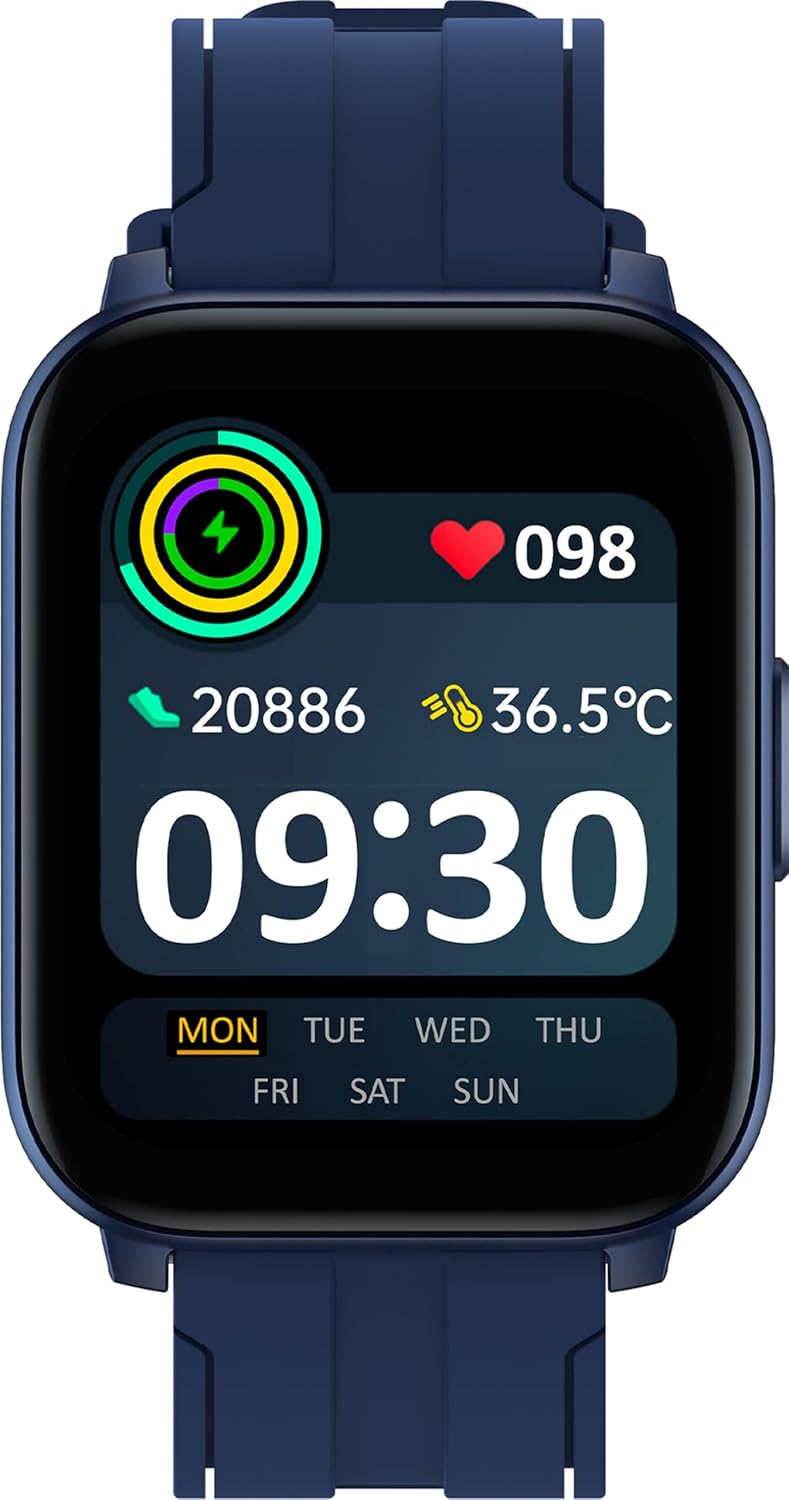
Image: Front view of the realme TechLife Watch SZ100 displaying the main watch face with time, activity data, heart rate, and temperature readings.
4.2 Health Monitoring Features
The smartwatch offers comprehensive health tracking capabilities:
- Heart Rate Monitoring: Tracks your heart rate continuously throughout the day. View real-time data on the watch or detailed trends in the realme Fit App.
- SpO2 Monitoring: Measures your blood oxygen saturation levels. Ensure the watch is worn snugly for accurate readings.
- Temperature Sensor: Monitors both skin and body temperature.
- Sleep Monitor: Automatically tracks your sleep patterns, including deep sleep, light sleep, and wake times.

Image: An infographic illustrating the realme TechLife Watch SZ100's health ecosystem, including blood oxygen, heart rate, skin temperature, 24 sports modes, and sleep monitoring.
4.3 Sports Modes
The watch supports 24 dedicated sports modes to track your workouts. To access:
- Swipe on the watch face to find the 'Workout' or 'Sports' icon.
- Tap to select your desired activity (e.g., walking, running, cycling, yoga).
- Start your workout, and the watch will record metrics such as calories burned, steps, distance, and heart rate.
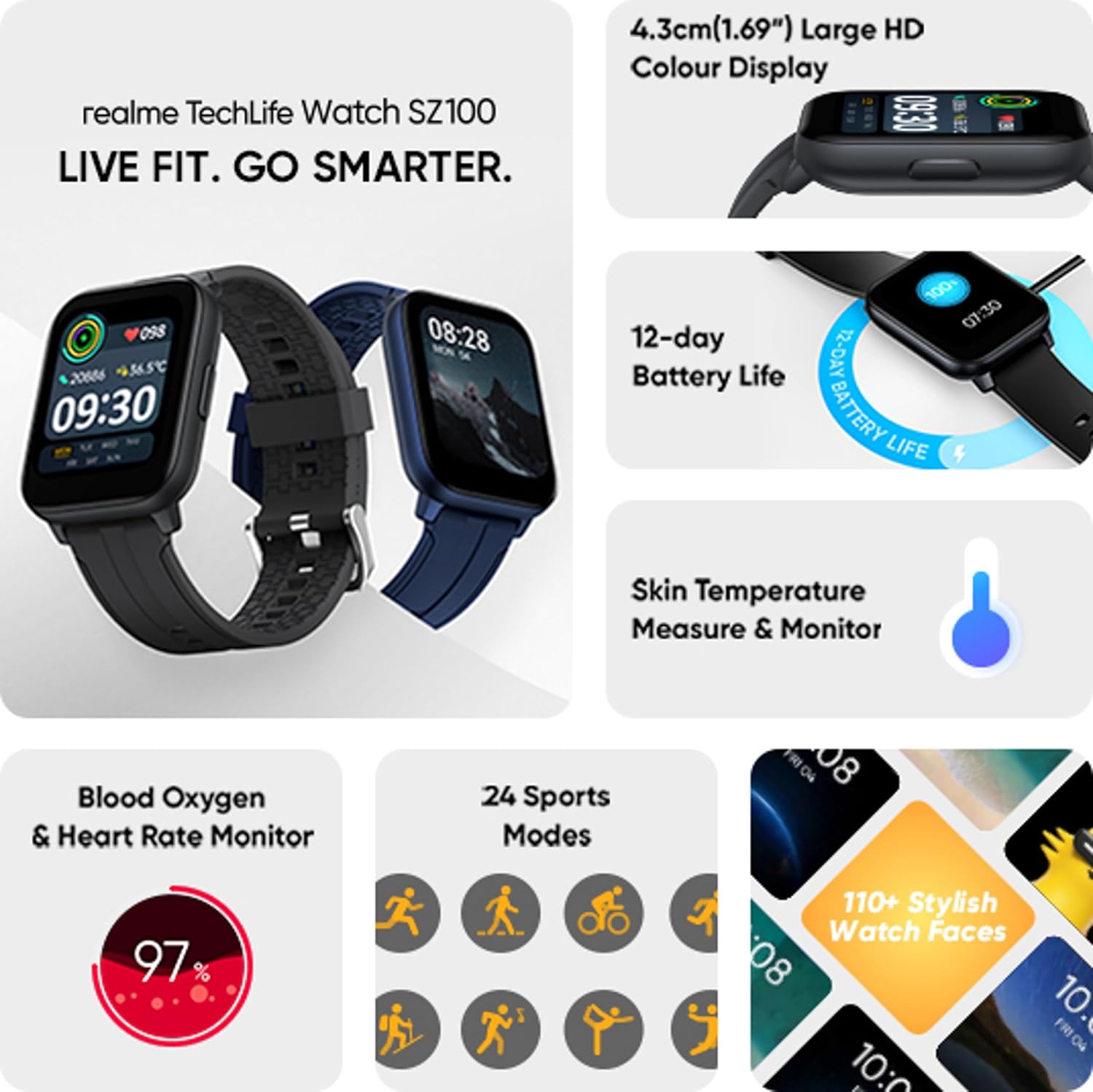
Image: A visual representation of the 24 distinct sports modes available on the realme TechLife Watch SZ100, depicted by various activity icons.
4.4 Customizing Watch Faces
Personalize your smartwatch with over 110 customizable watch faces available through the realme Fit App. Open the app, navigate to the watch face section, and select your preferred design to sync it to your watch.
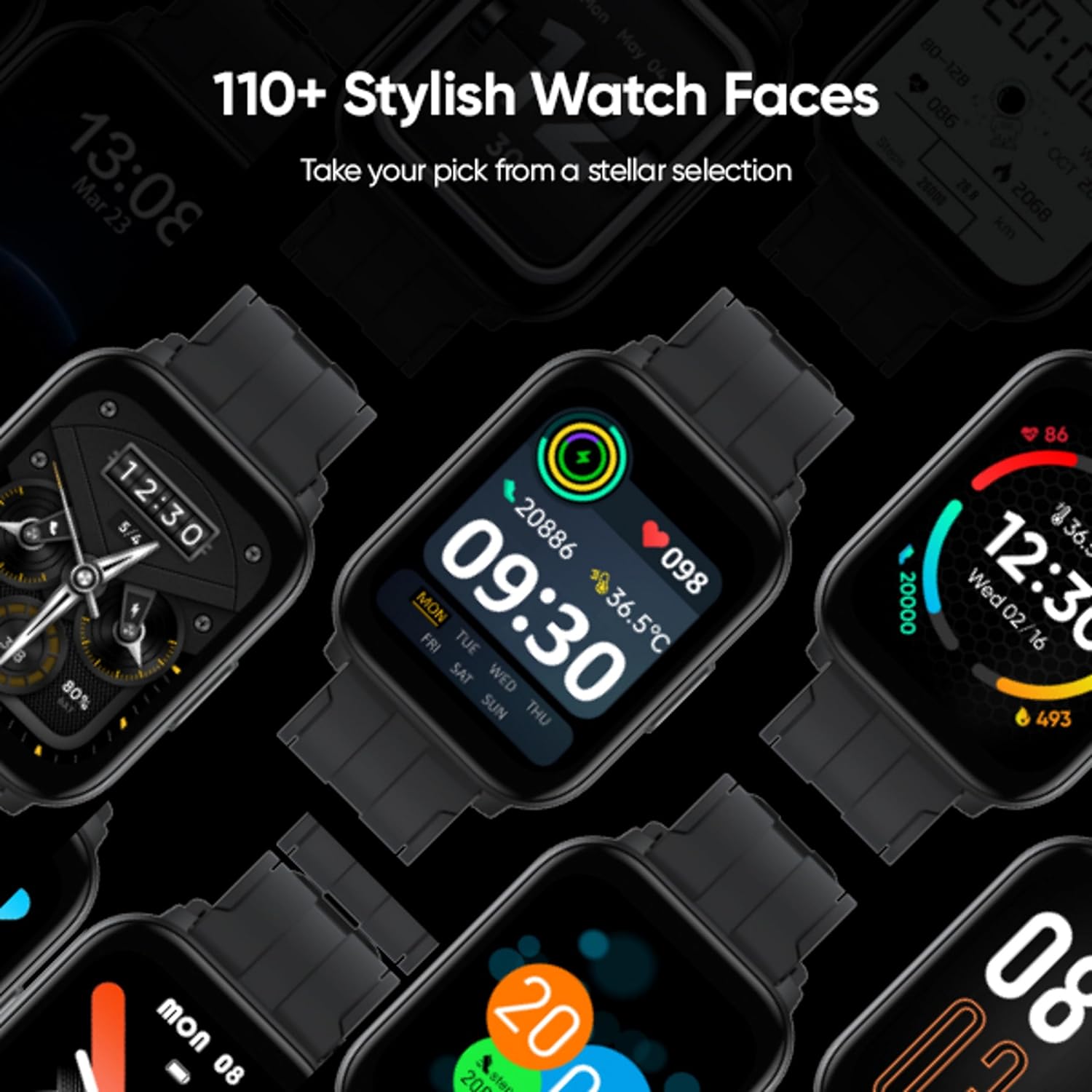
Image: A collage showcasing a diverse selection of watch faces, demonstrating the customization options for the realme TechLife Watch SZ100.
4.5 Other Features
The realme TechLife Watch SZ100 includes several utility features:
- Weather Forecast: View current weather conditions and forecasts.
- Music Control: Control music playback on your connected smartphone.
- Camera Control: Remotely trigger your smartphone's camera shutter.
- Find My Phone: Locate your paired smartphone by making it ring.
- Alarm: Set alarms directly from your watch.
- Stopwatch & Timer: Utilize built-in timing functions.
- Flashlight: Use the screen as a temporary light source.

Image: A grid of icons representing various additional features of the smartwatch, such as weather, music control, camera remote, and utility tools.
5. Maintenance
5.1 Cleaning Your Smartwatch
To maintain the watch's appearance and functionality:
- Wipe the screen and strap regularly with a soft, damp, lint-free cloth.
- Avoid using harsh chemicals, abrasive cleaners, or solvents.
- Ensure the charging contacts are clean and dry before charging.
5.2 Water Resistance (IP68)
The realme TechLife Watch SZ100 is rated IP68 for water and dust resistance. This means it is protected against immersion in water up to 1.5 meters for up to 30 minutes. It is suitable for daily use and activities like hand washing or light rain exposure.
Important Note:
- IP68 rating does not make the watch suitable for swimming, showering, diving, or exposure to high-pressure water.
- Avoid exposing the watch to hot water, steam, or corrosive liquids.
- Water resistance may decrease over time with normal wear and tear.

Image: The realme TechLife Watch SZ100 shown with water droplets on its surface, illustrating its IP68 water resistance, with a disclaimer about its limitations.
5.3 Battery Care
- Avoid extreme temperatures, which can affect battery life.
- Do not leave the watch fully discharged for extended periods.
- Use only the provided charging cable.
6. Troubleshooting
If you encounter issues with your realme TechLife Watch SZ100, refer to the following common problems and solutions:
- Watch not turning on or charging:
Ensure the charging cable is securely connected to both the watch and a working power source. Clean the charging contacts on the watch. Try a different USB power adapter. - Pairing issues with smartphone:
Ensure Bluetooth is enabled on your phone and the watch is within range. Restart both the watch and your phone. Try unpairing and re-pairing the device through the realme Fit App. - Inaccurate sensor readings (Heart Rate, SpO2, Temperature):
Ensure the watch is worn snugly on your wrist, not too tight or too loose. Clean the sensor area on the back of the watch. Avoid excessive movement during readings. - Notifications not appearing:
Check notification settings in the realme Fit App and your phone's system settings to ensure permissions are granted. Ensure the watch is connected via Bluetooth. - Short battery life:
Reduce screen brightness, disable continuous heart rate monitoring if not needed, and limit excessive notifications. Ensure no background apps are draining power.
7. Specifications
Detailed technical specifications for the realme TechLife Watch SZ100:
| Feature | Detail |
|---|---|
| Brand | realme |
| Model | RMW2103 |
| Model Name | realme Watch SZ100 |
| Display Size | 1.69 Inches (4.3 cm) |
| Display Type | TFT-LCD |
| Resolution | 240x280 |
| Battery Life | Up to 12 Days (typical usage) |
| Battery Capacity | 260 Milliamp Hours |
| Battery Type | Lithium Ion |
| Water Resistance | IP68 |
| Connectivity | Bluetooth 5.1 |
| Compatible Devices | Smartphone (Android, iOS) |
| Sensors | Heart Rate, SpO2, Temperature |
| Sports Modes | 24 |
| Item Weight | 54 g |
| Product Dimensions | 4.5 x 4.8 x 1.2 cm |
| Operating System | Proprietary realme OS |
8. Warranty and Support
8.1 Warranty Information
Your realme TechLife Watch SZ100 comes with a standard manufacturer's warranty. Please refer to the warranty card included in your product packaging for specific terms, conditions, and duration. Keep your purchase receipt as proof of purchase for warranty claims.
8.2 Customer Support
For technical assistance, service, or any inquiries regarding your realme TechLife Watch SZ100, please contact realme customer support:
- Email: SERVICE.IN@REALME.COM
- Toll-Free Number: 1800 102 2777
Manufacturer: Dongguan Leader Precision Industry Co Ltd, SHENZHEN REALME TELECOMMUNICATIONS CO. LTD., 11TH FLOOR, 3# BUILDING, GUOLE TECH PARK, LIRONG ROAD, DALANG, LONGHUA DISTRICT, SHENZHEN, CHINA
Importer: REALME MOBILE TELECOMMUNICATIONS (INDIA) PVT. LTD., 5TH FLOOR, TOWER B, BUILDING NUMBER B, DLF CYBER CITY, GURUGRAM, HARYANA - 122002, INDIA