
1. Introduction
Thank you for choosing the Toodour Smart Christmas Cone Tree Lights. This manual provides essential information for the safe and efficient use of your new lighting product. Please read these instructions carefully before installation and operation, and retain them for future reference.
2. Safety Information
- For outdoor use only.
- Unplug the lights during inclement weather conditions such as strong winds, heavy rain, or snow.
- Do not allow children to play on or near the light display.
- Keep the lights and all electrical components away from flammable materials.
- Ensure all connections are secure and waterproof caps are properly sealed when used outdoors.
- Do not attempt to modify or repair the product. Contact customer service for assistance.
3. Package Contents
Verify that all components are present in the package:
- Christmas Tree Lights (1 unit)
- Wireless RF Remote Control
- Star Topper
- Base Frame Components
- Power Adapter
- Instruction Manual
4. Setup Instructions
4.1 Assembly
- Carefully unpack all components from the box.
- Assemble the base frame according to the diagrams provided in the separate assembly guide (if included). Ensure all parts are securely connected.
- Place the cone light structure onto the assembled base. The light strands should extend upwards from the base.
- Attach the star topper to the top of the cone light structure. Ensure it is firmly seated.
- Gently spread the light strands evenly around the conical frame to achieve the desired tree shape.
4.2 Placement
The Toodour Smart Christmas Cone Tree Lights are designed for both indoor and outdoor use. When placing outdoors, select a stable, level surface. For optimal stability in windy conditions, consider securing the base with stakes (not included) if necessary.
4.3 Power Connection
- Connect the power adapter to the main control unit of the lights.
- Plug the power adapter into a standard electrical outlet. Ensure the outlet is suitable for outdoor use if placed outside.

This image shows the dimensions of the 5ft cone tree light and illustrates the star topper, remote control, app control, and wired button controller.

This image displays the fully assembled Toodour Smart Christmas Cone Tree Light, showcasing its conical shape and vibrant RGB LED illumination.
5. Operating Instructions
5.1 Smart App Control
The Toodour Smart Christmas Cone Tree Lights can be controlled via a dedicated mobile application.
- Download the App: Search for the “Toodour Smart” app (or similar name as indicated in the packaging) on the Apple App Store (for iOS devices) or Google Play Store (for Android devices).
- Bluetooth Connection: Ensure Bluetooth is enabled on your smartphone. Open the app, and it should automatically detect the lights. Follow the in-app instructions to pair your device.
- App Features:
- 16 Million Colors & DIY Mode: Select from a wide spectrum of colors, including single, bi-color, tri-color, and multi-color options. Customize individual light bulbs or sections to create unique lighting patterns.
- Dynamic Scene Modes: Choose from various pre-set dynamic modes suitable for different occasions and festivals.
- Music Sync: The lights can flash and change colors in rhythm with music played through your device. Select this mode in the app and play your desired music.
- Create Group: If you have multiple Toodour smart lights, you can group them within the app to control them simultaneously with a single command.
- Timer Function: Set schedules for the lights to turn on and off automatically.
- Memory Function: The lights will remember your last mode setting and apply it automatically when powered on again.
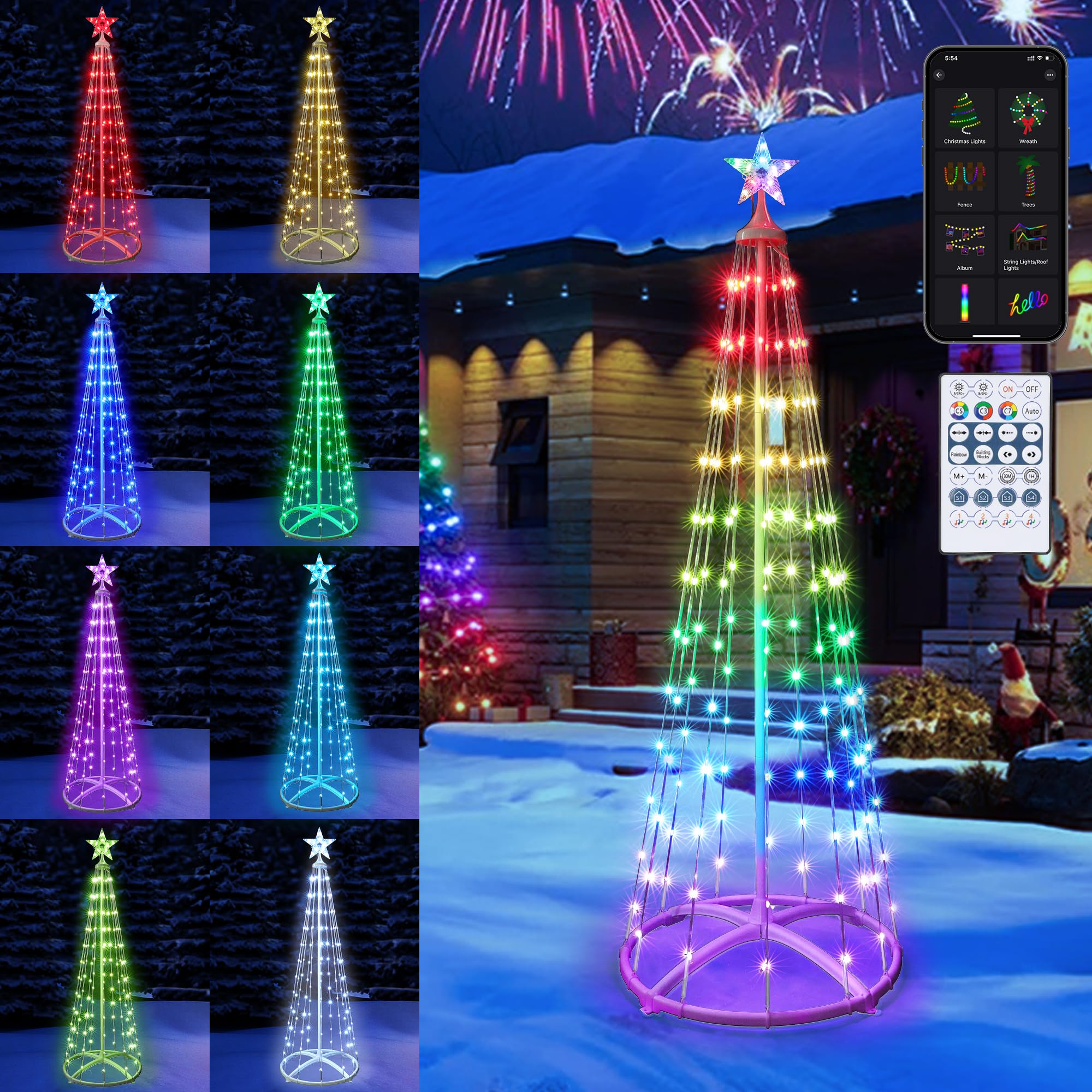
A user interacts with the mobile application to adjust settings and lighting effects on the Toodour Smart Christmas Cone Tree Lights.

The smartphone app interface for the Toodour Smart Christmas Cone Tree Lights, illustrating options for color selection, dynamic modes, and other controls.
5.2 Wireless RF Remote Control
The included wireless RF remote control provides convenient access to various functions.
- Initial Use: Remove the plastic insulation sheet from the battery compartment before first use.
- Power On/Off: Press the ON or OFF button to power the lights.
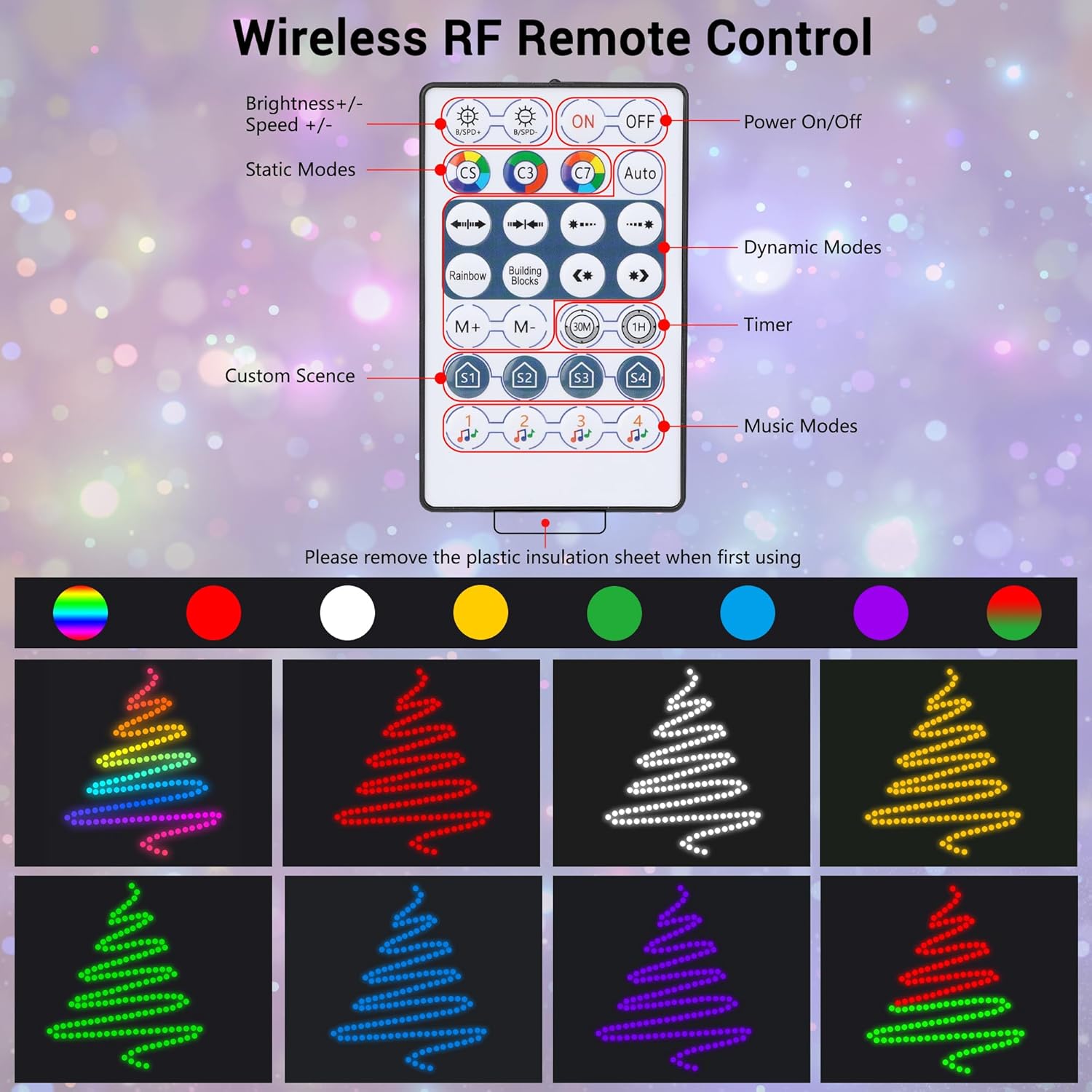
- Brightness Adjustment: Use the Brightness +/- buttons to increase or decrease the light intensity.
- Speed Adjustment: Use the Speed +/- buttons to adjust the speed of dynamic modes.
- Static Modes: Select from various static color options (e.g., C5, C3, C7, Auto).
- Dynamic Modes: Cycle through different dynamic lighting patterns.
- Timer: Set a timer for the lights to operate for a specific duration (e.g., 1H for 1 hour).
- Custom Scenes: Access pre-programmed or user-defined custom scenes (S1, S2, S3, S4).
- Music Modes: Activate modes that synchronize with music.
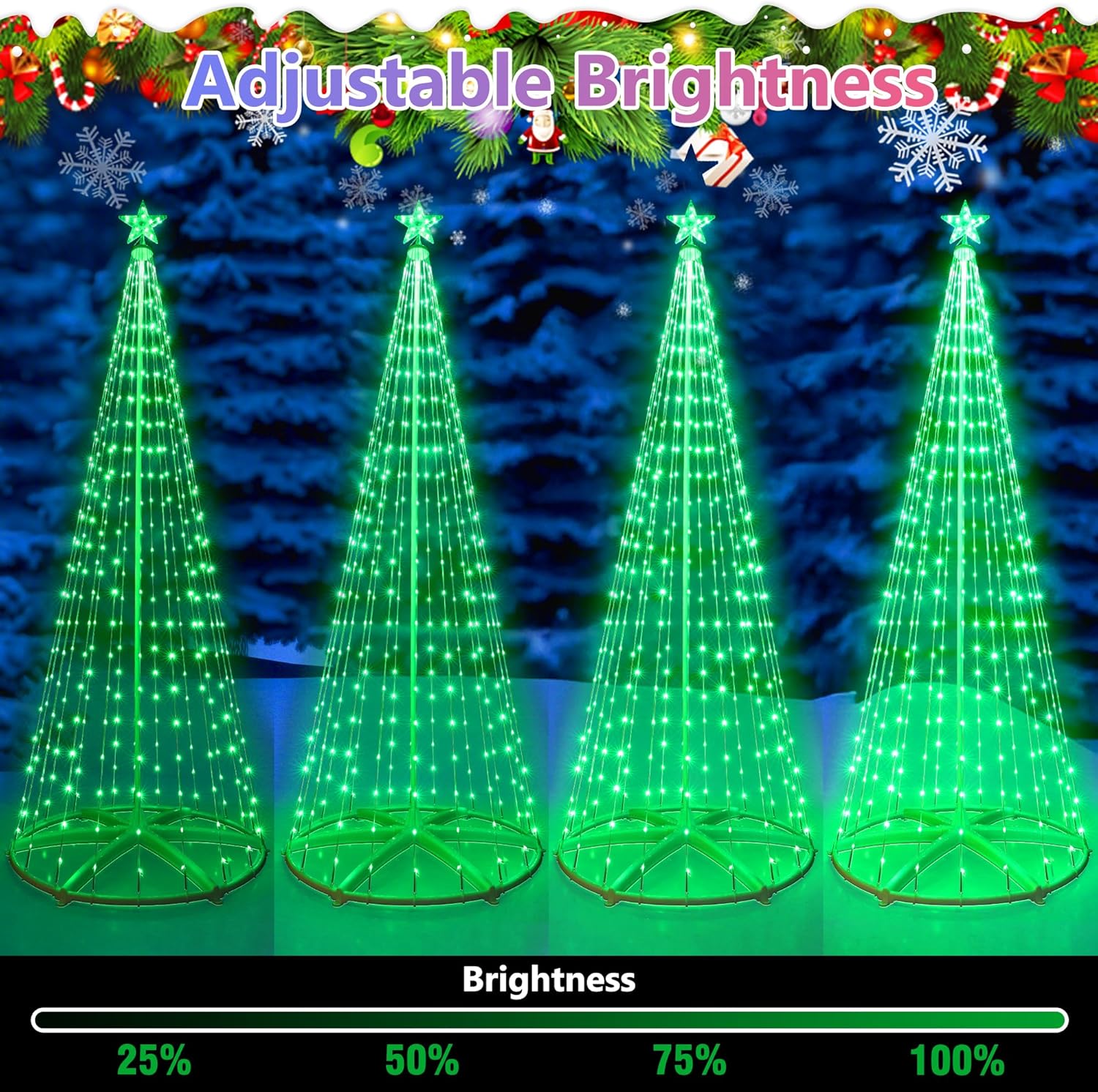
Detailed view of the wireless RF remote control, highlighting buttons for brightness, speed, static modes, dynamic modes, timer, custom scenes, and music modes.

Four cone tree lights are shown with varying brightness levels (25%, 50%, 75%, 100%) to illustrate the dimmable feature.
5.3 Wired Button Controller
A simple wired button controller is integrated into the power cable for basic control if the remote or app is not available. This button typically cycles through various modes or turns the lights on/off.
6. Maintenance
6.1 Cleaning
To clean the lights, ensure they are unplugged from the power source. Use a soft, dry cloth to gently wipe away dust or dirt. Do not use harsh chemicals or abrasive cleaners.
6.2 Storage
When not in use, unplug the lights and carefully disassemble them if desired. Store the lights in their original packaging or a suitable container in a cool, dry place, away from direct sunlight and extreme temperatures. Avoid tangling the light strands to prevent damage.
6.3 Weather Resistance
The lights are designed to be windproof, rainproof, and snowproof for outdoor use. However, for prolonged periods of severe weather, it is recommended to unplug and store the lights to extend their lifespan.
A collage showing the cone tree lights in various weather conditions (wind, rain, snow), emphasizing their waterproof design for outdoor use.
7. Troubleshooting
If you encounter issues with your Toodour Smart Christmas Cone Tree Lights, please refer to the following common problems and solutions:
| Problem | Possible Cause | Solution |
|---|---|---|
| Lights do not turn on. | No power, loose connection, faulty adapter. | Check if the power adapter is securely plugged into the outlet and the lights. Test the outlet with another device. Ensure the lights are not set to a timer that is currently off. |
| App cannot connect to lights. | Bluetooth off, lights out of range, app issue. | Ensure Bluetooth is enabled on your phone. Move closer to the lights. Restart the app and try pairing again. Power cycle the lights (unplug and plug back in). |
| Remote control not working. | Battery dead, plastic tab not removed, out of range. | Check if the plastic insulation tab has been removed from the battery compartment. Replace the battery if necessary. Ensure you are within range of the lights. |
| Lights not syncing with music. | Incorrect mode selected, microphone access denied (for app). | Ensure the music sync mode is activated in the app or via remote. For app control, verify that the app has microphone permissions on your device. |
If these steps do not resolve the issue, please contact Toodour Customer Service for further assistance.
8. Specifications
| Feature | Detail |
|---|---|
| Model Number | LED0827154 |
| Height | 5ft (150cm) |
| Number of LEDs | 154 |
| Light Color | RGB (Red, Green, Blue) |
| Control Methods | Bluetooth App, Wireless RF Remote, Wired Button Controller |
| Power Source | Corded Electric |
| Wattage | 6 watts |
| Special Features | Color Changing, Dimmable, Timer, Waterproof |
| Recommended Use | Indoor & Outdoor Decorations |
| Material | Plastic |
| Item Weight | 2.64 pounds (1.2 Kilograms) |
| Package Dimensions | 13.46 x 8.11 x 5.35 inches |
9. Warranty and Support
Toodour products are manufactured with quality and reliability in mind. For any product-related issues, warranty claims, or technical support, please contact Toodour Customer Service directly through the Amazon email box or the contact information provided on the product packaging. Please have your model number (LED0827154) and purchase details ready when contacting support.