
1. Introduction
This manual provides detailed instructions for the assembly, operation, maintenance, and troubleshooting of your HolaiNail L-Shaped Manicure Table, Model US860102BK00. Please read all instructions carefully before assembly and use to ensure proper function and safety.
1.1 Safety Information
- Always assemble the desk according to the included instructions.
- Do not exceed the maximum weight recommendation of 250 pounds to ensure stability and safety.
- Keep all small parts and packaging materials away from children.
- Ensure all connections are secure before use.
- Use on a flat, stable surface.
2. Components List
Verify that all components are present before beginning assembly:
- Manicure table ×1
- Dust collector ×1
- Wrist cushion ×1
- Dust bags × 4
- Plastic Dividers ×4
- Tools and instructions (included)
3. Setup and Assembly
The HolaiNail Manicure Table requires assembly. Tools and clear step-by-step instructions are included in the packaging. It is recommended that 3 people assist with assembly for optimal ease and safety.
3.1 General Assembly Steps
- Unpack all components and verify against the components list.
- Follow the detailed step-by-step instructions provided in the box.
- Use the provided tools, including a screwdriver, for assembly.
- Ensure all screws and fasteners are tightened securely to maintain stability.

Figure 3.1: Product Dimensions Overview

Figure 3.2: Assembled Manicure Table
4. Operating Instructions
4.1 Dust Collector Operation
The manicure table features a built-in 60W nail dust collector to maintain a clean work environment. To operate:
- Ensure the dust collector is properly installed and connected to a power source.
- Place one of the reusable collection bags inside the dust collector unit.
- Press the one-button control to activate the dust collector. It provides strong suction with low noise.
- After use, turn off the dust collector and empty the collection bag.

Figure 4.1: Dust Collector and Wrist Cushion
4.2 Reversible L-Shaped Design
The table's desktop swivels around the storage rack, allowing you to configure it as a left-facing or right-facing L-shaped desk, or even a straight layout. This adaptability suits various salon layouts or user preferences.
- Gently rotate the desktop to your desired position. Ensure the rotation is smooth and does not snag any cables.
- Confirm the desktop is stable in its new configuration before applying weight or beginning work.
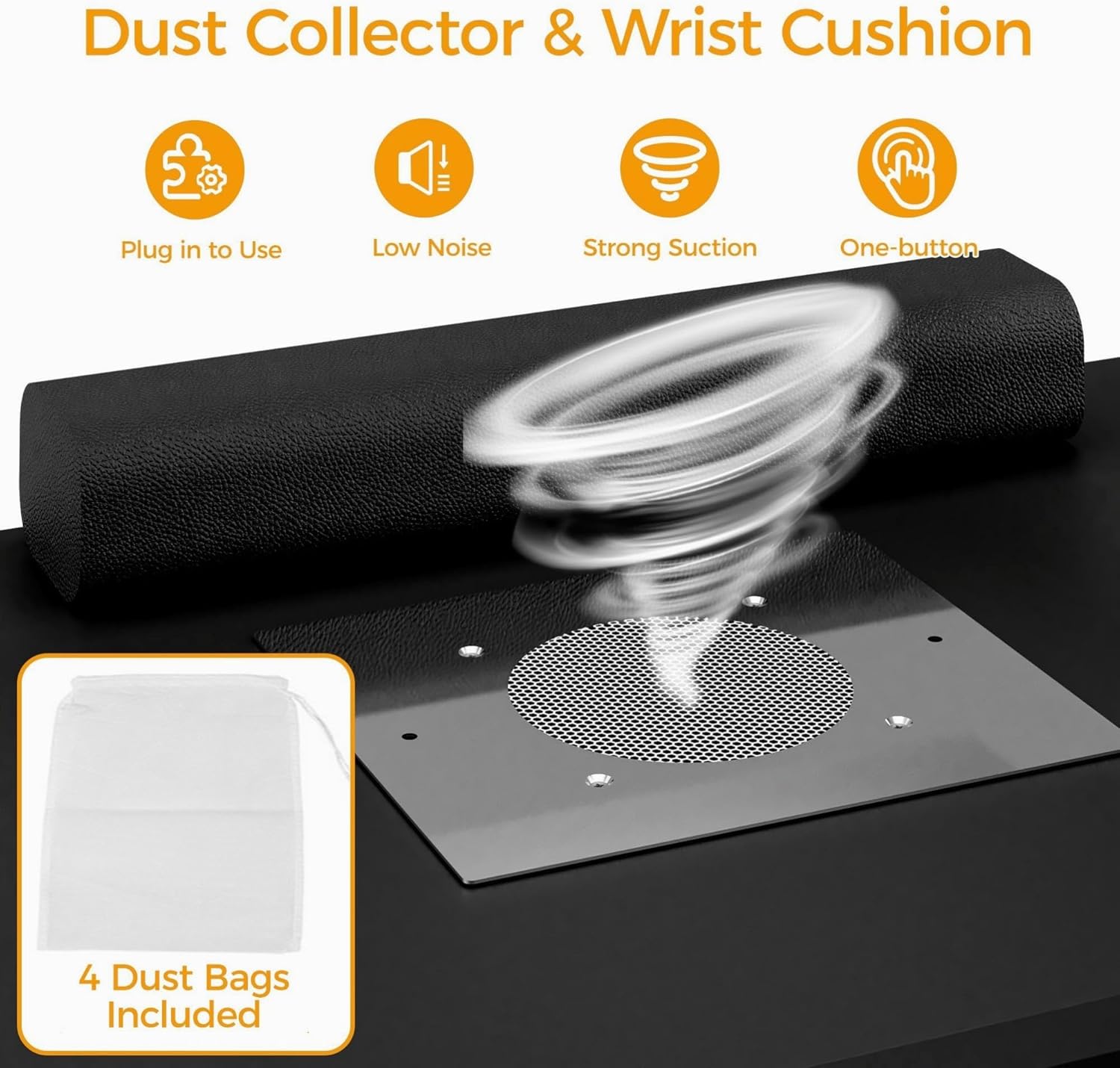
Figure 4.2: Rotating and Transforming the Table

Figure 4.3: Reversible Manicure Table Configurations
4.3 Storage Shelf Usage
The multi-tier storage shelf provides ample space for organizing nail supplies. The top tier includes raised edges and dividers to prevent items from falling. Four trim-to-fit plastic dividers are included to customize the storage space as needed.

Figure 4.4: Large Storage Space
4.4 Product Video Demonstration
Video 4.1: Official product video demonstrating the features and functionality of the HolaiNail Rotating Manicure Table, including its reversible design and storage.
5. Maintenance
5.1 Cleaning the Table
The table surface is acetone resistant, corrosion resistant, and easy to clean. Wipe with a damp cloth to remove dust and spills. Avoid abrasive cleaners that may damage the laminated finish.

Figure 5.1: Durable and Safe Work Surface
5.2 Dust Collector Maintenance
Regularly empty and clean the reusable dust bags to maintain optimal suction performance. Replace bags if they show signs of wear or damage.
6. Troubleshooting
- Table Wobbles: Ensure all assembly screws are fully tightened. Verify the table is on a level surface.
- Dust Collector Not Working: Check if the power cord is securely plugged in. Ensure the dust bag is correctly installed and not overly full.
- Desktop Rotation Stiff: Ensure no objects are obstructing the rotation path. Apply a small amount of silicone-based lubricant to the rotating mechanism if necessary.
- Missing Parts: Refer to the components list. If parts are missing or damaged upon delivery, contact customer support immediately.
7. Specifications
| Brand | HolaiNail |
| Model Number | US860102BK00 |
| Product Dimensions (D x W x H) | 33.4" x 41.7" x 42.5" |
| Material Type | Engineered Wood |
| Finish Type | Laminated |
| Color | Black |
| Special Feature | Reversible |
| Dust Collector Power | 60W |
| Number of Shelves | 2 (multi-tier shelf) |
| Maximum Weight Recommendation | 250 pounds |
| Assembly Required | Yes |
| Recommended People for Assembly | 3 |
8. Warranty and Support
8.1 Warranty Information
This HolaiNail Manicure Table comes with a Limited Warranty. Please refer to the warranty documentation included with your product for specific terms and conditions. The warranty typically covers manufacturing defects.
8.2 Customer Support
If you experience any defects, delivery damage, or require assistance with assembly or operation, please contact the seller or manufacturer directly for a prompt solution. Contact information can typically be found on your purchase receipt or the product packaging.