
1. Introduction
Thank you for choosing the SBONNI 100mm HBK-FB223E Silent Air Extractor Fan. This manual provides essential information for the safe installation, operation, and maintenance of your new extractor fan. Please read this manual thoroughly before use and retain it for future reference.
2. Safety Instructions
To ensure safe operation, always adhere to the following safety guidelines:
- Electrical Safety: Installation must be performed by a qualified electrician in accordance with local wiring regulations. Ensure the power supply is disconnected before installation, maintenance, or cleaning.
- Voltage: This appliance operates on 230 Volts. Verify your power supply matches this requirement.
- Placement: Do not install the fan in areas where flammable or explosive gases are present. Ensure adequate clearance around the fan for proper airflow.
- Children and Vulnerable Persons: This appliance is not intended for use by persons (including children) with reduced physical, sensory, or mental capabilities, or lack of experience and knowledge, unless they have been given supervision or instruction concerning use of the appliance by a person responsible for their safety.
- Damage: Do not operate the fan if the power cord or plug is damaged, or if the fan itself shows signs of damage. Contact customer support for assistance.
3. Package Contents
Please check the package for the following items:
- SBONNI 100mm HBK-FB223E Air Extractor Fan
- User Manual
4. Setup and Installation
Follow these steps for proper installation:
- Preparation: Ensure the installation area is clean and free from obstructions. The fan is designed for a 100mm duct.
- Mounting: Securely mount the extractor fan in the desired location, ensuring it is stable and properly aligned with the ventilation ductwork.
- Electrical Connection: Connect the fan to a 230V AC power supply. Ensure all wiring connections are secure and insulated. Refer to the wiring diagram (if provided separately or on the unit) for correct polarity.
- Testing: Once installed, restore power and test the fan's operation using the toggle switch.
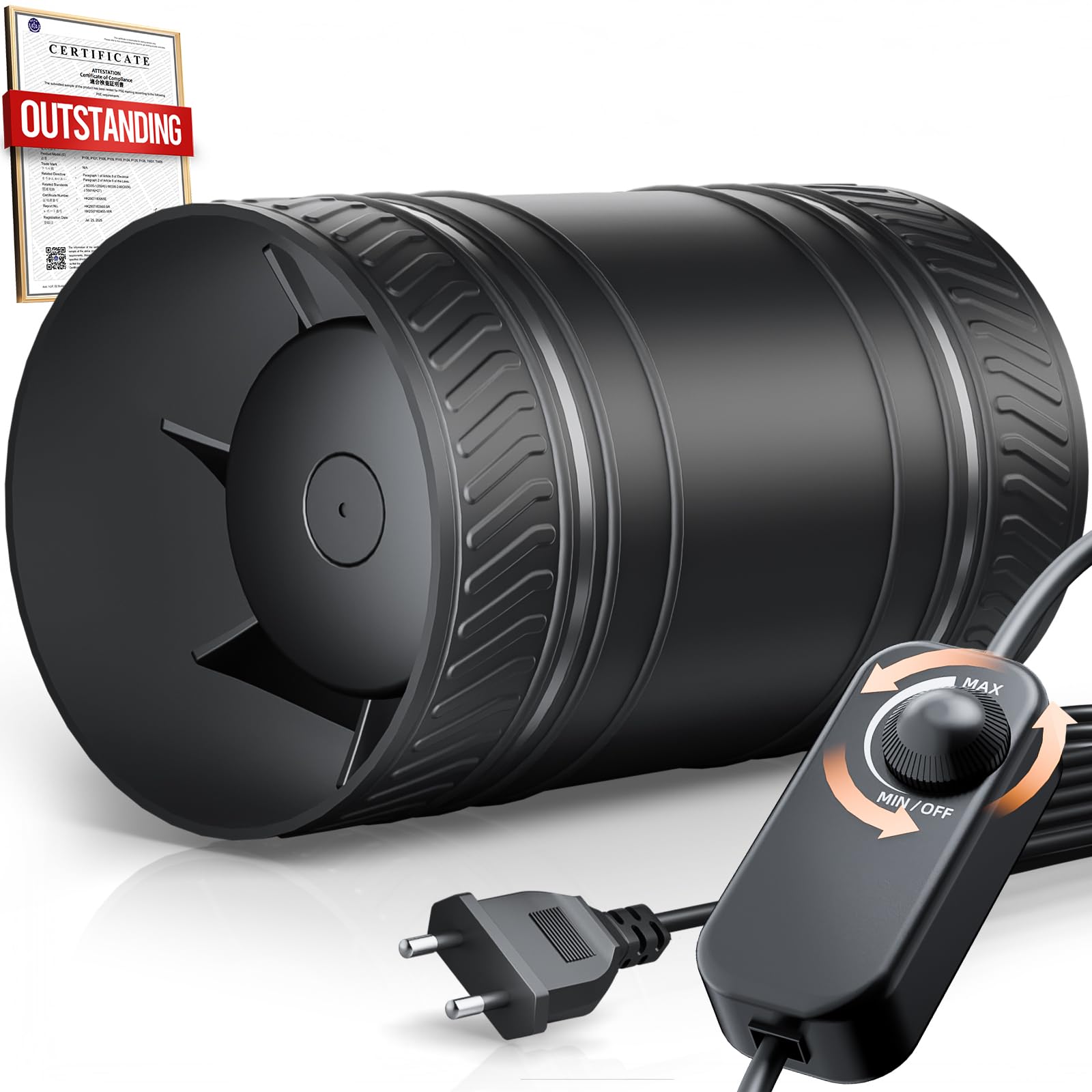
Image 1: The SBONNI 100mm HBK-FB223E Silent Air Extractor Fan, illustrating its compact design and duct connection point.
5. Operating Instructions
The SBONNI HBK-FB223E extractor fan is designed for simple operation:
- Power On/Off: Use the integrated toggle switch to turn the fan on or off.
- Airflow: The fan will begin extracting air from the connected ductwork upon activation. Its silent design ensures minimal noise during operation.
6. Maintenance
Regular maintenance ensures optimal performance and longevity of your extractor fan:
- Cleaning Frequency: Clean the fan blades and housing periodically, depending on the operating environment.
- Power Disconnection: Always disconnect the power supply before attempting any cleaning or maintenance.
- Cleaning Procedure: Use a soft, damp cloth to wipe down the exterior and fan blades. Do not use abrasive cleaners, solvents, or harsh chemicals, as these can damage the ABS material. Ensure no water enters the motor housing.
- Reassembly: After cleaning, ensure all parts are dry and securely reassembled before restoring power.
7. Troubleshooting
If you encounter issues with your extractor fan, refer to the following common problems and solutions:
- Fan Does Not Turn On:
- Check if the power supply is connected and active.
- Ensure the toggle switch is in the 'ON' position.
- Verify electrical connections are secure (consult a qualified electrician if unsure).
- Low Airflow:
- Check for obstructions in the ductwork or on the fan blades.
- Clean the fan blades if they are dusty or dirty.
- Unusual Noise:
- Ensure the fan is securely mounted and not vibrating against any surfaces.
- Check for any foreign objects inside the fan housing.
If the problem persists after attempting these solutions, please contact SBONNI customer support.
8. Specifications
| Feature | Specification |
|---|---|
| Manufacturer | SBONNI |
| Model Number | SBONNI-100R |
| Dimensions (L x W x H) | 19.7 x 14.3 x 11 cm |
| Weight | 650 grams |
| Material | ABS |
| Power Type | Wired Electric |
| Voltage | 230 Volts |
| Wattage | 8 watts |
| Sound Level | 45 Decibels |
| Switch Type | Toggle |
9. Warranty and Support
SBONNI products are manufactured to high-quality standards. For information regarding warranty coverage, please refer to the warranty card included with your purchase or visit the official SBONNI website. For technical support, troubleshooting assistance, or spare parts, please contact SBONNI customer service through the contact information provided on our website or your purchase documentation.