
1. Introduction
Thank you for choosing the ledmo 60W LED Outdoor Wall Light. This product is designed to provide efficient and reliable illumination for both indoor and outdoor environments, featuring a motion sensor, 360° rotatable LED panel, and IP65 waterproof rating. Please read this manual carefully before installation and use to ensure proper function and safety.
2. Safety Information
- Electrical Safety: Always disconnect power at the circuit breaker before installation, maintenance, or repair. Ensure all wiring connections are secure and comply with local electrical codes.
- Professional Installation: Installation should ideally be performed by a certified electrician to prevent electrical shock or fire hazards.
- Voltage: This product operates at 220 Volts. Verify your power supply matches this requirement.
- Operating Environment: The light is rated IP65 for water resistance, suitable for outdoor use. However, avoid submerging the unit in water.
- Heat: While LED lights generate less heat than traditional bulbs, ensure adequate ventilation around the fixture. Do not cover the light with flammable materials.
3. Package Contents
Verify that all components are present in the package:
- 1 x ledmo 60W LED Outdoor Wall Light
- 1 x Mounting Plate
- 1 x Set of Screws and Wall Plugs
- 1 x Hexagonal Wrench
- 1 x Instruction Manual
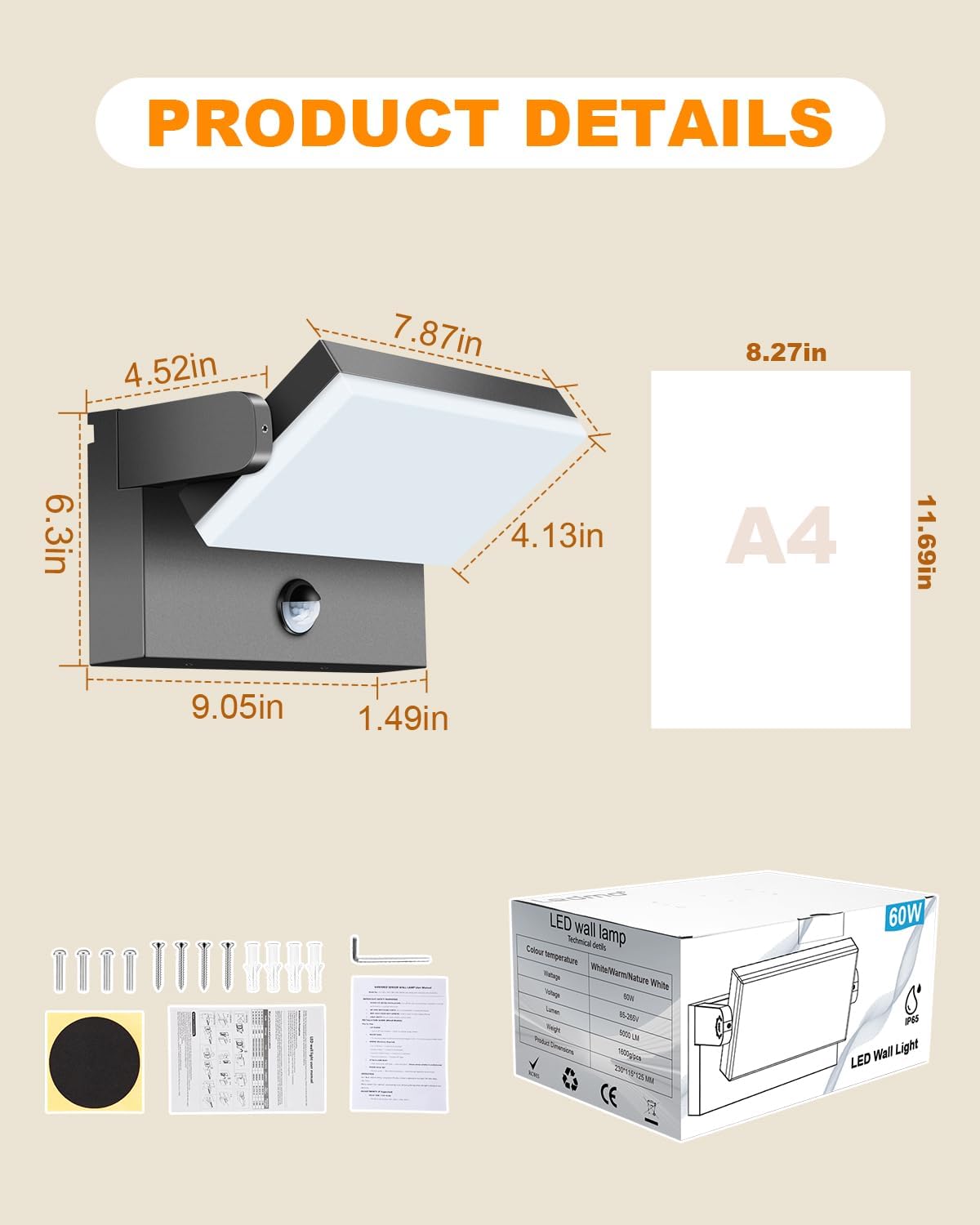
Image: Contents of the product package, showing the LED wall light, mounting screws, wall plugs, hexagonal wrench, and instruction manual.
4. Product Features
- Power: 60 Watts
- Luminous Flux: 5000 Lumens
- Color Temperature: 3000K Warm White
- LED Quantity: 126 LEDs
- Motion Sensor: Detection range of 3-6 meters. Adjustable timer from 30 seconds to 3 minutes.
- Light Sensor: Default operation at night. Can be set for 24-hour operation.
- Rotatable Panel: 360° adjustable LED panel for directional lighting.
- Durability: High-quality aluminum body with IP65 waterproof rating. Acrylic lampshade for high temperature and impact resistance.
- Dimensions: 23L x 11.5W x 16H cm

Image: The 360° rotatable LED panel feature, allowing flexible light direction.

Image: Various angles showing the light's adjustable head for precise illumination.
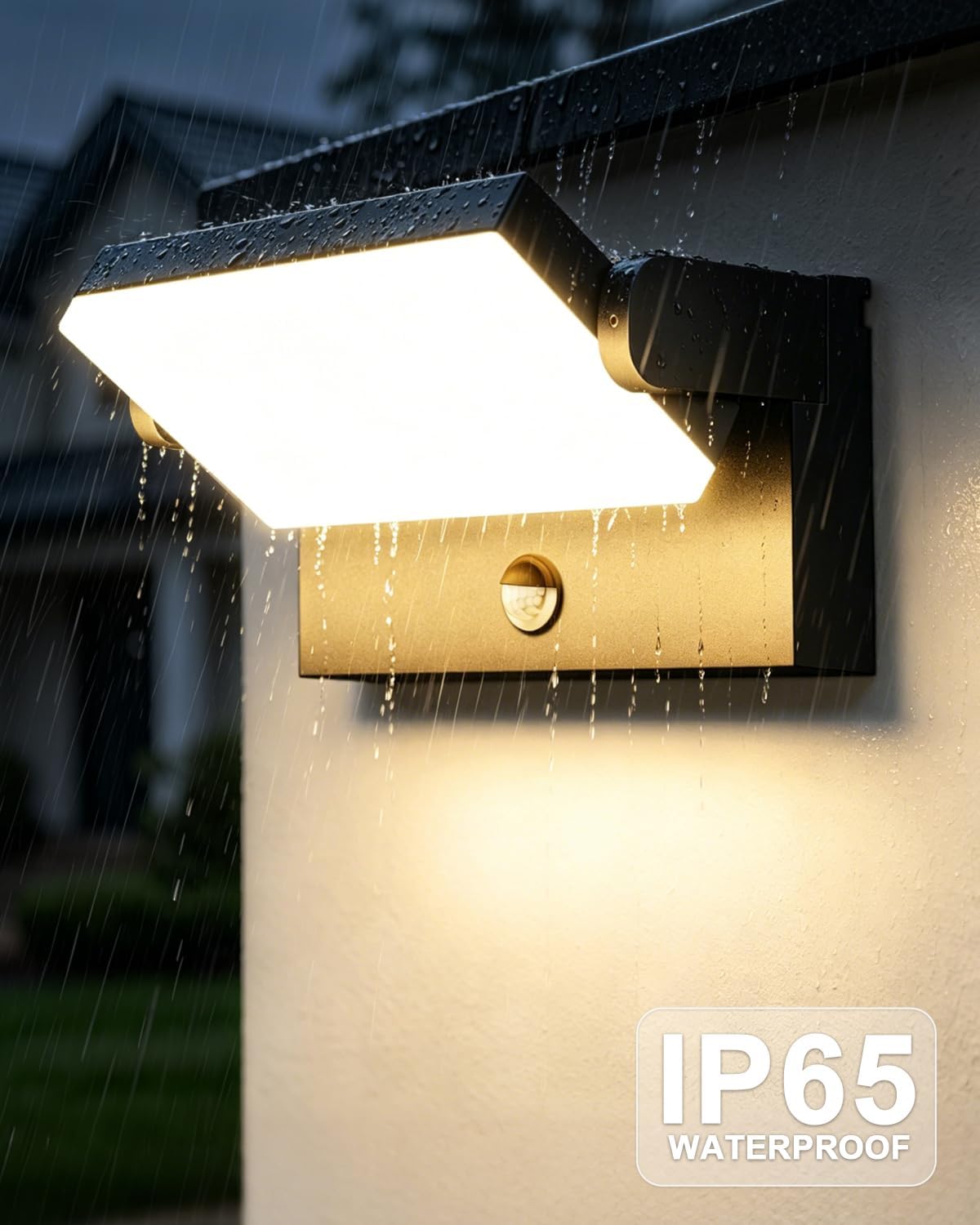
Image: The light fixture enduring rain, highlighting its IP65 waterproof rating for outdoor use.
5. Setup and Installation
Important: Ensure power is OFF at the main circuit breaker before beginning installation.
- Prepare the Mounting Surface: Choose a suitable location on a wall, ensuring it is structurally sound and can support the weight of the fixture.
- Mount the Back Plate: Use the included screws and wall plugs to securely fix the back mounting plate to the wall.
- Wire Connections: Open the fixture to access the wiring. Connect the live (fire line), neutral, and ground wires from your electrical supply to the corresponding terminals on the light fixture. Ensure connections are tight and insulated.
- Attach the Light Body: Align the light body with the mounted back plate and secure it using the hexagonal screws provided.
- Adjust the Panel: Rotate the LED panel to your desired lighting angle.
- Restore Power: Once installation is complete and all connections are secure, restore power at the circuit breaker.

Image: Step-by-step guide for easy installation of the ledmo wall light.

Image: Detailed view of the internal wiring and components for installation reference.
6. Operating Instructions
The ledmo 60W LED Wall Light features an integrated motion sensor and light sensor for automated operation.
Motion Sensor Function
The motion sensor detects movement within a 3-6 meter radius. When motion is detected, the light will automatically turn on. It will turn off after a set period if no further motion is detected.

Image: Demonstration of the motion sensor activating the light when a person enters its detection range.
Adjusting Settings (Time and Light Sensitivity)
The light features adjustable settings for both the illumination duration after motion detection and the light sensitivity (day/night mode). Refer to the internal adjustment dials or switches, typically located near the sensor, for these settings.
- Time Setting: The default illumination time is 30 seconds. This can be adjusted to a maximum of 3 minutes. Look for a dial labeled 'TIME' or similar.
- Light Sensitivity Setting: The default setting allows the light to operate only at night or in low-light conditions. You can adjust this to allow the motion sensor to trigger the light during the day as well. Look for a dial labeled 'LUX' or 'DAY/NIGHT' or similar.

Image: Controls for adjusting motion sensor duration and light sensitivity modes.
7. Maintenance
- Cleaning: Regularly clean the exterior of the light fixture with a soft, damp cloth. Avoid abrasive cleaners or solvents that could damage the finish or acrylic lampshade.
- Inspection: Periodically check the mounting screws and wiring connections to ensure they remain secure.
- LED Lifespan: The integrated LED has a long lifespan of up to 50,000 hours and is not user-replaceable.
8. Troubleshooting
| Problem | Possible Cause | Solution |
|---|---|---|
| Light does not turn on. | No power supply. Incorrect wiring. Light sensor set to 'night mode' during daytime. | Check circuit breaker. Verify wiring connections. Adjust light sensor setting. |
| Motion sensor not detecting. | Obstruction in detection path. Sensor sensitivity too low. Incorrect light sensor setting. | Clear obstructions. Increase sensor sensitivity. Ensure light sensor is not in 'day mode' if testing at night. |
| Light stays on continuously. | Constant motion in detection area. Sensor malfunction. | Ensure no continuous motion. Check sensor for damage. If problem persists, consult an electrician. |
| Light flickers. | Unstable power supply. Loose wiring connection. | Consult an electrician to check power supply and wiring. |
9. Specifications
| Feature | Specification |
|---|---|
| Brand | ledmo |
| Model Number | KW1383 |
| Power | 60 Watts |
| Luminous Flux | 5000 Lumens |
| Color Temperature | 3000 Kelvin (Warm White) |
| Voltage | 220 Volts |
| Material | Aluminum (body), Plastic (lampshade) |
| Water Resistance | IP65 |
| Motion Sensor Range | 3-6 meters |
| Motion Sensor Timer | Adjustable (30 seconds - 3 minutes) |
| LED Panel Rotation | 360° |
| Dimensions (LxWxH) | 23L x 11.5W x 16H cm |
| Weight | 1.84 Kilograms |
| Energy Efficiency Class | E |
| Assembly Required | Yes |

Image: The ledmo 60W LED Outdoor Wall Light.

Image: EU Energy Label for the product. For more details, visit EPREL Database.
10. Warranty and Support
This ledmo product comes with an unlimited warranty. For any questions, technical support, or warranty claims, please contact ledmo customer service through the retailer where you purchased the product or visit the official ledmo brand store.
ledmo Brand Store: Visit the ledmo Store