
Introduction
Thank you for choosing the Fisher Pro Active Noise Cancelling Headphones. This manual provides essential information for setting up, operating, and maintaining your headphones. Please read it thoroughly to ensure optimal performance and longevity of your device.
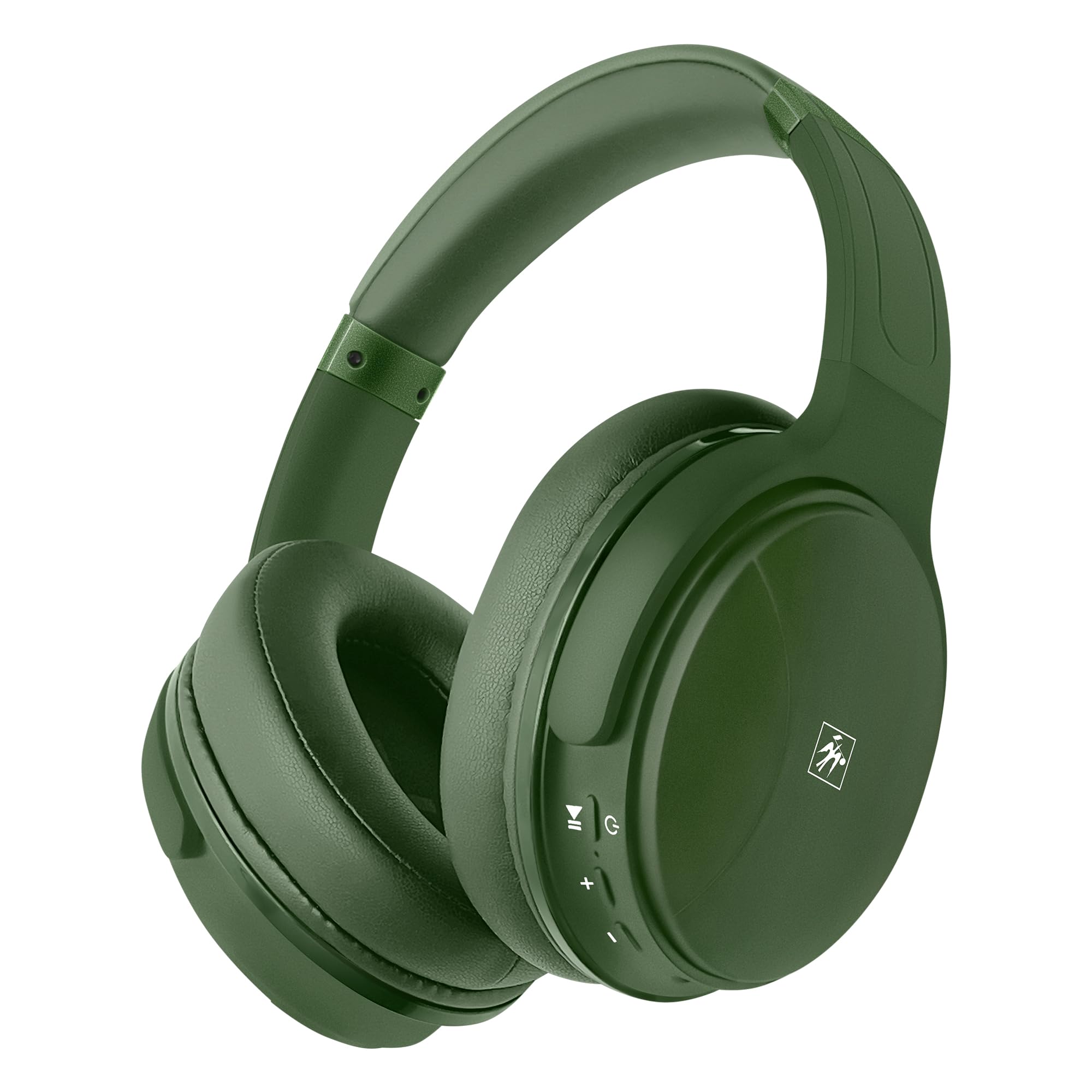
Image: Front view of the Fisher Pro Active Noise Cancelling Headphones in dark green.
Package Contents
Ensure all items are present in the package:
- Fisher Pro Active Noise Cancelling Headphones
- USB-C Charging Cable
- 3.5mm Stereo AUX Cable
- User Manual (this document)
- Warranty Card
Controls and Features
Familiarize yourself with the headphone controls and key features:

Image: Right earcup showing control buttons for power, volume, and ANC.
- Power Button: Press and hold to power on/off.
- Volume Up/Next Track: Short press for volume up, long press for next track.
- Volume Down/Previous Track: Short press for volume down, long press for previous track.
- Multi-function Button (MFB): Play/pause music, answer/end calls, activate voice assistant.
- ANC Button: Toggle Active Noise Cancellation on/off.
- USB-C Port: For charging the headphones.
- 3.5mm Audio Jack: For wired connection.
- Microphone: For hands-free calls.

Image: Overview of headphone features including Active Noise Cancellation, 16-hour battery life, voice assistant support, premium sound, device compatibility, foldable design, adjustable headband, easy-access buttons, hands-free microphone, and comfort cushions.
Setup
1. Charging the Headphones
Before first use, fully charge the headphones.
- Connect the provided USB-C charging cable to the headphone's USB-C port.
- Connect the other end of the cable to a USB power source (e.g., wall adapter, computer USB port).
- The LED indicator will show charging status (e.g., red for charging, blue for fully charged).
A full charge provides up to 16 hours of playback. Quick charging is supported.

Image: Visual representation of the 16-hour battery life feature.
2. Power On/Off
- To Power On: Press and hold the Power button for approximately 3 seconds until the LED indicator flashes blue.
- To Power Off: Press and hold the Power button for approximately 3 seconds until the LED indicator turns off.
3. Bluetooth Pairing
Pair your headphones with a Bluetooth-enabled device:
- Ensure the headphones are powered off.
- Press and hold the Power button for 5-7 seconds until the LED indicator flashes red and blue alternately, indicating pairing mode.
- On your device (smartphone, laptop, tablet), enable Bluetooth and search for available devices.
- Select "Fisher Pro" from the list of devices.
- Once connected, the LED indicator will flash blue slowly.
The headphones will automatically attempt to reconnect to the last paired device when powered on.

Image: Illustration showing the headphones' compatibility with various devices via Bluetooth 5.3.
4. Wired Connection (AUX Mode)
Use the included 3.5mm AUX cable for a wired connection:
- Plug one end of the 3.5mm AUX cable into the headphone's audio jack.
- Plug the other end into your audio source's 3.5mm audio output.
- The headphones will automatically switch to AUX mode. Bluetooth functionality is disabled in this mode.
Operating Instructions
1. Active Noise Cancellation (ANC)
The Fisher Pro headphones feature Active Noise Cancellation to reduce ambient sounds.
- To Activate/Deactivate ANC: Press the dedicated ANC button. The LED indicator for ANC will illuminate when active.

Image: Diagram illustrating how Active Noise Cancellation works by generating anti-phase sound waves to cancel ambient noise.
2. Music Playback
- Play/Pause: Press the MFB once.
- Next Track: Long press the Volume Up button.
- Previous Track: Long press the Volume Down button.
- Volume Up: Short press the Volume Up button.
- Volume Down: Short press the Volume Down button.
3. Call Management
- Answer/End Call: Press the MFB once.
- Reject Call: Press and hold the MFB for 2 seconds.
- Redial Last Number: Double-press the MFB.

Image: Icon indicating the presence of a hands-free microphone for calls.
4. Voice Assistant
Activate your device's voice assistant (Siri, Google Assistant, etc.):
- Activate Voice Assistant: Triple-press the MFB.
Maintenance
To ensure the longevity and optimal performance of your headphones, follow these maintenance guidelines:
- Cleaning: Use a soft, dry cloth to clean the headphones. Do not use abrasive cleaners or solvents.
- Storage: When not in use, store the headphones in a cool, dry place, away from direct sunlight and extreme temperatures. The foldable design allows for compact storage.
- Avoid Moisture: Do not expose the headphones to water or excessive moisture.
- Handle with Care: Avoid dropping or subjecting the headphones to strong impacts.

Image: Detail of the earcup, showing the comfortable memory foam cushions and foldable design for easy storage.
Troubleshooting
If you encounter issues with your headphones, refer to the following common solutions:
| Problem | Possible Solution |
|---|---|
| Headphones won't power on. | Ensure the headphones are fully charged. Connect to a power source using the USB-C cable. |
| Cannot pair via Bluetooth. | Ensure headphones are in pairing mode (flashing red/blue). Turn off and on Bluetooth on your device. Move closer to the device. |
| No sound or low volume. | Check volume levels on both headphones and connected device. Ensure headphones are properly paired or AUX cable is fully inserted. |
| ANC not working effectively. | Ensure ANC is activated via the ANC button. Adjust headphone fit to ensure a good seal around your ears. |
| Microphone not working. | Ensure headphones are connected via Bluetooth (microphone functionality is not available in AUX mode). Check device settings for microphone input. |
Specifications
| Feature | Detail |
|---|---|
| Model Name | SBHP550ADG |
| Connectivity Technology | Wireless (Bluetooth 5.3), Wired (3.5mm AUX) |
| Bluetooth Version | 5.3 |
| Noise Control | Active Noise Cancellation (ANC) |
| Audio Driver Type | Dynamic Driver, 40mm |
| Frequency Response | 15Hz – 20kHz |
| Impedance | 32 Ohms |
| Battery Life | Up to 16 hours |
| Charging Port | USB-C |
| Microphone | Built-in for hands-free calls |
| Control Method | Touch/Button |
| Earpiece Shape | Over-Ear |
| Dimensions | 8.1 x 7.5 x 3.15 inches |
| Item Weight | 6.6 ounces |
| Material | Plastic |

Image: Detailed view of the 40mm Hi-Res Audio driver, responsible for clear and immersive sound.
Warranty and Support
Warranty Information
Your Fisher Pro Active Noise Cancelling Headphones come with a limited warranty. Please refer to the included Warranty Card for detailed terms and conditions, including coverage period and how to make a claim.
Customer Support
For technical assistance, troubleshooting beyond this manual, or warranty inquiries, please contact Fisher customer support. Contact details can be found on the Warranty Card or the official Fisher website.