
1. Introduction
Thank you for purchasing the Panasonic KX-TF400EXB 4G Feature Phone. This manual provides essential information for setting up, operating, and maintaining your device. Please read it carefully to ensure proper use and to maximize the phone's capabilities.
2. Package Contents
Verify that all the following items are included in your product package:
- Panasonic KX-TF400EXB 4G Feature Phone
- Battery
- USB-C Charging Cable
- Quick Guide (this manual)
- Headphones

An overview of the items included in the product package: the Panasonic KX-TF400EXB phone, battery, USB-C charging cable, quick guide, and headphones.
3. Setup
3.1. Inserting the SIM Card and Battery
- Carefully remove the back cover of the phone.
- Insert your Standard SIM card into the designated slot. Ensure it is correctly oriented.
- Insert the battery, aligning the contacts with those in the phone.
- Replace the back cover until it clicks securely into place.
3.2. Charging the Battery
Before first use, fully charge the phone's battery.
- Connect the USB-C charging cable to the phone's USB-C port.
- Connect the other end of the cable to a compatible USB power adapter (not included) or a computer's USB port.
- The charging indicator on the screen will show the charging status. A full charge takes approximately 5 hours.

Details of the phone's integrated LED flashlight at the top and the USB-C charging port at the bottom for convenient power.
4. Basic Operation
4.1. Power On/Off
- To power on: Press and hold the Power/End Call button until the screen lights up.
- To power off: Press and hold the Power/End Call button, then select 'Power off' from the options.
4.2. Making and Receiving Calls
- To make a call: Enter the phone number using the keypad and press the Call button (green).
- To answer a call: Press the Call button (green) when the phone rings.
- To end a call: Press the Power/End Call button (red).
The phone supports 4G VoLTE technology for clear voice calls, even in noisy environments.

The Panasonic KX-TF400EXB phone in use, highlighting its clear call quality with 4G VoLTE technology.
4.3. Using the Display
The phone features a 2.4-inch TFT color screen for easy navigation and clear display of numbers and text.

The phone's 2.4-inch color display, showing the date, time, and menu options for easy navigation.
4.4. Keypad Functions
The large, easy-to-use keypad allows for simple dialing and menu navigation.
- Navigation Keys: Use the directional keys to move through menus and options.
- OK/Select Key: Confirms selections.
- Menu Key: Accesses the main menu.
- Contacts Key: Opens your phonebook.
4.5. Flashlight
To activate the integrated LED flashlight, refer to the quick guide or phone settings for the specific shortcut. It provides convenient illumination when needed.
4.6. Camera
The phone includes a basic camera function. To take a photo:
- Navigate to the Camera application from the main menu.
- Frame your shot using the display.
- Press the designated button (usually the center navigation key) to capture the image.
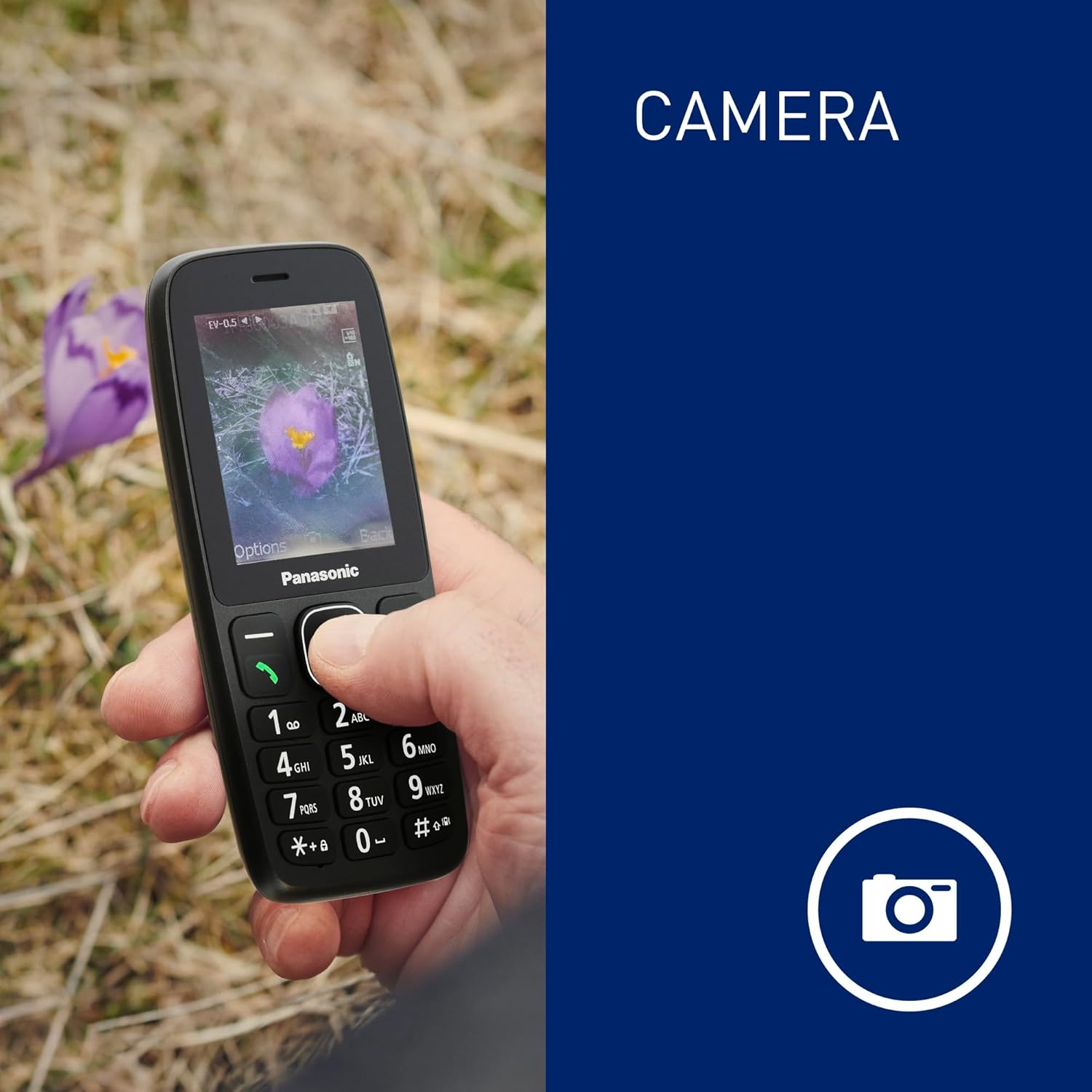
The phone's screen displaying an image captured by its integrated camera function.
4.7. Alarm
Set customizable alarms through the phone's menu to help you stay on schedule.
5. Maintenance
5.1. Dust and Water Resistance (IP44)
The Panasonic KX-TF400EXB is rated IP44, meaning it is protected against solid objects larger than 1mm and splashing water from any direction. This makes it suitable for outdoor activities and light exposure to moisture.
- Avoid submerging the phone in water.
- Ensure all ports and covers are securely closed to maintain water resistance.
- If the phone gets wet, wipe it dry immediately with a clean cloth.

The phone demonstrating its IP44 dust and water resistance, suitable for various environments.
5.2. Battery Care
- Use only the original or approved charging cable.
- Avoid exposing the battery to extreme temperatures.
- For optimal battery life, avoid frequently draining the battery completely.
The phone offers a reliable battery life of up to 200 hours standby and 5 hours talk time.
6. Troubleshooting
6.1. Common Issues and Solutions
| Issue | Possible Solution |
|---|---|
| Phone does not power on | Ensure the battery is correctly inserted and charged. Try charging the phone for at least 30 minutes. |
| Cannot make/receive calls | Check if the SIM card is properly inserted and activated. Verify network signal strength. |
| Poor call quality | Move to an area with better network coverage. Ensure the speaker/microphone is not obstructed. |
| Battery drains quickly | Reduce screen brightness. Close unused applications. Limit background data usage. |
| Phone is unresponsive | Remove and reinsert the battery to perform a soft reset. |
If the issue persists after trying these solutions, please contact customer support.
7. Specifications
| Feature | Detail |
|---|---|
| Model Number | KX-TF400EXB |
| Dimensions (L x W x H) | 1.46 x 5.62 x 13.17 cm |
| Weight | 84.1 grams (with battery) |
| Display Size | 2.4 inches |
| Display Resolution | 320 x 240 pixels |
| Cellular Technology | 4G LTE (VoLTE) |
| SIM Card Type | Standard SIM (Single SIM slot) |
| Operating System | ThreadX Mocor20A |
| CPU Model | MediaTek Helio |
| Internal Storage | 32 GB (maximum flash memory supported) |
| Battery Capacity | 1000 mAh (Lithium-ion) |
| Talk Time | Up to 5.5 hours |
| Standby Time | Up to 280 hours |
| Charging Port | USB Type-C |
| Headphone Jack | 3.5 mm |
| Water Resistance | IP44 (Dust and Splash Resistant) |
| Special Features | LED Flashlight, Camera, Alarm |

A diagram illustrating the physical dimensions (length, width, thickness) and weight of the Panasonic KX-TF400EXB phone.
8. Warranty and Support
8.1. Warranty Information
This Panasonic KX-TF400EXB phone comes with a 2-year manufacturer's warranty from the date of purchase. This warranty covers defects in materials and workmanship under normal use. It does not cover damage caused by misuse, accidents, unauthorized modifications, or normal wear and tear.
8.2. Customer Support
For technical assistance, warranty claims, or further inquiries, please refer to the contact information provided in your purchase documentation or visit the official Panasonic website for your region.