
1. Product Overview
The PINDOWS Digital Sport Watch PDS-8021 is designed for active individuals, offering a clear digital display, robust 5ATM water resistance, and multiple functions including a stopwatch, alarm, and dual time. Its transparent case and bright LED backlight enhance usability and style.
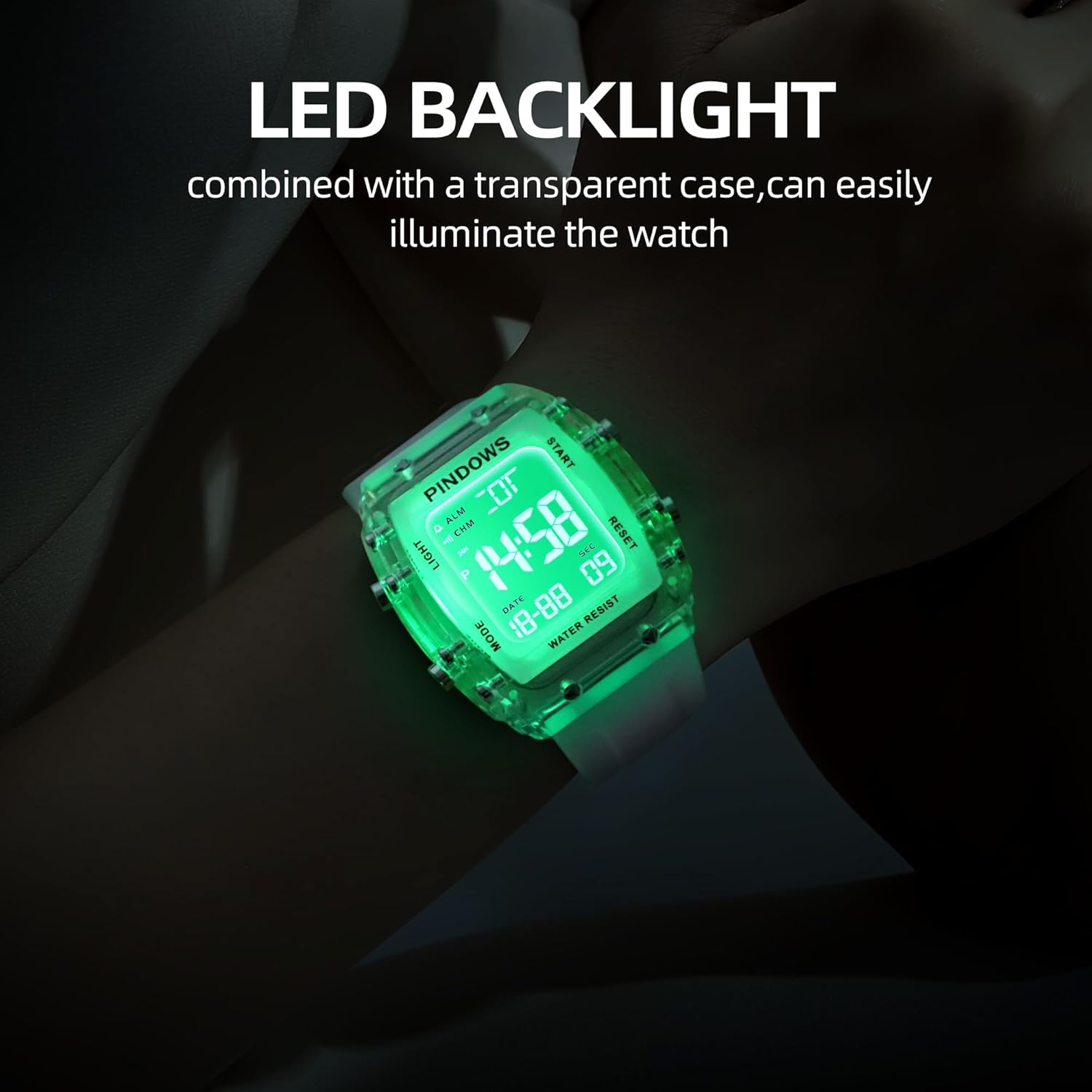
Figure 1: PINDOWS Digital Sport Watch PDS-8021
Key Features:
- Digital Time Display (12/24-hour format)
- Date Display
- Stopwatch Function
- Daily Alarm
- Hourly Chime
- Dual Time Zone
- Bright LED Backlight
- 5ATM Water Resistance

Figure 2: Functional Overview and Button Layout
Button Functions:
- LIGHT Button (Top Left): Activates the LED backlight.
- MODE Button (Bottom Left): Cycles through display modes (Time, Stopwatch, Alarm, Dual Time).
- START/PAUSE Button (Top Right): Starts/pauses stopwatch, adjusts values in setting mode.
- RESET/ADJUSTMENT Button (Bottom Right): Resets stopwatch, selects items to adjust in setting mode.
2. Initial Setup
Your watch comes with the battery pre-installed and active. Follow these steps to set the time and other functions.
2.1 Setting Time and Date:
- From the normal time display, press the MODE button three times to enter Time Setting mode. The seconds will flash.
- Press the RESET/ADJUSTMENT button to cycle through the settings: Seconds → Hour → Minute → Month → Date → Day of Week.
- While a value is flashing, use the START/PAUSE button to increase the value. Hold the button to increase rapidly.
- To switch between 12-hour and 24-hour (military) format, press the RESET/ADJUSTMENT button until the hour is flashing. Then, press the START/PAUSE button to toggle between 'A' (AM), 'P' (PM) for 12-hour format, or 'H' for 24-hour format.
- Once all settings are correct, press the MODE button to exit Time Setting mode and return to the normal time display.
2.2 Setting the Alarm:
- From the normal time display, press the MODE button twice to enter Alarm Setting mode. The hour digits will flash.
- Press the START/PAUSE button to set the desired alarm hour.
- Press the RESET/ADJUSTMENT button to select the minute digits. The minute digits will flash.
- Press the START/PAUSE button to set the desired alarm minute.
- Press the MODE button to exit Alarm Setting mode.
- To activate/deactivate the alarm, press and hold the START/PAUSE button, then press the RESET/ADJUSTMENT button. An alarm icon will appear/disappear.
2.3 Setting Dual Time:
- From the normal time display, press the MODE button four times to enter Dual Time Setting mode. The hour digits will flash.
- Press the START/PAUSE button to set the desired hour for the second time zone.
- Press the RESET/ADJUSTMENT button to select the minute digits. The minute digits will flash.
- Press the START/PAUSE button to set the desired minute for the second time zone.
- Press the MODE button to exit Dual Time Setting mode.
2.4 Hourly Chime:
To activate or deactivate the hourly chime, press and hold the MODE button, then press the RESET/ADJUSTMENT button. A chime icon will appear/disappear on the display.
3. Operating Instructions
3.1 Using the Stopwatch:
- From the normal time display, press the MODE button once to enter Stopwatch mode. The display will show '00:00:00'.
- Press the START/PAUSE button to start the stopwatch.
- Press the START/PAUSE button again to pause the stopwatch.
- To resume, press the START/PAUSE button.
- To reset the stopwatch to zero, ensure it is paused, then press the RESET/ADJUSTMENT button.
- Press the MODE button to exit Stopwatch mode.
3.2 Activating the LED Backlight:
Press the LIGHT button (top left) to illuminate the display. The backlight will remain on for a few seconds.

Figure 3: LED Backlight in action
3.3 Water Resistance (5ATM):
The watch is rated 5ATM (50 meters) water resistant. This means it is suitable for:
- Cold water rinse
- Washing hands
- Swimming
- Sweating
Important: Do not press any buttons while the watch is submerged in water. Avoid hot water, steam, or diving, as this can compromise the water resistance seals.

Figure 4: Watch demonstrating 50m water resistance
4. Maintenance
4.1 Cleaning:
Wipe the watch case and strap with a soft, damp cloth. For stubborn dirt, a mild soap solution can be used, followed by rinsing with clean water and drying thoroughly. Avoid harsh chemicals or abrasive materials.
4.2 Battery Replacement:
When the display dims or functions become erratic, the battery may need replacement. This watch uses a standard watch battery. It is recommended to have the battery replaced by a qualified watch technician to ensure proper sealing and maintain water resistance.
4.3 Storage:
Store your watch in a cool, dry place away from direct sunlight, extreme temperatures, and strong magnetic fields when not in use.
5. Troubleshooting
Common Issues and Solutions:
- Difficulty Setting Time/Date: Ensure you are in the correct setting mode (press MODE three times for time/date). Use the RESET/ADJUSTMENT button to select the flashing item and the START/PAUSE button to change its value. If the watch appears unresponsive, try pressing the LIGHT button to ensure it's not in a locked state, then re-attempt the setting process.
- Watch Stuck in Military Time (24-hour format): When setting the hour, repeatedly press the START/PAUSE button. The display should cycle through AM/PM indicators (for 12-hour format) and then to the 24-hour format. If it only shows 24-hour format, ensure you are pressing the START/PAUSE button when the hour is flashing, and continue cycling through until AM/PM appears if desired.
- Buttons Unresponsive: Check if the watch is wet, as buttons should not be pressed underwater. If dry and still unresponsive, a soft reset might be needed (remove and reinsert battery, recommended by a professional).
- Display is Dim or Blank: This usually indicates a low battery. Refer to section 4.2 for battery replacement.
- Inaccurate Time: If the time is consistently inaccurate, the battery may be low, or the watch may require servicing.
6. Specifications

Figure 5: Product Dimensions and Materials
| Feature | Specification |
|---|---|
| Model Name | PDS-8021 |
| Display Type | Digital |
| Watch Movement Type | Japanese Quartz |
| Water Resistance Depth | 50 Meters (5ATM) |
| Band Material Type | Silicone |
| Case Material Type | Acrylonitrile Butadiene Styrene (ABS) |
| Case Diameter | 42 Millimeters |
| Band Width | 22 Millimeters |
| Case Thickness | 13 Millimeters |
| Item Weight | 0.12 Kilograms (120g) |
| Power Source Type | Battery Powered |
7. Warranty and Support
7.1 Manufacturer's Warranty:
This PINDOWS Digital Sport Watch PDS-8021 comes with a 1 Year Manufacturer Warranty from the date of purchase. This warranty covers manufacturing defects under normal use. It does not cover damage caused by misuse, accidents, unauthorized repairs, or normal wear and tear.
7.2 Contact Information:
For warranty claims or technical support, please contact the manufacturer:
Manufacturer: Guangzhou Zhangbeila Maoyi Youxian Zeren Gongsi
Address: Room 202, 2F, Building A, No. 17 Jiangshi East Road, Jianggao Town, Baiyun District, Guangzhou, Guangdong, China, 51000
Telephone: 19587493862


