
1. Overview
The Perlegear Universal Swivel TV Stand with LED Lights (Model PGTVS32B) is designed to provide a versatile and aesthetically pleasing solution for mounting 32-70 inch flat-panel LCD/LED TVs. This stand features integrated LED lighting, height adjustment, and swivel/tilt capabilities to optimize your viewing experience. Its robust design ensures stability and durability, making it a reliable choice for your home entertainment setup.
2. Safety Information
Please read and understand all instructions before assembly and use. Failure to follow these instructions may result in serious personal injury or property damage.
- Weight Capacity: Do not exceed the maximum weight capacity of 88 lbs (40 kg) for the TV or 22 lbs (10 kg) for the AV shelf. Overloading can cause instability and potential injury.
- TV Size: This stand is compatible with TVs from 32 to 70 inches. Ensure your TV's VESA pattern is within the supported range (100x100mm to 400x400mm).
- Assembly: Assemble the stand strictly according to the provided instructions. Ensure all screws are tightened securely. Do not use power tools for tightening screws unless specified.
- Stability: Place the TV stand on a flat, stable, and level surface. Avoid placing it on uneven ground or near edges where it could be easily tipped over.
- Children: Keep children away from the stand during assembly. Do not allow children to climb on or play with the stand or mounted TV.
- Cable Management: Route all cables properly to prevent tripping hazards and to ensure they do not interfere with the stand's movement or stability.
- LED Lights: Ensure the LED light strip is installed correctly and not exposed to excessive moisture or heat.
3. Setup & Assembly
The Perlegear TV stand is designed for straightforward assembly, typically completed within 10 minutes. Detailed instructions and all necessary assembly hardware are included in the product packaging. No drilling into walls is required.
3.1 Before You Begin
- Verify all parts are present and undamaged by checking against the parts list in the included manual.
- Ensure your TV's VESA mounting pattern and weight are within the stand's specifications.
- Prepare a clear, flat workspace for assembly.
3.2 Assembly Steps
Refer to the step-by-step graphical instructions provided in your product's physical manual for detailed assembly. Key components include the tempered glass base, support columns, TV mounting brackets, and the AV shelf.

Image: Overall dimensions and weight capacities of the Perlegear TV stand. This image illustrates the stand's footprint, height, and the maximum weight it can support for both the TV (132 lbs) and the AV shelf (22 lbs), along with VESA compatibility (Min 100x100mm, Max 600x400mm).

Image: Universal fit for 32"-70" TVs, VESA compatibility, and maximum weight. This image highlights the stand's broad compatibility with various TV sizes and VESA patterns (100x100mm to 400x400mm), and its capacity to hold up to 88 lbs.
The stand features a pyramid-shaped structure for enhanced stability and durability. Dual bracket hooks, security locks, and non-slip pads on the base further ensure the safety and stability of your television.
4. Operation
4.1 Height Adjustment
The TV stand offers 9 levels of height adjustment, allowing you to set your TV at an optimal viewing height between 18 inches and 24.5 inches. This is achieved through 3 installation positions on the main column and 3 height choices on the TV mounting brackets. Adjust the height before securing the TV to ensure proper balance and viewing angle.

Image: Illustration of ideal viewing height options. This image demonstrates the various height settings available for the TV and the AV shelf, showing how users can customize the stand for optimal viewing comfort.
4.2 Swivel and Tilt Functionality
Maximize your viewing experience with the stand's flexible adjustments:
- Swivel: The TV can swivel +/-30 degrees, allowing you to easily adjust the screen angle to reduce glare and provide the best view from different seating positions.
- Tilt: The TV can tilt up to 8 degrees, which helps in reducing neck and eye strain, especially when the TV is mounted at a higher position.

Image: Demonstration of swivel and tilt capabilities. This image visually represents the +/-30 degree swivel and 8 degree upward tilt functions, showcasing the stand's flexibility for various viewing angles.
4.3 LED Lighting Control
The integrated LED lighting system offers a vibrant multicolor experience with 16.8 million RGB colors. You can customize the ambiance with various lighting effects, adjust effect speed, and control brightness.
Control options include:
- Phone App: Download the dedicated app to control all lighting features from your smartphone.
- Remote Control: Use the included remote control for convenient adjustments.
- In-line Remote: A physical in-line remote on the LED strip provides basic control.
A music sync mode is also available, allowing the lights to dance and change in rhythm with your audio, enhancing your entertainment experience.

Image: Various control methods for the LED lights. This image displays the three ways to control the LED lighting: via a smartphone app, the included remote control, and an in-line switch.
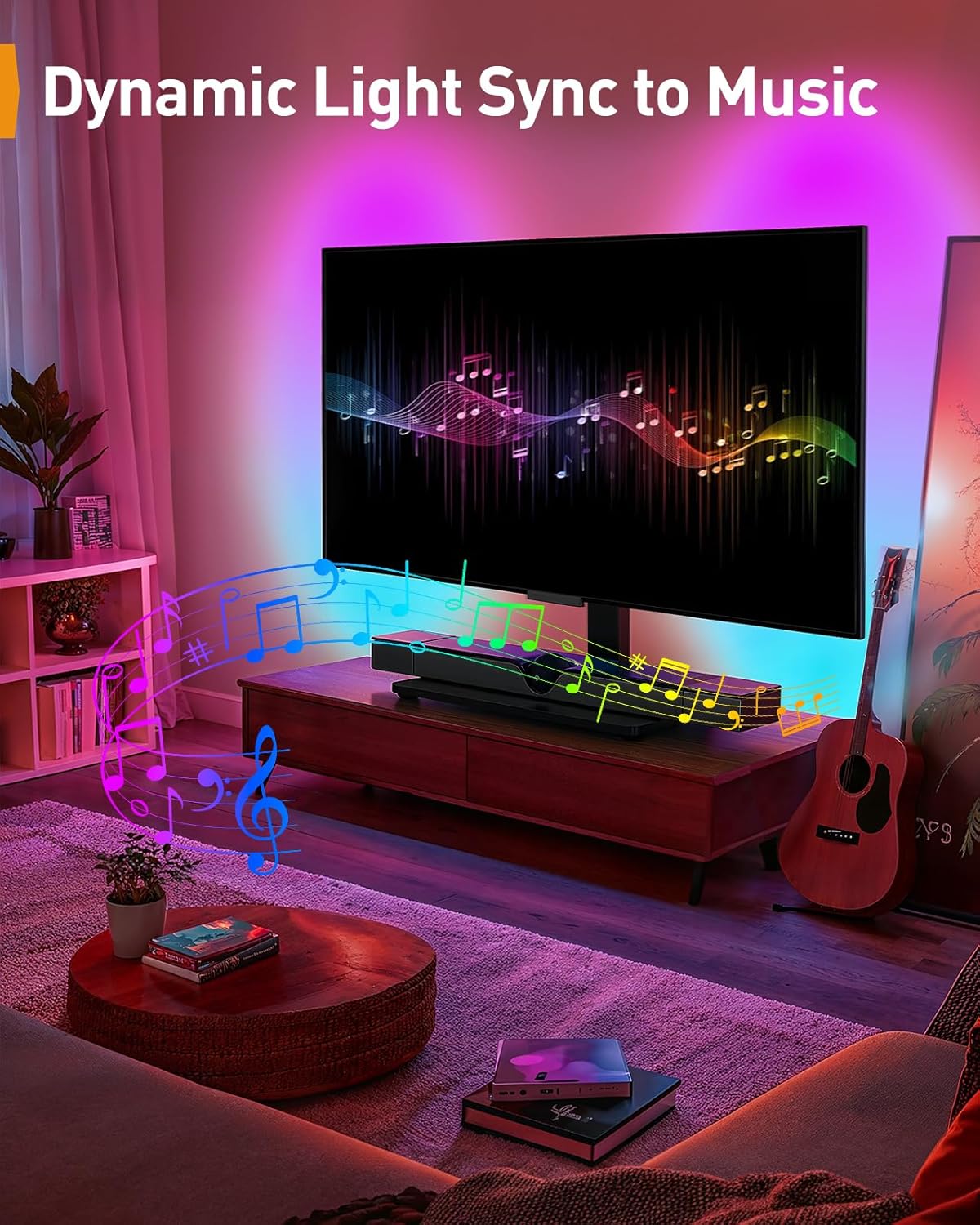
Image: Dynamic light synchronization with music. This image illustrates the music sync mode, where the LED lights change colors and patterns in response to audio, creating an immersive visual experience.
5. Maintenance
- Cleaning: Use a soft, dry cloth to clean the stand. For stubborn marks, a slightly damp cloth with mild soap can be used, followed by drying thoroughly. Avoid abrasive cleaners or solvents.
- Glass Care: Clean the tempered glass base with a glass cleaner and a soft cloth.
- Inspection: Periodically check all screws and connections to ensure they remain tight and secure. Re-tighten if necessary.
- LED Lights: Ensure the LED strip and connections are free from dust and debris. Do not attempt to repair or modify the LED strip yourself.
6. Troubleshooting
6.1 Stand Instability
- Issue: The stand feels wobbly or unstable.
- Solution: Ensure all assembly screws are fully tightened. Verify the stand is placed on a flat, level surface. Check that the non-slip pads on the base are correctly positioned.
6.2 TV Not Fitting
- Issue: TV mounting holes do not align with the brackets, or the TV is too large/heavy.
- Solution: Confirm your TV's VESA pattern (distance between mounting holes) is within 100x100mm to 400x400mm. Ensure your TV's weight does not exceed 88 lbs. If VESA is incompatible, the stand cannot be used.
6.3 LED Lights Not Working
- Issue: LED lights do not turn on or respond to controls.
- Solution: Check that the LED strip is properly connected to its power source. Ensure the power adapter is plugged into a working outlet. If using the remote, check battery levels. If using the app, ensure Bluetooth connection is active and the app is updated.
7. Specifications
| Feature | Detail |
|---|---|
| Model Number | PGTVS32B |
| Brand | Perlegear |
| Compatible TV Sizes | 32" - 70" |
| Max TV Weight Capacity | 88 lbs (40 kg) |
| Max AV Shelf Weight Capacity | 22 lbs (10 kg) |
| VESA Compatibility | 100x100mm, 100x200mm, 200x100mm, 200x200mm, 200x300mm, 300x200mm, 300x300mm, 400x200mm, 400x300mm, 400x400mm |
| Height Adjustment Range | 18" - 24.5" (9 levels) |
| Swivel Angle | +/-30° |
| Tilt Angle | Up 8° |
| Base Material | Tempered Glass |
| LED Lighting | RGB (16.8 million colors), various effects, music sync |
| LED Control Methods | Phone App, Remote Control, In-line Remote |
8. Warranty & Support
For warranty information, product support, or to purchase replacement parts, please refer to the documentation included with your product or visit the official Perlegear website. You may also contact Perlegear customer service directly for assistance with any issues or questions regarding your TV stand.
Perlegear Official Website: Visit the Perlegear Store on Amazon


