
1. Introduction
Thank you for purchasing the Auxmir RGB Night Light. This versatile bedside lamp is designed to provide customizable illumination for various settings, from a soothing night light for nurseries to a vibrant light for parties. Please read this manual carefully before use to ensure proper operation and to maximize the product's lifespan.
2. Safety Precautions
- Do not disassemble or modify the device. This may cause damage or injury and will void the warranty.
- Keep the device away from water, moisture, and high temperatures.
- Use only the provided USB cable for charging.
- Do not expose the light directly to your eyes for extended periods, especially at high brightness settings.
- Keep out of reach of small children unless under adult supervision.
3. Package Contents
- Auxmir RGB Night Light
- Remote Control
- USB Charging Cable (Type-C)
- User Manual
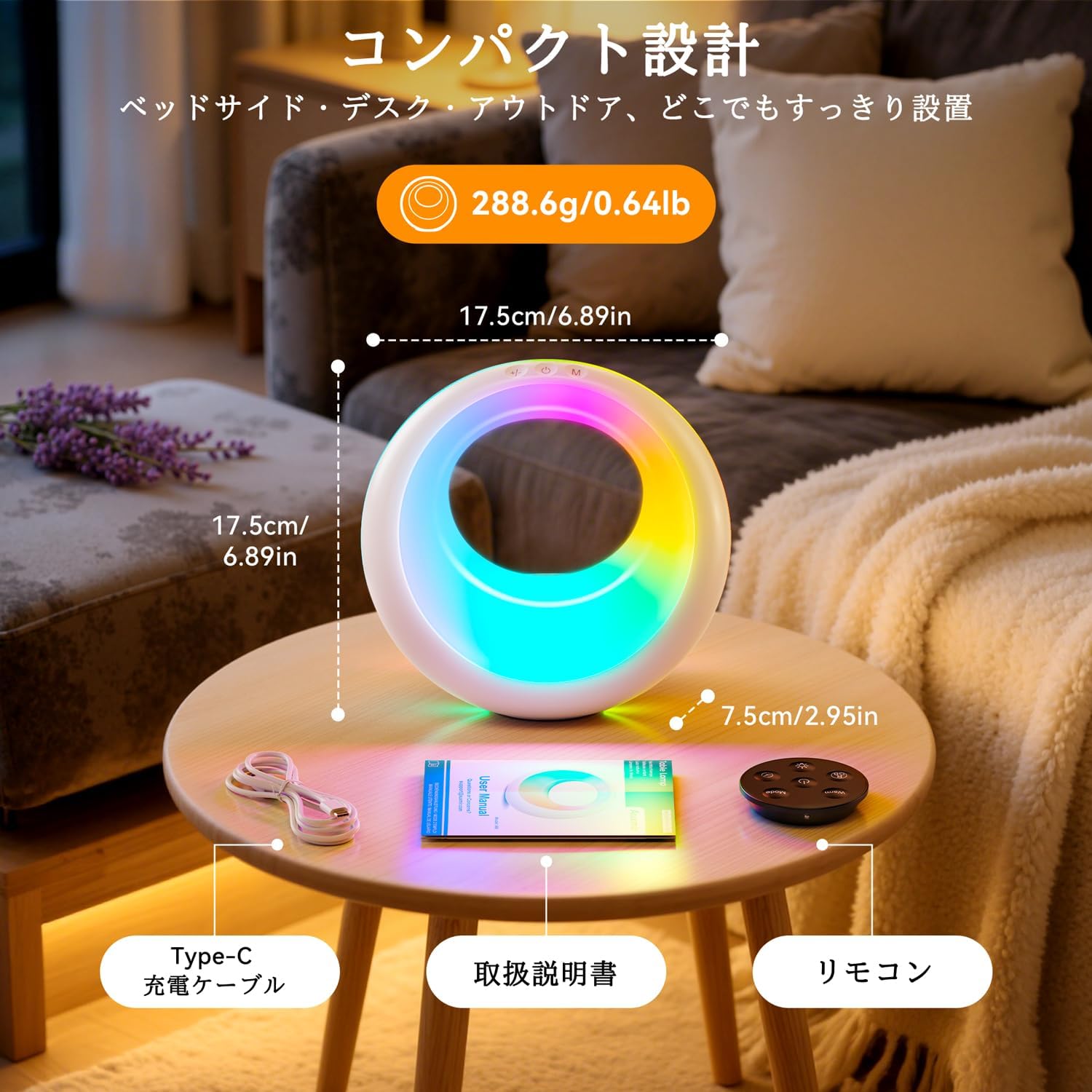
Image: Auxmir RGB Night Light with its accessories, highlighting its compact size.
4. Product Overview
The Auxmir RGB Night Light features intuitive controls on its top surface and comes with a remote for convenient operation.

Image: Close-up of the night light's touch controls.
Touch Buttons:
- +/- Button: Adjusts brightness (5 levels) and cycles through fixed colors.
- Power Button: Turns the light On/Off.
- M Button: Cycles through light modes (7 fixed colors, rainbow mode, dynamic modes) and sets the timer.
Remote Control:
The remote control provides full functionality from a distance, including power, brightness, color, and timer settings.

Image: Remote control in use, demonstrating convenience.
5. Charging the Device
The night light has a built-in 2000mAh lithium battery. Before first use, fully charge the device.
- Connect the provided USB Type-C cable to the charging port on the light and to a USB power source (e.g., wall adapter, computer, power bank).
- The charging indicator light will show charging status (e.g., red for charging, green/off for fully charged).
- A full charge takes approximately 4 hours and provides 12-18 hours of continuous use, depending on brightness and mode.

Image: USB charging setup for the night light.
6. Operating Instructions
6.1 Power On/Off
- Touch Control: Press the Power button on the top of the light.
- Remote Control: Press the Power button on the remote.
6.2 Brightness Adjustment
The light offers 5 levels of brightness.
- Touch Control: Press the +/- button to cycle through brightness levels.
- Remote Control: Use the brightness buttons on the remote.

Image: Visual representation of 5 brightness levels.
6.3 Color Mode Selection
Choose from 7 fixed colors or various dynamic RGB modes.
- Touch Control: Press the M button to cycle through different light modes.
- Remote Control: Use the color/mode buttons on the remote to select specific colors or dynamic modes.
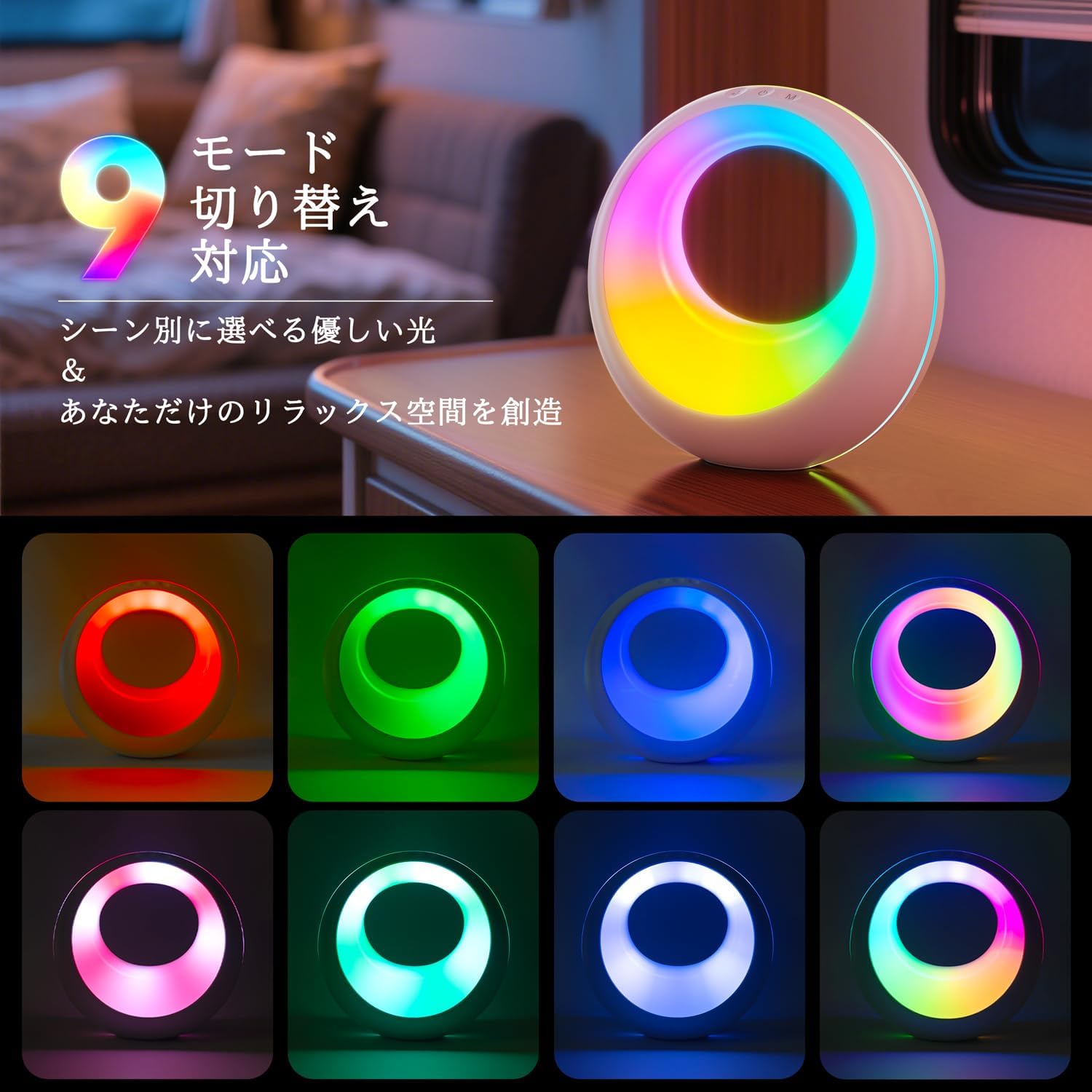
Image: Examples of the 9 available light modes.

Image: Examples of the 7 adjustable colors.
6.4 Timer Function
Set the light to automatically turn off after a specified duration.
- Touch Control: Press and hold the M button to activate the timer. Cycle through 1, 2, or 3 hours.
- Remote Control: Use the timer buttons on the remote to select 1, 2, or 3 hours.
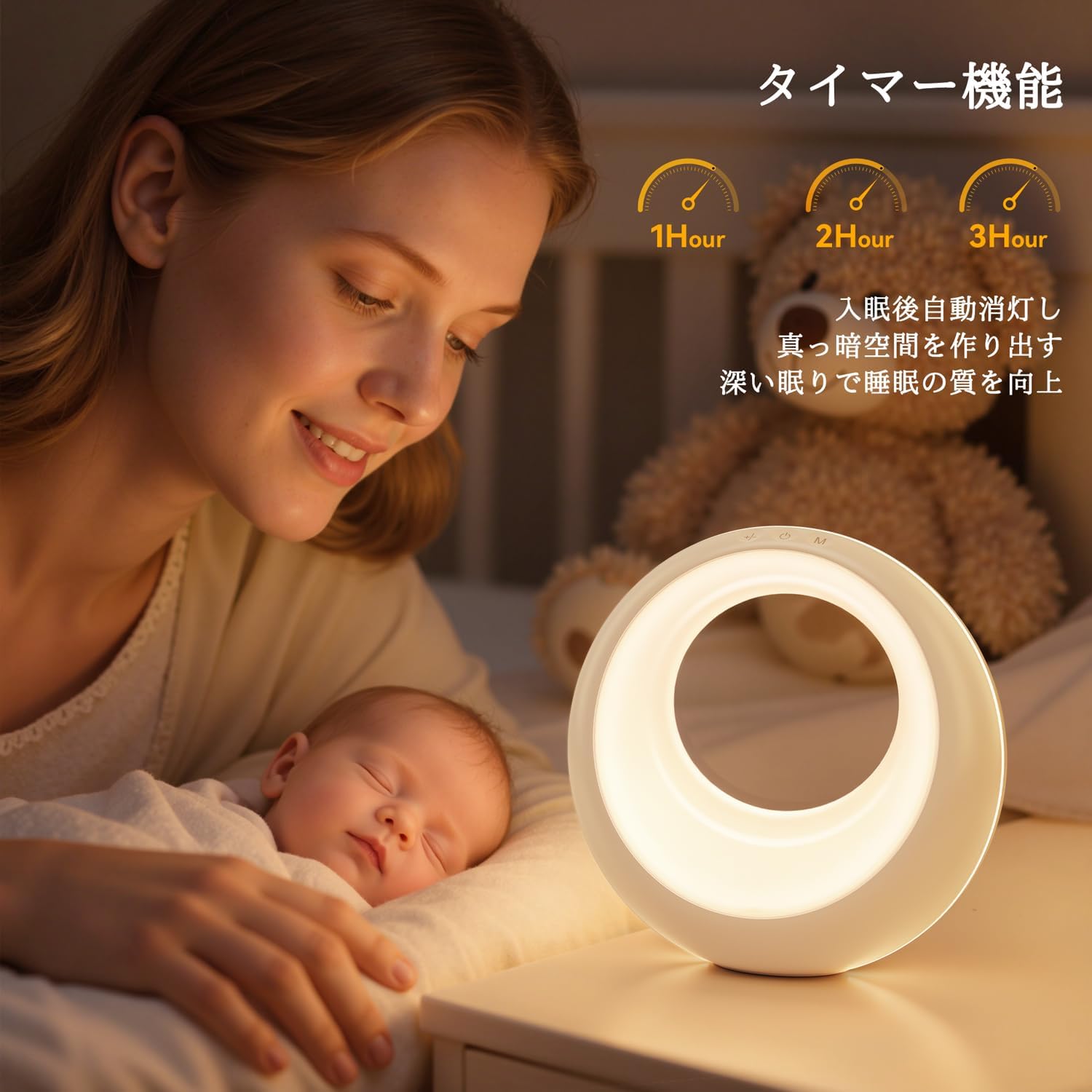
Image: Timer function in use for a child's bedtime.
7. Maintenance
- Clean the light with a soft, dry cloth. Do not use abrasive cleaners or solvents.
- If not in use for an extended period, store the device in a cool, dry place.
8. Troubleshooting
| Problem | Possible Cause | Solution |
|---|---|---|
| Light does not turn on. | Battery is depleted. | Charge the device fully. |
| Remote control not working. | Battery in remote is low or depleted. Obstruction between remote and light. | Replace remote battery. Ensure clear line of sight. |
| Brightness/color not changing. | Incorrect button pressed. | Refer to Section 4 for correct button functions. |
9. Specifications
| Feature | Detail |
|---|---|
| Manufacturer | Auxmir |
| Product Dimensions | 17.5 x 17.5 x 7.5 cm |
| Item Weight | 288.6 g |
| Material | ABS Resin |
| Finish Type | Glossy |
| Bulb Base | Flange-mounted |
| Battery Capacity | 2000mAh |
| Charging Time | Approx. 4 hours |
| Usage Time | 12-18 hours (depending on settings) |

Image: Child safely interacting with the night light.
10. Versatile Applications
The Auxmir RGB Night Light is designed for various uses, providing perfect ambiance and lighting for any scene.
- Nursery Light: Soft, warm light for nighttime breastfeeding and diaper changes.
- Bedside Lamp: Gentle illumination for reading or relaxing before sleep.
- Mood Lighting: RGB colors for parties, celebrations, or creating a specific atmosphere.
- Emergency Light: Portable and rechargeable, useful during power outages or camping.

Image: Versatile use cases for the night light, including nursery and party settings.
Video: A short demonstration of the Auxmir RGB Night Light's features, including color changes, touch controls, and its use in a child's room for play and bedtime. It highlights the product's ability to transform a dull evening into a fun and comforting experience with its various light modes and ease of use.
11. Warranty and Support
Auxmir provides a 3-year warranty from the date of purchase. If you have any questions or concerns regarding your new product, please contact us for assistance. Our customer service team is available to help you.
For support, please visit our website or contact us via the details provided on the product packaging or purchase platform.